Pending orders are not always cancelled after one bar

Viewing 8 posts - 1 through 8 (of 8 total)
  • Author
    Posts
  • #142035 quote
    martentornquist
    Participant
    New

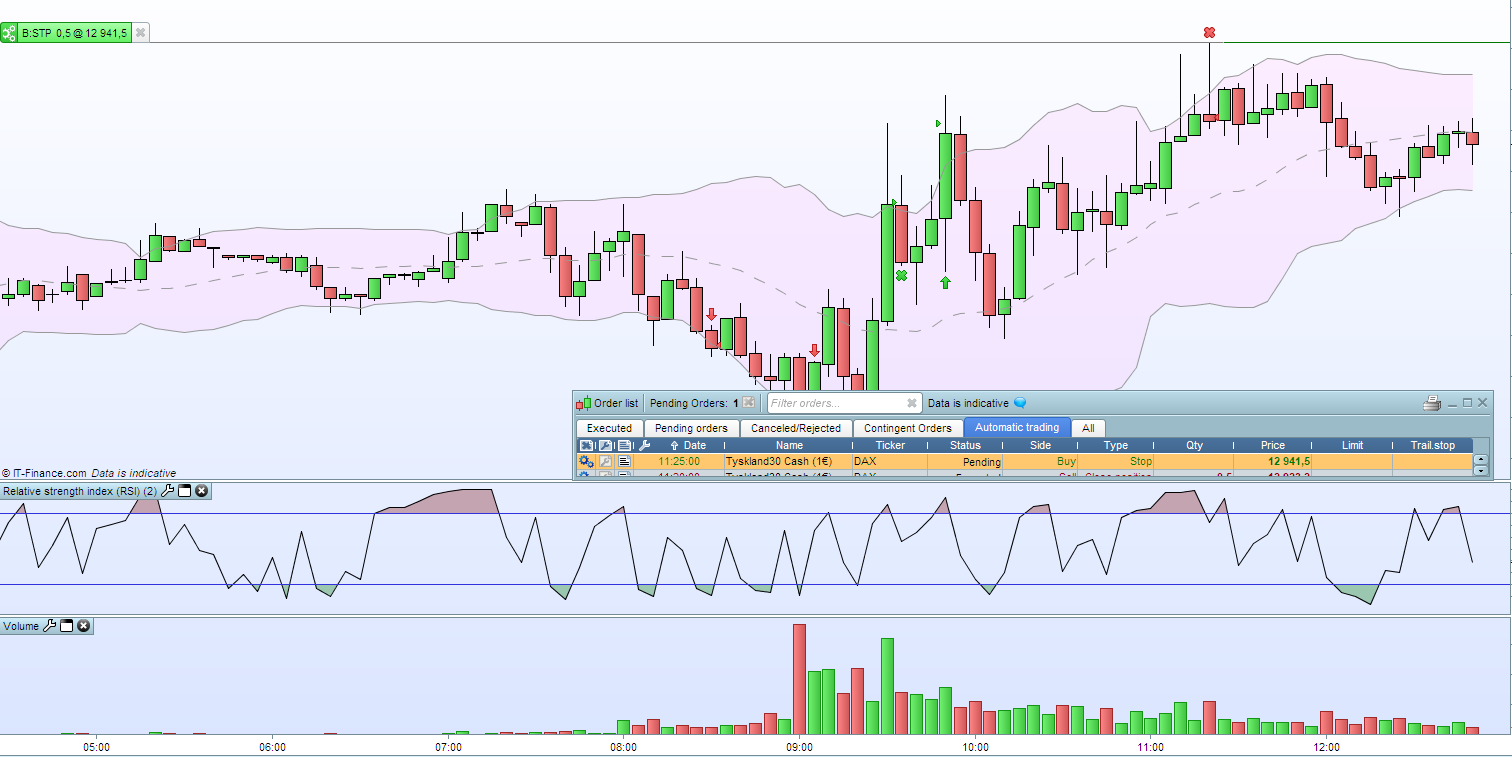
    My ProOrder system is not working as it should, pending stop orders are not always closed after 1 bar. See attached image.

    The pending order was added by my ProOrder system 11:25, the clock is now 12:57 and it is still there pending (I run on 5 minute bars). Most of the time the pending order is cancelled as it should, but I see this behavior from time to time. Any idea what might be wrong?

    001199.png 001199.png
    #142036 quote
    Nicolas
    Keymaster
    Master

    Are you you do not put it again? Any error message in your orders list?

    #142039 quote
    martentornquist
    Participant
    New

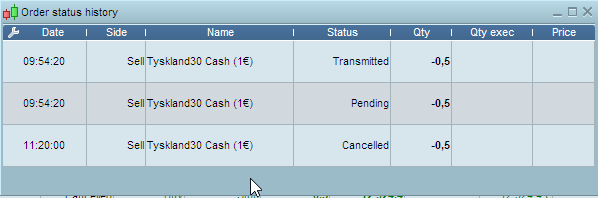
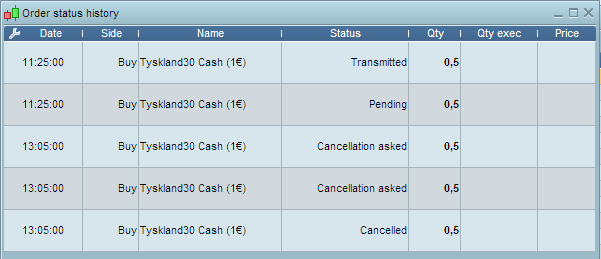
    No errors, and I don’t add it again. Here is another example. This pending order wasn’t cancelled until the bar before 11:25 order was added.

    001200.png 001200.png
    #142045 quote
    martentornquist
    Participant
    New

    And 13:05 the pending order was cancelled (when a new pending order was added)… What is going on here? It actually seems that pending orders are never cancelled until a new one is added…

    001201.png 001201.png
    #142048 quote
    martentornquist
    Participant
    New

    Forget about this, I am stupid 🙂 After reading the code more carefully I understand now that my pending orders are actually recreated on each new bar (and the ProOrder system is smart enough to just keep the existing open if nothing is changed).

    #148732 quote
    Khaled
    Participant
    Veteran

    Hi Marten, I’m facing the same issue, pending STOP orders do not get cancelled or replaced since the time of the first order doesn’t change after a few candles. For completeness, my conditions do not change, so no reason for the order to change.

    Have you solved the issue? Can you please share the solution?

    Thanks

    #148748 quote
    Nicolas
    Keymaster
    Master

    Pending order expire after 1 bar of the main timeframe of your trading system. If you don’t need it anymore, make sure you reset the conditions needed to launch a new pending order.

    Khaled thanked this post
    #148750 quote
    martentornquist
    Participant
    New

    Hi Khaled,

    It was a programming mistake (not understanding fully how PRT works) on my part. As Nicolas say, you have to reset your variables that trigger the creation of the order if you don’t wan’t it anymore. PRT “remembers” everything between each time it is triggered.

    /Mårten

    Khaled thanked this post
Viewing 8 posts - 1 through 8 (of 8 total)

  • You must be logged in to reply to this topic.

Pending orders are not always cancelled after one bar


ProOrder: Automated Strategies & Backtesting

New Reply
Author
Summary

This topic contains 7 replies,
has 3 voices, and was last updated by martentornquist
5 years, 4 months ago.

Topic Details
Forum: ProOrder: Automated Strategies & Backtesting
Language: English
Started: 08/19/2020
Status: Active
Attachments: 3 files
Logo Logo
Loading...