Bonjour,
Je suis sur PRT Saxo banque France
Lorsque qu’on demande de l’aide , Saxo me dit que ce n’est pas de leur ressort et PRT me répond qu’ils ne conseillent que Saxo Danemark
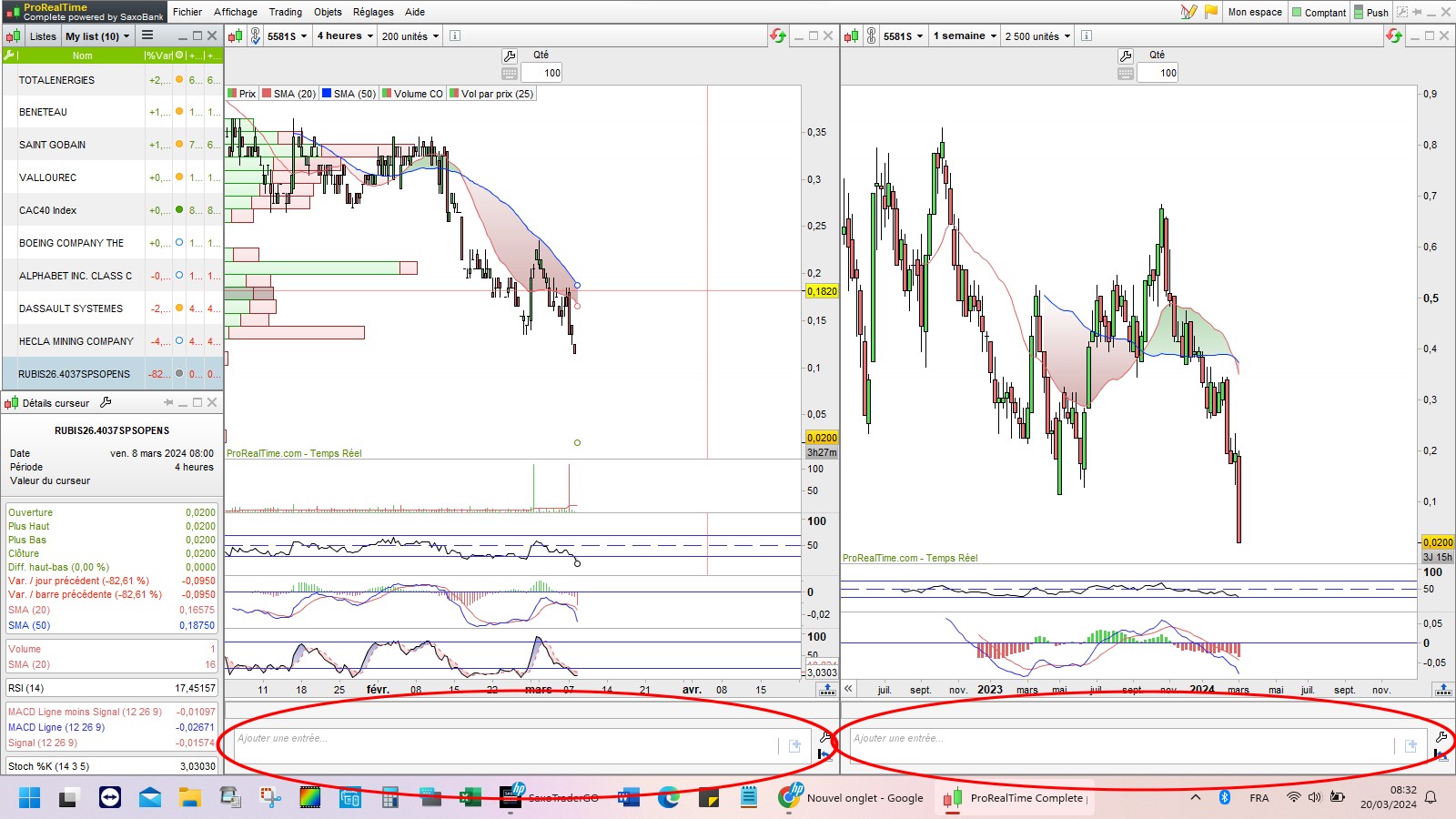
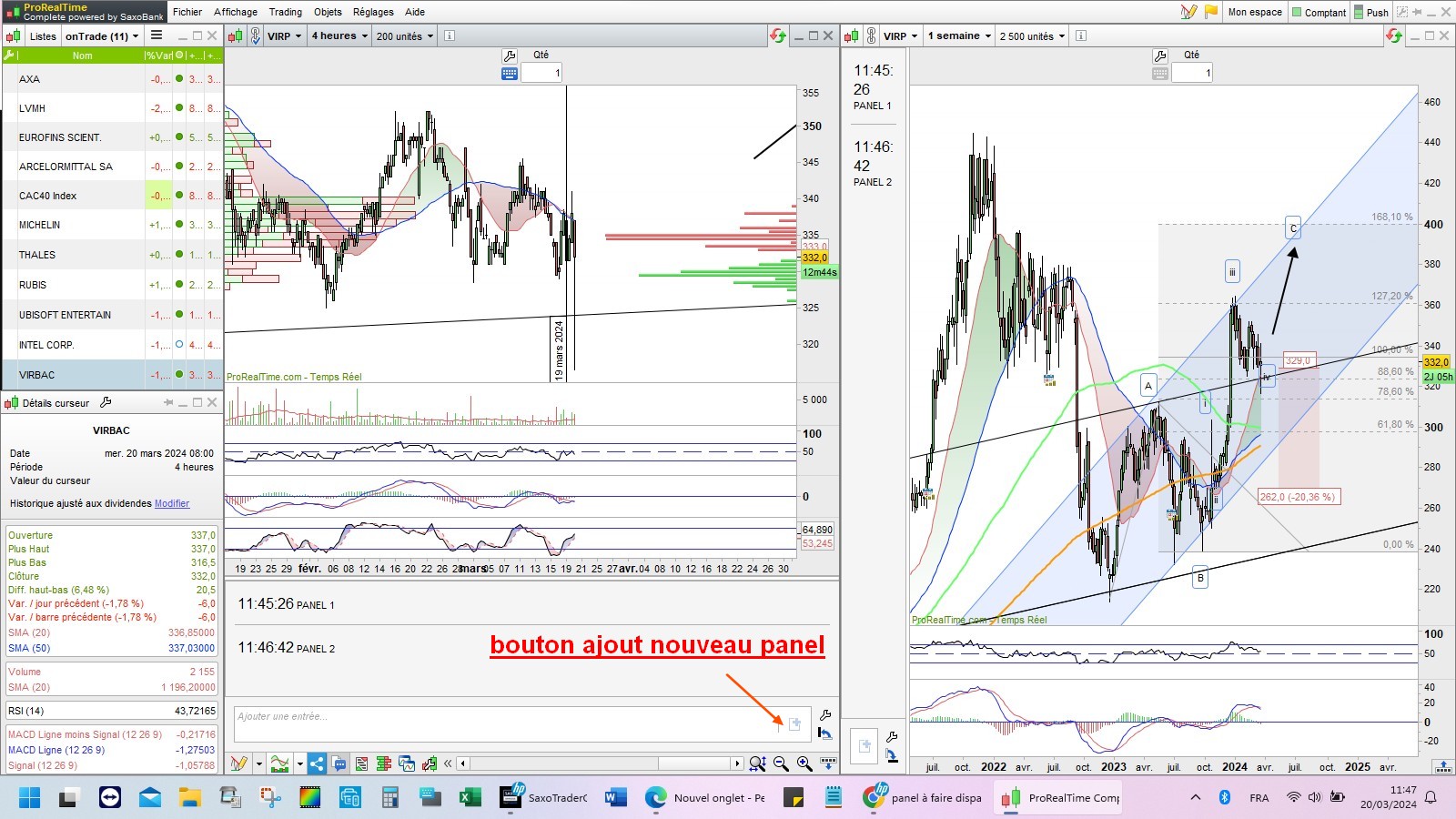
Comment faire disparaitre le panel commentaire entouré (voir image) qui occupe l’écran inutilement
Il semble que vous affichez un panneau d’indicateurs mais sans nom d’indicateur ?
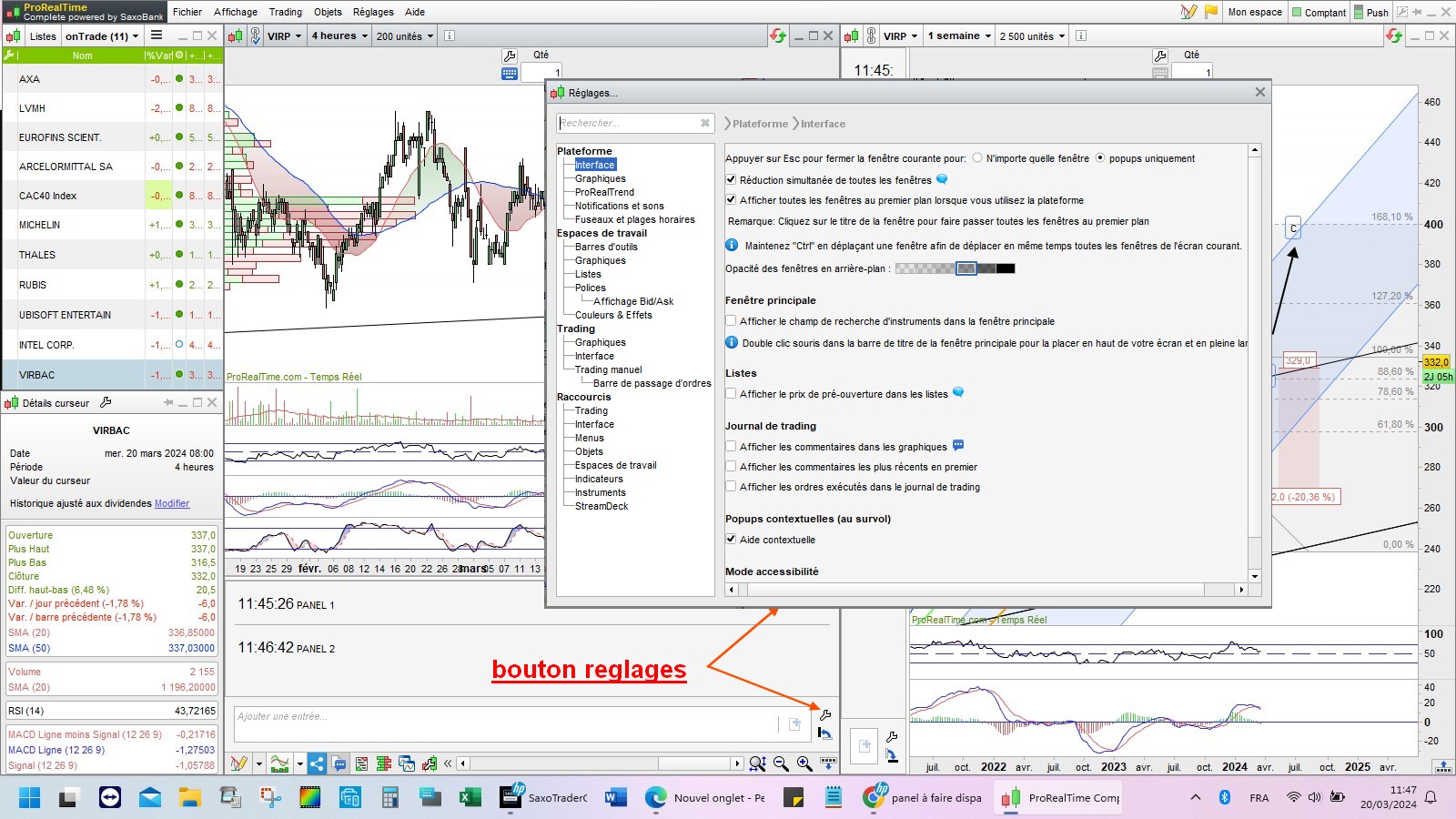
Cliquez sur la clé à l’extrémité droite du panneau indicateur vierge… cela offre-t-il un moyen de retirer le panneau ?
The panels that appear are similar to the ‘Trading Log’ panels, in horizontal mode.
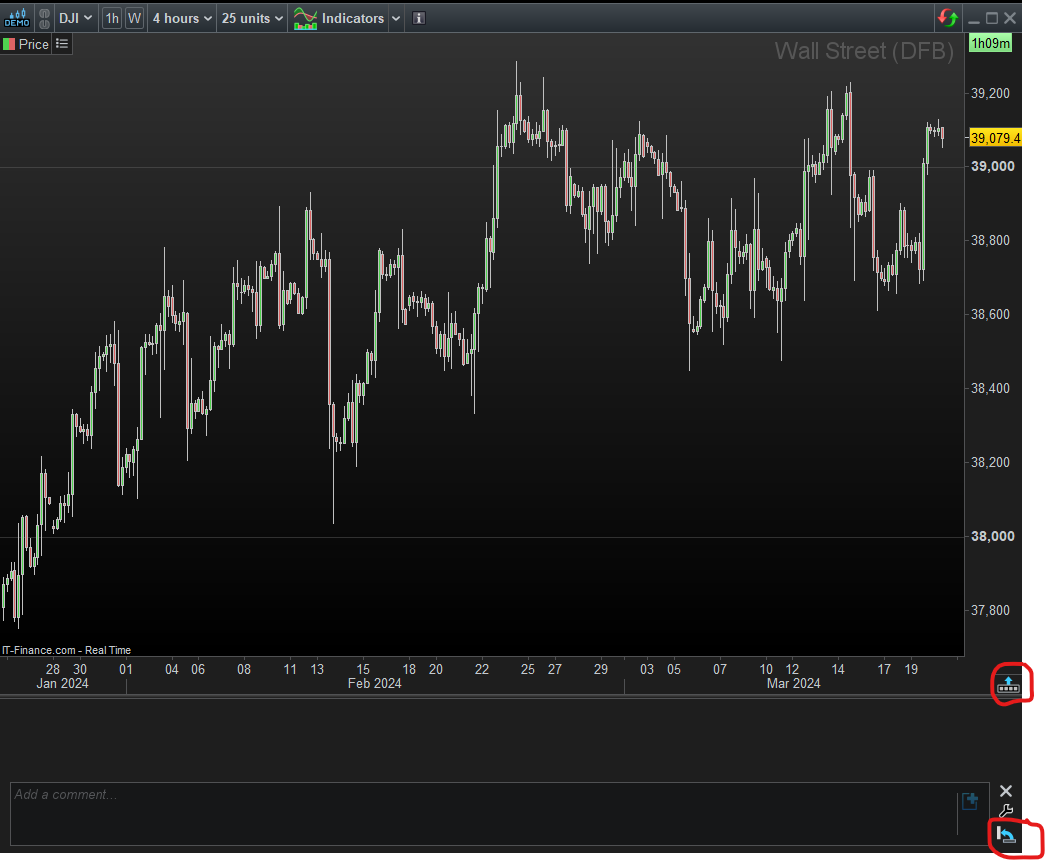
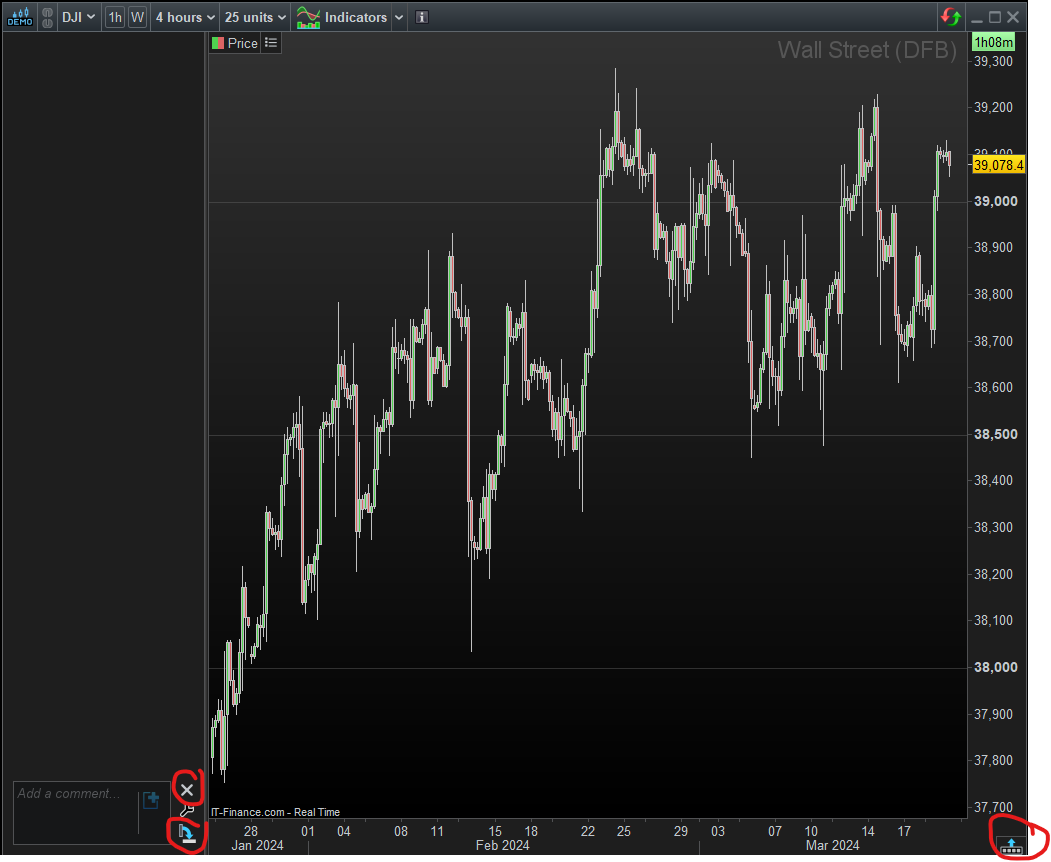
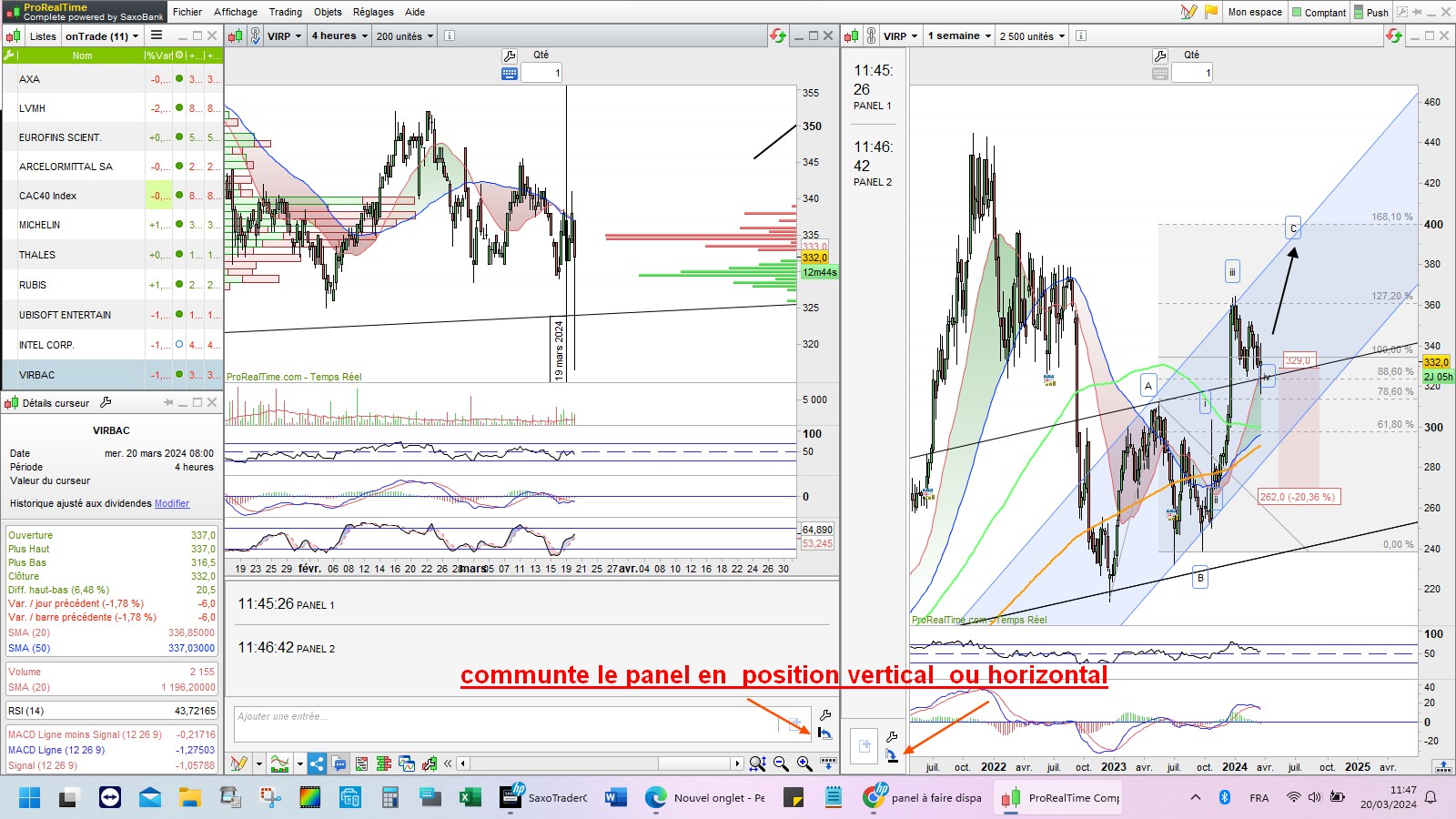
On mine, there’s an ‘x’ for close, but I see you don’t have it. You can try changing the panels to vertical mode, there might be ‘x’ to close there. Click the icon at the bottom right of the Log panel.
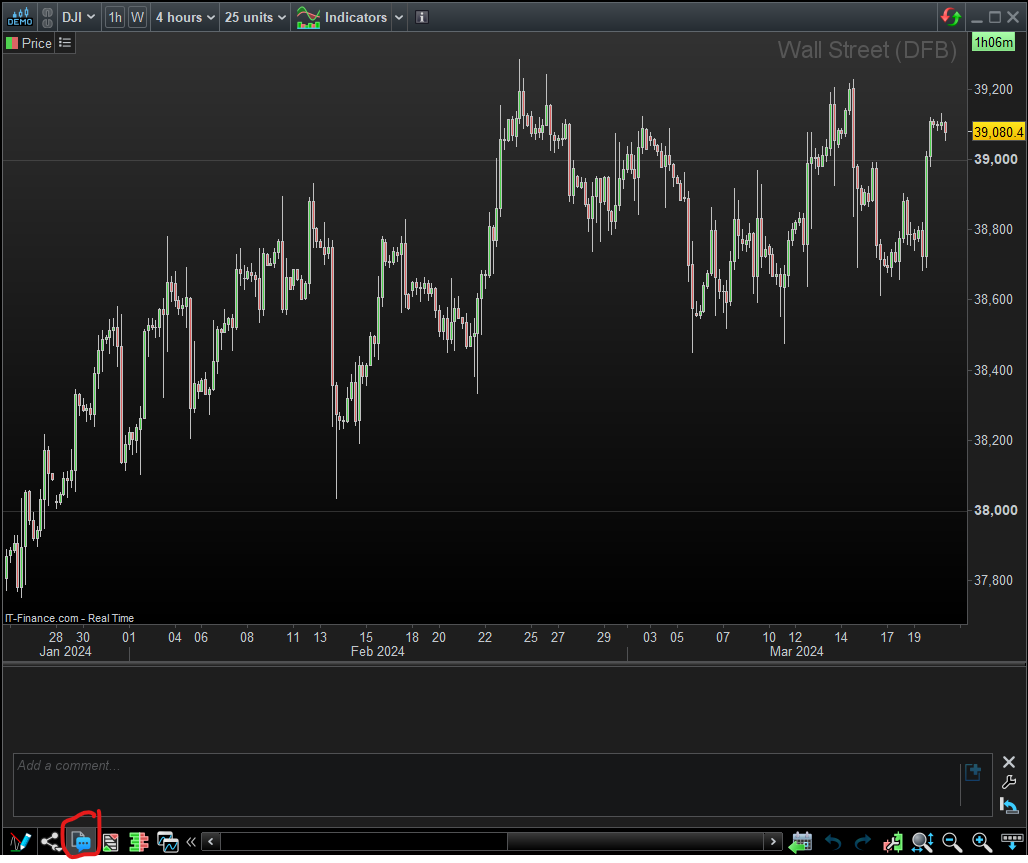
If not, to close, you need to open the bottom menu bar by clicking on the icon at the bottom right of the chart panel, not the log panel. When this appears, click on the “Trading Log” icon, on the other side of the bar, and hopefully that will close the panel.
You may need to repeat for any other log panels that you don’t want to hide.
Druby
bonjour,
à l’extrémité droite est le bouton de réglage
j’ai essayé , mais aucun réglage ne touche directement le panel
panel horizontal/vertical
hello druby
“trading log” does the job
thanks