Overlapping indicators

Viewing 5 posts - 1 through 5 (of 5 total)

  • Author
    Posts
  • #7754 quote
    mikesharman
    Participant
    New

    Hi Traders

    How do I overlap an indicator with the price chart?

    Each time I download an indicator, it appears at the bottom of the chart.  I want to overlap the indictor onto the instrument chart but am having difficulty with this..

    Any suggestions please?

    Mike

    #7763 quote
    Nicolas
    Keymaster
    Master

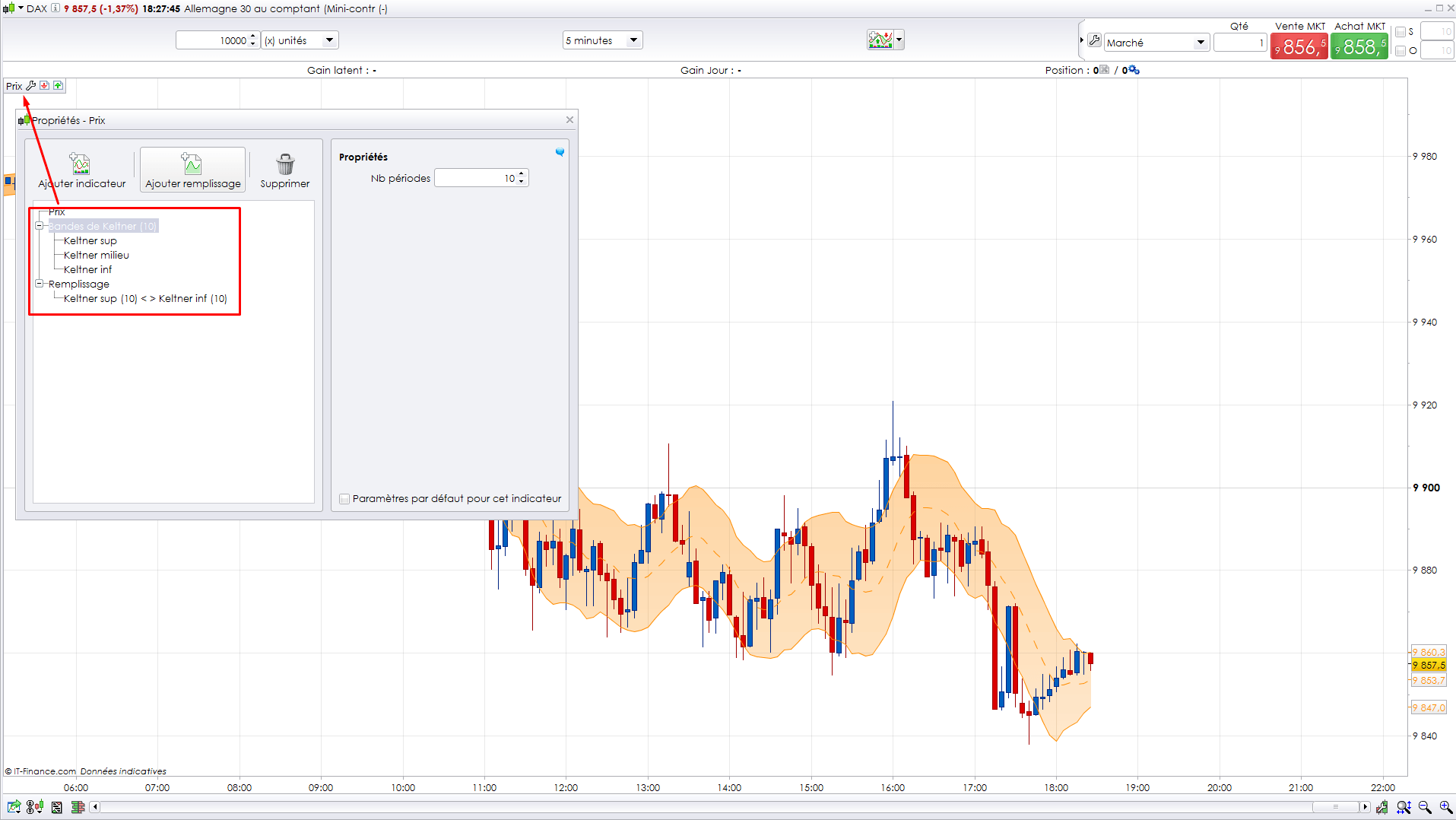
    You should use the wrench and add your indicator on price instead. Please have a look at the picture attached.

    indicateur-sur-le-prix-graphique-prorealtime-1.png indicateur-sur-le-prix-graphique-prorealtime-1.png
    #7768 quote
    mikesharman
    Participant
    New

    Hi Nicolas

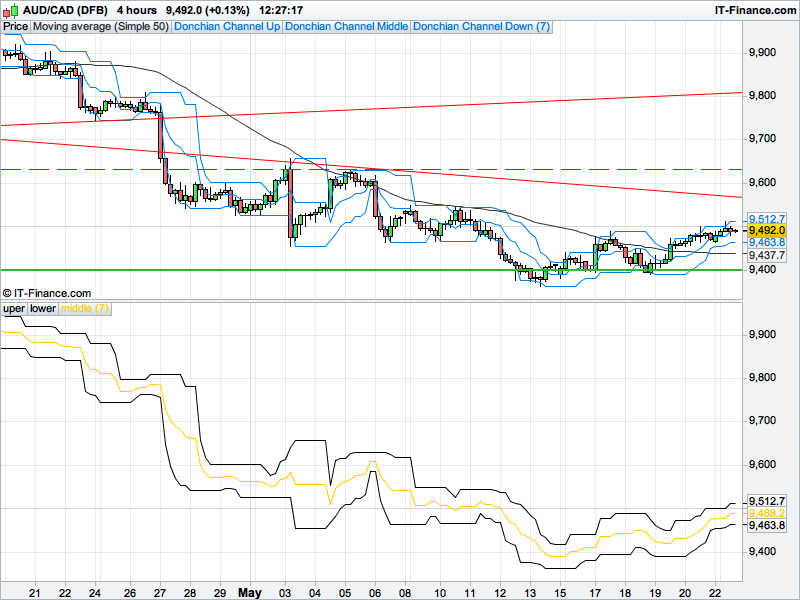
    I’ve tried using the wrench option but am unable to overlap the indicator onto the chart.  It remains at the bottom of the chart as follows..

    CAD-DFB.png CAD-DFB.png
    #7799 quote
    Nicolas
    Keymaster
    Master

    If you are looking to add a Donchian channel onto your price chart, you already have made it! I see it in blue on your price chart… but I’m maybe wrong 🙂

    #7805 quote
    mikesharman
    Participant
    New

    Hi.. Yes I already have a Donchian but wanted to demonstrate that having dowloaded a Donchian indicator was unable to overlap it onto price.

    Thanks anyway…

Viewing 5 posts - 1 through 5 (of 5 total)
  • You must be logged in to reply to this topic.

Overlapping indicators


Platform Support: Charts, Data & Broker Setup

New Reply
Author
Summary

This topic contains 4 replies,
has 2 voices, and was last updated by mikesharman
9 years, 8 months ago.

Topic Details
Forum: Platform Support: Charts, Data & Broker Setup
Language: English
Started: 05/23/2016
Status: Active
Attachments: No files
Logo Logo
Loading...