SVKParticipant
Junior
Hi all,
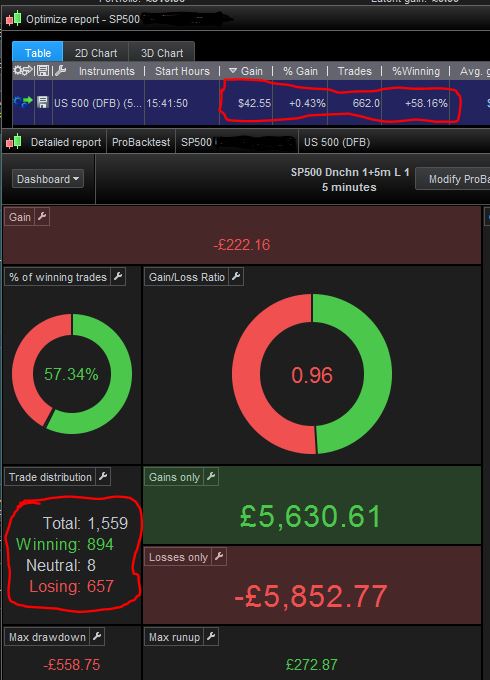
I have noticed that there is significant discrepancy between Optimize report vs Detailed report.
Optimize report:
Gain $42.29
Trades 662
Detailed report:
Gain -£222.16
Trades 1559
I have also noticed that Optimize report is different recently and I find myself closing it after each optimization or change of the parameters.
It keeps previous results which are completely useless because they do not match with detailed report.
Anyone facing the same issues ?
Thank you
Did you click on the $42.55 Gain row in the Table and then check the Detailed Report?
SVKParticipant
Junior
Hi Grahal,
yes I have clicked on the row with positive result and same problem.
Now I have closed the detailed report after clicking on the top row and re-opened detailed report and issue is still there.
SVKParticipant
Junior
Not really sure which report to believe to.?
Weird as it works exactly as expected for me … The Gain figure in the Table is the same as shows on the Detailed Report.
To double check … I just clicked on a Gain in the Table and the Detailed Report refreshed and showed the same figure (as in the Table, including number of trades etc).
I’ll keep an eye out for it not working in future.
You must be doing something different from what I am doing?
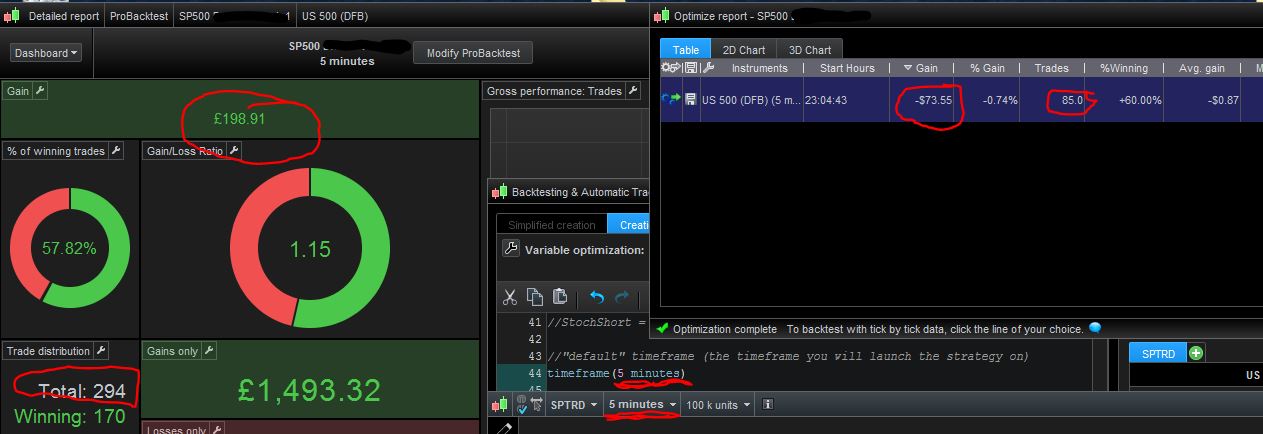
You do have the same Chart Timeframe showing as the result in the Table that you are clicking on?
SVKParticipant
Junior
Chart is 5 minutes.
Default time frame for strategy is 5 minutes.
Still returning nonsense results 🙁
Not really sure which report to believe to.?
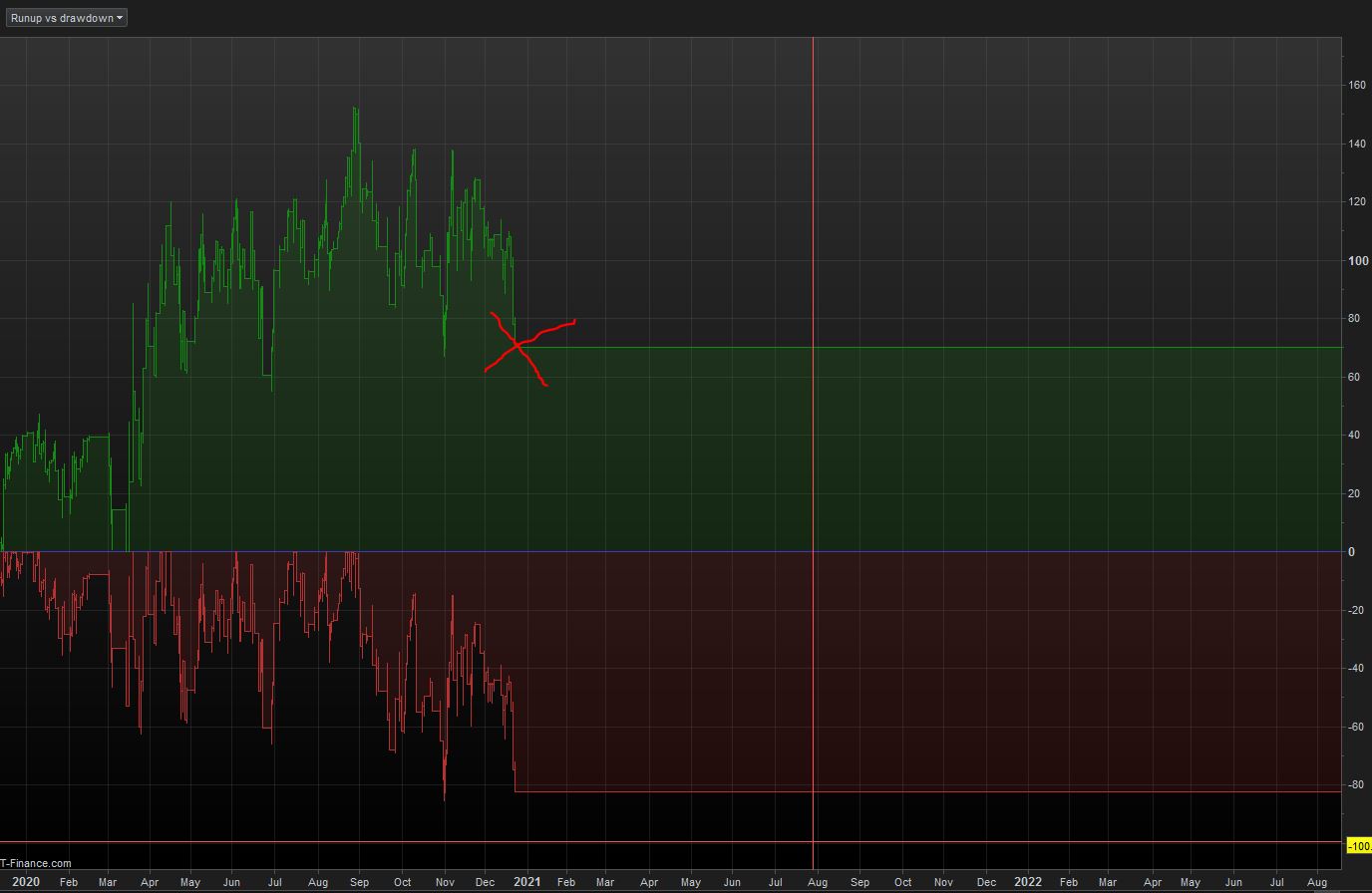
Which report matches the equity curve final value?
SVKParticipant
Junior
I will check that out and many thanks for your help.
I have another issue to report 🙁
Walk forward test stops on 24/12/2020 🙁
(Time period is set to Start earliest & End real time)
Not sure what is going on. I was hoping that maybe servers needed to be restarted or because of the weekend but I’m discovering more things which are strange.
Does normal optimisation (without Walk Forward) stop on 24/12/2020 also?
SVKParticipant
Junior
Quite often yes.
After I run optimisation I change numbers according the results then I have to press ProBacktest my system with all Fixed values tabs ticked to get correct optimization result in Detailed report and to get full time span.
This all sounds crazy weird stuff like usually PeterSt and myself get, well not like you are experiencing, but weird happenings! 🙁
What instrument are you testing?
Have you tried on DJI or some normal regular instrument – FTSE 100 etc?
SVKParticipant
Junior
Issues are only with US500(DFB) and they started just towards the end of last week.
It never hapened on DAX, US Tech 100 or GBP/USD, EUR/USD.
SVKParticipant
Junior
OOOOOOOOOOOOOHHHHHHHHH
So I’m not the only one with screwed up ProRealTime.
I have just quickly scrolled through PeterSt’s thread 25 July….
Wasted whole weekend for nothing 🙁
Is there a way to revert to some older version while this one gets fixed?
I’m pissed off now 🙁
Saturday 6 hours and Sunday like 10 hours ffs.
If you are using Demo, you should be on v11 – version 19 Aug 22 ( Help > About).
We do get the option to boot into v10 when we first start up PRT.