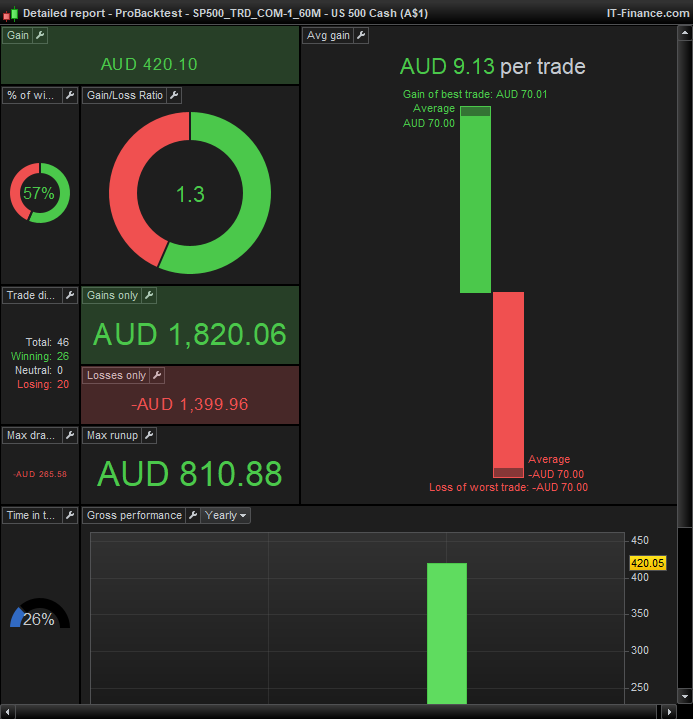
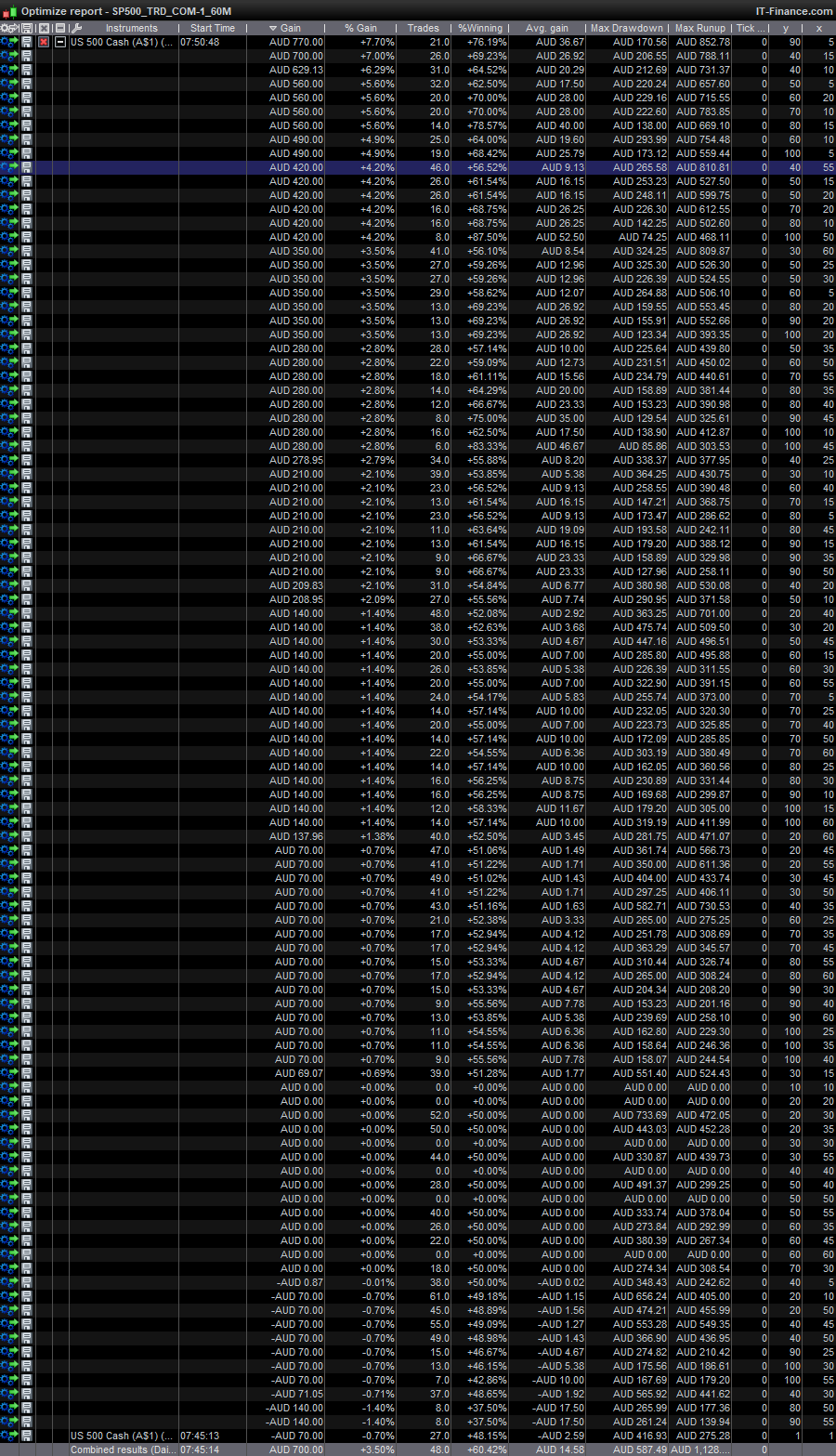
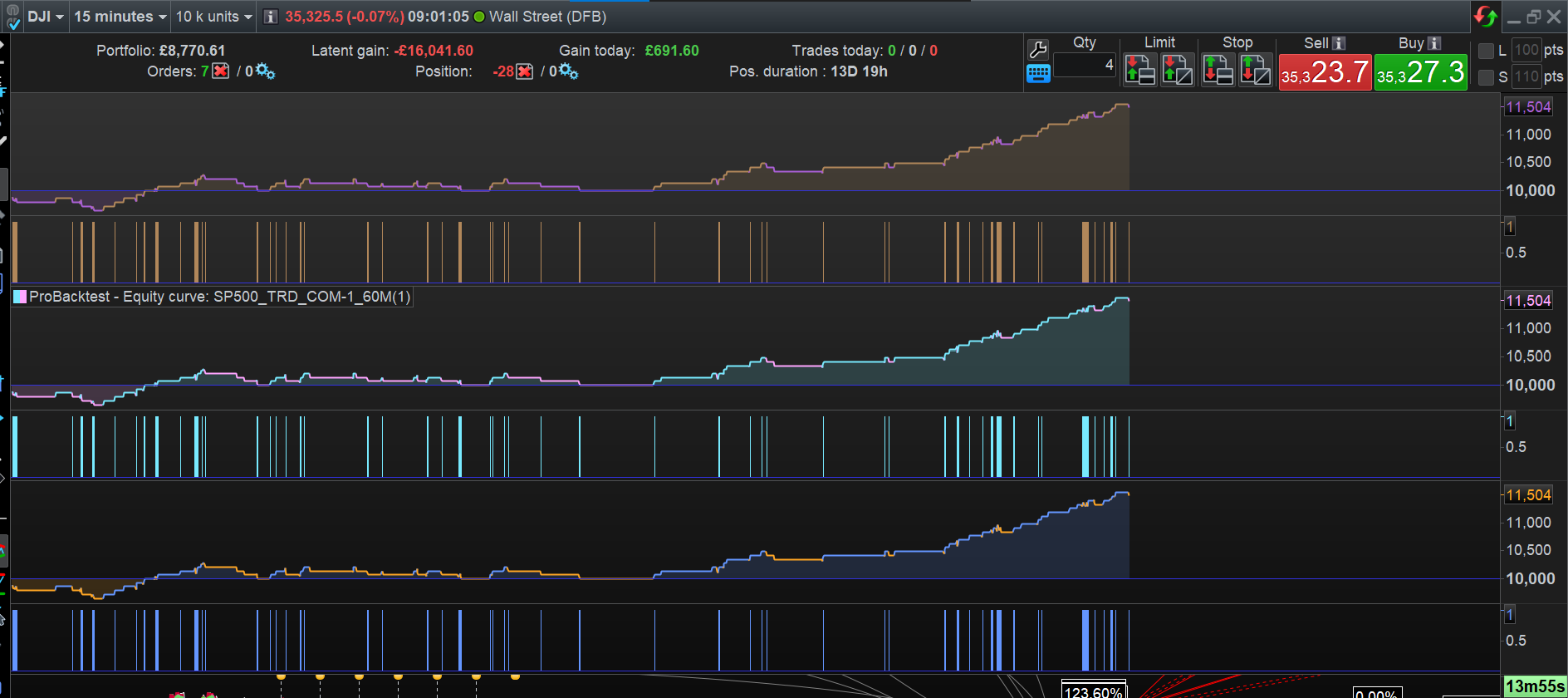
Houston …
I don’t know what I did or where it happened, but since the last 20 minutes I would say “Johann, what are you talking about ?!?”. Meaning :
Suddenly it works correctly and whatever I do, I can’t let it go wrong any more. The only thing I did not do yet, is reloading your .itf from disk. … And that I now did too. It does not help.
So Johann, what are you talking about eh ? hahaha.
Unbelievable. There is something wrong beyond imagination. I must give up on this now ?
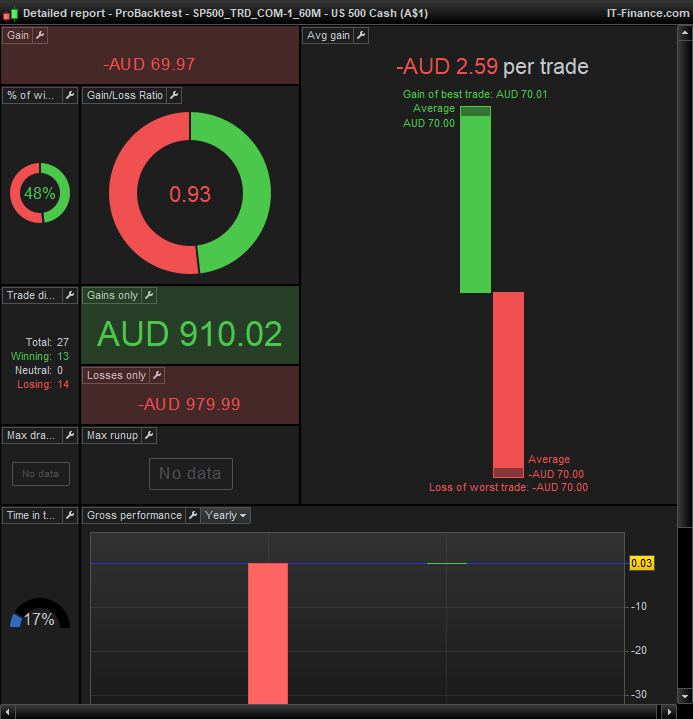
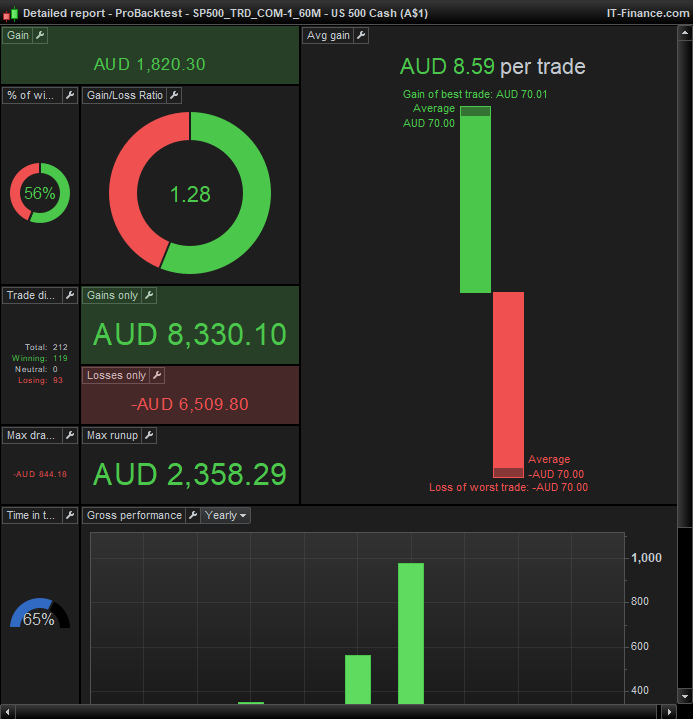
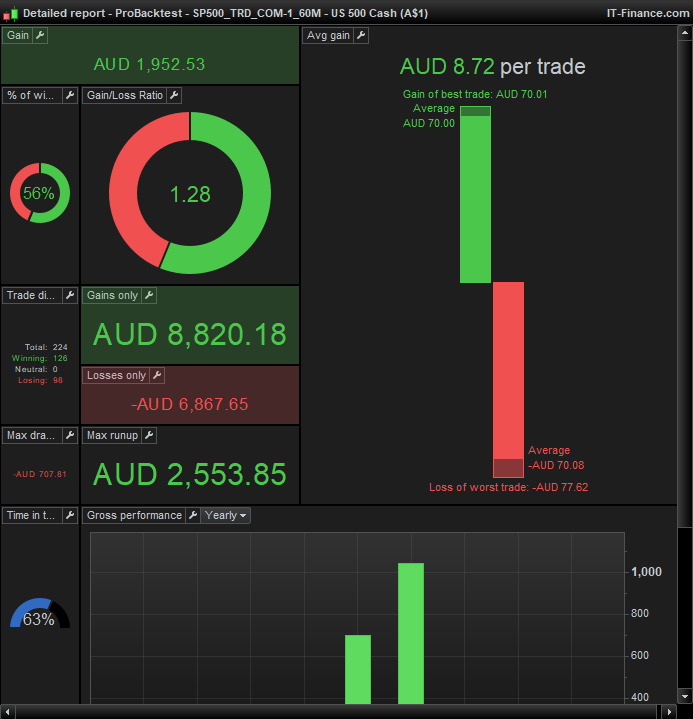
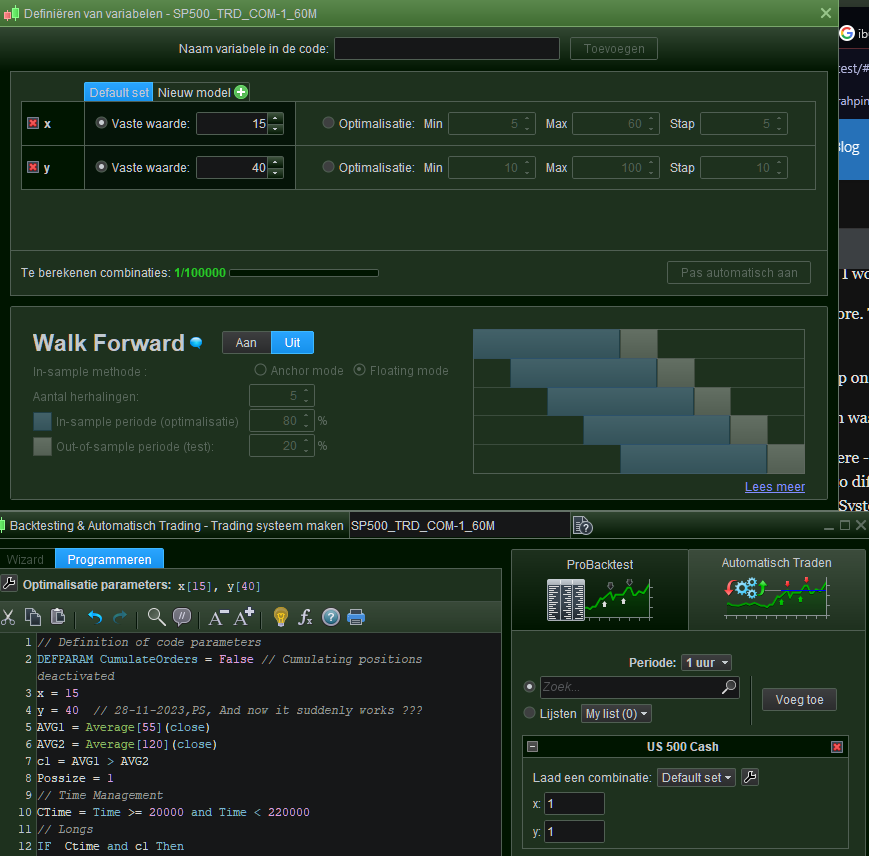
I recall that it started to work after I had obtained a Graph command, which was after I tried to make a trading system for ProOrder of it (see second attachment). Notice that both do things;
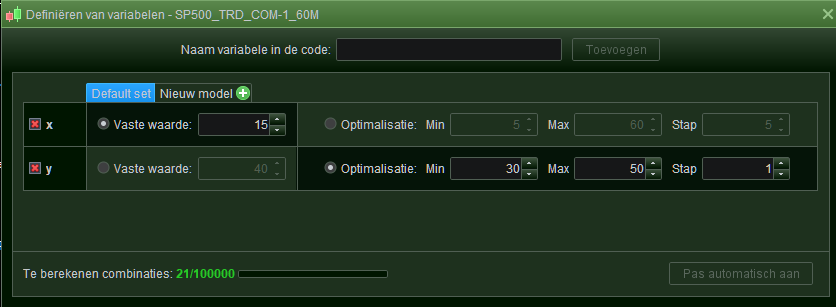
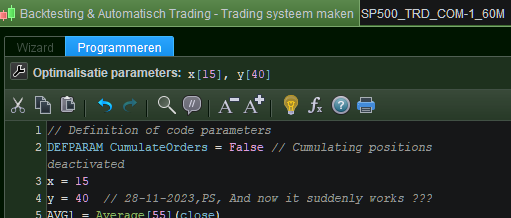
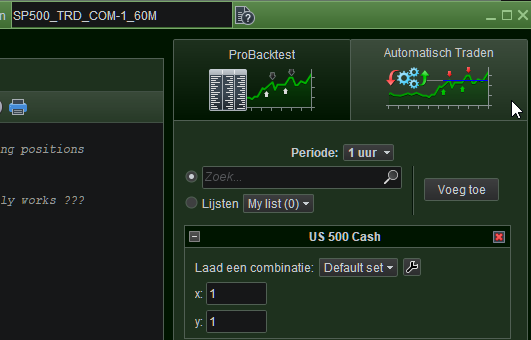
The latter has issues to begin with, because look at the x and y you see in there – they are both at 1 and spring from the original loading of the System. They were at 1 just the same when I attempted this ProOrder stuff an hour ago, while long gone I had set them to different values (you can observe that in the first screenshot as well, though this is after reloading the not and not after one hour of messing about). So do notice that if I would hand this System to ProOrder right now, it would use x=1 and y=1 which is always terriblyt wrong of course (because I have filled x=15 and y=40 in the parameters. OK, see third screenshot where you have it combined. N.b.: This can be fixed by exiting the Editor and reloading the System hence Editor again.
Side note : I never gave PRT this in itself gigantic bug because I kind of gave up on reporting bugs.
And so my guts tell me that where I originally could copy your behaviour Johann, possibly something in the realm of ProOrder reset stuff, but quite definitely. But look how difficult it is and how may bugs a man has to conquer before he can do his thang :
I removed the SP500 System from the cloud stuff (“Remove Backtest”) from the list of systems I have in there – Saved and Exited PRT and Restarted it.
Back was the system. Just like that, including the presenting of the backtest. So it also requires to be removed from the Chart. OK, done, Remove it from the list of systems again, Save – Exit – Restart. Now all was finally clean.
But now there was so much hassle in between (including the restart of PRT a couple of times, which I already did outside of removing the system) that all has became moot.
The Graph command is special because I am fairly confident that PRT on their servers cache things with that – or around that or whatever. Graph has given me so so many times issues and all we can do is create backdoor solutions to overcome it. And YES that includes strange backtest results, just because things error out quietly internally. But this was the other way around … I added the Graph command.
Anyway since adding that command or otherwise going to the “Automatic Trading” tab (2nd attachment) things suddenly were correct – I did both things at the same moment of backtesting.
Crazy.