If you can see the addition of the LastTradeDate lines then just copy that to your other code. I don’t want to do it for you 🙂 Try it and let me know after you have given it a go.
hi,
still interest in help for my different daily strategies, on the code below I only like to have one execution the day ,
this is one strategie on a couple of , so the question is , what do I have to put in for only ONE execution the day …on DAX mini , 1min chart
Defparam cumulateoders=false//
defparam flatbefore=080000
defparam flatafter=173000
indicator1=close
indicator2=Bollingerdown[20](close)
c1=(indicator1<indicator2)
if c1 then
buy 20 contract at market
endif
set stop ploss0
set target pprofit 1
This should do (try and let me know):
// onlu ONE trade per Day
//
Defparam cumulateorders = false
defparam flatbefore     = 080000
defparam flatafter      = 173000
ONCE OneTrade           = 0
IF time = 000000 THEN
OneTrade = 0
ENDIF
indicator1 = close
indicator2 = Bollingerdown[20](close)
c1 = (indicator1 < indicator2)
c2 = (OneTrade = 0)
if c1 AND c2 then
buy 20 contract at market
OneTrade = 1
endif
set stop ploss 0
set target pprofit 1
thx first of all , should I really use “iftime=000000 then ” ….or do I have to put sthing in for 000000
Just as is, no quotres, no carets, apostrophes or whatever, only 000000 (hhmmss).
I’m pasting a more readable code:
// only ONE trade per Day
//
defparam cumulateorders = false
defparam flatbefore     = 080000
defparam flatafter      = 173000
ONCE OneTrade           = 0
IF time = 000000 THEN
   OneTrade = 0
ENDIF
indicator1 = close
indicator2 = Bollingerdown[20](close)
c1         = (indicator1 < indicator2)
c2         = (OneTrade = 0)
if c1 AND c2 then
   buy 20 contract at market
   OneTrade = 1
endif
set stop   ploss   0
set target pprofit 1
not working on the backtesting platform
I used on a 1 minute chart and it worked, just one trade per day.
Of course I commented out all conditions and unused variables.
Try again.
again not working ..no trades
It works on timeframes < 1 day (I used 1 minute charts, not daily) because of WHEN a strategy is processed by ProOrder.
Each strategy is processed at the closure of the candle of the timeframe you want to deal with. In this case it is D1 (daily), so it is run when the daily candle closes. Then again after 24 hours!
You may want to use the above code on a smaller TF trying to adjust conditions and variables so they suit a daily strategy, if possible…. otherwise drop that strategy!
I don’t know if there is any system that can afford to scan and run ALL strategies, say every second or minute, to monitor conditions. The time required would be much greater than a second and even a minute!!!
don’t understand the point , I have put your code in as you wrote… in the 1min chart ….result is nothing will happen ..so again whats wrong
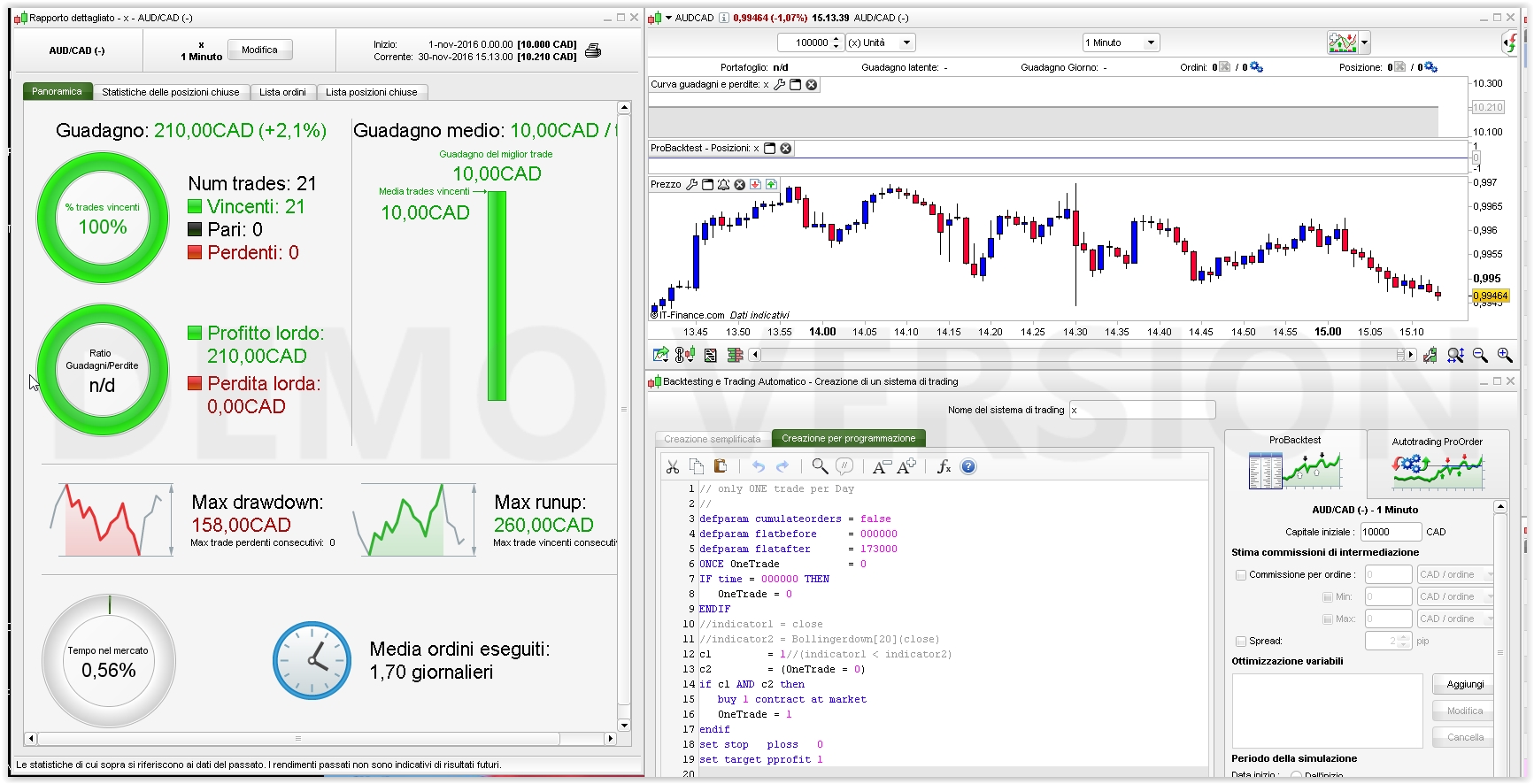
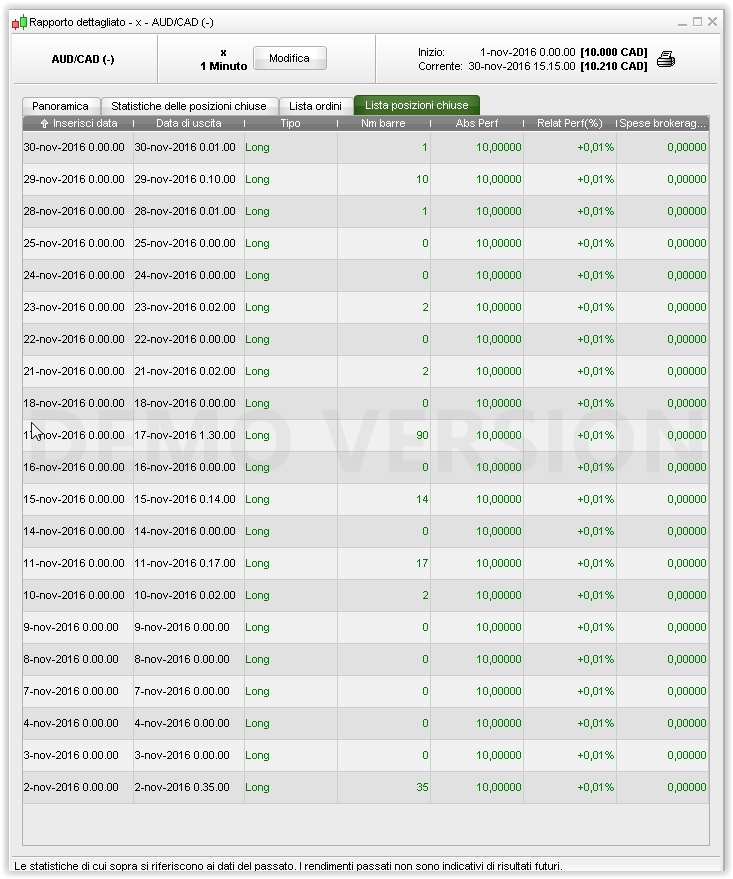
It works on Aud/Cad, 1 minute, with conditions and unused variables commented out.
See the outcome attached.
I asked on Dax , with daxmini in 1 minute chart !!!!!!!i don’t care on any currency stuff !!!!!!!!!!!!!
You’d switch to Aud/Cad, it looks more profitable!
next time , it would be great to get an answer on what I have asked
you are spending my time
thx
Dreif, I think you will find that my original suggestion works just fine as it did with the original I edited for you. The logic is simple to copy to your other code. Did you try this yet as suggested? If coding is for you, it will make you better in the long run. Everyone here does not mind helping but you have to try for yourself too. 🙂
Roberto has kindly given his time. Comments like that are not helpful to this friendly community. If you feel something is not working, post code and pics to help explain as Roberto has done for you.