JS
JSParticipant
Senior
When I use 10k units, it works well …?
Really sorry, I have no clue why but my backtest doesn’t match yours… it misses a signal and I get stopped out.
JSParticipant
Senior
I think I know why this happens. When the first position is opened, and within 36 units an opposite position should be opened by the indicator, it goes wrong because the indicator hasn’t had time to configure itself yet. You can solve this by using the period of the supertrend (36 units) as “PreLoadBars.”
So use:
DefParam PreLoadBars=36
This fixed it – thanks a lot 🙏🏼 been looking for a solution for this for a while now!
I’ve tried this code now with (DEMO) auto trading, but it doesn’t open a position, not on the system start, not the next day, also not the day after… does anyone know what the reason could be?
When i use this code for backtesting, it works fine!
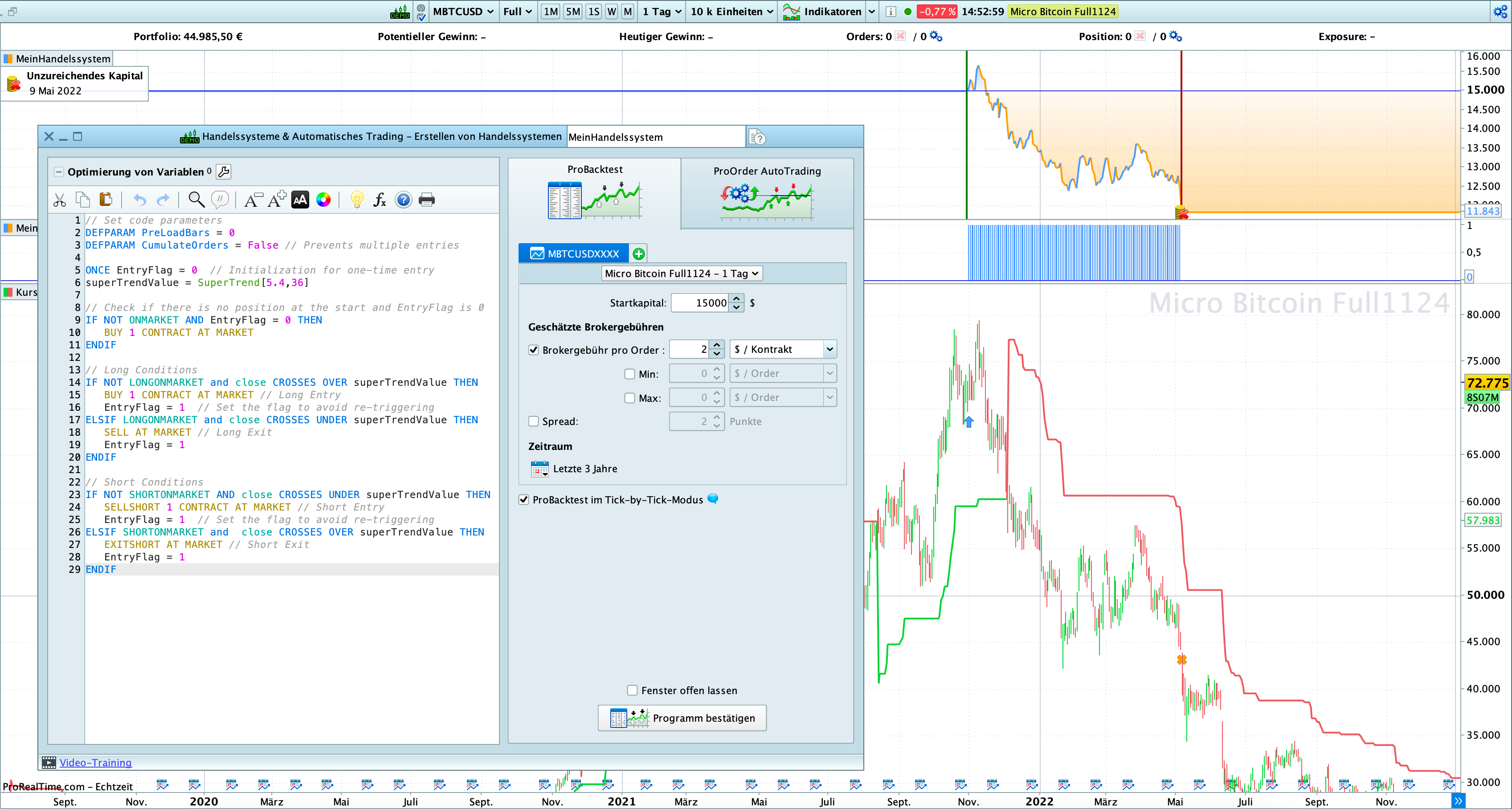
// Set code parameters
DEFPARAM PreLoadBars = 100
DEFPARAM CumulateOrders = False // Prevents multiple entries

ONCE EntryFlag = 0  // Initialization for one-time entry
superTrendValue = SuperTrend[5.4,36]

// Check if there is no position at the start and EntryFlag is 0
IF NOT ONMARKET AND EntryFlag = 0 THEN
SELLSHORT 1 CONTRACT AT MARKET
ENDIF

// Long Conditions
IF NOT LONGONMARKET and close CROSSES OVER superTrendValue THEN
BUY 1 CONTRACT AT MARKET // Long Entry
EntryFlag = 1  // Set the flag to avoid re-triggering
ELSIF LONGONMARKET and close CROSSES UNDER superTrendValue THEN
SELL AT MARKET // Long Exit
EntryFlag = 1 // Set the flag to avoid re-triggering
ENDIF

// Short Conditions
IF NOT SHORTONMARKET AND close CROSSES UNDER superTrendValue THEN
SELLSHORT 1 CONTRACT AT MARKET // Short Entry
EntryFlag = 1  // Set the flag to avoid re-triggering
ELSIF SHORTONMARKET and  close CROSSES OVER superTrendValue THEN
EXITSHORT AT MARKET // Short Exit
EntryFlag = 1 // Set the flag to avoid re-triggering
ENDIF
Undoubtedly PreLoadBars. It would be the only thing that matters for Backtest vs Demo (or Live for that matter).
Hence, your SuperTrend can’t cope with the 100 bars 0nly.
?
PS: I see that JS already gave the same response to earlier posts. Still I think my text applies.
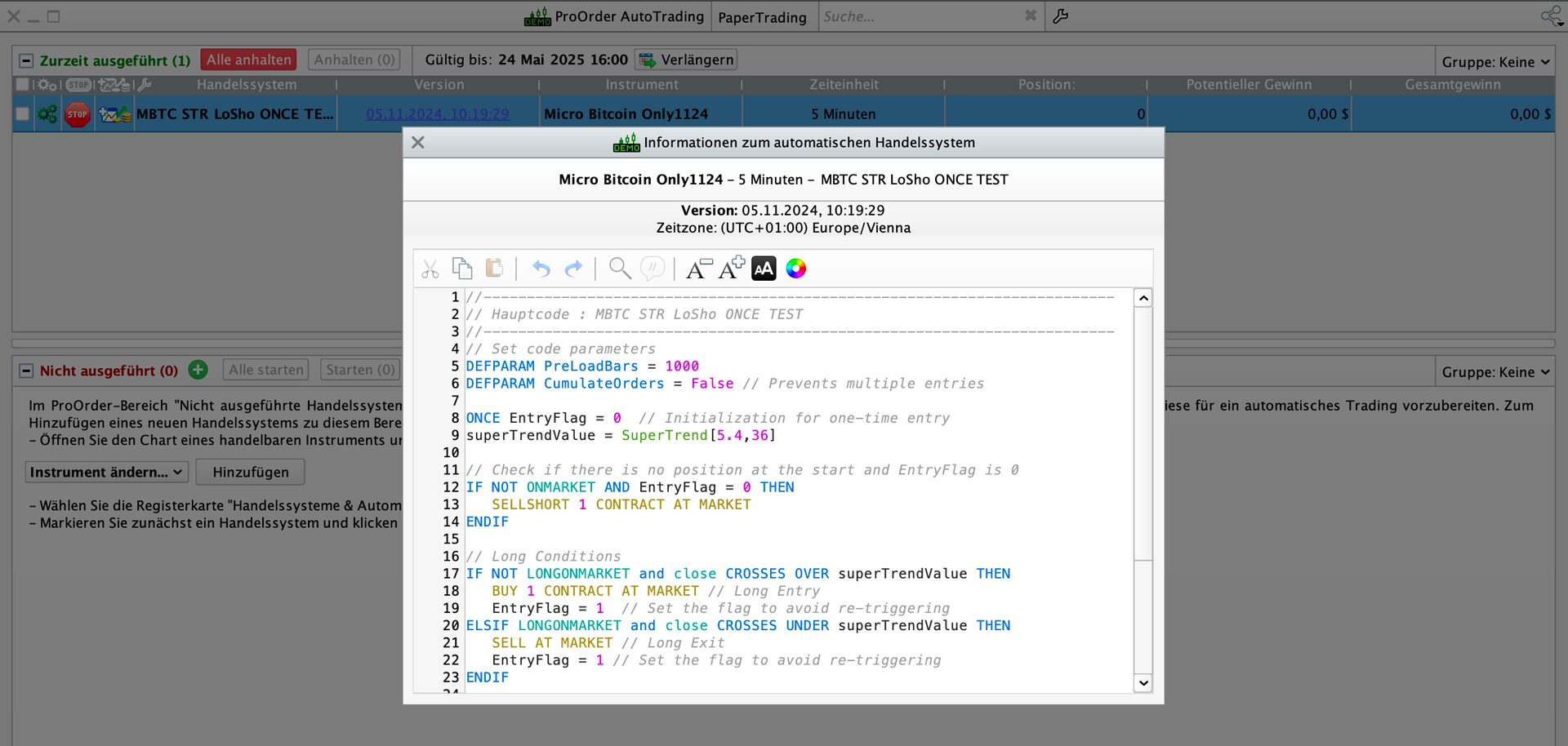
Hi Peter, with JS the last solution was to use at least PreLoadBars = 36, I’ve increased it to 100 for backtesting, it works. I have tested the system now with 1000 bars, in a 5 min. timeframe (in hope to see sooner results if the position would be opened at the next bar) but nothing happens (screenshot attached). As I am a very beginner at this, it might just be a basic setting but I just can’t figure it out.
Just to clarify my goal here: I’m aiming for an immediate entry into a long or short position (I’d adjust the code accordingly) as soon as I start the auto trading system, without having to wait for the next signal. We’ve only increased the PreLoadBars to ensure that the first signals from the SuperTrend indicator are accurately interpreted AFTER the immediate entry.
I’m aiming for an immediate entry into a long or short position
Below on Lines 9,10 and 11 of the most recent posted code will (should?) give you above (you adjust for Short or Long as you think fit when you start your Algo).
Tell us what is not happening if not above?
IF NOT ONMARKET AND EntryFlag = 0 THEN
SELLSHORT 1 CONTRACT AT MARKET
ENDIF
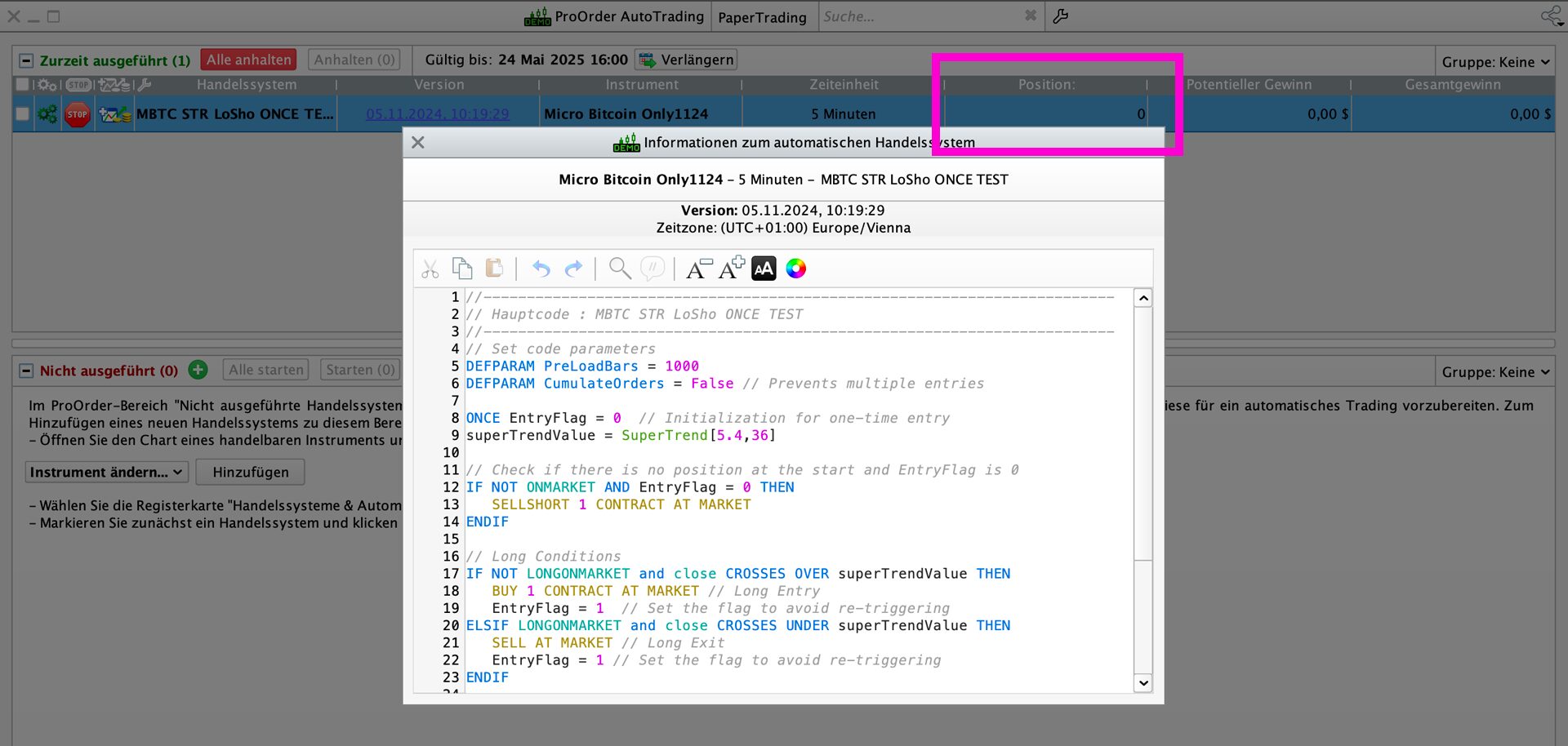
Yes that’s what the code SHOULD do, and it works when I do backtesting but when I start auto trading (in Demo mode), nothing happens – no matter what timeframe i use, no positions are being opened (see screenshot attached). The system was also active for a couple of days with a 1 day timeframe, in case it opens a position at the next candle/day, but still nothing happened.
I will try it on my Demo and Ill report back.
I started it on DJI on 1 min TF and 2 bars have formed, but no position opened so I confirm / supprt what you are saying.
I will make a change to see if I can get it going.
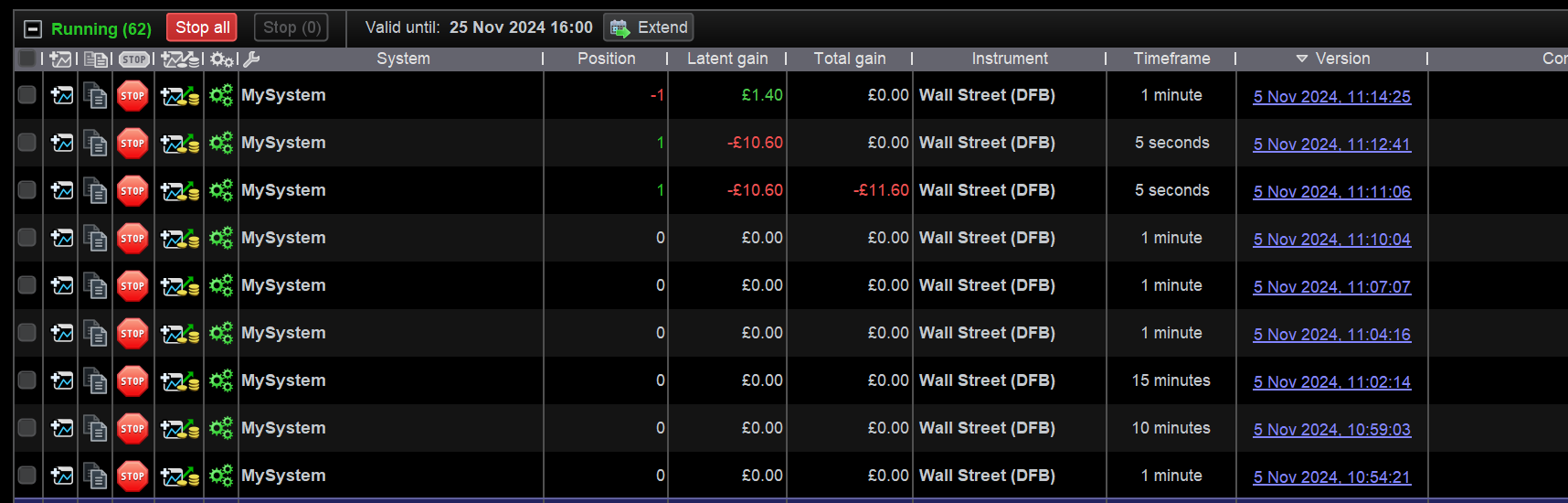
Below works … see attached.
Maybe somebody can tell us why??
// Set code parameters
DEFPARAM PreLoadBars = 100
DEFPARAM CumulateOrders = False // Prevents multiple entries

ONCE EntryFlag = 0  // Initialization for one-time entry
superTrendValue = SuperTrend[5.4,36]

// Check if there is no position at the start and EntryFlag is 0
IF EntryFlag =0 THEN
SELLSHORT 1 CONTRACT AT MARKET
ENDIF
JSParticipant
Senior
Hi,
“PreLoadBars” does not determine the number of bars over which the backtest is conducted, but rather the number of bars loaded before the backtest is performed.
(The number of bars for your backtest is determined by the amount of “units” in your chart)
If you use “PreLoadBars=36” as discussed, it should work fine…
Opening the first position depends on your timeframe: if you use 1 day, the first position will open after 1 day, and if you use a 5-minute timeframe, then after 5 minutes…
Thanks JS, but first position didn’t open at all (see my ss) until I deleted ‘Not onmarket’ as I posted.