IV ADD THE FILE Basically what I’ve done is all I want to do is optimize the risk management i’ve put a basic 20 moving average price goes above it by price goes below itself but all I really want to do is try to work out how to use the optimizer at the same time so any help I would appreciate it
// Prevent multiple order// Prevent multiple orders in the same direction
defparam cumulateorders = false
ONCE N = 1

PointsToKeep = 10 // How much pips/points to secure above or below entry price when breakeven is activated

// Reset variables when no trades are active
IF NOT ONMARKET THEN
breakevenLevel = 0
newSL = 0
ENDIF

// --- Long Trade Logic ---
indicator1 = ExponentialAverage[20](close)
c1 = (close CROSSES OVER indicator1) // Define indicator for long
       // Condition for long entry

IF c1 AND NOT OnMarket THEN
// Define ATR-Based Stops and Targets for Long Trades
Tp  = AverageTrueRange[14](CLOSE) * A   // Take-profit level 1
Tp2 = AverageTrueRange[14](CLOSE) * B  // Take-profit level 2
Tp3 = AverageTrueRange[14](CLOSE) * C  // Take-profit level 3
St  = AverageTrueRange[14](CLOSE) * D   // Stop-loss
Ts  = AverageTrueRange[14](CLOSE) * E   // Trailing stop activation level

startBreakeven = Tp
trailingstart = Ts
trailingstep = St * pipsize

BUY 4 PERPOINT AT MARKET
SET STOP PLOSS St * pipsize
N = 1
ENDIF

// Manage Breakeven for Long Trades
IF LONGONMARKET AND abs(CountOfPosition) = 3 AND close - TRADEPRICE(N) >= startBreakeven * pipsize THEN
breakevenLevel = TRADEPRICE(N) + PointsToKeep * pipsize
ENDIF

// Partial Profit-Taking for Long Trades
IF LONGONMARKET AND CLOSE >= (TRADEPRICE(N) + Tp) AND abs(CountOfPosition) = 4 THEN
SELL 1 PERPOINT AT MARKET
N = 2
ENDIF

IF LONGONMARKET AND CLOSE >= (TRADEPRICE(N) + Tp2) AND abs(CountOfPosition) = 3 THEN
SELL 1 PERPOINT AT MARKET
N = 3
ENDIF

IF LONGONMARKET AND CLOSE >= (TRADEPRICE(N) + Tp3) AND abs(CountOfPosition) = 2 THEN
SELL 1 PERPOINT AT MARKET
N = 4
ENDIF

// Trailing Stop Management for Long Trades
IF LONGONMARKET THEN
IF newSL = 0 AND close - TRADEPRICE(N) >= trailingstart * pipsize THEN
newSL = high - trailingstep * pipsize
ENDIF
IF newSL > 0 AND close - newSL >= trailingstep * pipsize THEN
newSL = high - trailingstep * pipsize
ENDIF
ENDIF

// Exit at Breakeven or Trailing Stop for Long Trades
IF breakevenLevel > 0 THEN
SELL AT breakevenLevel STOP
ENDIF

IF newSL > 0 THEN
SELL AT newSL STOP
ENDIF

// --- Short Trade Logic ---
indicator2 = ExponentialAverage[20](close)
Sc1 = (close CROSSES UNDER indicator2)// Define indicator for short (same as long, used inversely)
  // Condition for short entry

IF Sc1 AND NOT OnMarket THEN
// Define ATR-Based Stops and Targets for Short Trades
Tp  = AverageTrueRange[14](CLOSE) * A    // Take-profit level 1
Tp2 = AverageTrueRange[14](CLOSE) * B   // Take-profit level 2
Tp3 = AverageTrueRange[14](CLOSE) * C  // Take-profit level 3
St  = AverageTrueRange[14](CLOSE) * D   // Stop-loss
Ts  = AverageTrueRange[14](CLOSE) * E   // Trailing stop activation level

startBreakeven = Tp
trailingstart = Ts
trailingstep = St * pipsize

SELLSHORT 4 PERPOINT AT MARKET
SET STOP PLOSS St //* pipsize
N = 1
ENDIF

// Manage Breakeven for Short Trades
IF SHORTONMARKET AND abs(CountOfPosition) = 3 AND TRADEPRICE(N) - close >= startBreakeven * pipsize THEN
breakevenLevel = TRADEPRICE(N) - PointsToKeep * pipsize
ENDIF

// Partial Profit-Taking for Short Trades
IF SHORTONMARKET AND CLOSE <= (TRADEPRICE(N) - Tp) AND abs(CountOfPosition) = 4 THEN
EXITSHORT 1 PERPOINT AT MARKET
N = 2
ENDIF

IF SHORTONMARKET AND CLOSE <= (TRADEPRICE(N) - Tp2) AND abs(CountOfPosition) = 3 THEN
EXITSHORT 1 PERPOINT AT MARKET
N = 3
ENDIF

IF SHORTONMARKET AND CLOSE <= (TRADEPRICE(N) - Tp3) AND abs(CountOfPosition) = 2 THEN
EXITSHORT 1 PERPOINT AT MARKET
N = 4
ENDIF

// Trailing Stop Management for Short Trades
IF SHORTONMARKET THEN
IF newSL = 0 AND TRADEPRICE(N) - close >= trailingstart * pipsize THEN
newSL = low - trailingstep * pipsize
ENDIF
IF newSL > 0 AND TRADEPRICE(N) - newSL >= trailingstep * pipsize THEN
newSL = low - trailingstep * pipsize
ENDIF
ENDIF

// Exit at Breakeven or Trailing Stop for Short Trades
IF breakevenLevel > 0 THEN
EXITSHORT AT breakevenLevel STOP
ENDIF

IF newSL > 0 THEN
EXITSHORT AT newSL STOP
ENDIF

// --- Visualization for Long and Short Trades ---
GraphOnPrice newSL coloured("red") AS "Trailing Stop"                  // Trailing stop is now red for clarity
GraphOnPrice breakevenLevel coloured("orange") AS "Breakeven Level"   // Breakeven level remains orange

// Visualization for Long Trades
IF LONGONMARKET THEN
GraphOnPrice (TradePrice(N) + Tp) coloured("lightgreen") AS "Long Exit 1"   // TP1 (light green)
GraphOnPrice (TradePrice(N) + Tp2) coloured("green") AS "Long Exit 2"       // TP2 (green)
GraphOnPrice (TradePrice(N) + Tp3) coloured("darkgreen") AS "Long Exit 3"   // TP3 (dark green)
GraphOnPrice (TradePrice(N) - St) coloured("red") AS "Stop"                 // Stop-loss (red)
ENDIF

// Visualization for Short Trades
IF SHORTONMARKET THEN
GraphOnPrice (TradePrice(N) - Tp) coloured("lightblue") AS "Short Exit 1"   // TP1 (light blue)
GraphOnPrice (TradePrice(N) - Tp2) coloured("blue") AS "Short Exit 2"       // TP2 (blue)
GraphOnPrice (TradePrice(N) - Tp3) coloured("darkblue") AS "Short Exit 3"   // TP3 (dark blue)
GraphOnPrice (TradePrice(N) + St) coloured("red") AS "Stop"                 // Stop-loss (red)
ENDIF
For example :
Comment-out your St in line 23 (//).
Now add the variable/parameter St to the Optimizer Variables.
Let it iterate over the points you want to test (e.g. from 5 to 20, step 0.5).
Press Backtest.
Have the checkbox “Tick by Tick mode” checked.
Helps ?
PS: Keep in mind that you overrule the St variable on line 85. It is a bit difficult for me to find another candidate in your code.
Edit : PointsToKeep may be a good one !
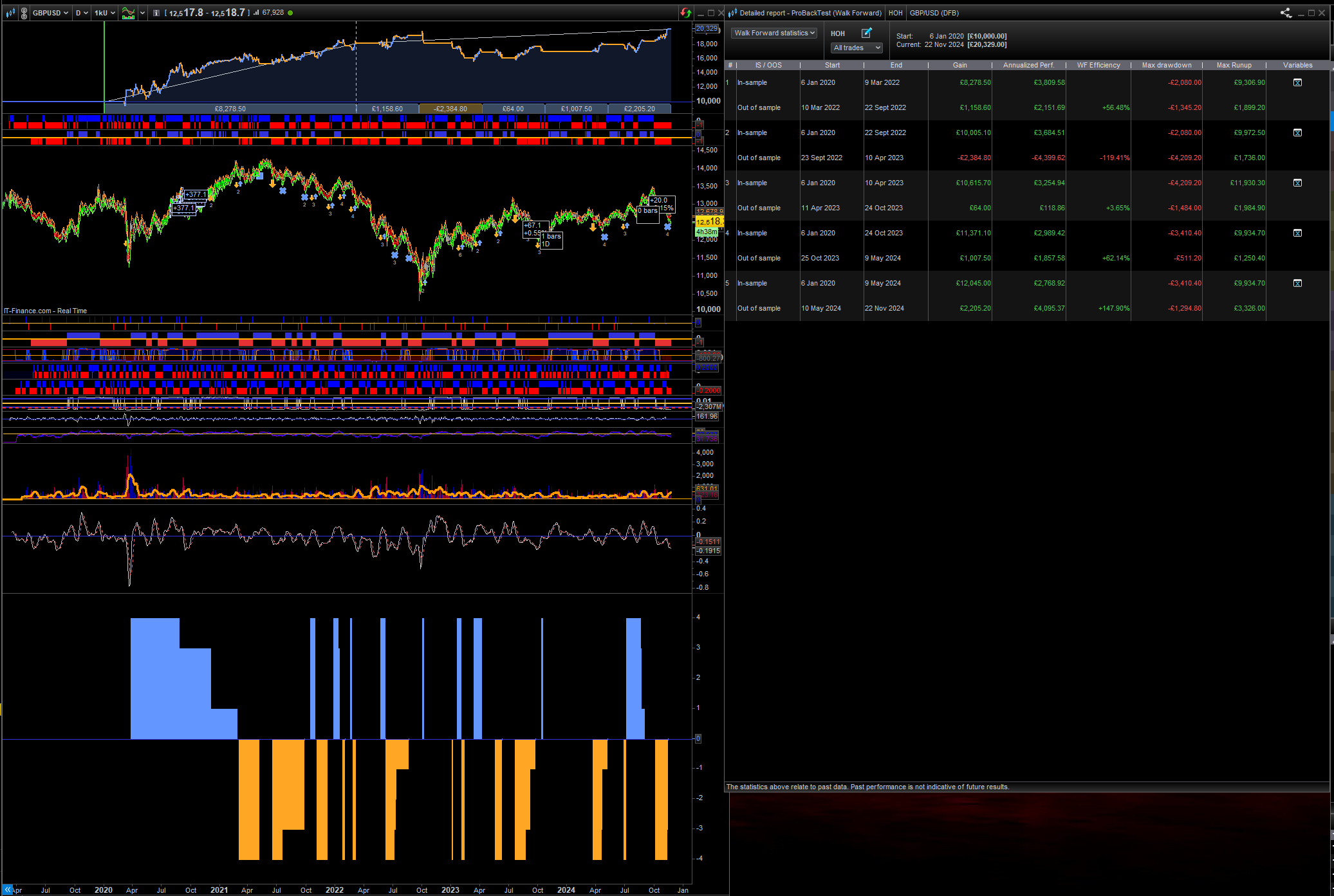
On this system I’m not very sure what are the from the testing what is the best variables and the inundate are outdated is quite confusing for me and if you look at the left there’s a big section where it’s just one part one code and then all the other parts are broken down into different bits in and out of date or something
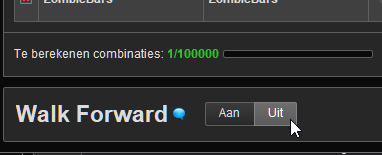
But Patrick, you engaged Walk Forward (see the tabs below). You should select Off there. Unless you want to test “walk forward” of course. But I don’t think you want that.
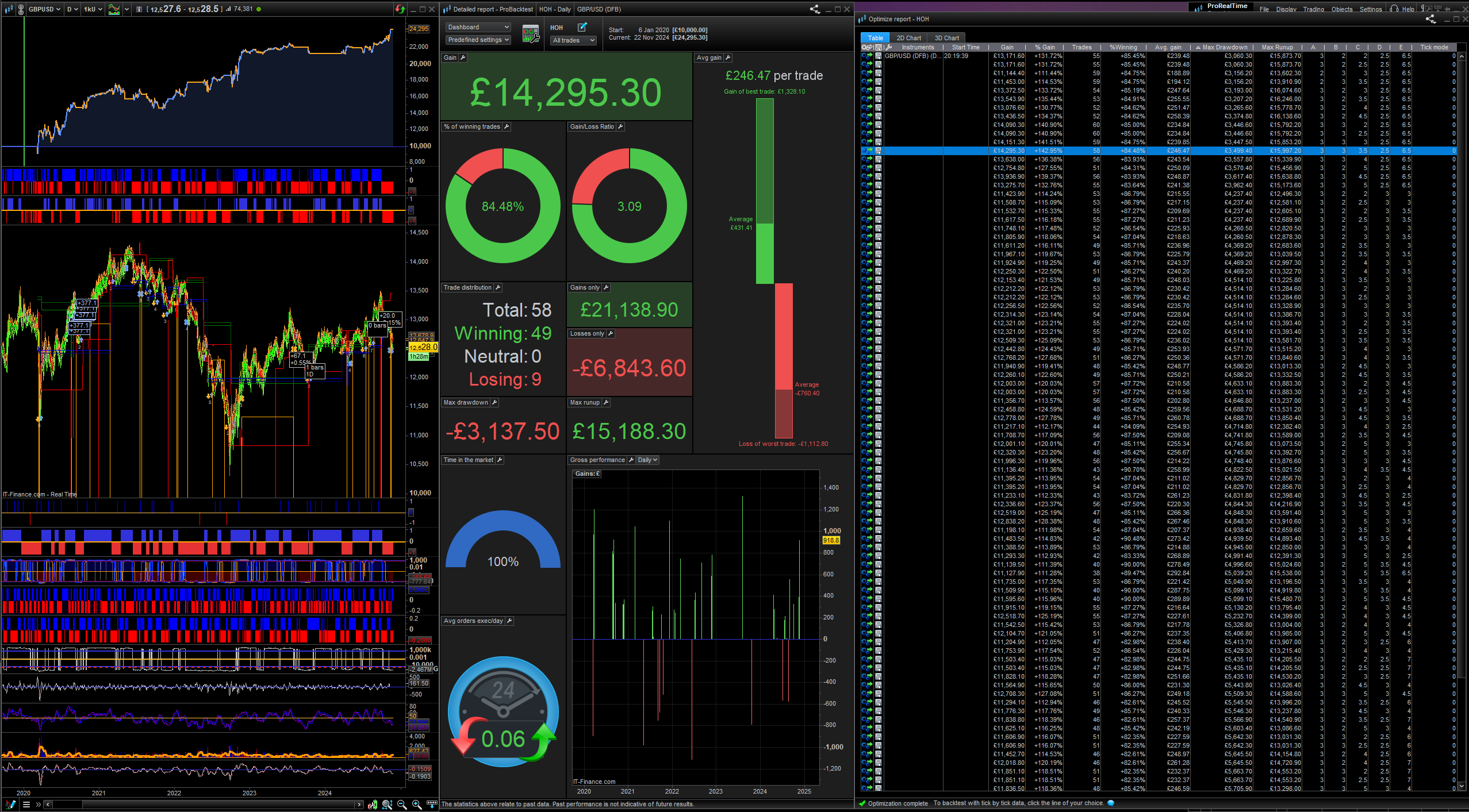
You have made active ‘Walk Forward’. If you make Walk Forward as Inactive then you will have a straightforward Optimiser … which I’m sure you will easily se how it works/
THANNK YOU BOTH THIS FEELS LIKE IT ONLY GOING TO GET HARDER FROM HERE OUT
You have got off to a very good start, just ask specific questions and you’ll be sure to get answers.