No entry after not working?

Forums ProRealTime English forum ProOrder support No entry after not working?

Viewing 11 posts - 1 through 11 (of 11 total)
  • #178303

    I’ve added some no entry code (straight from the simplified creation tool in bold below) but its having no effect even when I change the time so I’m trading from 8 hrs to less than an hour a day? Trades are still showing in back test after the no entry time?

    No idea why this isn’t working?

    Help please.


    // Definition of code parameters
    DEFPARAM CumulateOrders = False // Cumulating positions deactivated
    // The system will cancel all pending orders and close all positions at 0:00. No new ones will be allowed until after the “FLATBEFORE” time.
    DEFPARAM FLATBEFORE = 143500
    // Cancel all pending orders and close all positions at the “FLATAFTER” time
    DEFPARAM FLATAFTER = 220000

    // Prevents the system from placing new orders to enter the market or increase position size after the specified time
    noEntryAfterTime = 145500
    timeEnterAfter = time < noEntryAfterTime

    // Prevents the system from placing new orders on specified days of the week
    daysForbiddenEntry = OpenDayOfWeek = 6 OR OpenDayOfWeek = 0

    #178310

    These two commands:

    • DEFPARAM FLATBEFORE = 143500
      DEFPARAM FLATAFTER   = 220000

    mean that you do NOT want any trade open before 143500 AND after 220000.

    This further instruction:

    • noEntryAfterTime = 145500
      timeEnterAfter = time < noEntryAfterTime

    means that you can enter a trade BEFORE 145500 (but AFTER 143500 as from above).

    So your trades can only be opened between 143500 AND 145459.

    If you trade on a 15-minute TF you can only enter at 144500. On a higher TF no trade will ever be opened.

    In any case at 220000 ALL trades will be closed.


    #178313

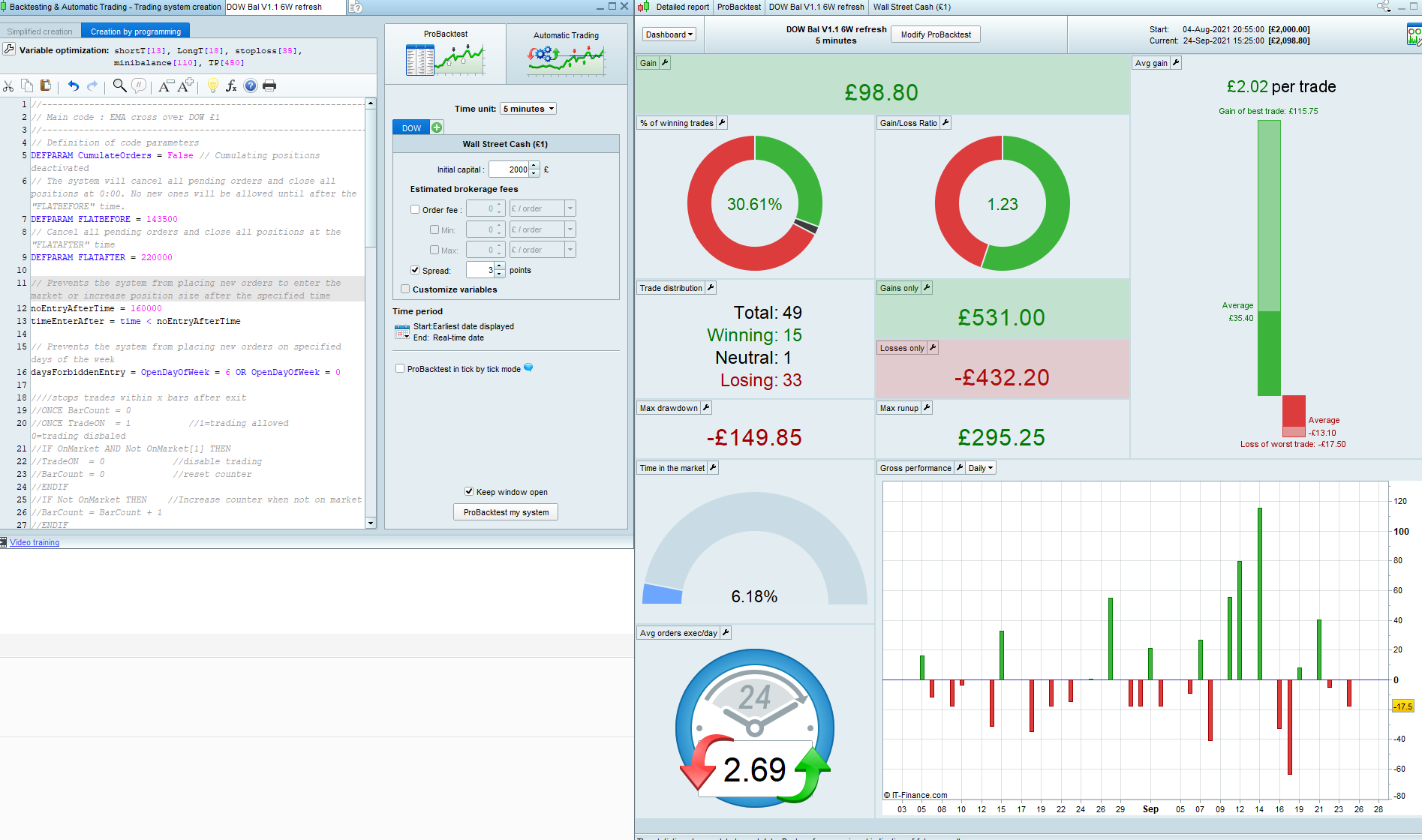
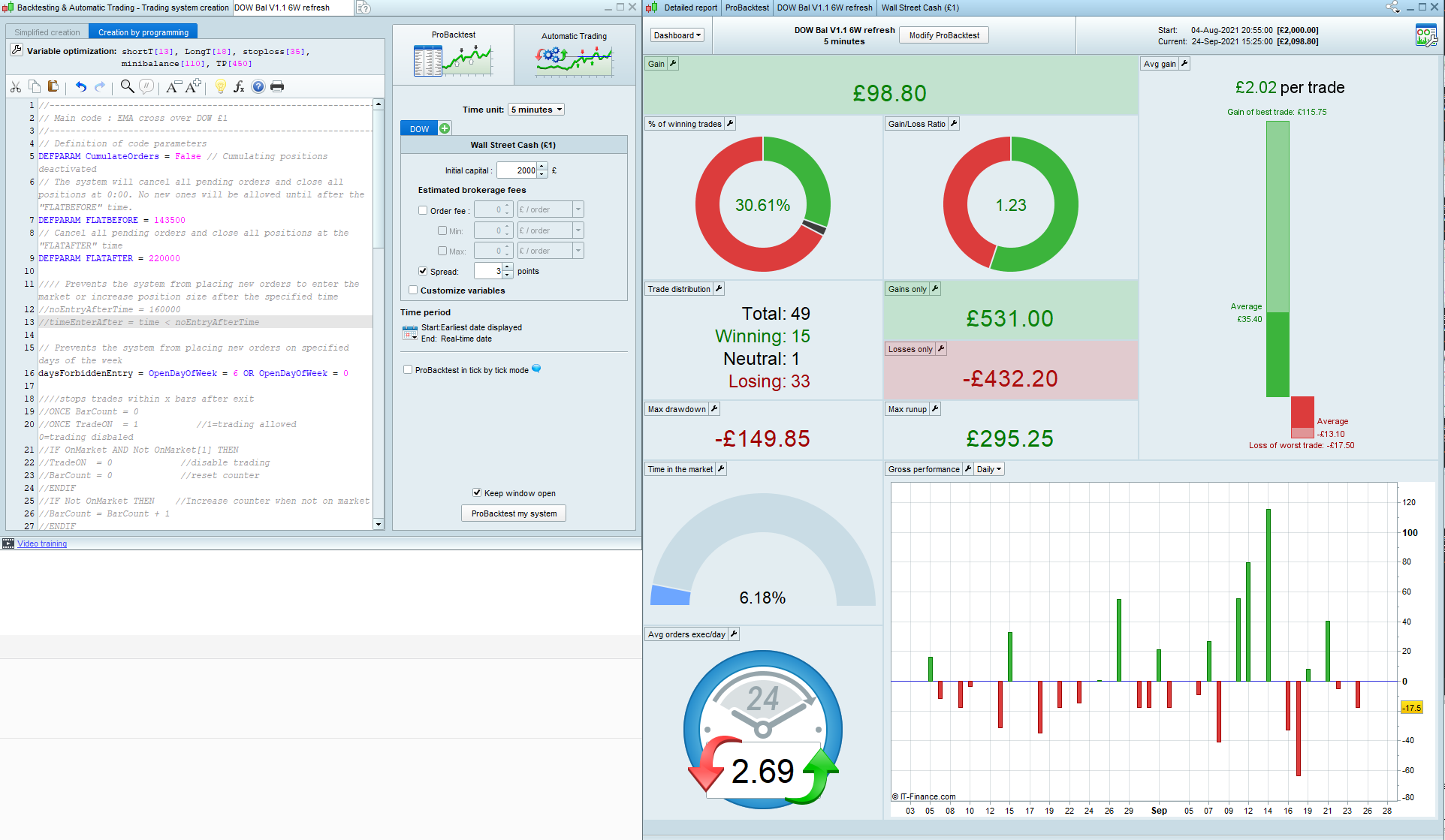
    Yes I agree with what you have said but that’s not how the back test results are working. I’m on a 5m timeframe and only adjusted the noentrytime to 14:55 test it. I’m seeing no effect no matter what time I enter?


    See attached results:

    One image is the results with no restriction on entry between 14:35 and 22:00

    The other is image is as above but no entries allowed after 16:00.

    There’s no difference when they definitely should be?


    #178329

    To check results I need the working code in order to be able to replicate your trades.


    #178540

    //————————————————————————-
    // Main code : EMA cross over DOW £1
    //————————————————————————-
    // Definition of code parameters
    DEFPARAM CumulateOrders = False // Cumulating positions deactivated
    // The system will cancel all pending orders and close all positions at 0:00. No new ones will be allowed until after the “FLATBEFORE” time.
    DEFPARAM FLATBEFORE = 143500
    // Cancel all pending orders and close all positions at the “FLATAFTER” time
    DEFPARAM FLATAFTER = 220000

    //// Prevents the system from placing new orders to enter the market or increase position size after the specified time
    //noEntryAfterTime = 160000
    //timeEnterAfter = time < noEntryAfterTime

    // Prevents the system from placing new orders on specified days of the week
    daysForbiddenEntry = OpenDayOfWeek = 6 OR OpenDayOfWeek = 0

    ////stops trades within x bars after exit
    //ONCE BarCount = 0
    //ONCE TradeON = 1 //1=trading allowed 0=trading disbaled
    //IF OnMarket AND Not OnMarket[1] THEN
    //TradeON = 0 //disable trading
    //BarCount = 0 //reset counter
    //ENDIF
    //IF Not OnMarket THEN //Increase counter when not on market
    //BarCount = BarCount + 1
    //ENDIF
    //IF BarCount > 3 THEN
    //TradeON = 1
    //ENDIF

    //Initial balance
    myBalance5mDOW = CALL “Balance 5m DOW”

    If Time = 143000 then
    upper=highest[6](high)
    lower=lowest[6](low)
    endif

    //Conditions to enter long positions
    indicator1 = ExponentialAverage[shortT](close)
    indicator2 = ExponentialAverage[longT](close)
    c1 = (indicator1 CROSSES OVER indicator2)

    IF close >upper AND c1 AND myBalance5mDOW <minibalance AND not daysForbiddenEntry THEN
    BUY 0.5 CONTRACT AT MARKET
    ENDIF

    // Conditions to exit long positions
    indicator3 = ExponentialAverage[shortT](close)
    indicator4 = ExponentialAverage[longT](close)
    c2 = (indicator3 CROSSES UNDER indicator4)

    IF open <upper -5 OR C2 THEN
    SELL AT MARKET
    ENDIF

    //Conditions to enter SHORT positions
    indicator1 = ExponentialAverage[shortT](close)
    indicator2 = ExponentialAverage[longT](close)
    c3 = (indicator1 CROSSES UNDER indicator2)

    IF c3 AND close <lower AND not daysForbiddenEntry THEN
    SELLSHORT 0.5 CONTRACT AT MARKET
    ENDIF

    // Conditions to exit short positions
    indicator3 = ExponentialAverage[shortT](close)
    indicator4 = ExponentialAverage[longT](close)
    c4 = (indicator3 CROSSES OVER indicator4)

    IF open >lower +5 OR C4 THEN
    EXITSHORT AT MARKET
    ENDIF

    SET STOP pLOSS (stoploss)
    SET TARGET pPROFIT (TP)

    #178542

    The section is commented out at the moment  above.

    //// Prevents the system from placing new orders to enter the market or increase position size after the specified time
    //noEntryAfterTime = 160000
    //timeEnterAfter = time < noEntryAfterTime

    Thanks.

    #178549

    It must be a working code.

    It’s missing:

    • indicator “Balance 5m DOW”
    • longT
    • minibalance
    • shortT
    • stoploss
    • TP


    #178554

    //Balance 5m DOW
    //Initial Ballance calculation

    starttime = 133000
    endtime = 143000

    If Time = endtime then
    upper=highest[6](high)
    lower=lowest[6](low)
    dif=round(abs(lower-upper))

    endif

    DRAWHLINE (BB) coloured(0,200,0)
    DRAWHLINE (SB)coloured(200,0,0)

    RETURN dif

    #178556
    • longT =18
    • minibalance = 110
    • shortT = 13
    • stoploss = 35
    • TP = 450
    #178585

    Ok, I see, it’s because you need to add AND timeEnterAfter to your entry conditions, so that they read:

    1 user thanked author for this post.
    #178592

    Thank you. I’ll give that a go.

Viewing 11 posts - 1 through 11 (of 11 total)
Create your free account now and post your request to benefit from the help of the community
Register or Login