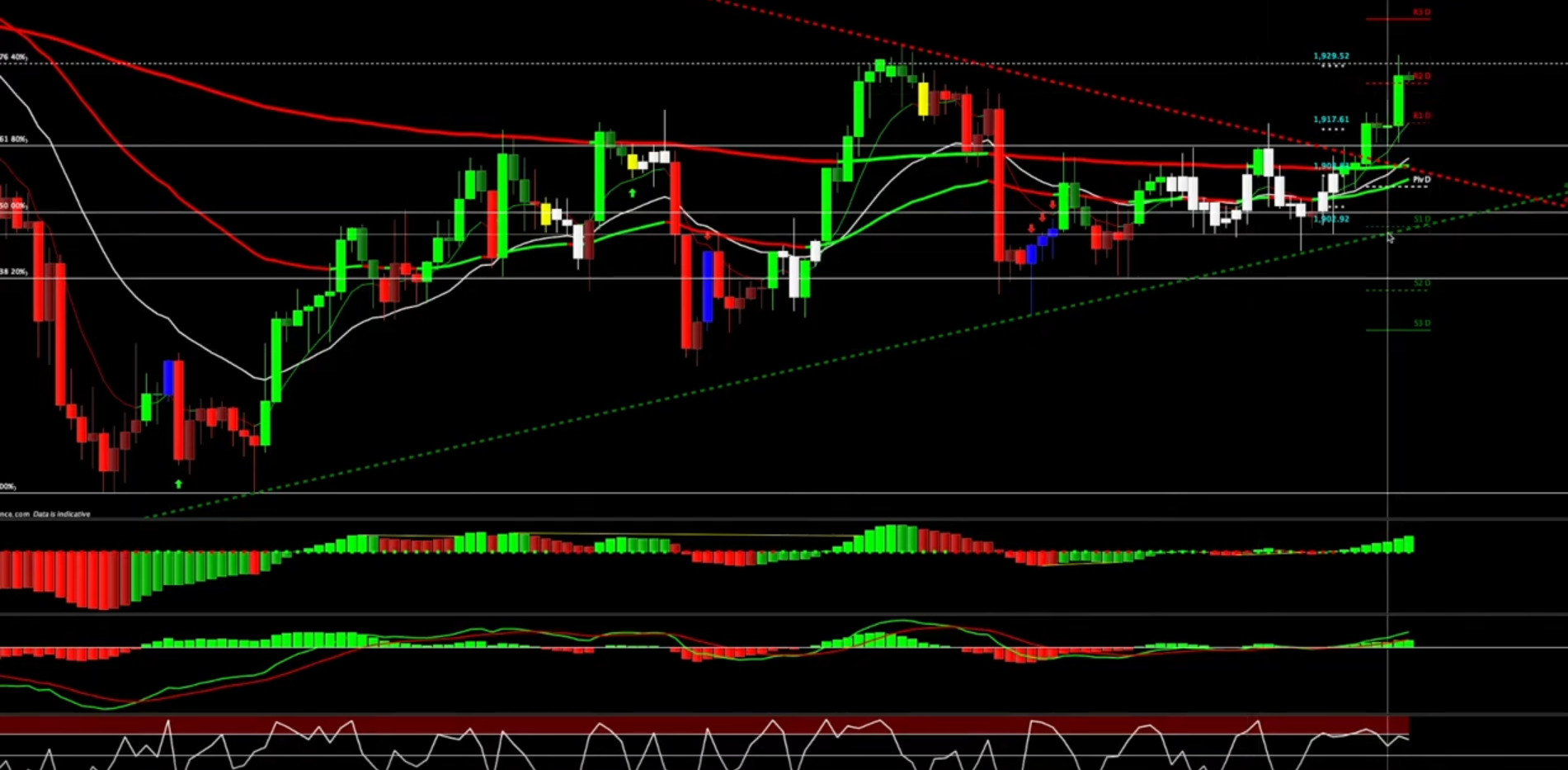
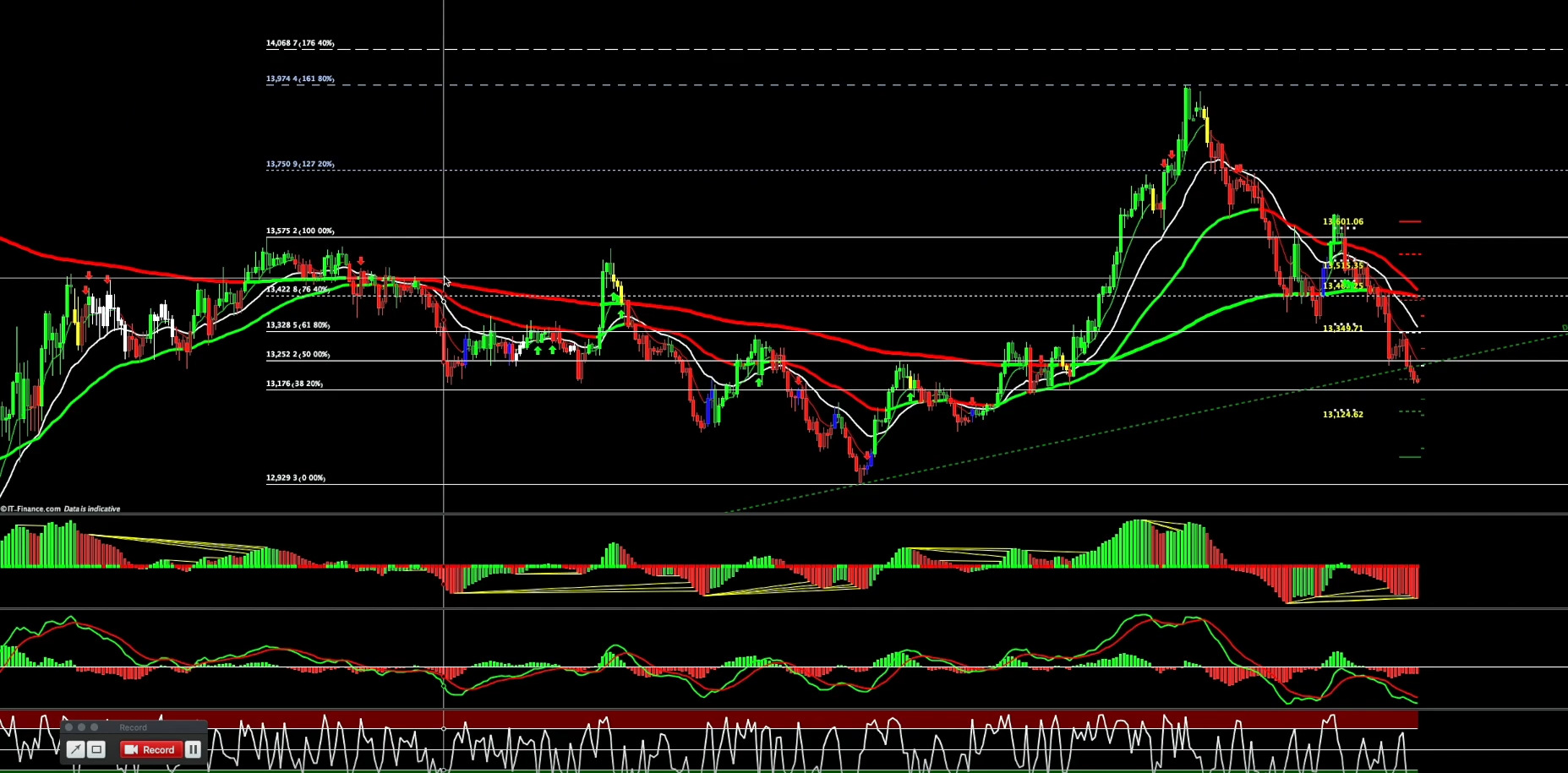
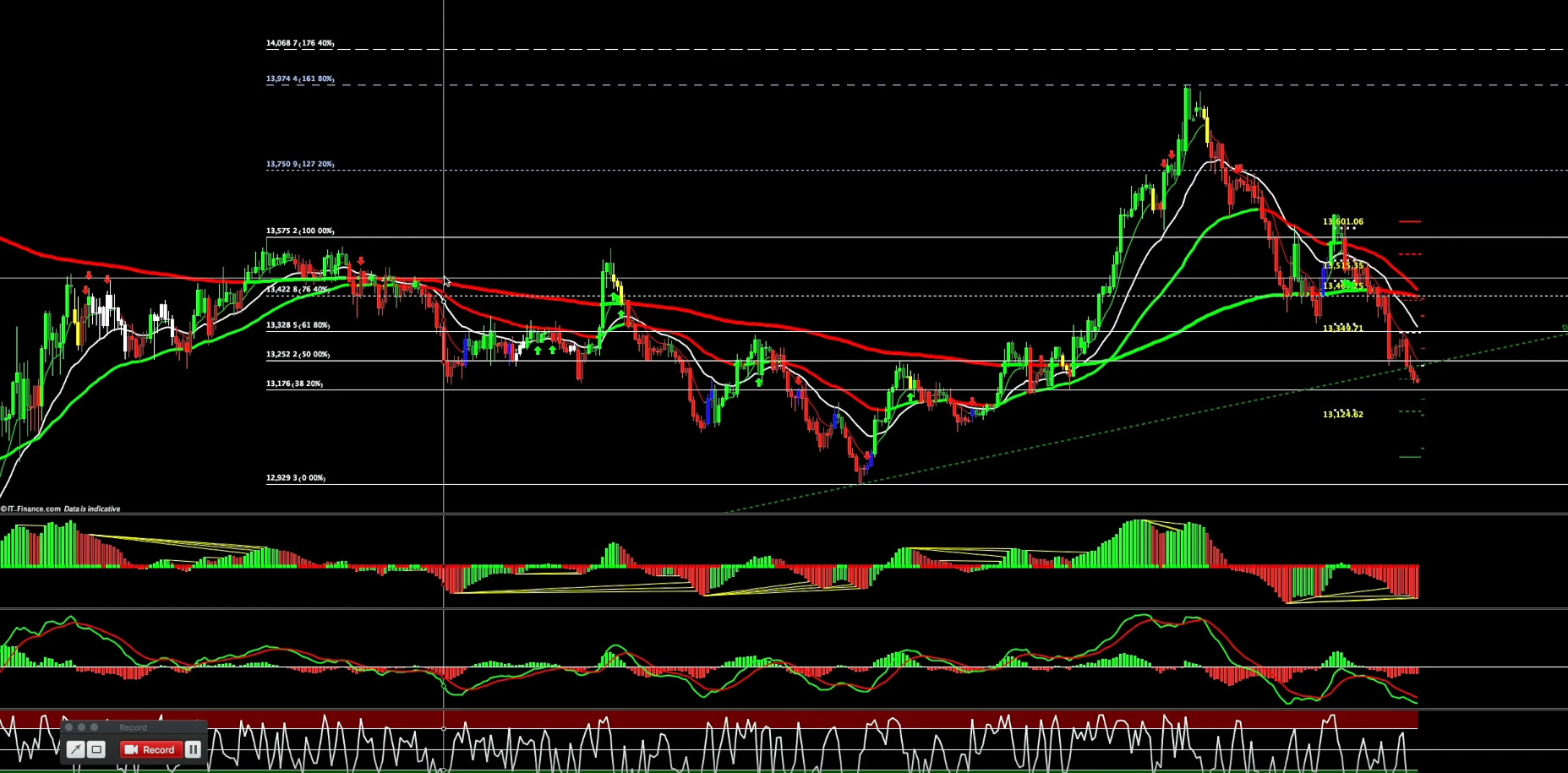
setting up my prorealtime similar to the attached screenshots

Viewing 9 posts - 1 through 9 (of 9 total)
  • Author
    Posts
  • #153381 quote
    robm87
    Participant
    New

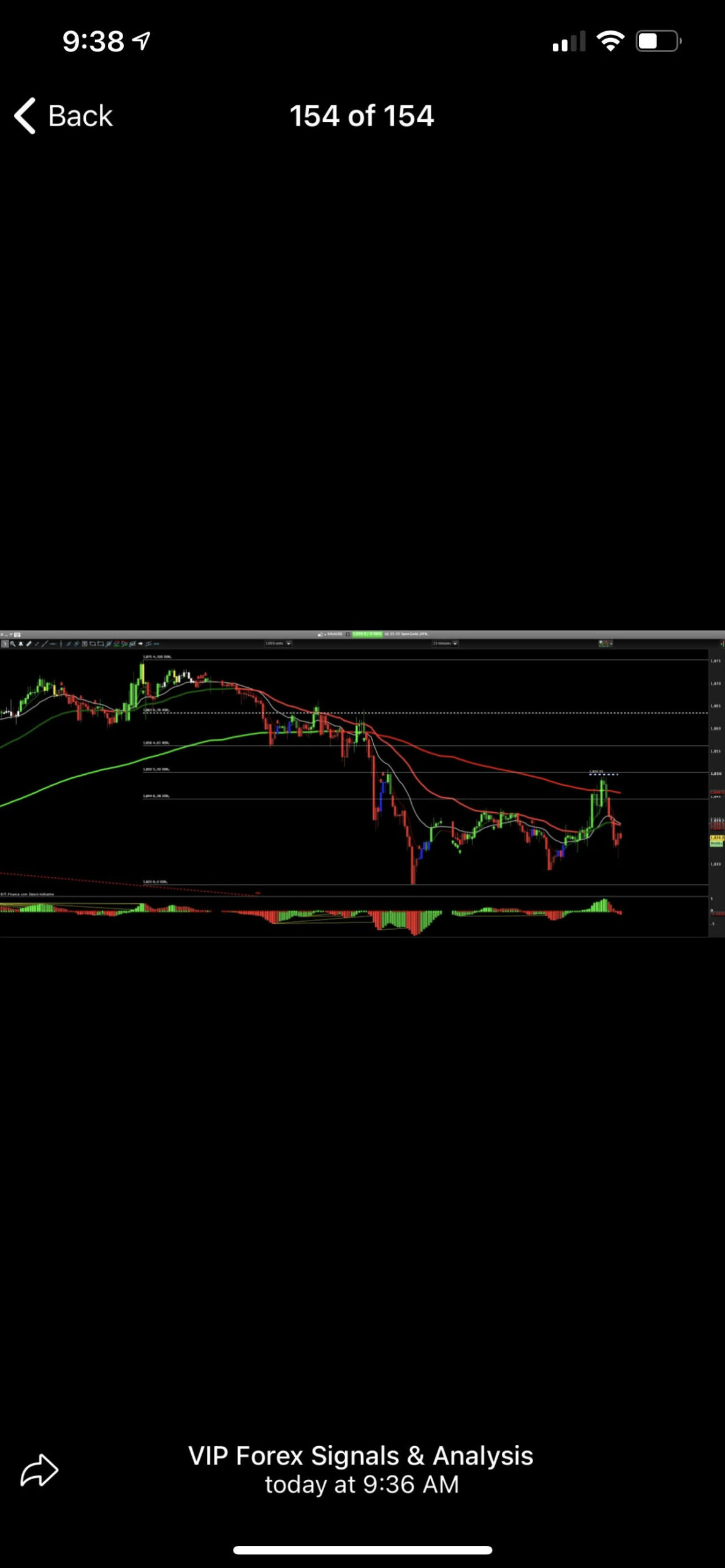
    Hey guys, I was looking for some help as to setting up my Pro Real time similar to this guys. He has the arrows to tell him to look for short and long opportunities and the blue and yellow candles which show momentum of the previous run hasn’t been fully exhausted yet. Also on the bottom (not in this screen shot) when a possible divergence is forming he gets yellow lines going from the green bars to the red. Can someone please point me in the right direction as to how I can customize my pro real time this way. Thanks in advance!

    pro-real-time-scaled.jpg pro-real-time-scaled.jpg
    #153383 quote
    GraHal
    Participant
    Master

    Perfect Trend Line 2

    Loads more similar in the Library on this website, but above is good … I’ve just made an Algo out of it!

    #153385 quote
    Nicolas
    Keymaster
    Master

    The picture is too small, try to help us by providing more information, with bigger pictures! Thanks.

    #153388 quote
    robm87
    Participant
    New

    Thanks @GraHal I’ll check your link out. @Nicolas, here’s another pic, I’ll also attach one more. Looking to customize mine similar to his.

    Screenshot_1-1.jpg Screenshot_1-1.jpg
    #153390 quote
    robm87
    Participant
    New

    here’s one more

    Screenshot_2.jpg Screenshot_2.jpg
    #153408 quote
    Nicolas
    Keymaster
    Master

    I changed the topic title, otherwise we’ll get hundreds of topics with people “looking for help”.

    On this screenshot I see indicators using the TTM Squeeze in different manner.

    The oscillator and OnChart version: https://www.prorealcode.com/prorealtime-indicators/ttm-squeeze-oscillator-price-version/

    and a divergence version?

    #153411 quote
    robm87
    Participant
    New

    Hi Nicolas,

    Thanks for the quick reply. Here’s the divergence indicator I’m looking for, notice the yellow line on the volume at the bottom.

    Screenshot_2-1.jpg Screenshot_2-1.jpg
    #153415 quote
    Nicolas
    Keymaster
    Master

    I’m not aware of a divergence version that exist on the forum. BTW, this indicator doesn’t use Volume at all.

    That would not be complicated to make a divergence from it, but I can’t be sure that mine would be as ugly as the one on that screenshot, is it a problem?

    Joking apart, depending of the way that the guy made the divergences detection, it could be different.

    #153418 quote
    robm87
    Participant
    New

    Haha no its not a problem. Its not the end of the world if I don’t have it. Maybe I’ll try to contact the guy again see if he has some information on it. Thanks for the help, very much appreciated.


    Cheers from Canada,


    Rob

Viewing 9 posts - 1 through 9 (of 9 total)

  • You must be logged in to reply to this topic.

setting up my prorealtime similar to the attached screenshots


General Trading: Market Analysis & Manual Trading

New Reply
Author
author-avatar
robm87 @robm87 Participant
Summary

This topic contains 8 replies,
has 3 voices, and was last updated by robm87

5 years, 3 months ago.

Topic Details
Forum: General Trading: Market Analysis & Manual Trading
Language: English
Started: 12/11/2020
Status: Active
Attachments: 4 files
Logo Logo
Loading...