Hi there.
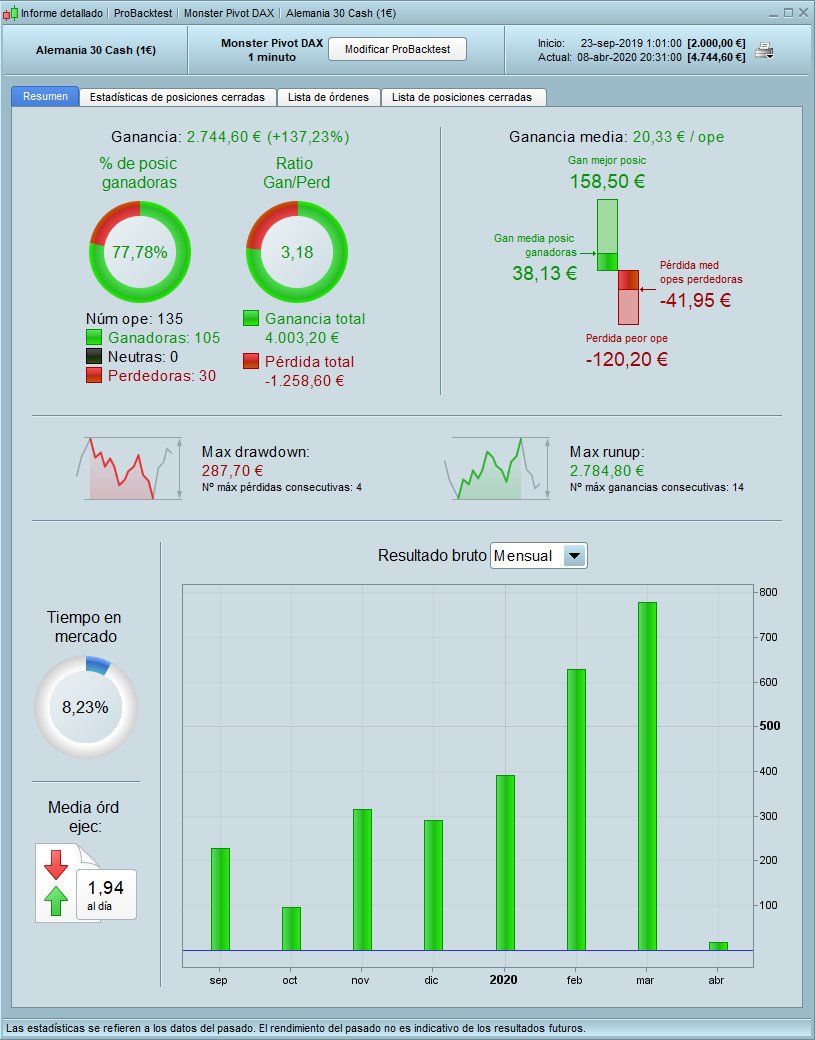
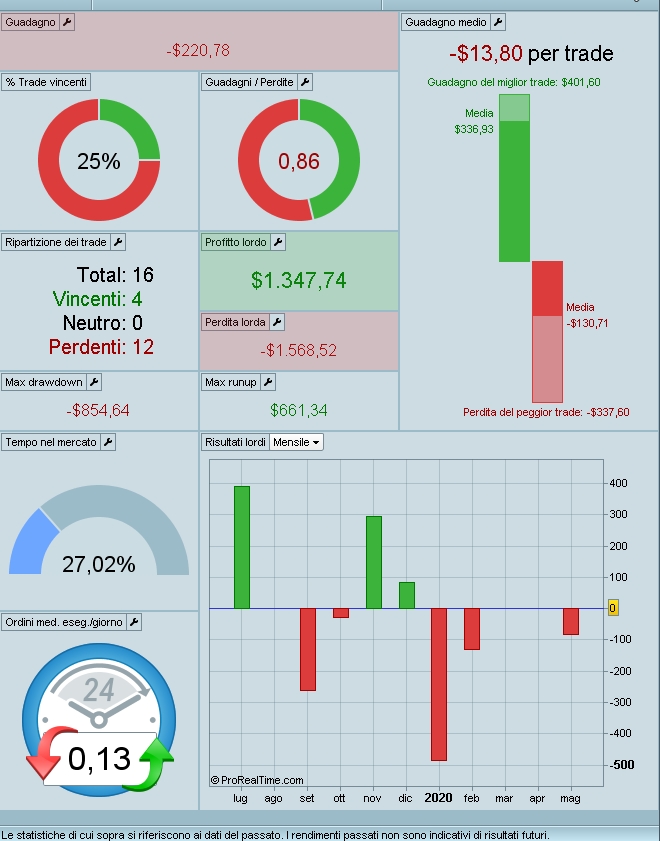
I’ve just seen the new Probacktest window, and in my humble opinion I believe the previous one was far better, more elegant and clear. Also, the ROI percentage was once clearly visible in the upper left area, now this information is no longer displayed, and you need to calculate it manually now.
Is there any chance to go back? I wonder why that was changed, it was perfect. Can ve vote for this or we must face reality? Prorealtime is a great software anyway. I love it. But I’m quite disappointed about this new and ugly interface.
I move your topic from the probuilder forum (for indicators ONLY) to the proorder forum (for backtests and automatic stategies). You can find the posting rules in the yellow box just above the submit button for future reference (see screen capture attached). Thank you.
Please note that these being users forum where we help each other, when you ask “Is there any chance to go back?” you’ll only have opinions from users, not an answer from PRT. You might prefer to post your wish to go back to the previous window in the suggestion box of the PRT website if you feel strongly about the interface change and want to be heard by them.
I take it you are using V11 Frank?
Both my Live and Demo v10.3 version have the Backtest Results windows same as always.
Yes, I’m using version 11 I didn’t ask for the upgrade, and I don’t even know how to revert back to the old one. But even with this version up until yesterday the backtest results were displayed the way I like. This have been changed yesterday in the afternoon.
In any case I wrote my thought in the box suggestions, and I hope they will do something about this.
Does anybody know how to revert back to version 10.3?
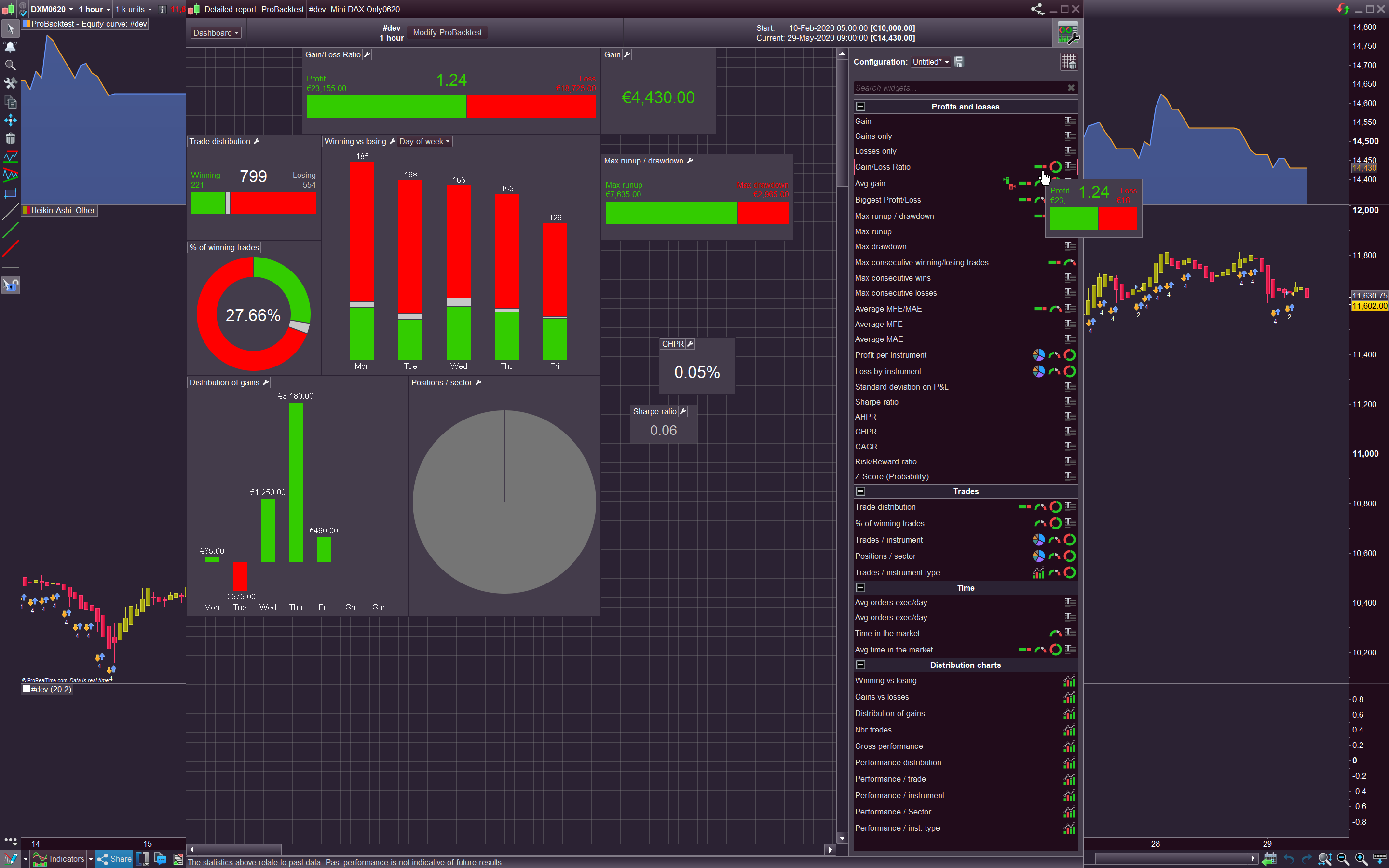
The new ProBacktest window is everything but ugly! It is now far more detailed with extra components and ratio calculation to get more useful information about the strategy.
Furthermore, now you can modify any module and move it around and build your own detailed reports (that you can save with different names).
To see all possible modules, just click on the wrench button at right upper side of the window (see attached picture).
Hi Nicolas,
With all due respect, I believe it’s matter of tastes. One thing is for sure, compared to the previous version the ROI percentage is no longer available and it was quite useful for me, even if it’s rather simple to calculate it. Also, in my humble opinion, the previous look was cleaner and easier to read. this is just my opinion, of course. On the othe hand, the customization possibility is great!
Personnaly I like the new backtest interface and it permit to analyze my algos too far further
But sadly there is not any explanations, and how interprets the results (Z-score and so on..) and I needed to find explanations on MT5 website notably …
Hope they will soon explain the different parts, and how to use them
Cheers
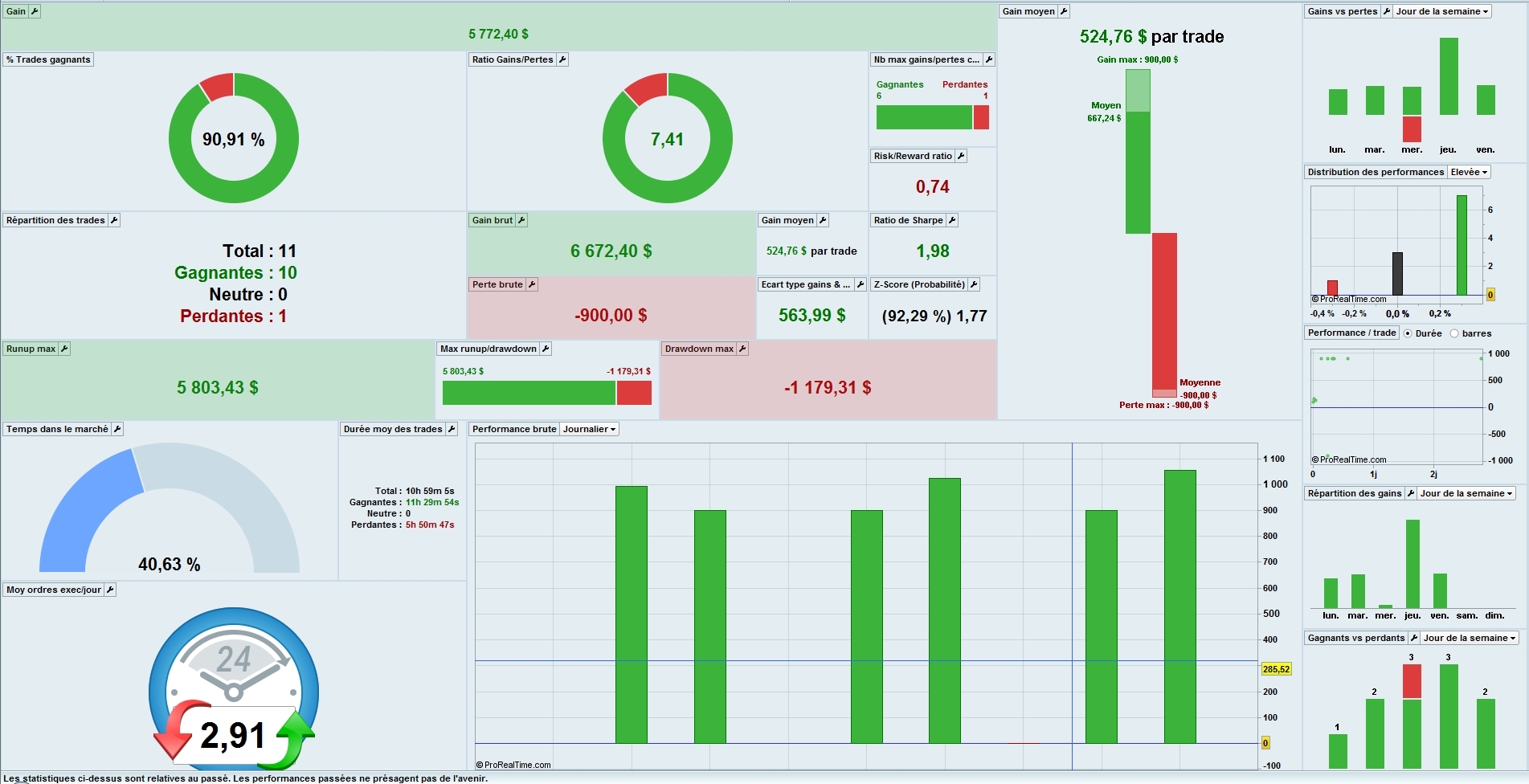
The Z-Score is used for calculating the ability of the trading system to generate wins and losses in streaks. It enables us to see if the streaks generated are of a random pattern or not. In your system, there is a 92.29% chance that a loss will be followed by a profit and a profit by a loss.
Thanks Nicolas, I didn’t find the same definition, where did you find yours please ?
And I don’t understand because, for example as you see there is 90 % Win/loss so how can it possible to have a Z-score of 92 % with a so high % of winners ?
You’re sure it’not the possibility to have a lose trade on the next trade instead ?
Thanks
Does that means that we are going to upgrade to v11 if Frank got it yesterday without asking?
Frank are you using IG?
This new detailed report was introduced in the yesterday build, for ProRealTime Software customers.
I am gathering all the elements concerning the formulas and definition of calculation of the new elements and I will share them with you here.
@Francesco: I’m not using IG. Version 11.1 is the only one available here: https://www.prorealtime.com/en/workstation By the way, I’d like to change the language interface, but I don’t know how to do it.
@Nicolas: the reward/risk ratio is being calculated on the averages. Wouldn’t it be better if it was calculated on the maximum win vs. the maximum loss?
You can change the language interface by logging in with a different URL:
For Spanish users, for instance: https://www.prorealtime.com/es/
Btw i know that it’s matter of taste, but i like it a lot! Sadly for us IG users will remain only a mirage
@Frank If you are talking about the win/loss ratio, it makes sense to me. There is a module for “Biggest Profit / Biggest Loss”.