My custom indicator doesn't match the PRT one??

Viewing 3 posts - 1 through 3 (of 3 total)

  • Author
    Posts
  • #91549 quote
    VPT PRT
    Participant
    Junior

    Hi again everyone,


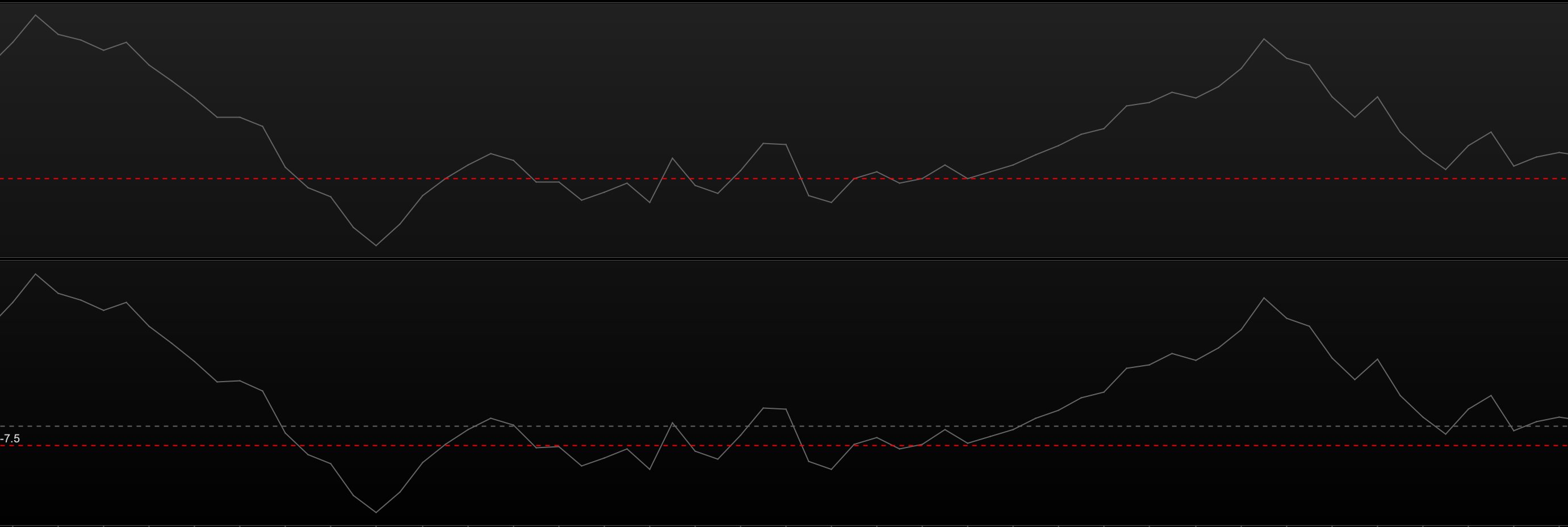
    I’ve started to coded up a custom indicator based on the TSI (True Strength Index).  So firstly I coded the TSI.  Please see the attached screenshot, my TSI looks almost exactly the same but its placement in relation to the Zero line on it’s scale is different.  It’s almost as if it’s using a different input length, but it’s not.

    Has anyone come across an issue like this before?

    Just to check to see if my TSI calculation was incorrect I coded up an MACD histogram and got the same anomaly with it.  Oddly, if I load up say 500 bars on a chart, it starts plotting from one bar before the PRT TSI…..


    Hoping someone can help.


    Many Thanks (again)


    Ross

    Screenshot-2019-02-16-at-22.41.40.png Screenshot-2019-02-16-at-22.41.40.png
    #91551 quote
    VPT PRT
    Participant
    Junior

    If I draw in a horizontal line at -7.5 then strangely it matches the 0 line of the PRT TSI……  Now I’m really confused with what I have done wrong……

    Screenshot-2019-02-16-at-22.54.10.png Screenshot-2019-02-16-at-22.54.10.png
    #91564 quote
    Nicolas
    Keymaster
    Master

    I’m aware of some differences discovered recently because of the recent update of the calculation engine of the platform. But I can’t be sure that your problem is related without the code you made to make the comparisons.

    VPT PRT thanked this post
Viewing 3 posts - 1 through 3 (of 3 total)
  • You must be logged in to reply to this topic.

My custom indicator doesn't match the PRT one??


ProBuilder: Indicators & Custom Tools

New Reply
Author
author-avatar
VPT PRT @vpt-prt Participant
Summary

This topic contains 2 replies,
has 2 voices, and was last updated by Nicolas

6 years, 12 months ago.

Topic Details
Forum: ProBuilder: Indicators & Custom Tools
Language: English
Started: 02/16/2019
Status: Active
Attachments: 2 files
Logo Logo
Loading...