Multi timeframe indicator

Viewing 4 posts - 1 through 4 (of 4 total)
  • Author
    Posts
  • #110821 quote
    Crillezz
    Participant
    Veteran

    I need help with a multi timeframe indicator.

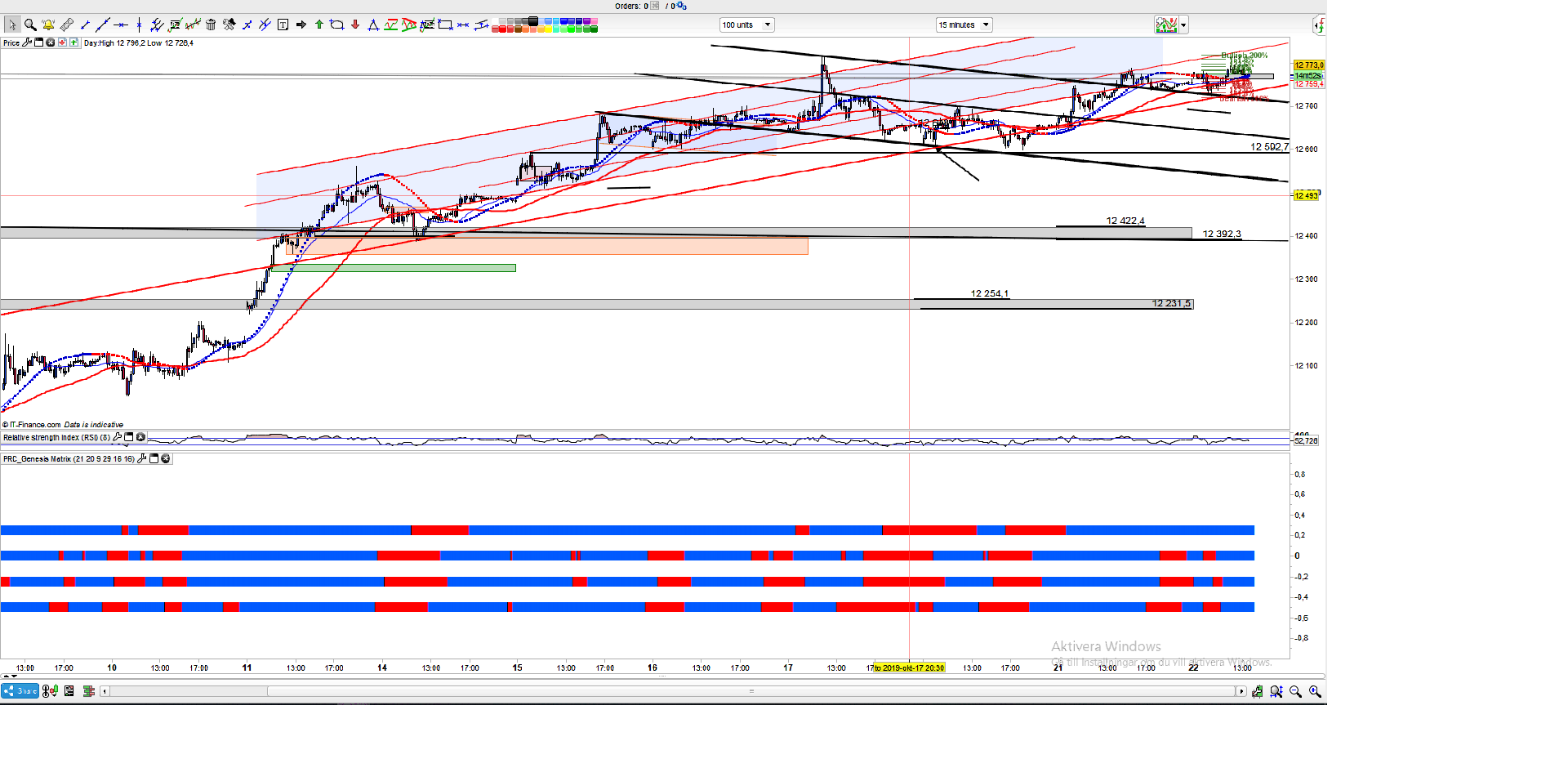
    I would like to have a dotboard indicator that shows if the SMA 20 is above or below the SMA50 on four different timeframes.

    Like the picture shows.

    Time Frame

    M5 SMA20 above or below SMA50 (Blue or Red)

    M15 SMA20 above or below SMA50 (Blue or Red)

    M30 SMA20 above or below SMA50 (Blue or Red)

    M60 (1hour) SMA20 above or below SMA50 (Blue or Red)


    / Christian

    ggdfgdfgdgdffgdfgdfgfgf.png ggdfgdfgdgdffgdfgdfgfgf.png
    #110830 quote
    Vonasi
    Moderator
    Master

    MTF is not available for indicators at the moment.

    You can create MTF average lines using a dummy strategy and GRAPHONPRICE or GRAPH but not a dotboard.

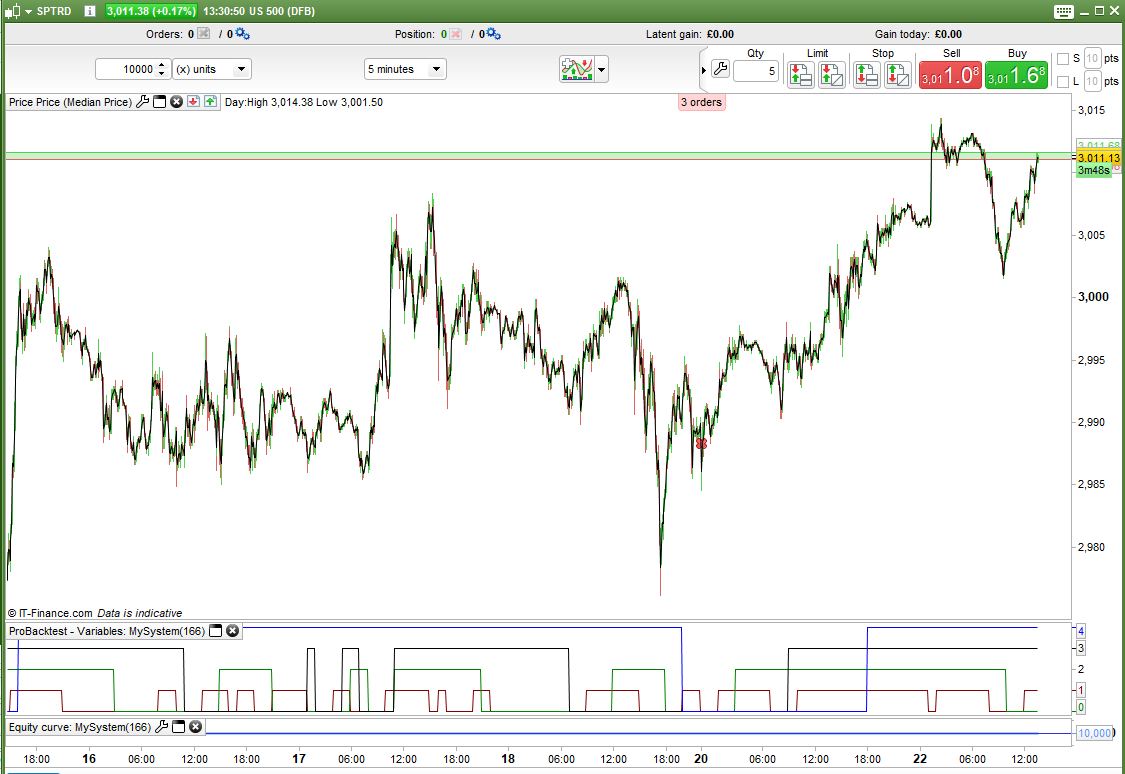
    Something like this but you can only use it on a 5 minute time frame chart or faster:

    buy at -close limit
    
    timeframe (5 minute, updateonclose)
    m5 = 0
    if average[20] > average[50] then
    m5 = 1
    endif
    
    timeframe (15 minute, updateonclose)
    m15 = 0
    if average[20] > average[50] then
    m15 = 2
    endif
    
    timeframe (30 minute, updateonclose)
    m30 = 0
    if average[20] > average[50] then
    m30 = 3
    endif
    
    timeframe (1 hour, updateonclose)
    h1 = 0
    if average[20] > average[50] then
    h1 = 4
    endif
    
    //result = m5 + m15 + m30 + h1
    
    //graph result
    
    graph m5 coloured(128,0,0)
    graph m15 coloured(0,128,0)
    graph m30
    graph h1 coloured(0,0,255)
    
    Crillezz thanked this post
    Screenshot_14.png Screenshot_14.png
    #110832 quote
    Vonasi
    Moderator
    Master

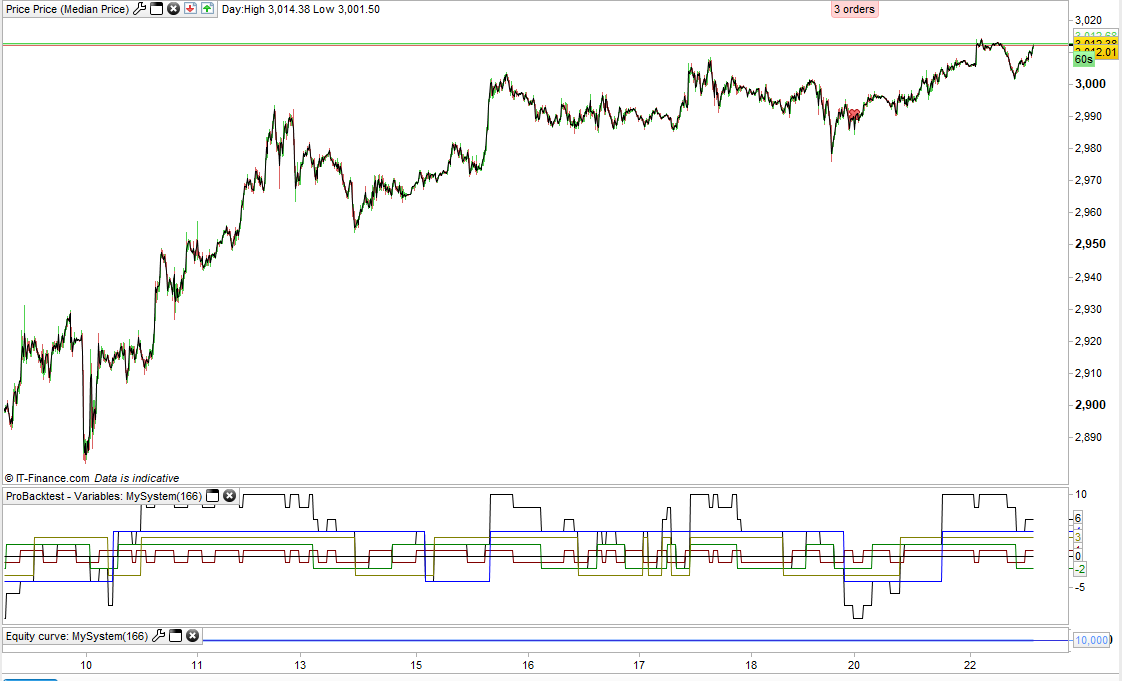
    Here’s a version that shows above and below the average for each time frame. Pretty unreadable!

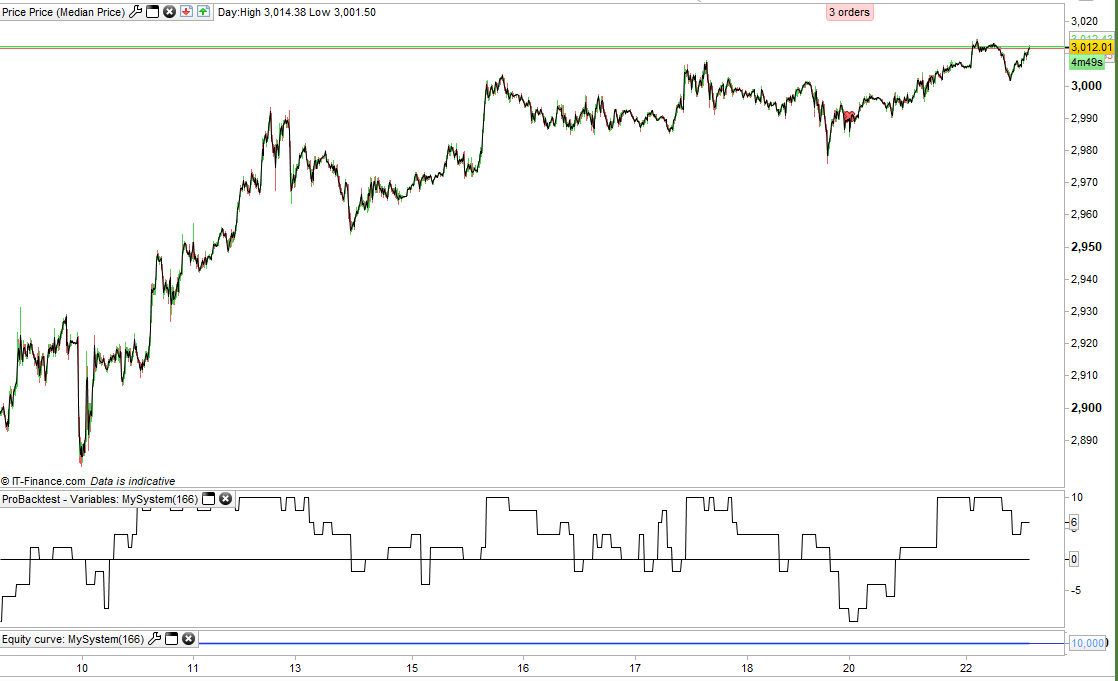
    It is probably best just to show the result line if it is just when all averages are below or all averages are above that you want to see (second image).

    buy at -close limit
    
    timeframe (5 minute, updateonclose)
    m5 = -1
    if average[20] > average[50] then
    m5 = 1
    endif
    
    timeframe (15 minute, updateonclose)
    m15 = -2
    if average[20] > average[50] then
    m15 = 2
    endif
    
    timeframe (30 minute, updateonclose)
    m30 = -3
    if average[20] > average[50] then
    m30 = 3
    endif
    
    timeframe (1 hour, updateonclose)
    h1 = -4
    if average[20] > average[50] then
    h1 = 4
    endif
    
    //result = m5 + m15 + m30 + h1
    
    //graph result
    graph m5 coloured(128,0,0)
    graph m15 coloured(0,128,0)
    graph m30 coloured(128,128,0)
    graph h1 coloured(0,0,255)
    graph 0
    
    Crillezz and Nicolas thanked this post
    Screenshot_15-1.png Screenshot_15-1.png Screenshot_16.png Screenshot_16.png
    #110869 quote
    Crillezz
    Participant
    Veteran

    Ok. Thx.

    Just what I needed. Good idea 🙂

Viewing 4 posts - 1 through 4 (of 4 total)

  • You must be logged in to reply to this topic.

Multi timeframe indicator


ProBuilder: Indicators & Custom Tools

New Reply
Author
author-avatar
Crillezz @crillezz Participant
Summary

This topic contains 3 replies,
has 2 voices, and was last updated by Crillezz

6 years, 3 months ago.

Topic Details
Forum: ProBuilder: Indicators & Custom Tools
Language: English
Started: 10/22/2019
Status: Active
Attachments: 4 files
Logo Logo
Loading...