Moving averages as hozontal lines possible?

Viewing 14 posts - 1 through 14 (of 14 total)

  • Author
    Posts
  • #175083 quote
    Marius
    Participant
    Average

    Hello all,

    I use moving averages in my charts and since the normal view of the three curves (20,50,200sma) bothers me, I would like to know if it is possible to map the moving averages as horizontal lines in the chart, so that they only show the current value of the SMA.

    #175086 quote
    JC_Bywan
    Moderator
    Master

    Hi, here you go, with examples of colours to recognise the lines (now that they’re all horizontal), and an example of optional dotted line in case you don’t want full lines:

    defparam DRAWONLASTBARONLY=true
    
    sma20=Average[20](close)
    sma50=Average[50](close)
    sma100=Average[100](close)
    
    DRAWHLINE(sma20) coloured(0,0,255)
    DRAWHLINE(sma50) coloured(0,255,0) style(dottedline,1)
    DRAWHLINE(sma100) coloured(255,0,0)
    
    return
    Marius thanked this post
    #175088 quote
    Marius
    Participant
    Average

    Thank you so much for the quick help!

    #175089 quote
    Marius
    Participant
    Average

    It´s working great – what a relief 🙂

    One last question: Is it possible to thicken/ bold the lines? I am sitting in front of a 4K monitor …

    #175092 quote
    JC_Bywan
    Moderator
    Master

    Sure, after line or dottedline, choose a number between 1 (thin) and 5 (thick), for example:

    defparam DRAWONLASTBARONLY=true
    
    sma20=Average[20](close)
    sma50=Average[50](close)
    sma100=Average[100](close)
    
    DRAWHLINE(sma20) coloured(0,0,255) style(line,5)
    DRAWHLINE(sma50) coloured(0,255,0) style(dottedline,3)
    DRAWHLINE(sma100) coloured(255,0,0) style(line,2)
    
    return
    Marius thanked this post
    #175093 quote
    Marius
    Participant
    Average

    You made my day – thaks a lot!

    JC_Bywan thanked this post
    #178110 quote
    Marius
    Participant
    Average

    Hi JC,

    thank you again for your help to display the moving averages as horizontal lines.

    I would like to see the actual value of the lines – so my quesion to you is: Is there a solution to display the value of the lines on the price axis?


    Thanks a lot!

    #178116 quote
    Nicolas
    Keymaster
    Master

    Note on the price axis, but in the chart with some DRAWTEXT instructions:

    defparam DRAWONLASTBARONLY=true
    
    sma20=Average[20](close)
    sma50=Average[50](close)
    sma100=Average[100](close)
    
    DRAWHLINE(sma20) coloured(0,0,255) style(line,5)
    drawtext(sma20,barindex+10,sma20,sansserif,standard,20) coloured(0,0,255)
    DRAWHLINE(sma50) coloured(0,255,0) style(dottedline,3)
    drawtext(sma50,barindex+10,sma50,sansserif,standard,20) coloured(0,255,0)
    DRAWHLINE(sma100) coloured(255,0,0) style(line,2)
    drawtext(sma100,barindex+10,sma100,sansserif,standard,20) coloured(255,0,0)
    
    return
    Marius thanked this post
    #178119 quote
    Marius
    Participant
    Average

    Thank you, Nicolas!

    #178126 quote
    Marius
    Participant
    Average

    Hi Nicolas,

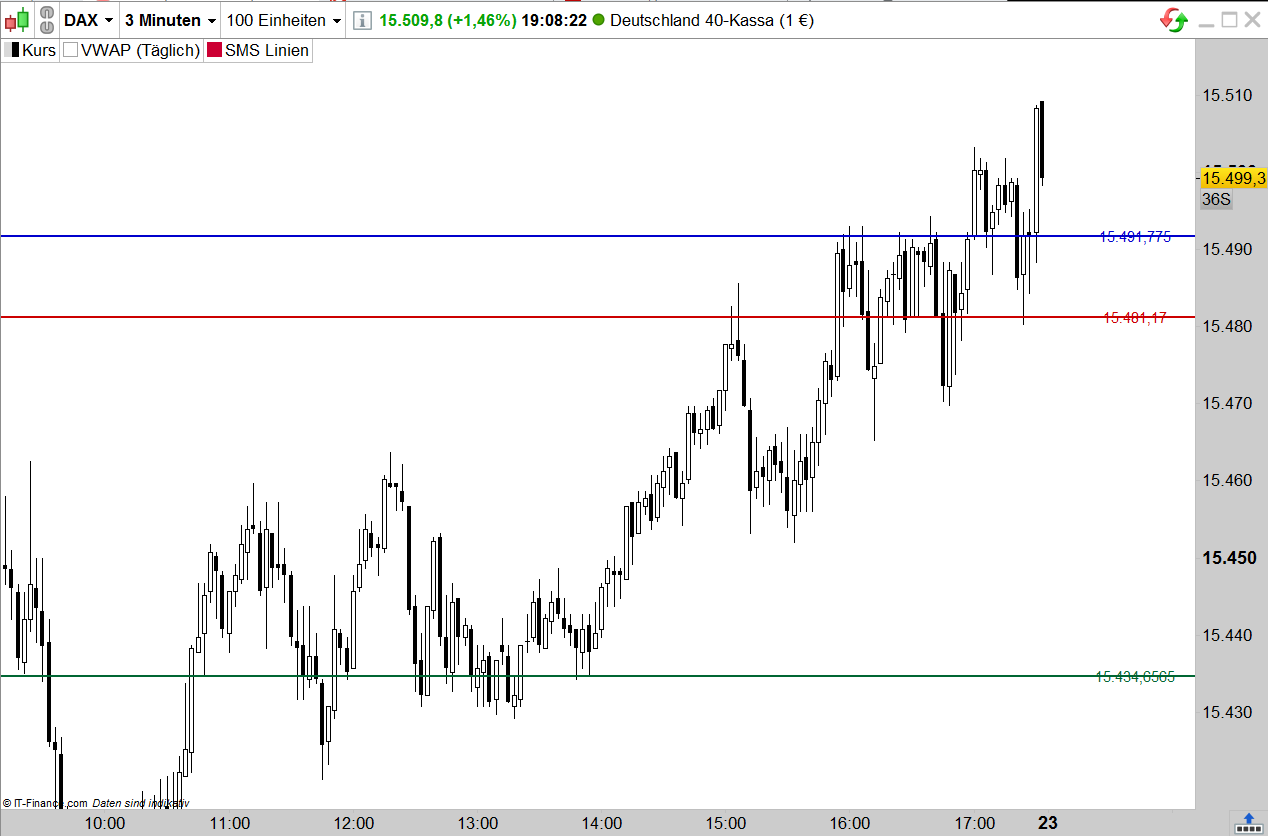
    II have configured the code so that I now have20,50 and 200sma as horizontal lines in the chart.
    Unfortunately, the values are not displayed on the price axis, but only on the lines.
    I would prefer to see the values of the sma only on the price axis. Do you have the time to help me again?
    Thank you very much!


    BTW: When I first used your code one of the lines displayed the value on the price axis with the same colour of the line.


    defparam DRAWONLASTBARONLY=true
     
    sma20=Average[20](close)
    sma50=Average[50](close)
    sma200=Average[200](close)
     
    DRAWHLINE(sma20)coloured(0,0,204) style(line,2)
    drawtext(sma20,barindex+15,sma20,sansserif,standard,15) coloured(0,0,204)
    DRAWHLINE(sma50)coloured(204,0,0) style(line,2)
    drawtext(sma50,barindex+15,sma50,sansserif,standard,15) coloured(204,0,0)
    DRAWHLINE(sma200)coloured(0,102,51) style(line,2)
    drawtext(sma200,barindex+15,sma200,sansserif,standard,15) coloured(0,102,51)
     
    return
    Unbenannt-1.png Unbenannt-1.png
    #178156 quote
    JC_Bywan
    Moderator
    Master

    Hello,

    to see sma’s values on price axis, while still keeping only horizontal lines of latest value visible rather than history:

    defparam DRAWONLASTBARONLY=true
     
    sma20=Average[20](close)
    sma50=Average[50](close)
    sma200=Average[200](close)
     
    DRAWHLINE(sma20)coloured(0,0,204) style(line,2)
    //drawtext(sma20,barindex+15,sma20,sansserif,standard,15) coloured(0,0,204)
    DRAWHLINE(sma50)coloured(204,0,0) style(line,2)
    //drawtext(sma50,barindex+15,sma50,sansserif,standard,15) coloured(204,0,0)
    DRAWHLINE(sma200)coloured(0,102,51) style(line,2)
    //drawtext(sma200,barindex+15,sma200,sansserif,standard,15) coloured(0,102,51)
     
    return sma20 coloured(0,0,0,0), sma50 coloured(0,0,0,0), sma200 coloured(0,0,0,0)
    Marius thanked this post
    #178162 quote
    Marius
    Participant
    Average

    Great work, thank you.

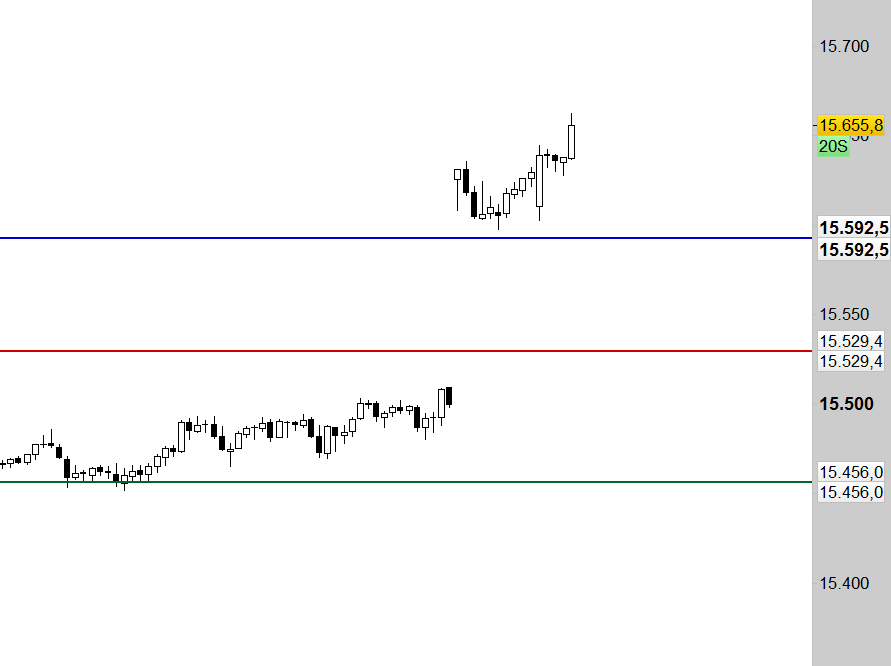
    I only have to find out why I have two values per line – but that´s not what i would call  a problem 🙂


    Havea nice day!

    Unbenannt-2.png Unbenannt-2.png
    #178165 quote
    JC_Bywan
    Moderator
    Master

    Maybe you applied the indicator twice in the price window, couldn’t see it when it was only lines over each other, but is revealed on price axis with 2 values per 2 same sma line?

    Marius thanked this post
    #178167 quote
    Marius
    Participant
    Average

    That´s it 🙂 Thank you, perfectly working now.

    JC_Bywan thanked this post
Viewing 14 posts - 1 through 14 (of 14 total)

  • You must be logged in to reply to this topic.

Moving averages as hozontal lines possible?


ProBuilder: Indicators & Custom Tools

New Reply
Author
author-avatar
Marius @marius Participant
Summary

This topic contains 13 replies,
has 3 voices, and was last updated by Marius

4 years, 4 months ago.

Topic Details
Forum: ProBuilder: Indicators & Custom Tools
Language: English
Started: 08/11/2021
Status: Active
Attachments: 2 files
Logo Logo
Loading...