



Missing Alert Lines

Viewing 15 posts - 1 through 15 (of 18 total)
  • Author
    Posts
  • #233096 quote
    druby
    Participant
    New

    Up and till a couple of days ago had no problem with alerts but now the lines which used to appear when setting a standard alert do not show at all.

    Checked alert settings every thing seems fine, the alerts get set, but no lines. Changing line type as no affect.  Cursor over alert level, no hit box to grab hold of.

    Just seem not to be there.

    Any idea’s!

    druby

    IG V12-17.0.7  Win11

    #233097 quote
    GraHal
    Participant
    Master

    Alerts work for me as normal (just did it 4 times) lines placed etc and I am on same version etc as you quote above.

    Have your Alerts been set, but just no line shows?

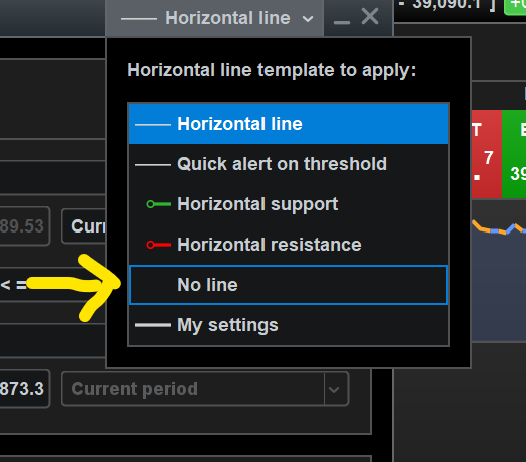
    Maybe your Line setting is at No Line … see top right of Alert settings window, click on drop down??

    #233098 quote
    druby
    Participant
    New

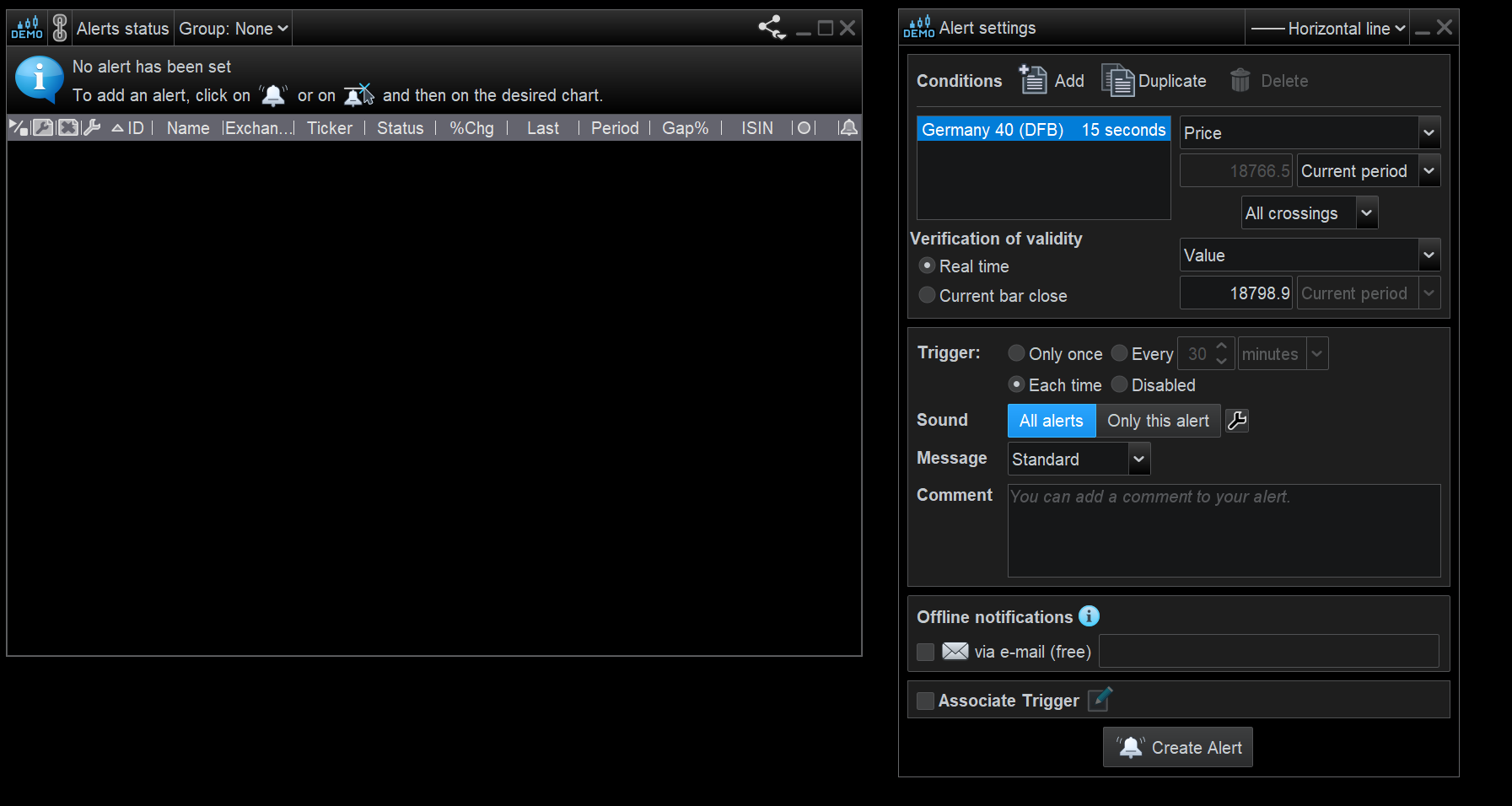
    Image shows status and setting for alert to be set, if alert set it appears in status as normal and sounds when triggered.

    However when set,  no line appears. Changing the line setting does nothing when alert modified, it appears if no line set, but its not on that option.

    Tried different workspaces, created a blank new one, same result.

    As far as I can tell, I get the same result from all different ways you can set the general alert.

    Screenshot-2024-05-27-143847.png Screenshot-2024-05-27-143847.png
    #233107 quote
    GraHal
    Participant
    Master

    see top right of Alert settings window, click on drop down??

    Did you check above … see attached at yellow arrowhead.

    Screenshot-2024-05-27-173537.png Screenshot-2024-05-27-173537.png
    #233111 quote
    druby
    Participant
    New

    The ‘horizontal line’ option is set as default, choosing any of the options makes no difference. It does appear that the operation is as if the ‘no line’ has been chosen but it hasn’t.


    The bell icon, in the indicator window before  the price label, is that new, it appears when alert set,. Get a feeling I haven’t noticed that till looking at problem.

    Also the last icon in alert status for an alert is drawn with a line/waves, can’t remember seeing that either.


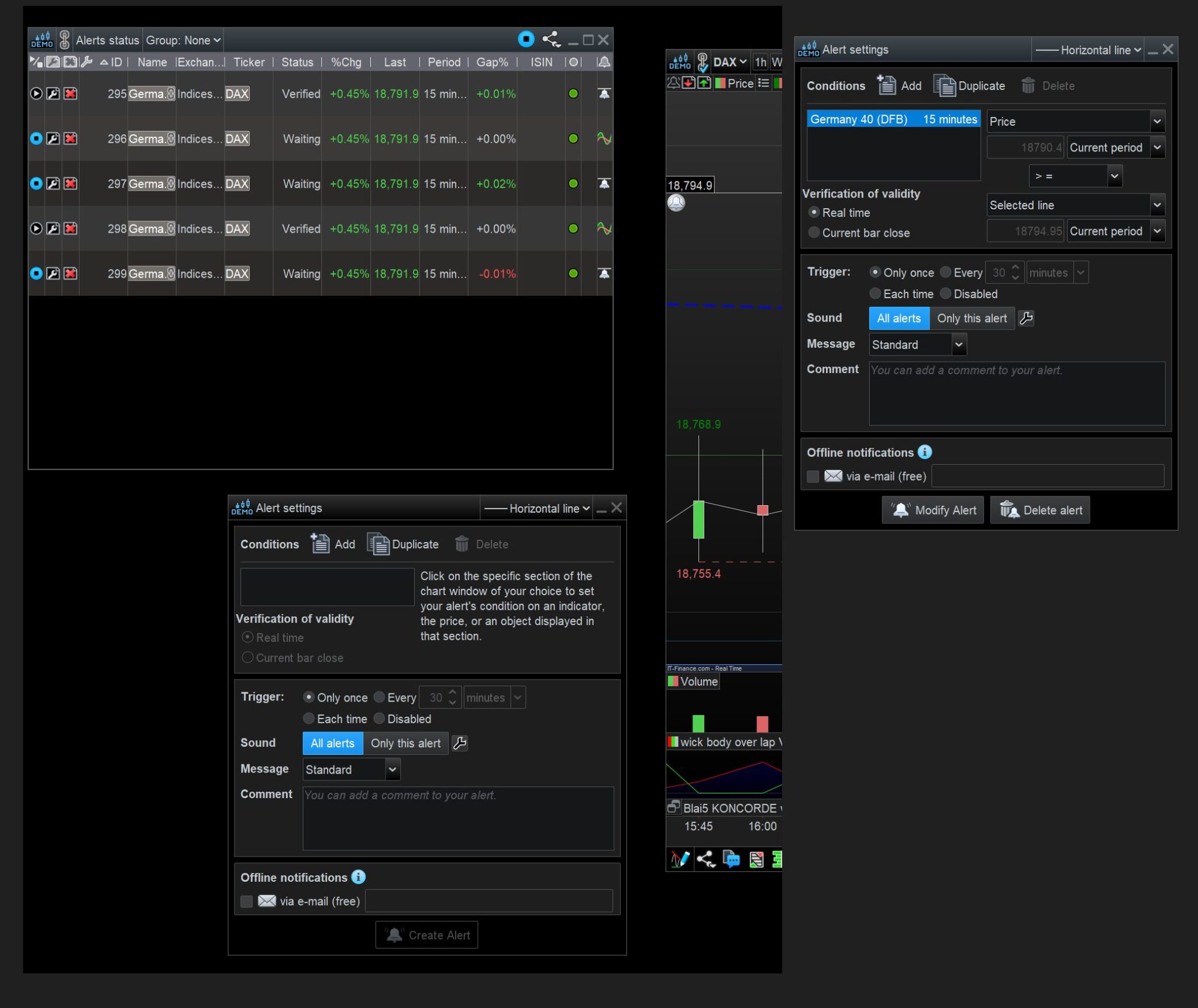
    The image shows the alert status with several alerts set. The last icon for each alert shows either a line  above a bell or sinusoidal waves.

    The line relate to the alert by value for line and or by price for waves, on 2nd part of condition. However no lines drawn for all, apart from one.


    For this alert, I added a horizonal line on the chart,  after I noticed that you get a different alert settings window if you Left Click the bell icon Header for the last column of the status window.

    This prompts to click on a Area/item for the alert, which I used the line. The alert appends itself to the line.


    If the alert settings is open and you click on a bell for a new alert you get the same menu.

    In the normal alert settings the 2nd condition shows ‘Selected Line’  now shown in list.

    With alert setting closed, no setting box shows till you click on chart.


    So this brings me to the conclusion that  the automation for placing the line  prior to the appending of the alert is not happening.

    What evers  happening it appear global in scope, wonder if its some thing to do with objects settings and not the alert.

    Does the alert settings box shown on left of image appear after choosing the alert from the icon and before you click the chart for the position of the alert?

    Screenshot-2024-05-27-183931.jpg Screenshot-2024-05-27-183931.jpg
    #233113 quote
    GraHal
    Participant
    Master

    after choosing the alert from the icon and before you click the chart for the position of the alert?

    No, I click the bell icon from the side toolbar, the bel icon then shows near my cursor until I click on the chart where I want the alert to be set and then the ‘alert settings box’ opens until I press ‘Create Alert’.

    Iván González thanked this post
    #233114 quote
    druby
    Participant
    New

    Found, ‘Hide the alert’s line’ in main settings, [Platform settings] [General] [Right-click menus] [Objects]  …Alerts…,    played about with that.

    Now it appears to work on instruments I don’t use, but still not on the ones I do.

    Currently exporting all my workspaces to see if there’s a conflict somewhere or I hit a limit.


    Thanks for you help

    Druby

    GraHal thanked this post
    #233295 quote
    DeathMetal
    Participant
    New

    Same here, it all worked well, since the last two days.


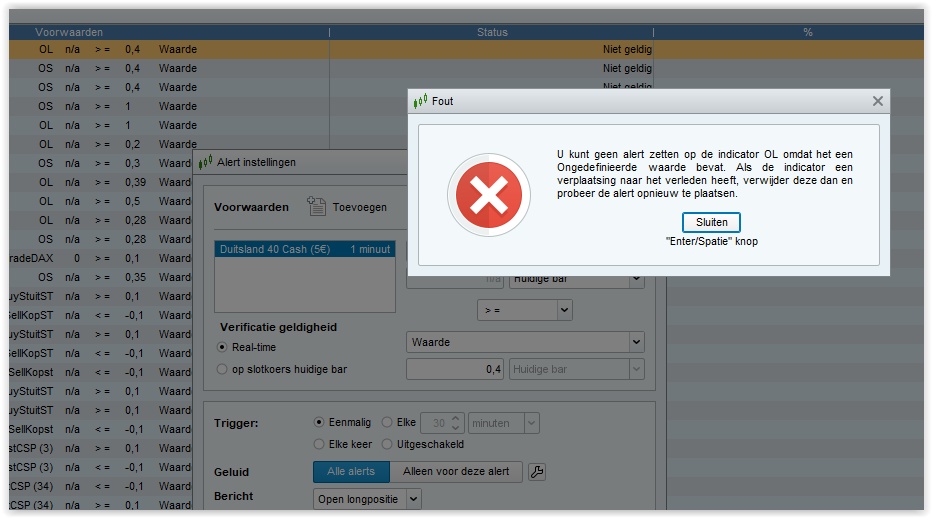
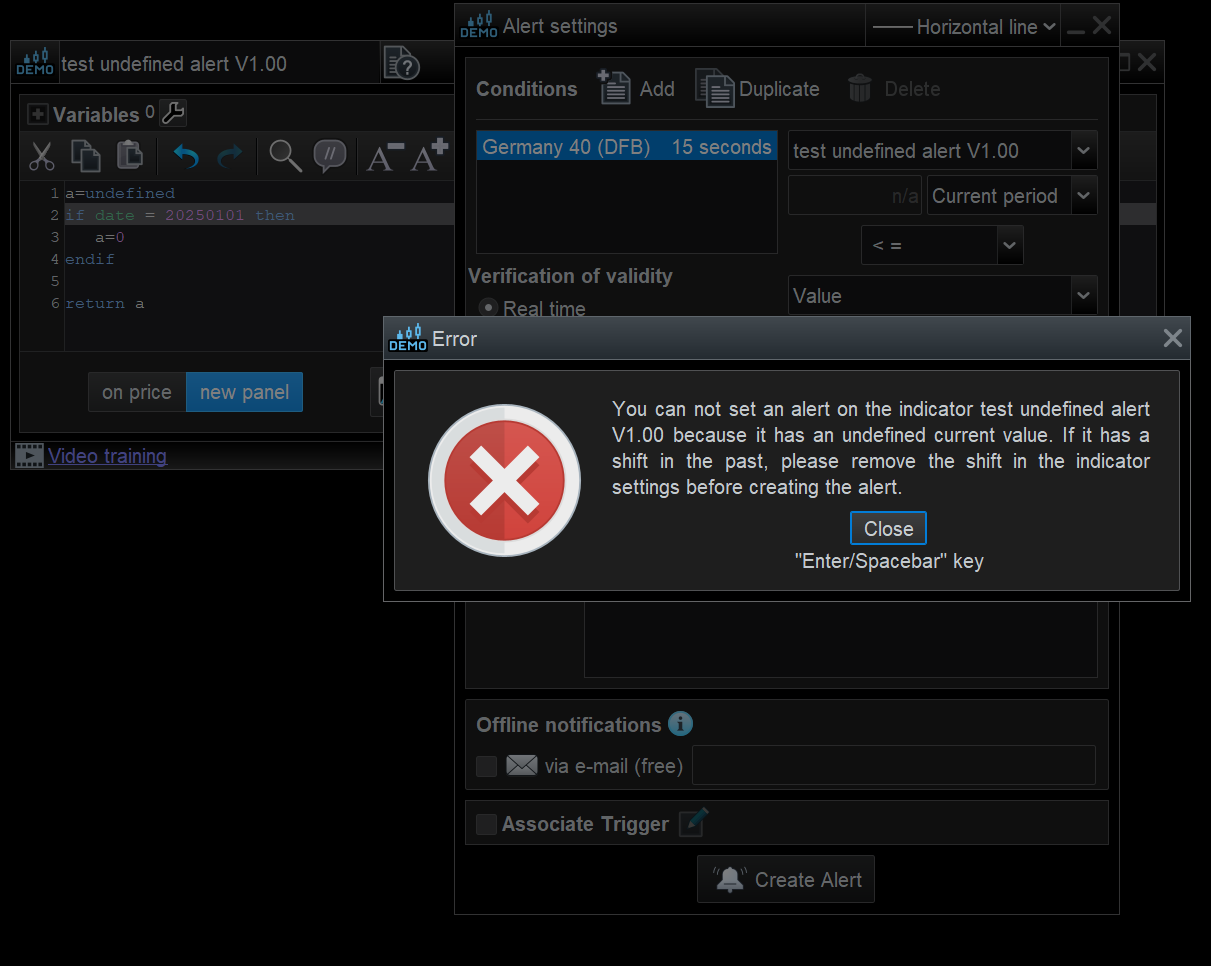
    I got the message “Value undefined”  and the validation area is changed automatically from close to realtime.


    I don’t get it at all!

    afbeelding_2024-05-30_172322568.png afbeelding_2024-05-30_172322568.png
    #233301 quote
    druby
    Participant
    New

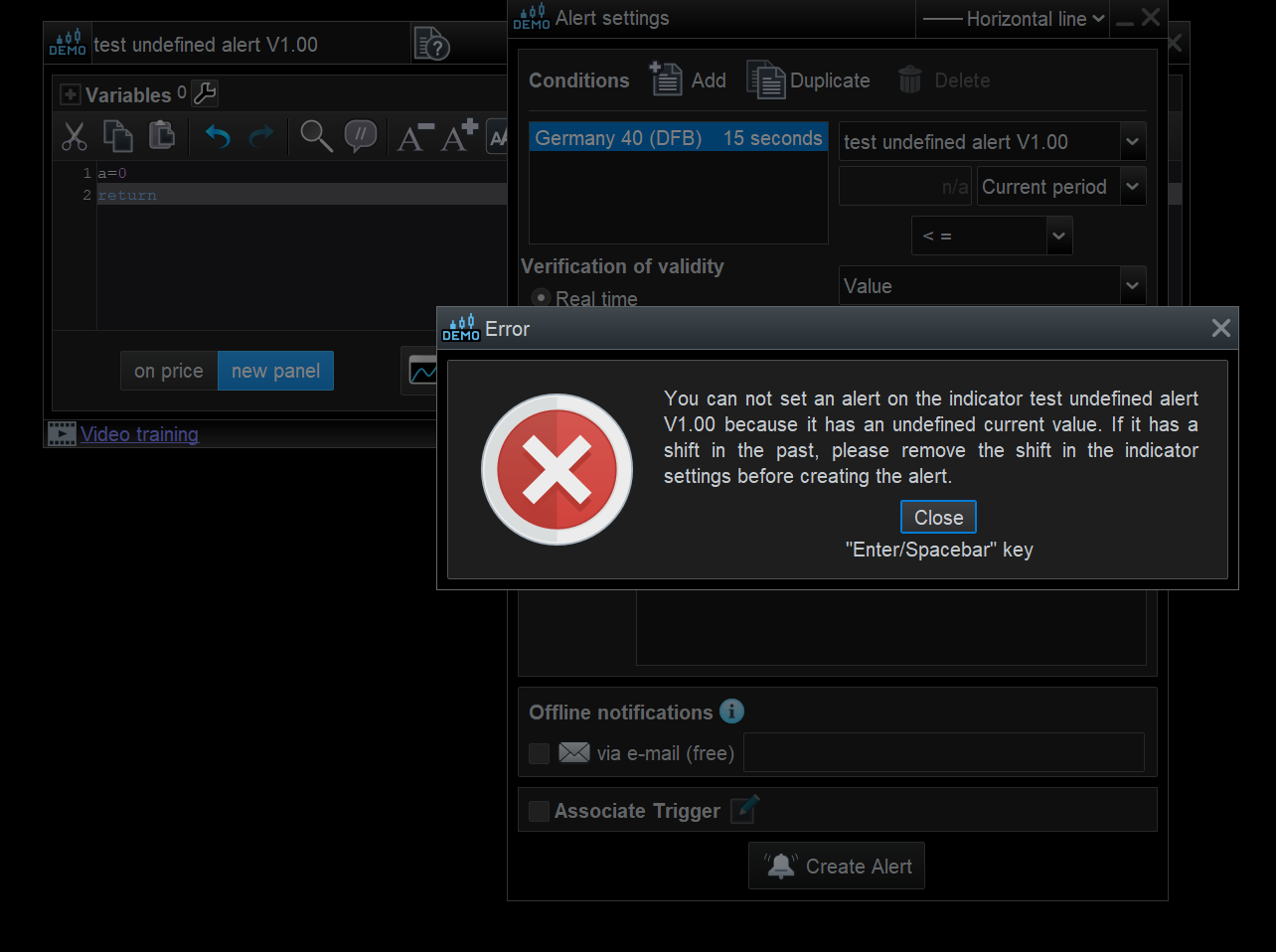
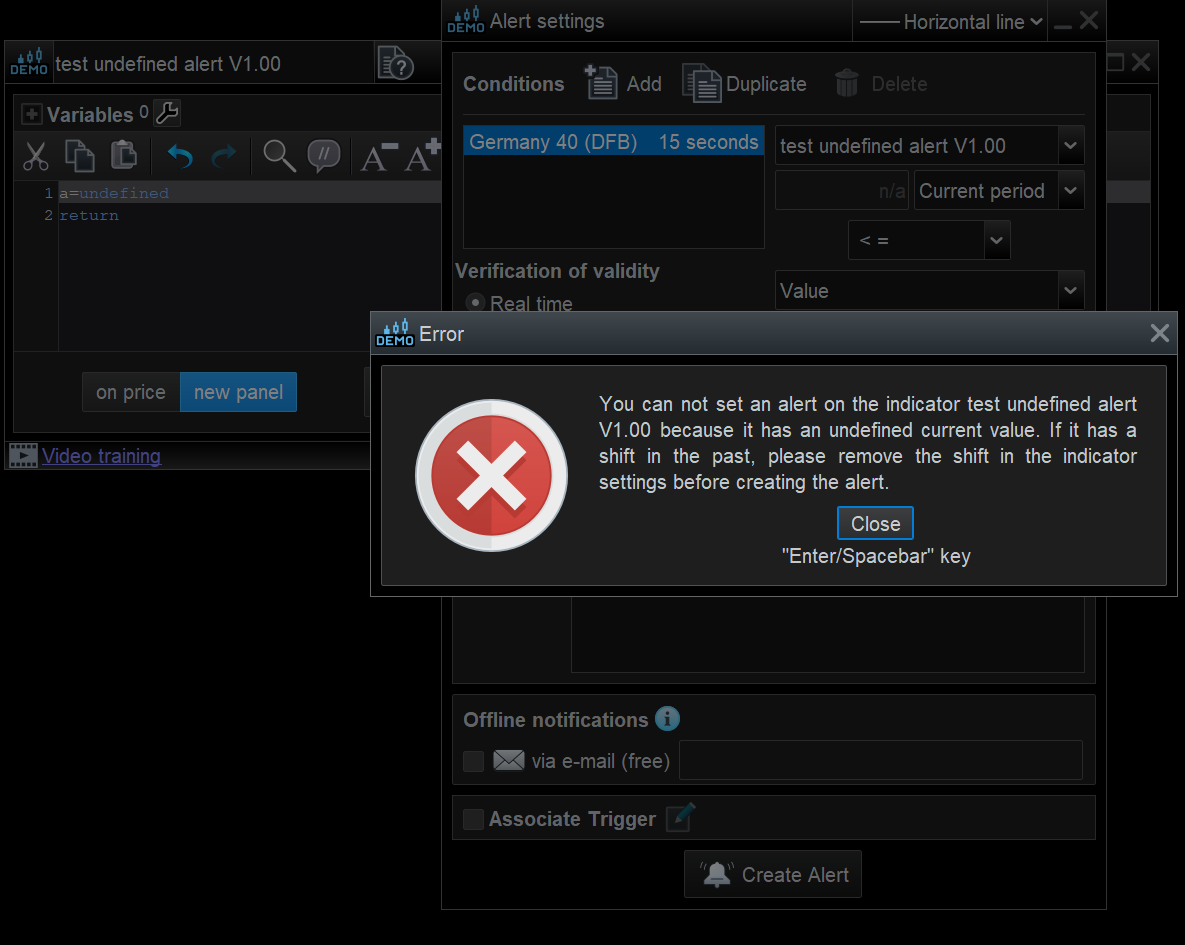
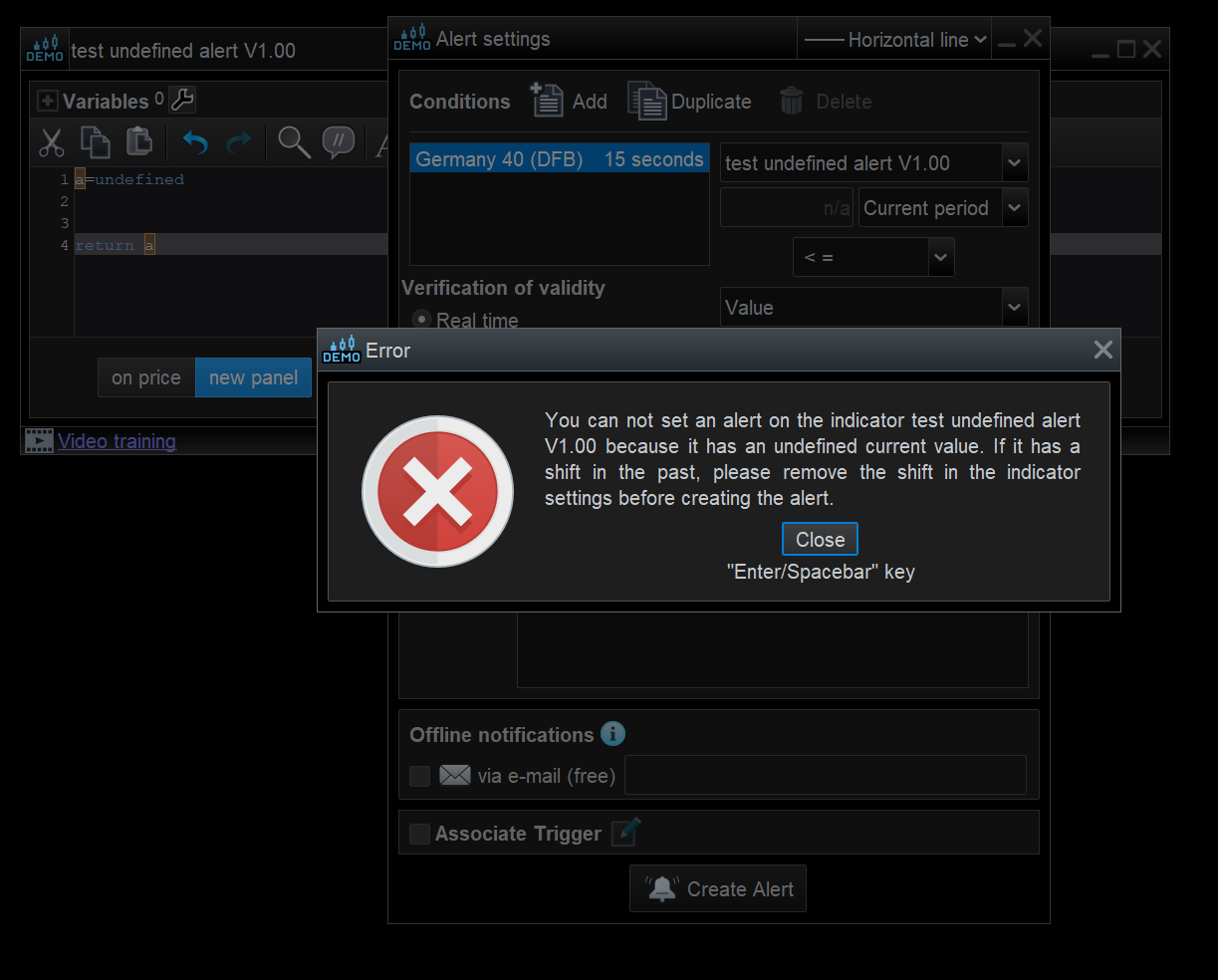
    After a few checks, the error message comes up if  :-

    1, The variable is not on the return line of the program.

    2. The variable is set to ‘undefined’ , and never get a value in time.

    3. The variable is never set to a value or

    4. will be set to a value but at some  future time.

    Also, after making modifications to the program, you have to re-open the alarm window for new changes to take affect.

    Screenshot-2024-05-30-172156.png Screenshot-2024-05-30-172156.png Screenshot-2024-05-30-172256.png Screenshot-2024-05-30-172256.png Screenshot-2024-05-30-172427.png Screenshot-2024-05-30-172427.png Screenshot-2024-05-30-172604.png Screenshot-2024-05-30-172604.png
    #233306 quote
    DeathMetal
    Participant
    New

    anything to do with the update 21-05-2024??

    #233307 quote
    druby
    Participant
    New

    Regarding setting of alerts, I now have to put a horizontal line on the chart and then use the set alert to a line tool to append it to the line.

    I noticed that it works as normal on instruments I dont use but not on the one I do, how does it know, lol

    Didn’t get any error messages when it happened.

    If your error message appeared after it was normally working, it could be due change be an update or something else.

    #233308 quote
    DeathMetal
    Participant
    New

    the only way to get it right, is to delete the old alerts and create new ones.

    #233309 quote
    DeathMetal
    Participant
    New

    ok, forget this, it worked for 5 minutes, now it is in error already.

    #233310 quote
    druby
    Participant
    New

    You could try that, didn’t make any difference for me.

    #233312 quote
    DeathMetal
    Participant
    New

    Nothing works, maybe Nicolas, Roberto or Ivan has any answers?

Viewing 15 posts - 1 through 15 (of 18 total)
  • You must be logged in to reply to this topic.

Missing Alert Lines


Platform Support: Charts, Data & Broker Setup

New Reply
Author
author-avatar
druby @druby Participant
Summary

This topic contains 17 replies,
has 4 voices, and was last updated by druby

1 year, 8 months ago.

Topic Details
Forum: Platform Support: Charts, Data & Broker Setup
Language: English
Started: 05/27/2024
Status: Active
Attachments: 8 files
Logo Logo
Loading...
