


Hi Nicolas.
Its possible to have McGinley Dynamic in prorealtime indicators?
Thanks…and great work!
Carlos
Mine
// MD - McGinley Dynamic
// --- parameters
Series = CustomClose
// Period = 20
// Lambda = 0.5 // {0.5..9}
// ---
IF BarIndex < 3 THEN
MD = Series
ELSE
Pow = (Series / MD[1]) * (Series / MD[1]) * (Series / MD[1]) * (Series / MD[1])
MD = MD[1] + (Series - MD[1]) / ((Period * Pow) / 2)
ENDIF
RETURN MD
Lorenzo thanks. I tried but apears: “syntax error the following variable is undefined: period
You can add a variable “Period” + a lambda one via the GUI.
Or I can export it to you when I have some times. 🙂
I add the variable and it works!
Thanks Lorenzo!
Bonjour
J’ai essayé de télécharger cet indicater (McGinley Dynamic) mais je ne sais comment faire
mon mac n’arrive pas à ouvrir le lien ci-dessus
Merci de m’assister à telecharger cet indicateur
Hello
I tried to download this indicater (McGinley Dynamic) but I don’t know how to do it
my mac can’t open the link above
Please help me download this indicator
LYMN – English only in the English language forums please.
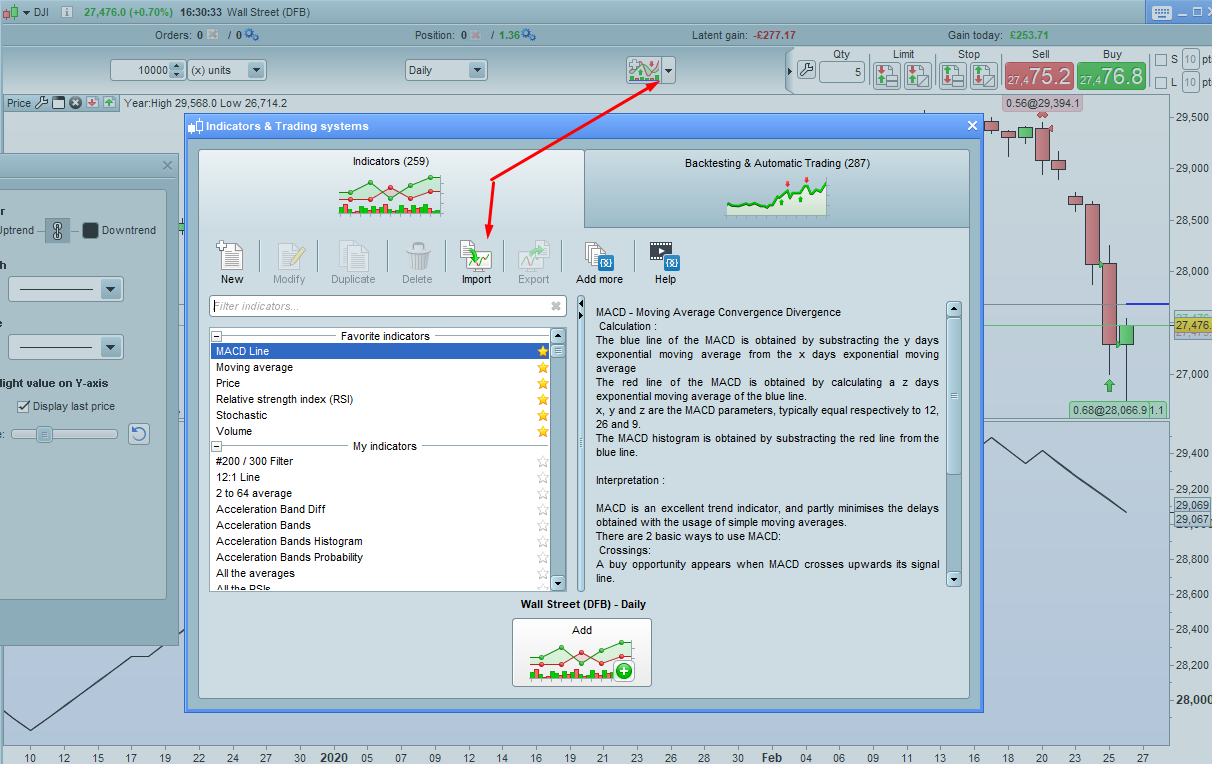
Save the ITF file on your computer and then import it using the import function found in the indicators window.
I write to you in English
could you assist me to download McGinley dynamic
my mac can not open the link and in which file from my mac i will be able to download it ???
THANKS
@LYMN
You have 2 options: download the file and import it into your platform, following this easy tutorial: How to import and export codes from ProRealTime platform?
or copy/paste the above code into a new indicator into your platform.
pity, no concrete assistance
I just wasted my time
a block, really bad
Thank you for giving me the opportunity to know the reality of this site
You wanted to know if McGinley Dynamic was available, we found it and gave you any info about it.
You asked us how to download it, we told you how to.
Can you Copy & Paste it from the second post above? If you can’t even do that, well… guess what?
Sir
apparently you did not understand anything, despite you are very kind to follow up
Sir !!
I copied the Code text !! of the indicator – displayed at the top
but where should i paste it ???
The other solution that you kindly proposed to me and the ITF file attached to it ……. I asked or should I download it to my mac ???
because no file extension in my mac accepts it so that I can import it into the platform ???
That’s the whole story
Thank you as same for your professional remarks
I think your problems are nothing to do with the level of free help and assistance being offered by people on this site – I think your problems are a little closer to home. 🙂
Did you ever consider clicking on ‘Help’? If you did then you will find a link described as ‘How to import and export codes from ProRealTime platform’ which will take you to a page with nice simple pictures and even a video showing you how to do it. Nicolas actually already told you this.
I’ll provide a link just in case you struggle with finding ‘Help’.
https://www.prorealcode.com/import-export-prorealtime-code-platform/