Bonjour,
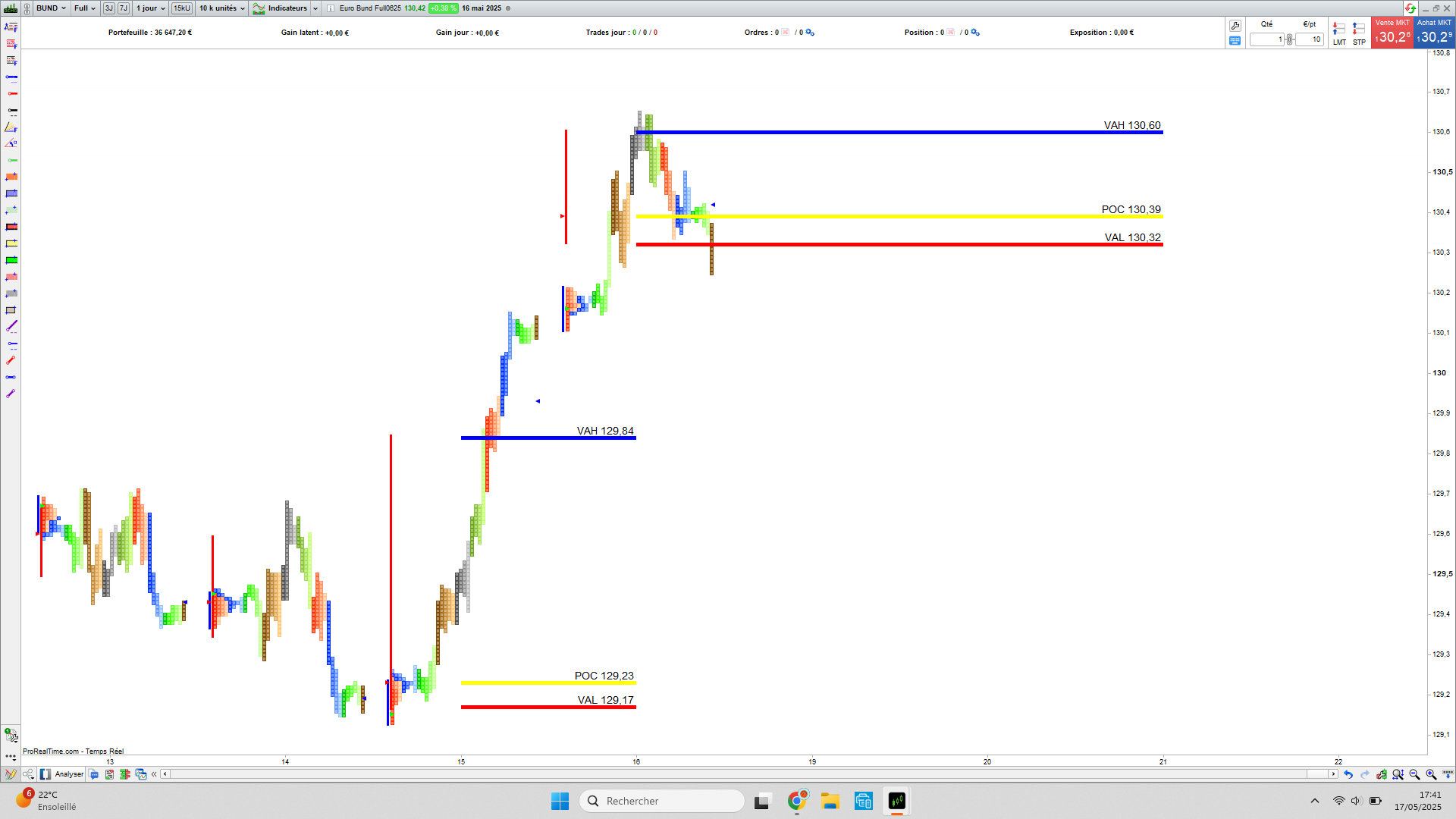
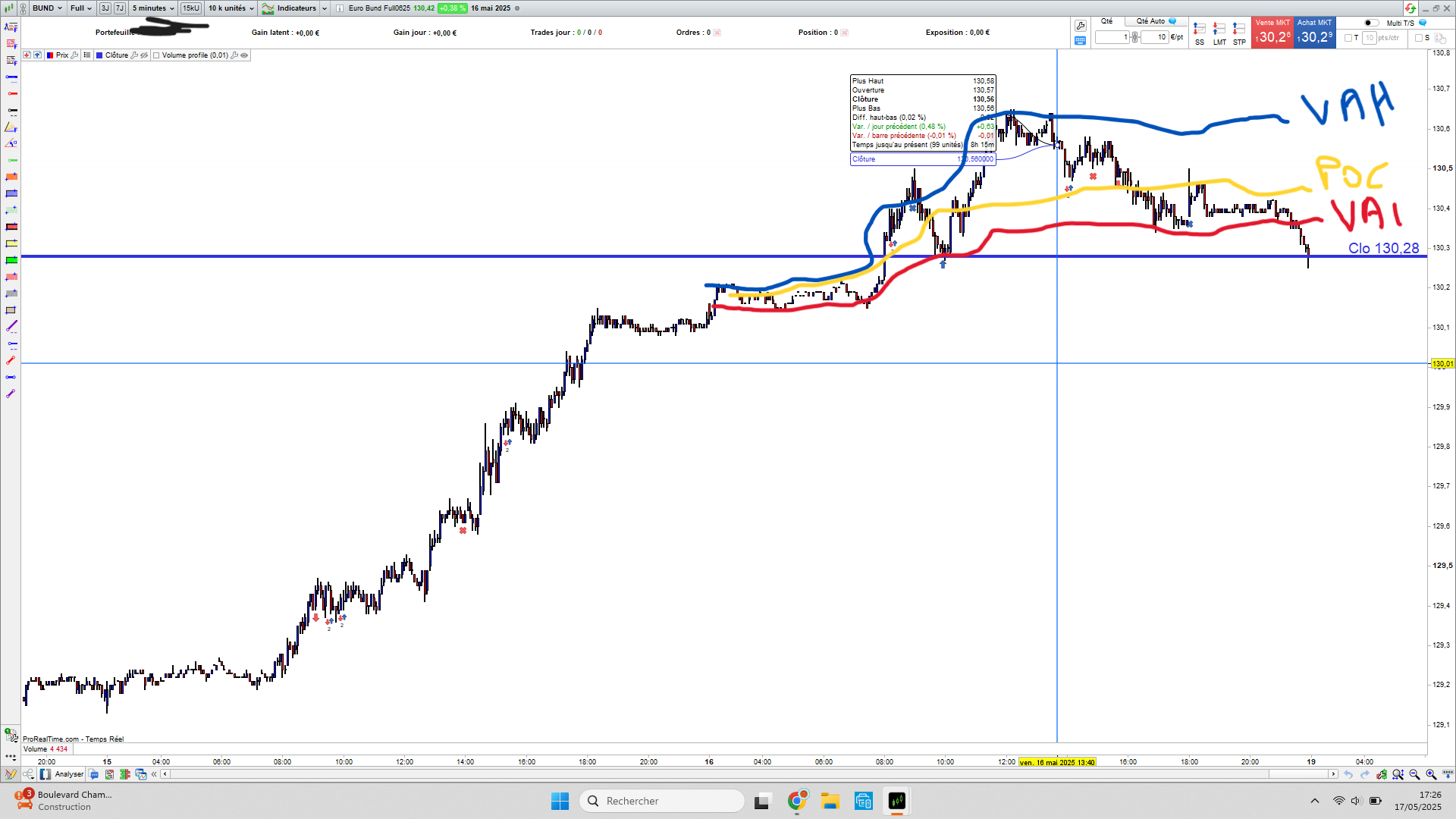
entendons-nous bien il ne s’agit pas de volumes (VOLUME PROFILE), mais de temps passés sur le prix (MARKET PROFILE).
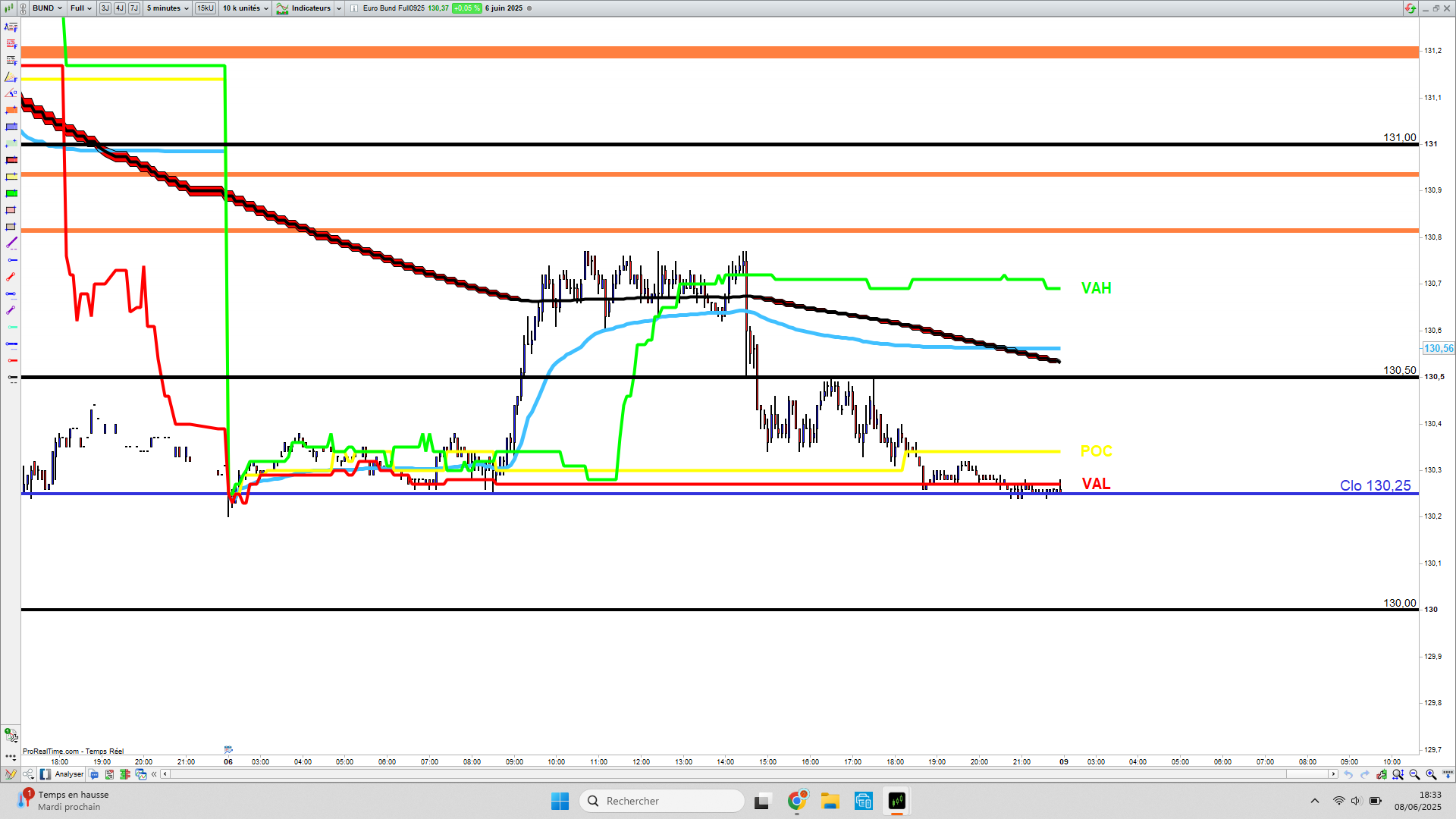
j’ai demandé à l’IA de bien vouloir me créer un POC,VAH,VAL dynamiques (joint ci-dessous) mais il a quelques problèmes
avec le code pine. Il y a quelque erreurs dans ce code. Si un informaticien pourrait se pencher dessus et ainsi en faire bénéficier la communauté
je le remercie d’avance.
// === Paramètres ===
tickSize = 0.25             // Résolution du profil en points
maxLevels = 200             // Nombre max de niveaux de prix
valueAreaPercent = 70       // Pourcentage de la Value Area

// === Détection d’un nouveau jour ===
newDay = (date <> date[1])
if newDay then
   i_reset = 0
   minPrice = low
   maxPrice = high
endif

// === Initialisation progressive des niveaux TPO ===
if i_reset < maxLevels then
   if i_reset = 0 then setglobal("freq0", 0)
   if i_reset = 1 then setglobal("freq1", 0)
   if i_reset = 2 then setglobal("freq2", 0)
   if i_reset = 3 then setglobal("freq3", 0)
   if i_reset = 4 then setglobal("freq4", 0)
   if i_reset = 5 then setglobal("freq5", 0)
   if i_reset = 6 then setglobal("freq6", 0)
   if i_reset = 7 then setglobal("freq7", 0)
   if i_reset = 8 then setglobal("freq8", 0)
   if i_reset = 9 then setglobal("freq9", 0)
   // [...] à répéter jusqu’à freq199
   i_reset = i_reset + 1
endif

// === Mise à jour min/max journalier ===
if low < minPrice then
   minPrice = low
endif
if high > maxPrice then
   maxPrice = high
endif

// === Calcul du nombre de niveaux à suivre ===
range = maxPrice - minPrice
nbBins = min(maxLevels, ceil(range / tickSize) + 1)

// === Mise à jour des niveaux de fréquence (TPO) ===
for i = 0 to nbBins - 1 do
   level = minPrice + i * tickSize
   if level >= low and level <= high then
      freq = getglobal("freq" + i)
      setglobal("freq" + i, freq + 1)
   endif
next

// === Détermination du POC ===
pocIdx = 0
maxFreq = getglobal("freq0")
totalFreq = maxFreq

for i = 1 to nbBins - 1 do
   freq = getglobal("freq" + i)
   totalFreq = totalFreq + freq
   if freq > maxFreq then
      maxFreq = freq
      pocIdx = i
   endif
next

// === Calcul Value Area (70%) ===
target = totalFreq * valueAreaPercent / 100
sum = getglobal("freq" + pocIdx)
up = pocIdx + 1
down = pocIdx - 1

while sum < target do
   fUp = 0
   fDown = 0
   if up < nbBins then
      fUp = getglobal("freq" + up)
   endif
   if down >= 0 then
      fDown = getglobal("freq" + down)
   endif
   if fUp >= fDown and up < nbBins then
      sum = sum + fUp
      up = up + 1
   elsif down >= 0 then
      sum = sum + fDown
      down = down - 1
   else
      break
   endif
wend

// === Résultats convertis en prix ===
poc = minPrice + pocIdx * tickSize
vah = minPrice + (up - 1) * tickSize
val = minPrice + (down + 1) * tickSize

// === Tracé ===
return poc coloured("red") style(line,2) as "POC",
       vah coloured("green") style(dottedline) as "VAH",
       val coloured("green") style(dottedline) as "VAL"
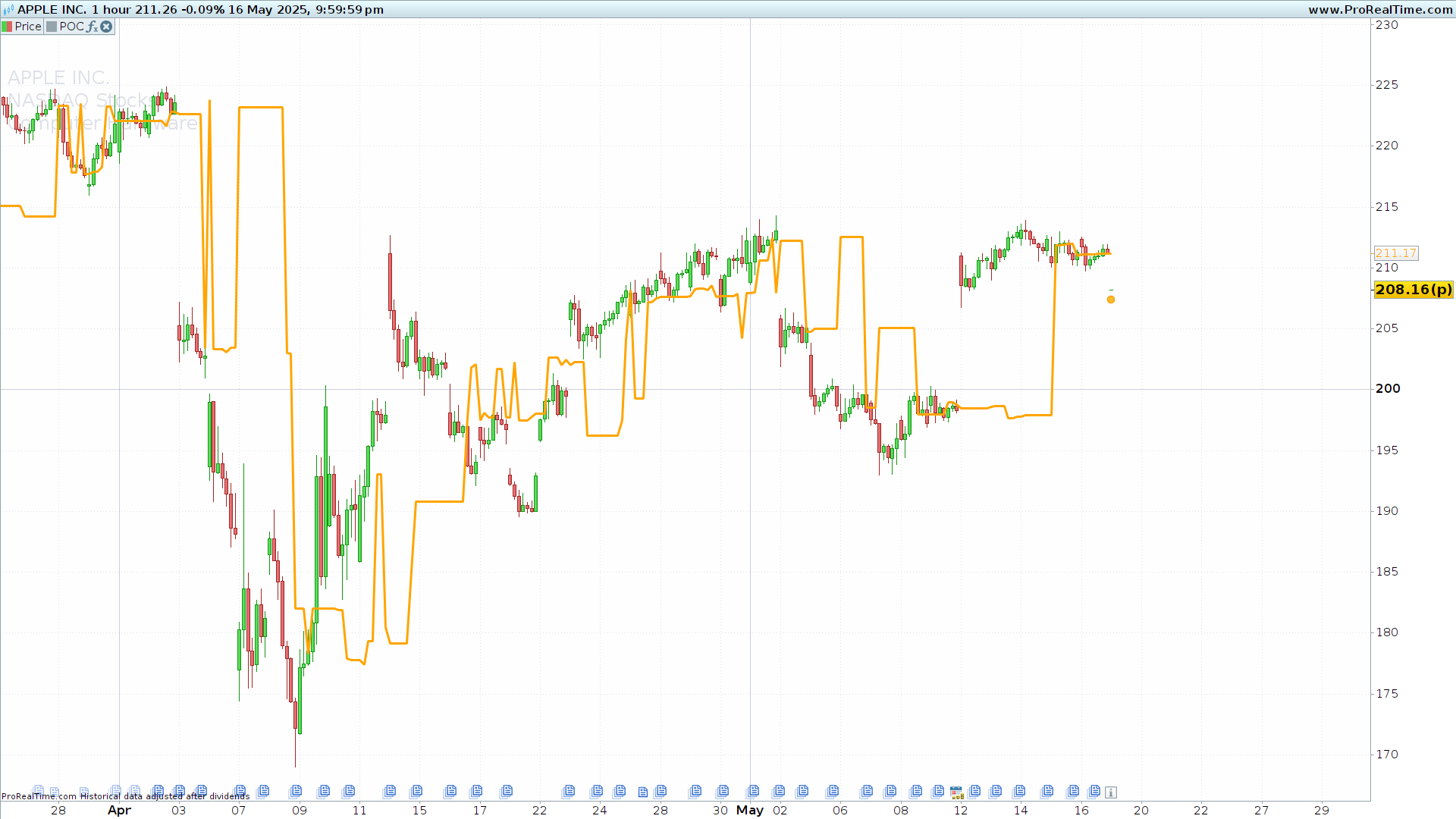
Comme je te l’ai mentionné dans un post précédent, je te laisse ici le code pour le calcul du POC. Tu verras maintenant qu’il se met à jour à chaque bougie.
Le calcul de la zone de valeur, je te le laisse.
//------------------------------------------------------//
//PRC_Rolling POC Volume profile
//version = 0
//26.04.24
//Iván González @ www.prorealcode.com
//Sharing ProRealTime knowledge
//------------------------------------------------------//
//-----Inputs-------------------------------------------//
plook=40
res=15
scale=30
hlen=25
//------------------------------------------------------//
//-----Create arrays for High, Low and volume-----------//
maxx = highest[plook](high)
minn = lowest[plook](low)
step = (maxx-minn)/res //height of the rectangle
volsum=summation[plook](volume)
startbar = barindex+7
//------------------------------------------------------//
//-----Calculation POC----------------------------------//
for i=0 to res-1 do
binsize=0
volsize=0
mybot=minn+(i*step)
mytop=minn+((i+1)*step)
$bottomboundaries[i]=mybot
$topboundaries[i]=mytop
for j=0 to plook-1 do
if close[j]>=mybot and close[j]<=mytop then
volsize=volsize+volume[j]
endif
next
$VolLen[i]=volsize
volbar = (volsize*res/volsum)*scale
next

for k=0 to res-1 do
if $VolLen[k]=ArrayMax($VolLen) then
x = k
break
endif
next

poc = ($topboundaries[x]+$bottomboundaries[x])/2
//------------------------------------------------------//
return poc as "POC" coloured("orange")style(line,3)
Après plusieurs essais, voilà ce que l’on peut faire avec chatgpt.
Je ne sais pas si ce code est exact mais au moins il existe
DEFPARAM CalculateOnLastBars = 500
defparam drawonlastbaronly = true

// ----- Paramètres -----
increment = pointsize // tick size
once $tpoCounts[0] = 0
once $priceLevels[0] = 0

// Réinitialisation à chaque nouvelle session
IF OpenDay <> OpenDay[1] THEN
UnSet($tpoCounts)
UnSet($priceLevels)
ENDIF

// Ajout ou incrément d’un niveau
found = 0
FOR i = 0 TO LastSet($priceLevels) DO
IF ABS(close - $priceLevels[i]) <= increment / 2 THEN
$tpoCounts[i] = $tpoCounts[i] + 1
found = 1
BREAK
ENDIF
NEXT

IF found = 0 THEN
i = LastSet($priceLevels) + 1
$priceLevels[i] = close
$tpoCounts[i] = 1
ENDIF

// ----- Calcul POC, VAH, VAL -----
totalTPO = 0
maxTPO = 0
pocIndex = 0

FOR i = 0 TO LastSet($tpoCounts) DO
totalTPO = totalTPO + $tpoCounts[i]
IF $tpoCounts[i] > maxTPO THEN
maxTPO = $tpoCounts[i]
pocIndex = i
ENDIF
NEXT

// VAH / VAL sur 70 % autour du POC
valueAreaTPO = totalTPO * 0.7
areaTPO = $tpoCounts[pocIndex]
lowIndex = pocIndex
highIndex = pocIndex

WHILE areaTPO < valueAreaTPO AND (lowIndex > 0 OR highIndex < LastSet($tpoCounts)) DO
valLow = 0
valHigh = 0
IF lowIndex > 0 THEN
valLow = $tpoCounts[lowIndex - 1]
ENDIF
IF highIndex < LastSet($tpoCounts) THEN
valHigh = $tpoCounts[highIndex + 1]
ENDIF

IF valHigh >= valLow THEN
highIndex = highIndex + 1
areaTPO = areaTPO + valHigh
ELSE
lowIndex = lowIndex - 1
areaTPO = areaTPO + valLow
ENDIF
WEND

POC = $priceLevels[pocIndex]
VAH = max($priceLevels[lowIndex], $priceLevels[highIndex])
VAL = min($priceLevels[lowIndex], $priceLevels[highIndex])
DRAWTEXT("                POC",barindex,POC,SansSerif,Bold,20)coloured(255,255,0)
DRAWTEXT("                VAH",barindex,VAH,SansSerif,Bold,20)coloured(0,255,0)
DRAWTEXT("                VAL",barindex,POC,SansSerif,Bold,20)coloured(255,0,0)


RETURN POC COLOURED(255,255,0) AS "POC"style(line,4), VAH COLOURED(0,255,0) AS "VAH"style(line,4), VAL COLOURED(255,0,0) AS "VAL"style(line,4)