Fran55
There is no “winloss” variable in the code I posted above.
Can you share the code of the DAX Skynet algo in your background :-)? Thanks
I just added the machine learning into a system, here’s the results (before and after).
Very impressive, and also the robustness test went up in total average!
Here’s another test that i’ve made in the past from this topic: https://www.prorealcode.com/topic/machine-learning-in-proorder/page/3/#post-121230
Would it be possible to make the optimisations to run at a specific time of the day? I would like to have my parameter optimised twice daily, i.e. 8am and 2pm, but not anytime in between or after. Is that possible at all?
You cannot schedule optimizations so that they are made automatically, someone must hit GO (or START, or whatever it is called to make it run). You must either be in front of your PC or use a remote control app such as TeamViewer to activate it even by your mobile, provided your PC is on.
Sorry I wasn’t clear, I meant the ‘optimisation’ in the machine learning code, not the PRT built in optimisation. I understand they are not the same thing but I would like to ‘live parameter’ to be changed on certain times of the day.
I would like to ‘live parameter’ to be changed on certain times of the day.
Above would negate the logic / rationale of the Machine Learning.
The ML parameters / variables will change when the code within the ML snippets determine when the parameters / variables should change … this cannot be made to occur at a certain time of day.
The nearest you could get to what you want … re certain times of the day … would be to reset / initialise the ML part of the code … at certain times of the day.
However, this likely would render the ML code next to worthless as it would be stopped in it’s good effects twice per day.
Has anyone ever thought of introducing ML into the original Balmora Vector ???
Go to First balmoras vectorial with ML???
Nothing???
Fran55, you want people to share their work with you? so maybe you can also share the code of your DAX Skynet algo here? Thanks
Its a Joke???
No ML on balmoras vectorial???
@Fran55
Please stop asking the same questions over and over again 🙄
If no one had ever introduced the machine learning snippet code you find here into the Balmora core, please try to do it and share what you have discovered 😉
BTW, I’d like to know more about the Skynet Algo, never heard of it! But that’s off-topic here 😆
This is a DJ 10 second version of vectorial dax, with
cb1 = angle >= 25
cs1 = angle <= -25
Many hours spent trying to apply Heuristic code to these angles. Without success. Could someone help do this?
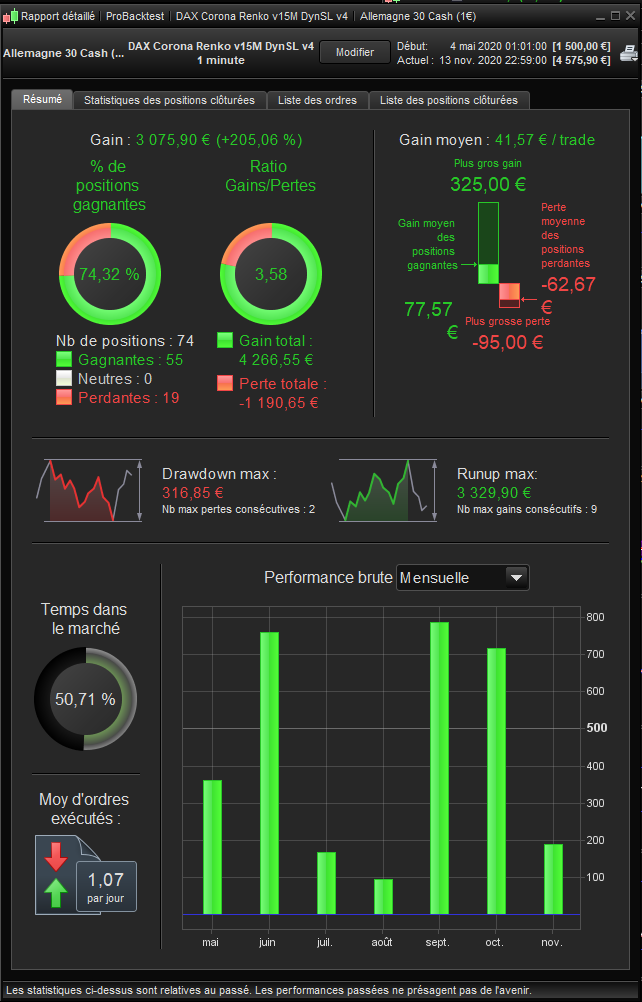
Hello everyone, can you please help… (DAX, M1, Spread 1.2)
Attached a programme which is a compliation of bricks from the site with large inspiration from codes posted by @Nicolas @robertogozzi @tob107 @juanj (Thank you).
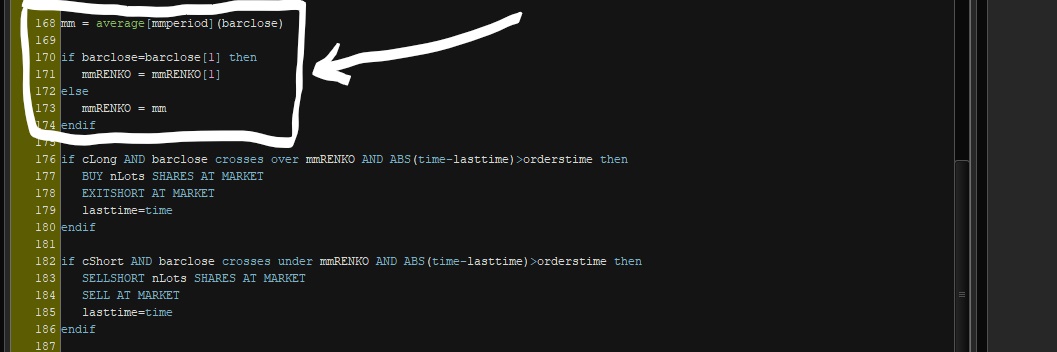
I’d like to add the possibility to chose different “Periods” of “Average” to be used later in a loop… “IF… ELSE…” seems to be limited to two choices…
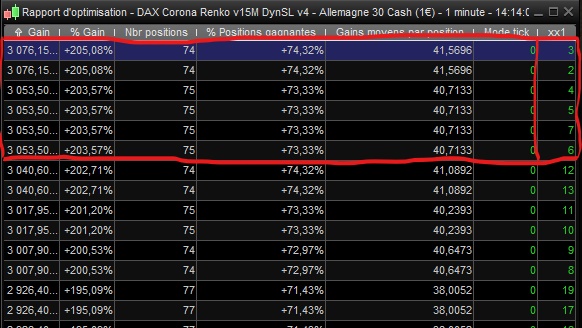
Is there a possibility to add FOR x between a and c, then mm1=Avarge[a], then mm2=Avarge[b], the mm3=Avarge[c] (a, b and c are the result of the optimization). Then change the instruction “mmRENKO=mm” into something like:
mmRENKO=mm1
OR
mmRENKO=mm2
etc…
Please feel free to suggest imorvment to this code. Appreciate also your feedback on the way I’ve integrated the ML code.
Thanks