lowest low with condition based on moving average

Viewing 9 posts - 1 through 9 (of 9 total)
  • Author
    Posts
  • #114933 quote
    AE
    Participant
    Senior

    Hi all,

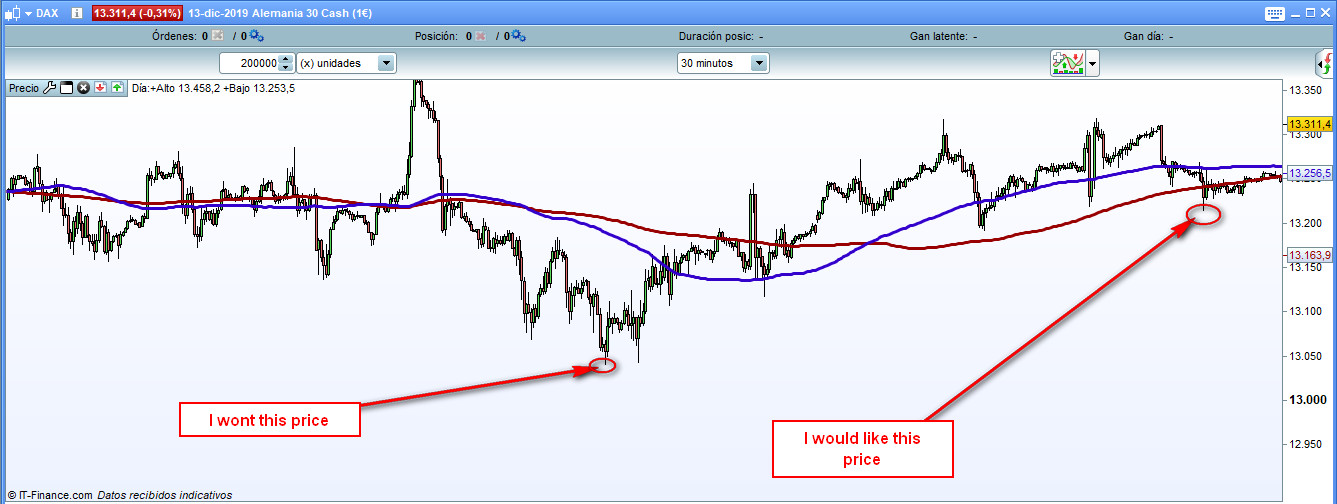
    I would like to know if there is any way to get the lowest  (or highest) price with a condition.

    For example, I would like to know the  lowest price for DAX since Price crosses over SMA 200 and SMA200 crosses over SMA100.


    Thanks

    example.jpg example.jpg
    #114935 quote
    Vonasi
    Moderator
    Master

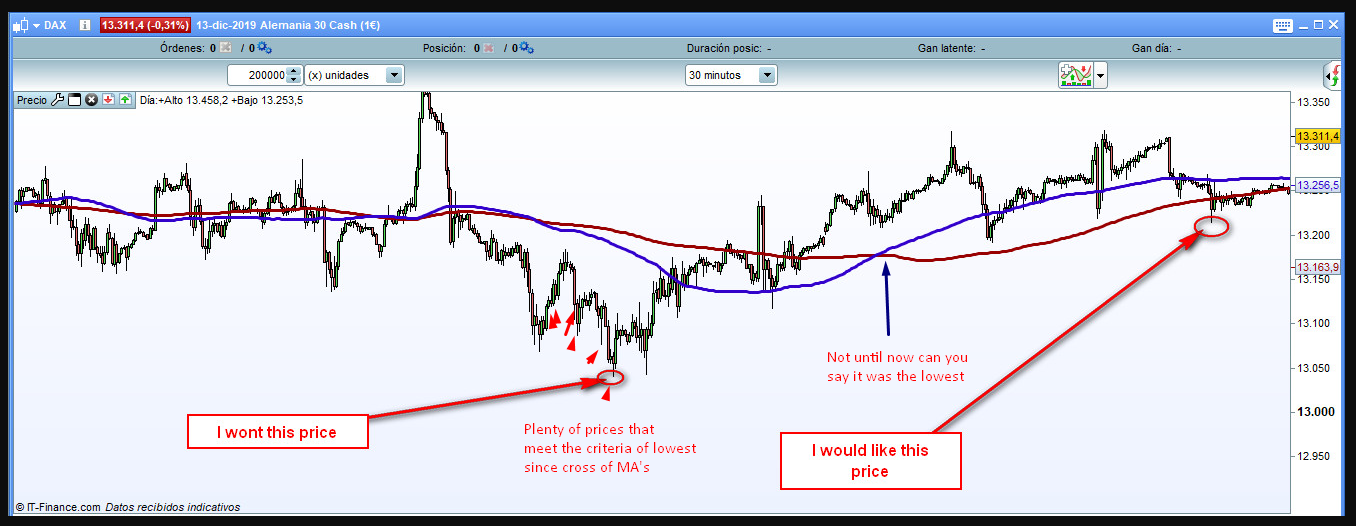
    Yes that is possible but you won’t know that it is the lowest price until the condition is no longer true. So it depends whether you are interested in the actual price or the actual time!

    #114936 quote
    AE
    Participant
    Senior

    Thanks Vonasi, I´m interest in the actual time.

    #114938 quote
    Vonasi
    Moderator
    Master

    You can’t know the time until the condition is no longer true so you can never trade at this time. See image.

    Screenshot_1.png Screenshot_1.png
    #114941 quote
    AE
    Participant
    Senior

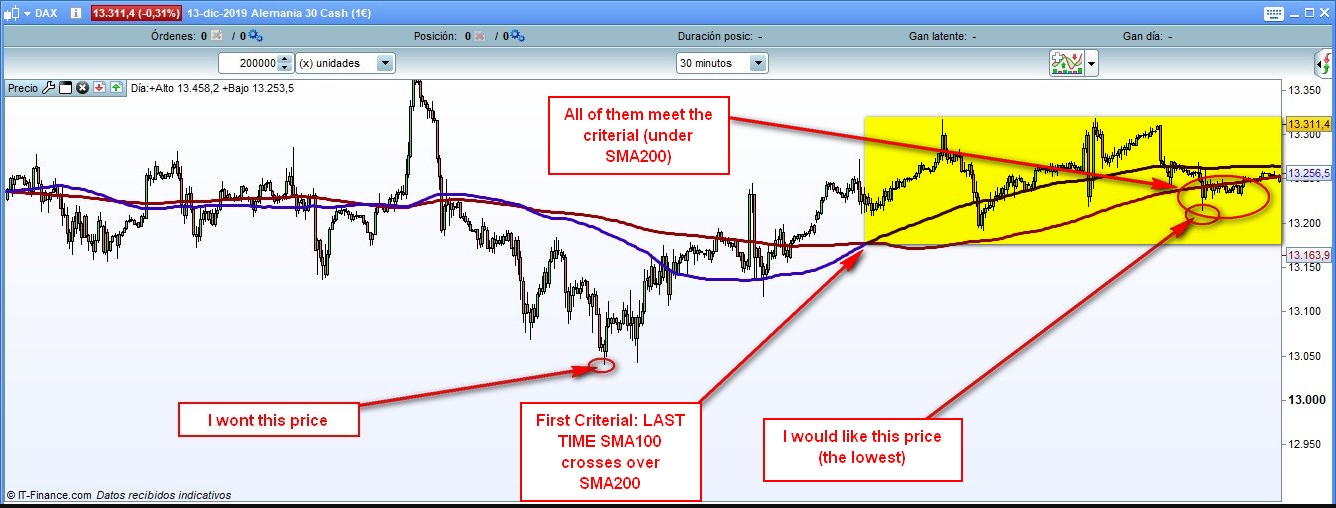
    You are right, plenty of time happens lowest price but I just want the lowest price since LAST cross.

    Please check the picture.

    There is any way to know this lowest price with both condition (since last MA´s crosses and under SMA200) ?

    example-1.jpg example-1.jpg
    #114950 quote
    Nicolas
    Keymaster
    Master

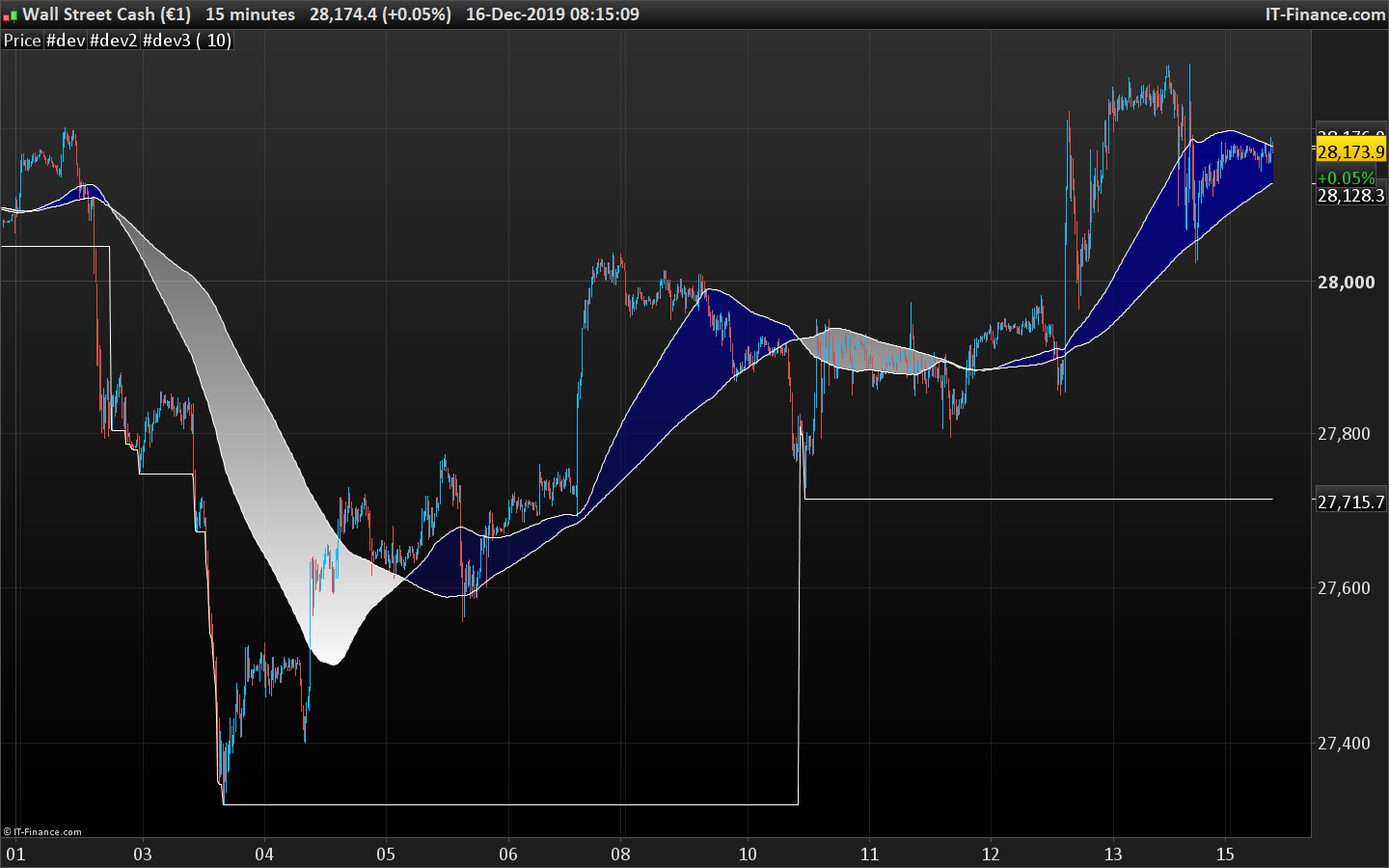
    The below code is computing the lowest low when MA100 is under the MA200 and reset that value each time the MA100 crosses under the MA200.

    ma100=average[100]
    ma200=average[200]
    
    if ma100 crosses under ma200 then 
    ll=ma200
    endif
    if ma100<ma200 then 
    ll=min(ll,low)
    endif
    
    return ma100,ma200,ll
    AE thanked this post
    lowest-low-under-ma.png lowest-low-under-ma.png
    #114952 quote
    Vonasi
    Moderator
    Master

    This indicator will show each new low after MA100 has crossed below MA200 and price is below MA200. It draws an arrow each time a new low is found and draws a line at the last lowest value found. It resets every time price goes back above MA200.

    It is an indicator but should give you some idea how to achieve what you want in a strategy. (I’m a little confused by exactly what you want!)

    if average[100] crosses under average[200] then
    flag = 1
    endif
    
    if average[100] crosses over average[200] then 
    flag = 0
    endif
    
    if average[100] < average[200] and average[100](close[1]) > average[200](close[1]) then
    mylow = low
    endif
    
    if flag and close < average[200] then
    mylow = min(low,mylow)
    if low = mylow then
    drawarrowup(barindex,low) coloured(128,0,0)
    endif
    endif
    
    return mylow
    AE thanked this post
    #114955 quote
    AE
    Participant
    Senior

    Thanks both,

    Maybe I confuse you because I didn’t explain very well.

    I´m triying to do backtest of COMA strategy: https://medium.com/@rcanessa/estrategia-de-trading-coma-para-mercados-en-tendencia-df74b8dd87a5

    https://www.youtube.com/watch?v=BFXp7OLfDtM&t=2s

    It’s in spanish but if you need I can translate it.

    Do you know this strategy?

    #114956 quote
    AE
    Participant
    Senior

    Ok, I just make it with the idea of both

    ma100=average[100]
    ma200=average[200]
     
    if ma100 crosses under ma200 then
    mylow = 9999999999
    endif
    if ma100 > ma200 and low < ma200 then
    mylow = min(low,mylow)
    if low = mylow then
    drawarrowup(barindex,low) coloured(128,0,0)
    endif
    endif
     
    return mylow

    Thanks you guys!

Viewing 9 posts - 1 through 9 (of 9 total)

  • You must be logged in to reply to this topic.

lowest low with condition based on moving average


ProOrder: Automated Strategies & Backtesting

New Reply
Author
author-avatar
AE @alberto_aguilera Participant
Summary

This topic contains 8 replies,
has 3 voices, and was last updated by AE
6 years, 2 months ago.

Topic Details
Forum: ProOrder: Automated Strategies & Backtesting
Language: English
Started: 12/15/2019
Status: Active
Attachments: 4 files
Logo Logo
Loading...