Looking for EMA-MA Indicator

Viewing 8 posts - 1 through 8 (of 8 total)
  • Author
    Posts
  • #42520 quote
    Lior Green
    Participant
    Junior

    Hi,

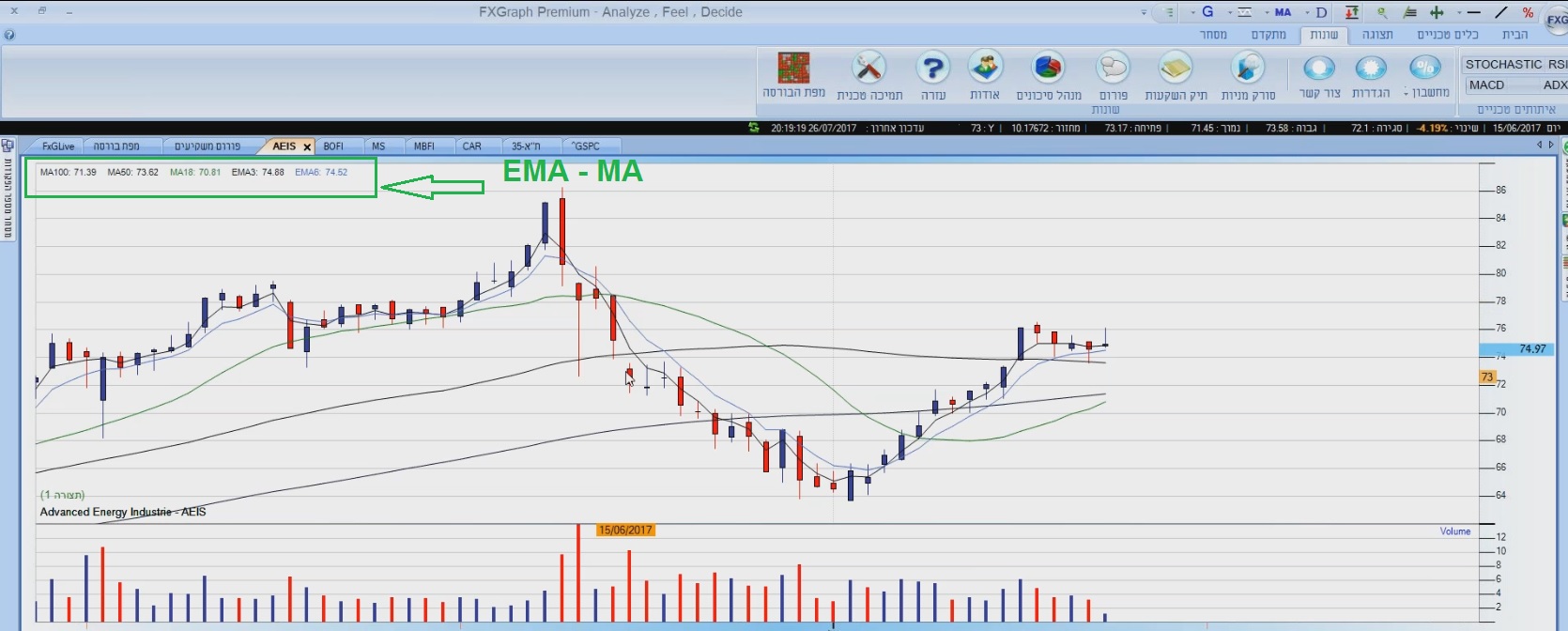
    I am looking for EMA-MA indicator / tool for ProRealTime.

    I need to configure:

    EMA 3
    EMA 6
    MA 18
    MA 50
    MA 100

    Need your help with a proper indicator.

    Thanks guys

    #42522 quote
    Swingforfortune
    Participant
    Average

    Hello,

    It should be this that can be pasted into an indicator:


    //Calculate average
    EMA3 = exponentialaverage[3](close)
    EMA6 = exponentialaverage[6](close)
    MA18 = average[18](close)
    MA50 = average[50](close)
    MA100 = average[100](close)
    //Return average
    Return EMA3, EMA6, MA18, MA50, MA100


    You can then add the indicator over the price on the chart.

    Best regards,

    #42523 quote
    Lior Green
    Participant
    Junior

    Great, thanks a lot i will try.

    All the best, Lior Grynwald

    #42524 quote
    Swingforfortune
    Participant
    Average

    No problem, you can also use the “coloured(255,0,0)” after the variables in the return line to put colors of the averages.

    Ex. Return EMA3 coloured(255,0,0), EMA6 coloured(0,255,0), …. etc.

    Then you will not have to set the colors each time.

    #42525 quote
    Lior Green
    Participant
    Junior

    Perfect

    #42526 quote
    JC_Bywan
    Moderator
    Master
    Hi guys, just a few moderation messages to keep are forums tidy and topics searchable in the right places:
    • Lior Green, please update your country flag by selecting a location in your profile settings. Thank you 🙂
    • Swingforfortune, please use the “<>” (insert PRT code) button for adding code in the PRT format, thank you 🙂
    • There are several forums, this topic is more appropriate for the “probuilder forum” than the “platform support”, no worry I’ll move it to the right place for future searches, you don’t need to do anything, it’s just for info

    Inertia thanked this post
    #42528 quote
    Lior Green
    Participant
    Junior
    Thanks you, just updated mt country. How can i set the indicators names, as displays under settings? is it possible to Return with a value and alias name?
    #42529 quote
    JC_Bywan
    Moderator
    Master
    yes, as visible in the return line on screen at beginning of this PRT video for creating custom indicators, or at 4’20 (but it’s worth watching entirely if beginner): https://www.youtube.com/watch?v=Q8vEg3FvuMo
Viewing 8 posts - 1 through 8 (of 8 total)

  • You must be logged in to reply to this topic.

Looking for EMA-MA Indicator


ProBuilder: Indicators & Custom Tools

New Reply
Author
author-avatar
Lior Green @lior_green Participant
Summary

This topic contains 7 replies,
has 3 voices, and was last updated by JC_Bywan

8 years, 6 months ago.

Topic Details
Forum: ProBuilder: Indicators & Custom Tools
Language: English
Started: 08/06/2017
Status: Active
Attachments: 1 files
Logo Logo
Loading...