pdrhParticipant
Average
Previous versions had the option to place a time limit on the display of past trades
Settings/Trading/Tradinginformation does not have this .
How can I limit the display of previous trades
Interesting (in general, I mean). What setting would that have been in V11 ? (I am still using V11).
Hi @PeterSt
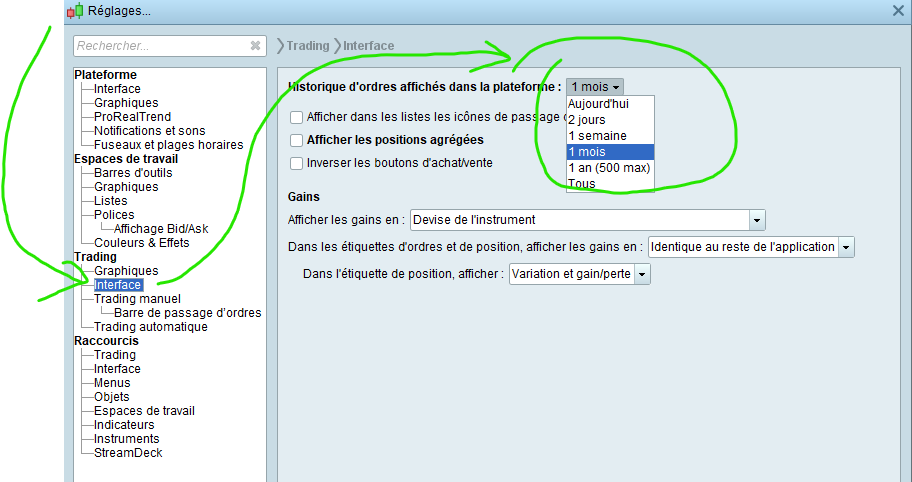
In v11, although it’s not a setting I change so can’t say if it works as expected, it’s in Settings/Trading/Interface, there’s a discreet drop down menu at the end of first line, to modify duration wanted to display, as in attached image
I hope this does not become offtopic;
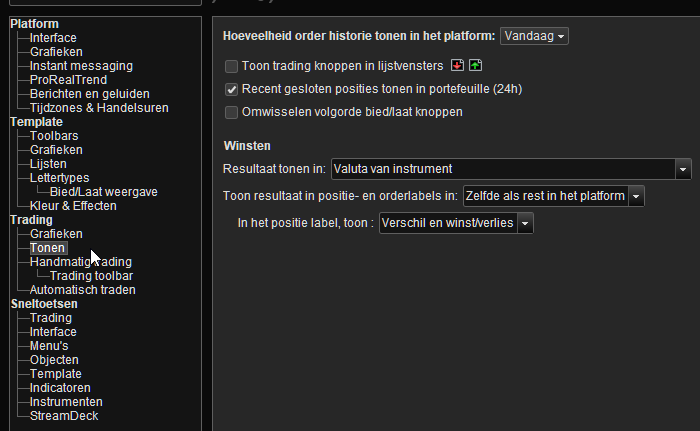
In Dutch this is called “Display” (tonen). But, I set it to today, but no …
Additionally, I don’t see effect of this anywhere.
Maybe pdrh can confirm it is about this. And of so, whether it works with him/her, and if Yes, then someone could ask ProRealTime where this setting went ?
And pdrh, may I ask … what is the use case of this ?
pdrhParticipant
Average
Thank you Peter. Yes it is about this setting . The reason I would like to see it in V12 is that I find it annoying when doing a backtest to have past live entries mixed with Backtest entries .
Kind Regards
Peter David Roper Haines 😊
Hi Peter,
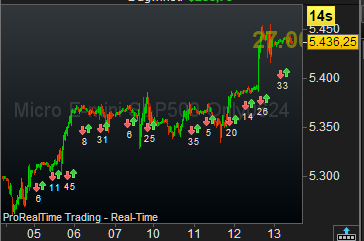
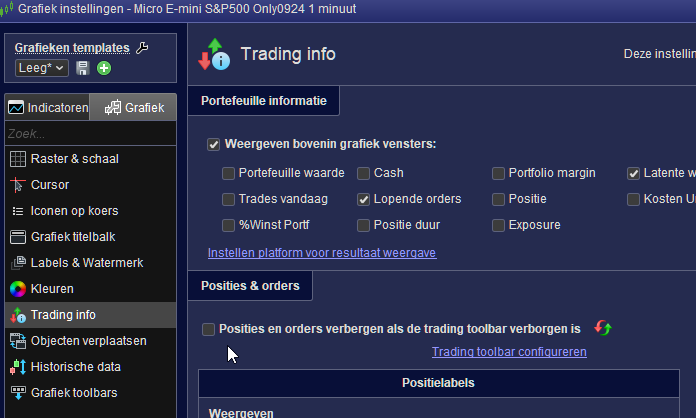
In that case you will be looking for this (see below 1st pic).
Hiding the data goes by clicking on the tab you see under the mouse pointer in the 2nd pic. This thus hides the trading buttons but also the past Live orders; the Backtest orders will stay. 🙂
Best regards,
Peter
In version 12, the “Icons on Price” drop down box, gives option to enable/disable the displaying of ‘Recent executed orders’.
Additionally, when a back test is run, and the orders are displayed, the back test is added to the list as an option.
The displayed order will be limited to the, historical bars in the chart, and/or, over the date range of back test.
Not looked in depth to all this but it seemed relevant, hope its helpful.
See pic for location.