LIGNE MEDIANE PIVOT: PROBLEME D’AFFICHAGE

Viewing 9 posts - 1 through 9 (of 9 total)
  • Author
    Posts
  • #200358 quote
    christophe11560
    Participant
    Senior

    Bonjour à tous,
    J’ai créé un indicateur, une ligne médiane sur graphique entre sommet et creux mineur.
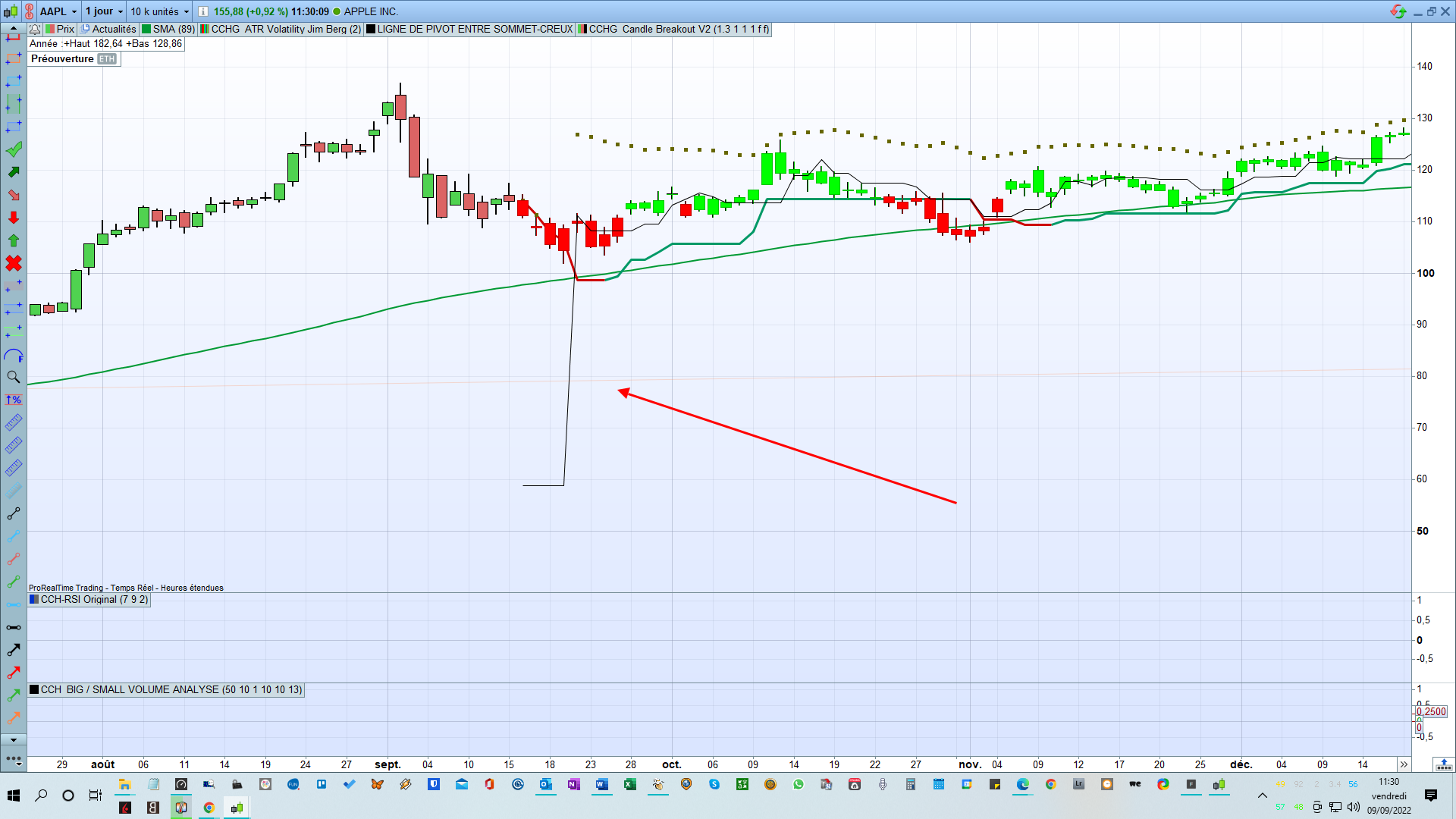
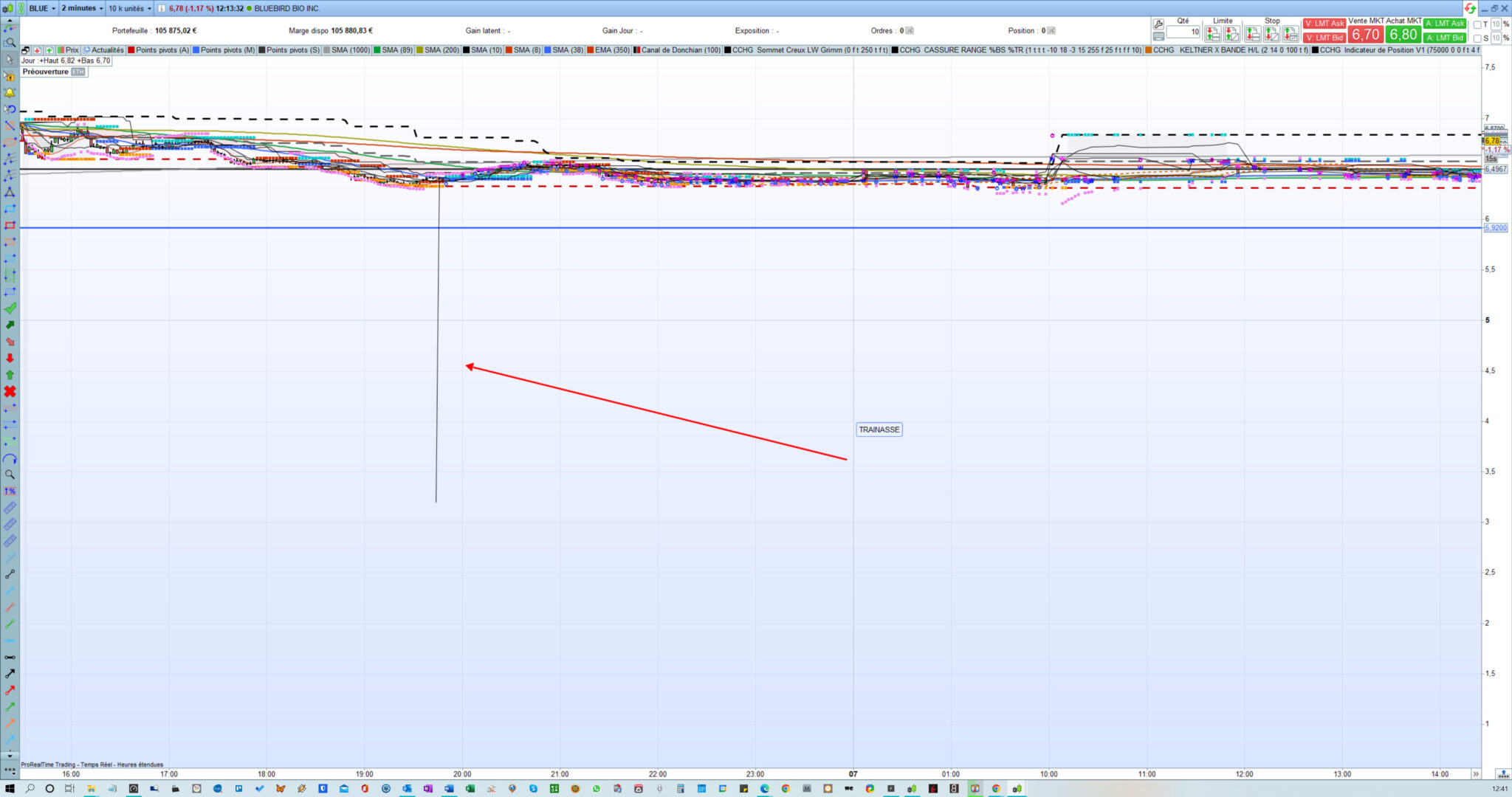
    J’ai un soucis d’affichage. J’ai une trainasse qui apparaît en bout de ligne.
    J’ai ce problème lorsque j’utilise la fonction “defparam calculateonlastbars”.
    Je l’utilise pour ne pas ralentir le logiciel.
    J’ai le même problème pour des indicateurs similaires.

    Existe t’il une solution pour éviter d’avoir cette trainasse sans avoir à supprimer la fonction “defparam calculateonlastbars” ou sans ralentir le logiciel?

    en vous remerciant 😉
    christophe

    uZgaXDRXh5.jpg uZgaXDRXh5.jpg
    #200360 quote
    christophe11560
    Participant
    Senior
    defparam calculateonlastbars = 500
    
    haut=high<high[1] and high[1]>high[2]
    bas=low>low[1] and low[1]<low[2]
    
    if haut then
    sommet=high[1]
    elsif BAS then
    creux=Low[1]
    endif
    mediane= (sommet+creux)/2
    return Mediane as "LIGNE MEDIANE ENTRE SOMMET-CREUX"
    #200363 quote
    Nicolas
    Keymaster
    Master

    Logique puisque la valeur de Mediane passe de rien du tout (0) à une valeur, donc on trace bien ce qui est demandé 🙂

    #200364 quote
    christophe11560
    Participant
    Senior

    Bonjour Nicolas,

    je ne comprends pas “passe de rien du tout (0) à une valeur”.

    La médiane se dessine bien de 0 à 500 bars mais arrivé à 500 bars de “defparam calculateonlastbars = 500” j’ai une trainasse.

    #200376 quote
    Nicolas
    Keymaster
    Master

    Oui car au delà de 500 bars en arrière rien ne se calcule et ta variable vaut 0, donc tu as bien une ligne qui va de 0 à ta première valeur, ce que tu appelles “trainasse”.

    #200381 quote
    christophe11560
    Participant
    Senior

    ok je comprends.

    Est ce que tu connais une solution pour palier à ce désagrément sans ralentir le logiciel?

    #200410 quote
    christophe11560
    Participant
    Senior

    En ajoutant cette condition, cela améliore l’affichage (plus de valeur à 0) mais ne règle pas complètement le problème.

    if (mediane <> 0) then
    imediane=mediane
    else
    imediane=(highest[5](high)+lowest[5](low))/2
    endif

    Comment puis je l’améliorer?

    defparam calculateonlastbars = 500
    
    haut=high<high[1] and high[1]>high[2]
    bas=low>low[1] and low[1]<low[2]
    
    if haut then
    sommet=high[1]
    elsif BAS then
    creux=Low[1]
    endif
    mediane= (sommet+creux)/2
    
    if (mediane <> 0) then
    imediane=mediane
    else
    imediane=(highest[5](high)+lowest[5](low))/2
    endif
    
    return iMediane as "LIGNE DE PIVOT ENTRE SOMMET-CREUX"
    dcJiUFW4EF.png dcJiUFW4EF.png
    #200415 quote
    Nicolas
    Keymaster
    Master

    Avec cette version on s’assure que mediane existe, sinon on utilise le close:

    defparam calculateonlastbars = 500
    
    haut=high<high[1] and high[1]>high[2]
    bas=low>low[1] and low[1]<low[2]
    
    if haut then
    sommet =high[1]
    elsif BAS then
    creux = Low[1]
    endif
    
    if (sommet >0 and creux>0 ) then
    mediane = (sommet+creux)/2
    endif 
    
    if mediane[1] then 
    imediane=mediane
    else 
    imediane=close
    endif
    
    return iMediane as "LIGNE DE PIVOT ENTRE SOMMET-CREUX"
    christophe11560 thanked this post
    #200426 quote
    christophe11560
    Participant
    Senior

    TU ME SAUVES LA VIE 😉

    Merci beaucoup Nicolas


    christophe

Viewing 9 posts - 1 through 9 (of 9 total)

  • You must be logged in to reply to this topic.

LIGNE MEDIANE PIVOT: PROBLEME D’AFFICHAGE


ProBuilder : Indicateurs & Outils Personnalisés

New Reply
Author
Summary

This topic contains 8 replies,
has 2 voices, and was last updated by christophe11560
3 years, 6 months ago.

Topic Details
Forum: ProBuilder : Indicateurs & Outils Personnalisés
Language: French
Started: 09/08/2022
Status: Active
Attachments: 2 files
Logo Logo
Loading...