Kahler’s Excess Detector

Viewing 13 posts - 1 through 13 (of 13 total)
  • Author
    Posts
  • #182755 quote
    ryeratkale
    Participant
    New

    Hi!

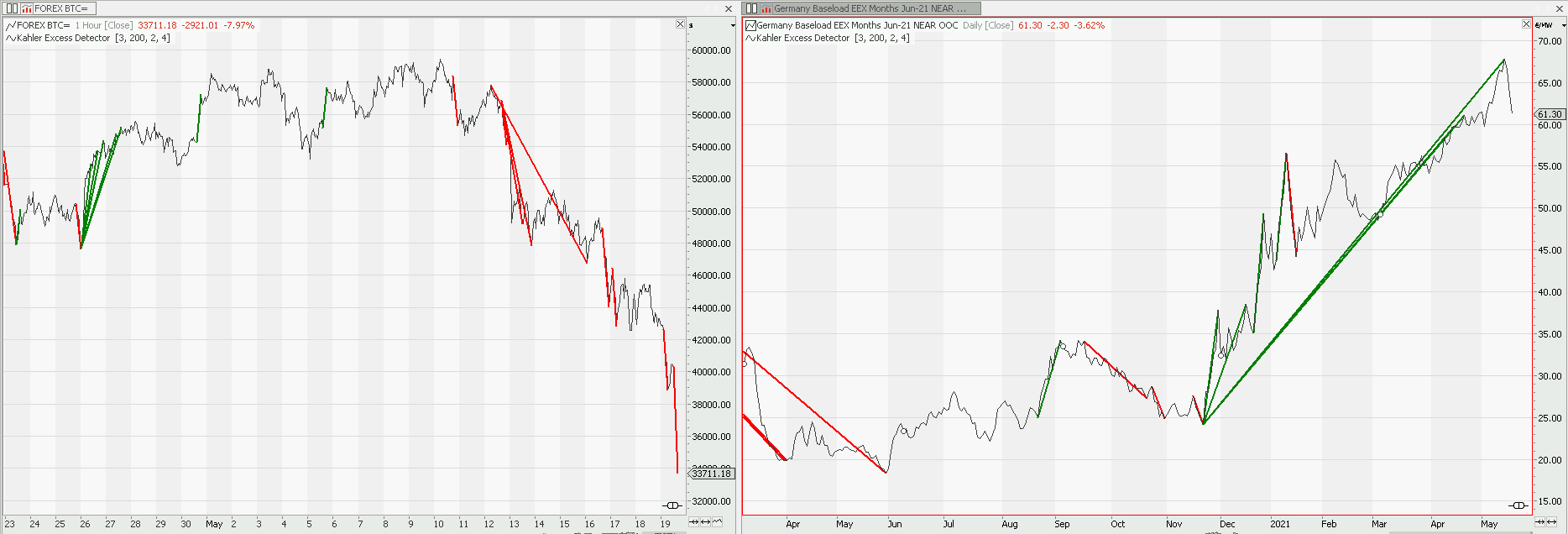
    This indicator detects excess market moves. It is stated, that it “overcomes many of the downsides of traditional ones like RSI or Bollinger Bands”.
    The magic: it only shows bullish or bearish excess trends for a chosen timeframe. No detection, no line.

    How to use it:
    “If the indicator tells me that there has been an excess bearish move, I will not set up a new short position. I neither would set up a long position if this sell off happened in a bearish market.
    If there has been an excess bearish move in an uptrend, I might want to start to scale into a long position, using a tight stop loss at the beginning and the let it run until my indicator flashes a warning sign in the other direction.”

    All the info:
    https://www.quanttrader.com/index.php/detecting-excess-market-moves/KahlerPhilipp2021

    Is it possible to translate this code? Many thanks!

    Meta: subchart(false); // (c) Philipp Kahler 2021 quanttrader.com
    Inputs: minBars(5), maxBars(200), reversaltype(longreversal, shortreversal, both),confirmationbars(1), Volaexcess(3);
    Arrays: Mom[maxbars];
    Variables: kv, kvp, i, m, signal, global::signal, extreme, position;
    
    function kvol begin // returns Kahlers Volatility %/bar
    	Variables:i, rp,rc, rpsum, rcsum, call, put, counter;
    	if close[1]<>0 then begin
    		rc=maxlist((close-close[1])/close[1],0); 
    		rp=maxlist((close[1]-close)/close[1],0); 
    	end;
    	rcsum=rcsum+rc; 
    	rpsum=rpsum+rp;
    	if (rc+rp)>0 then counter=counter+1;
    	if counter>1 then begin			
    		call=rcsum/counter; 
    		put=rpsum/counter;
    	end;
    	Kvol=100*(call+put);	
    end;
    
    
    kv=kvol;//period(10*maxbars);
    signal=0;
    
    if barnumber>200 then begin
    	for i=maxBars to MinBars step -1 begin 
    		kvp=kv*sqrt(i);
    		m=100*(close-close[i])/close;
    		mom[i]=abs(m)/kvp;
    	end;
    end;
    
    extremesarray(mom,maxbars,1,extreme,position);
    
    if extreme>volaexcess and position>minbars then begin
    	if close[position]>close and (reversaltype=both or reversaltype=shortreversal)
    		and lowest(close[-confirmationbars],confirmationbars)>=close 
    		and close=lowest(close,position)
    		and close[position]=highest(close,position+1)
    		then begin
    			drawtrendline(datetime,lowest(close,position),datetime[position],highest(close,position+1),stylesolid,2,red);
    			signal=1;
    		end;
    	if close[position]<close and (reversaltype=both or reversaltype=longreversal)
    		and highest(close[-confirmationbars],confirmationbars)<=close 
    		and close=highest(close,position+1)
    		and close[position]=lowest(close,position+1)
    		then begin
    			drawtrendline(datetime,highest(close,position),datetime[position],lowest(close,position+1),stylesolid,2,darkgreen);
    			signal=-1;
    		end;		
    	end;
    
    global::signal=signal[confirmationbars];
    
    market-excess-detection.png market-excess-detection.png
    #182770 quote
    Nicolas
    Keymaster
    Master

    Yes, but I think this function:

    extremesarray(mom,maxbars,1,extreme,position);

    could be difficult to recode, let me try …

    #182773 quote
    ryeratkale
    Participant
    New

    Thank you very much, Nicolas.
    You did already translate the inside part of the volatility indicator (KVOL) in 2019, here:

    Kahler’s Fair Bet Historical Volatility Indicator

    Hope this helps and that this function is doable!

    #182775 quote
    Nicolas
    Keymaster
    Master

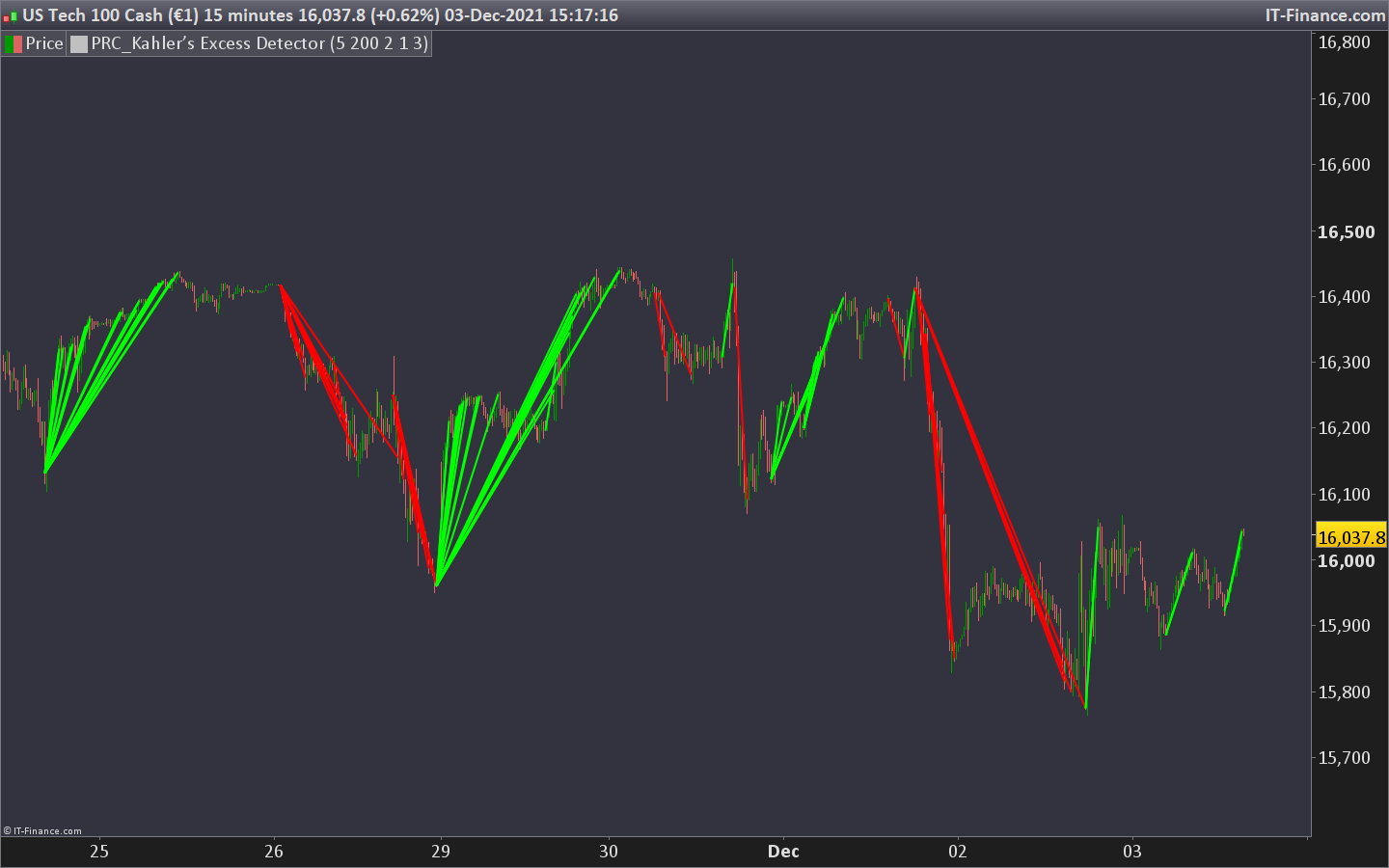
    Here is the Kahler’s Excess Detector indicator translated for ProRealTime.

    I’m posting it here because I have technical issues with library at the moment.

    ryeratkale and denmar thanked this post
    PRC_Kahlers-Excess-Detector.itf Kahlers-Excess-Detector.png Kahlers-Excess-Detector.png
    #182783 quote
    ryeratkale
    Participant
    New

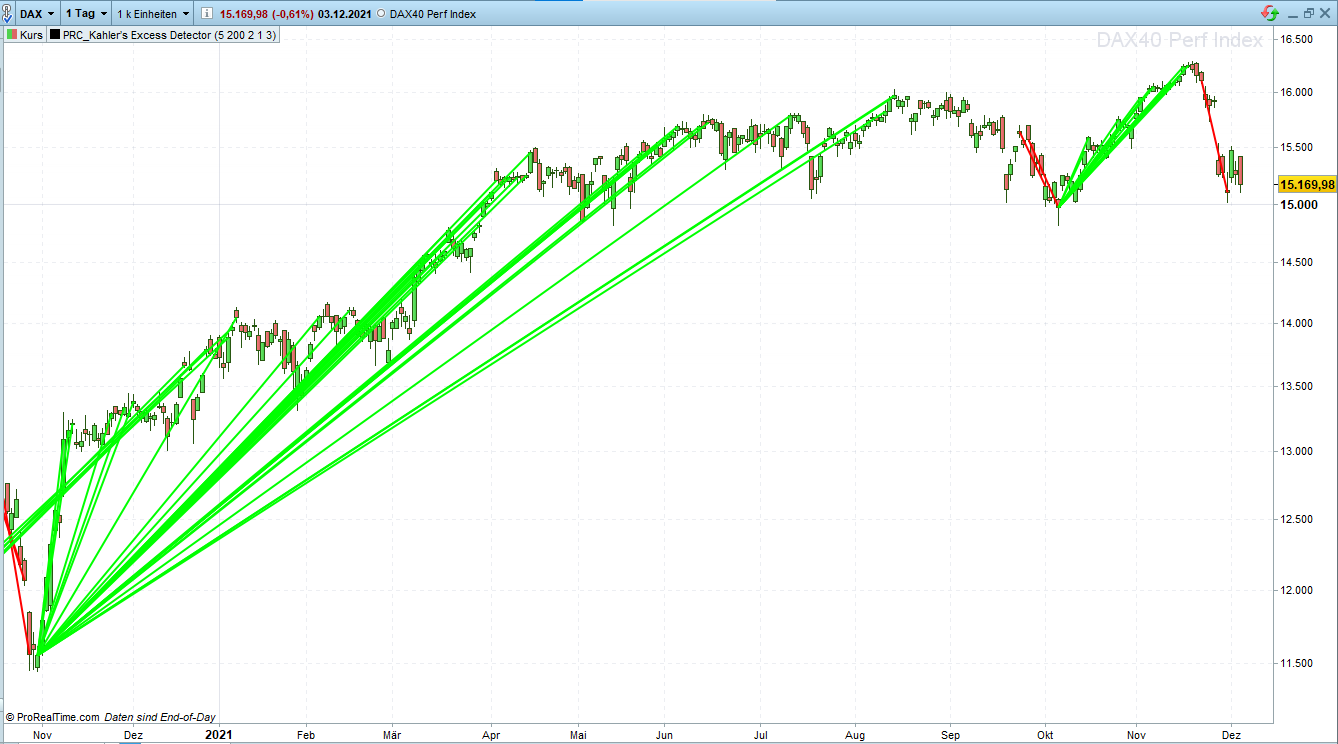
    It works! Thank you so much for this quick reply. Now I’m going to backtest. Amazing work!

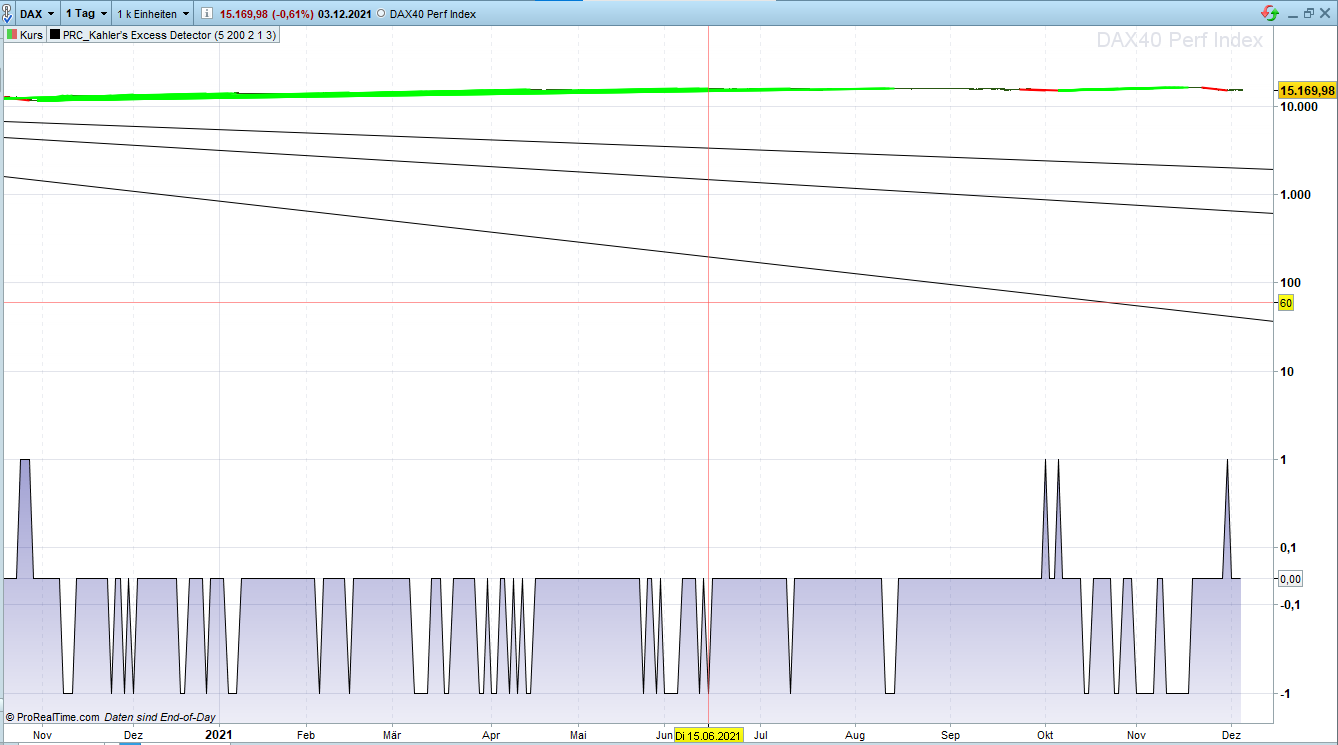
    The only thing is with the zoom. I have to zoom in manually, then i looks great. But with a double mouse klick for auto zoom it shows the -1 0 1 diagram at the bottom of the chart as well.
    I can live with it. Or did I do something wrong and it’s possible to turn that off?

    Thanks again

    denmar thanked this post
    Anmerkung-2021-12-03-181014.png Anmerkung-2021-12-03-181014.png Bild_2021-12-03_181818.png Bild_2021-12-03_181818.png
    #182798 quote
    murre87
    Participant
    Senior

    Hi ryeratkale

    Did u code a strategy out of the indicator? How does it look?

    #182887 quote
    Nicolas
    Keymaster
    Master

    Price settings / Scale / Use price only,

    or remove the “signal” variable from the RETURN instruction.

    ryeratkale thanked this post
    #182908 quote
    Madrosat
    Participant
    Master

    Can we start  a strategy with begining of the line green or red and not with the signal  I doubt???

    #182927 quote
    Nicolas
    Keymaster
    Master

    The signals are generated at the end of the line, not at their beginning.

    #183175 quote
    ryeratkale
    Participant
    New

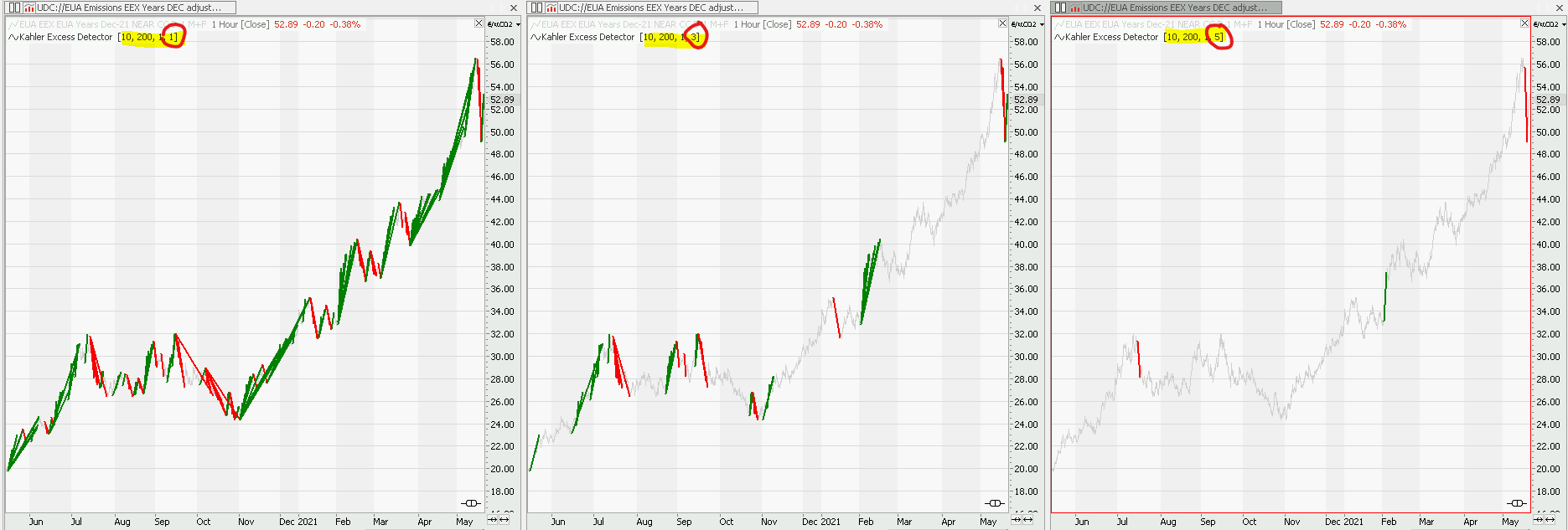
    @Nicolas: In the settings of the indicator, changes to the “Volaexcess” have no effect on the indicator. It should have the effect shown in the picture. See red circles and the amount of red/green lines. Could you please look into it?

    @all:
    As for the strategy:
    This indicator tells you when the markets have moved too far. So for the trading stradegy we have to know what the overall trend is.
    What do you think of this idea:

    1. Decide on the timeframe (min/maxBars): 3 to 10 bars [short term = 3 to 10 bars, mid term=10 to 21 bars, long term=21 to 200 bars]
    2. What is the Trend? (How to detect a trend with code?)
      If general trend is bullish: wait for a red line (excess bearish move), set a long position, and a tight stop loss
    3. I’m not sure on when to sell: wait for the next red line? (maybe the right setting in Volaexcess will help)
    excess-detector-different-settings.png excess-detector-different-settings.png
    #183206 quote
    Nicolas
    Keymaster
    Master

    Did you test that setting on the same exact instrument in PRT please?

    #183224 quote
    ryeratkale
    Participant
    New

    Unfortunalety I couldn’t find the exact same instrument in PRT.
    But for the DAX40 Perf Index the Volaexcess works for high numbers. So instead of 1, 3, 5  larger numbers (3-/4-/5-digits) are working.

    #183583 quote
    Madrosat
    Participant
    Master

    Nicolas wrote :The signals are generated at the end of the line, not at their beginning.

    Hello Nicolas can you help me  I can’t crack the code

    Can we have a signal at the end of the line ??

    or do you have a tip explain for i can use this indicator or ( une partie de l’indicator)  for a strategy.

    Have a good day

    Madrosat

Viewing 13 posts - 1 through 13 (of 13 total)

  • You must be logged in to reply to this topic.

Kahler’s Excess Detector


ProBuilder: Indicators & Custom Tools

New Reply
Author
author-avatar
ryeratkale @ryeratkale Participant
Summary

This topic contains 12 replies,
has 4 voices, and was last updated by Madrosat

4 years, 1 month ago.

Topic Details
Forum: ProBuilder: Indicators & Custom Tools
Language: English
Started: 12/02/2021
Status: Active
Attachments: 6 files
Logo Logo
Loading...