JS
JSParticipant
Veteran
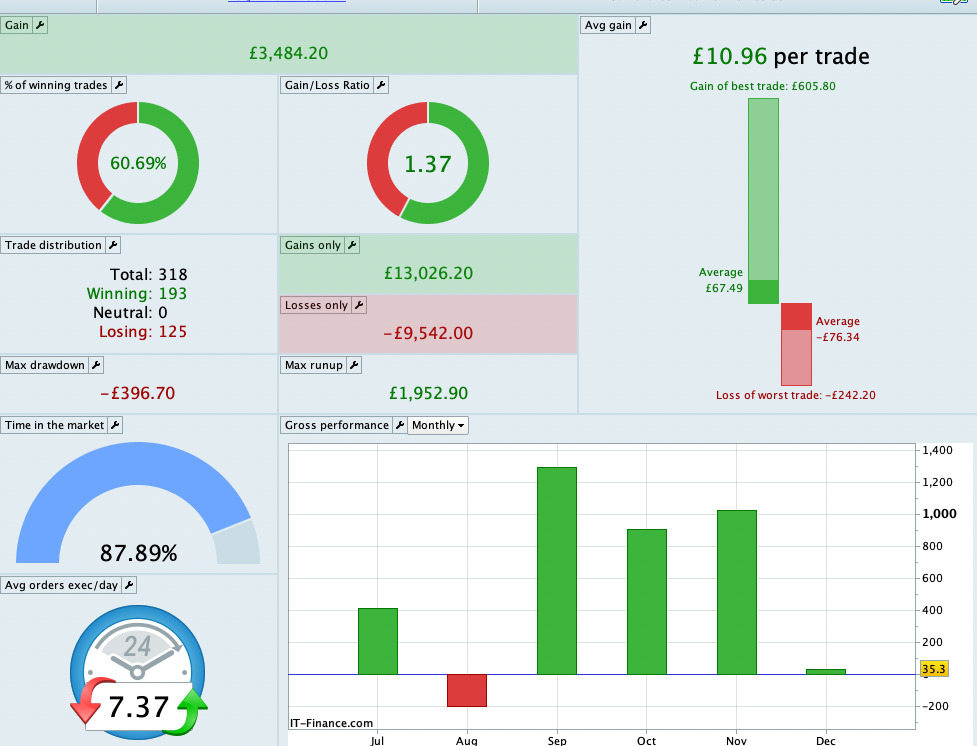
You are doing well, every month + 100%…
We’re going to see your strategy on the “Marketplace”…?
Good luck…
Mmh, leave that in your live account for 3 months without any changes and then please show us the results.
Hi,
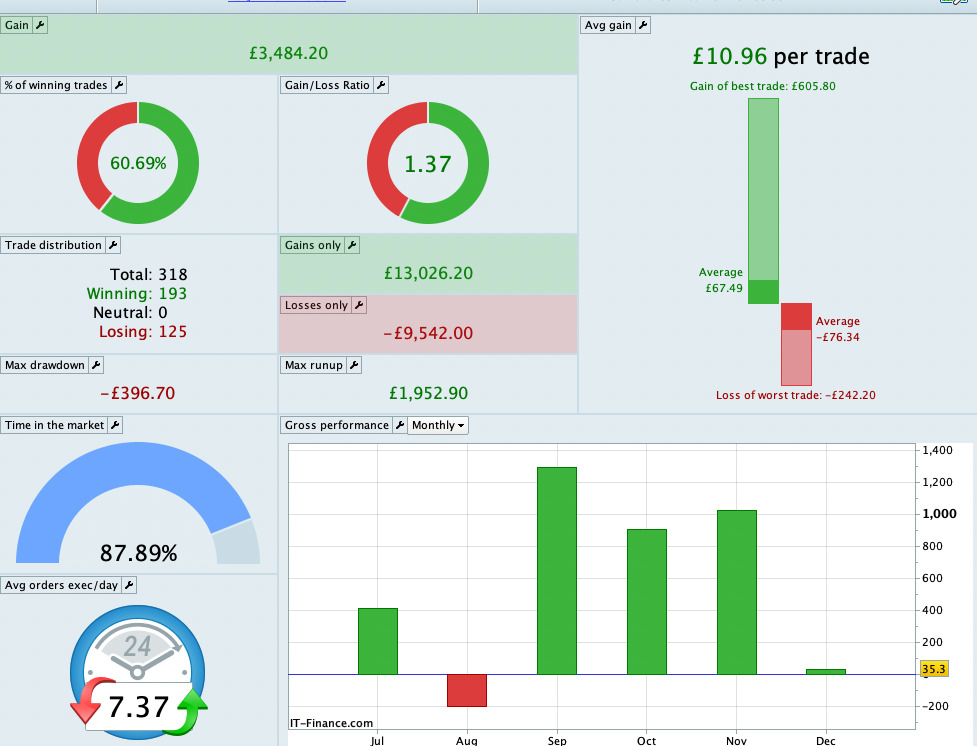
Please see the attached. My live account, one contract. Started in July. I have amended the code + settings in August.
 Wim
WimParticipant
Average
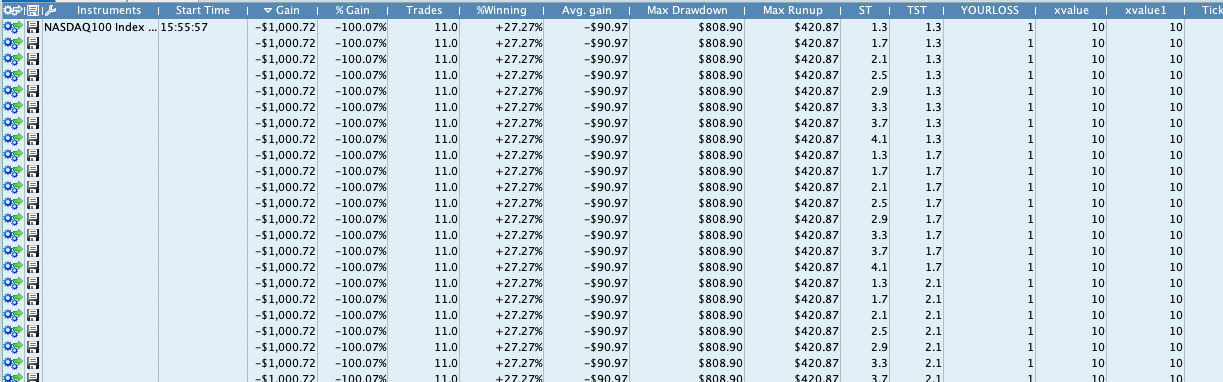
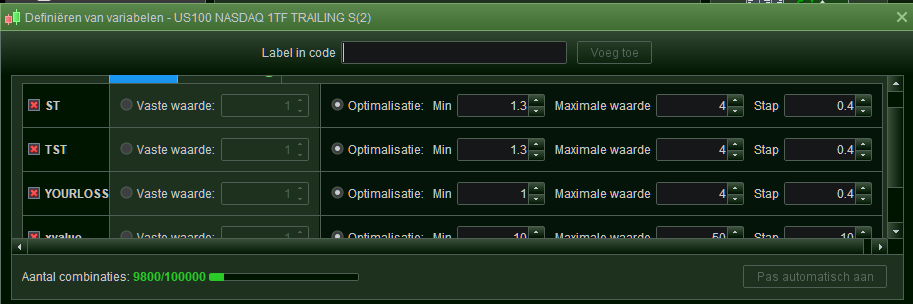
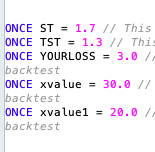
Hi Dizi, I imported the trial version on my live account. Unfortunately the PRT Optimiser only gives the result of the 5 to-be-optimised-variables all set to 1. And the variables were not set to “fixed values”, no mistake there.
The only way to test different sets of values for ST, TST etc., was to remove all the variables from the optimiser window, and change the values in the program code itself. But I prefer using the PRT optimiser for these tests. Any idea?
HI,
Can you kindly send a screenshots so that I could have alook at that?
Hi Wim,
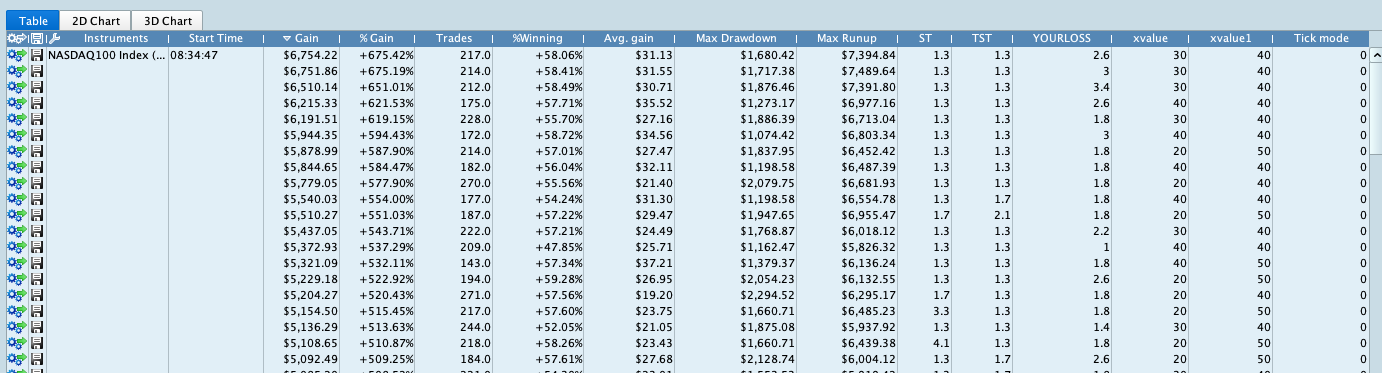
Please see the image.
Is that the value you get?
@Dizi, no that is not wat we get. We get one line (nothing optimises) with the fixed value from the first column (regardless whether Fixed is ticked). But even then, these fixed values work out to always the same value anyway.
It looks like the value taken is always 1 for each of the parameters.
@Nicolas, I said something along these lines before. I recall I received a response from you similar to “Peter, it just works fine”. I think you should really look into this. It does not work at all, and vendors can’t see this; they see it normally working. I am not even sure whether the vendor can mimic the mode “we” as the customers get to see; then it would be readily clear to them and will start asking questions.
The simplest way to test this is with YOURLOSS because that is not subject to the Indicator code. So already that does nothing, no matter the (fixed) value you fill in the parameters. As Wim said, only setting it in the code itself to a value, will influence the in this case %LOSS.
Regards,
Peter
and written like this
a=average[20](close)-average[50](close)>(val1 or val2 or val3 or val4)

return a
Hi PeterSt,
Thank you kindly for this information. Looks to me like predefined values which in a script were causing an issue with different brokers. Please remove them from the script and optimise again. The latest version of the script is available.
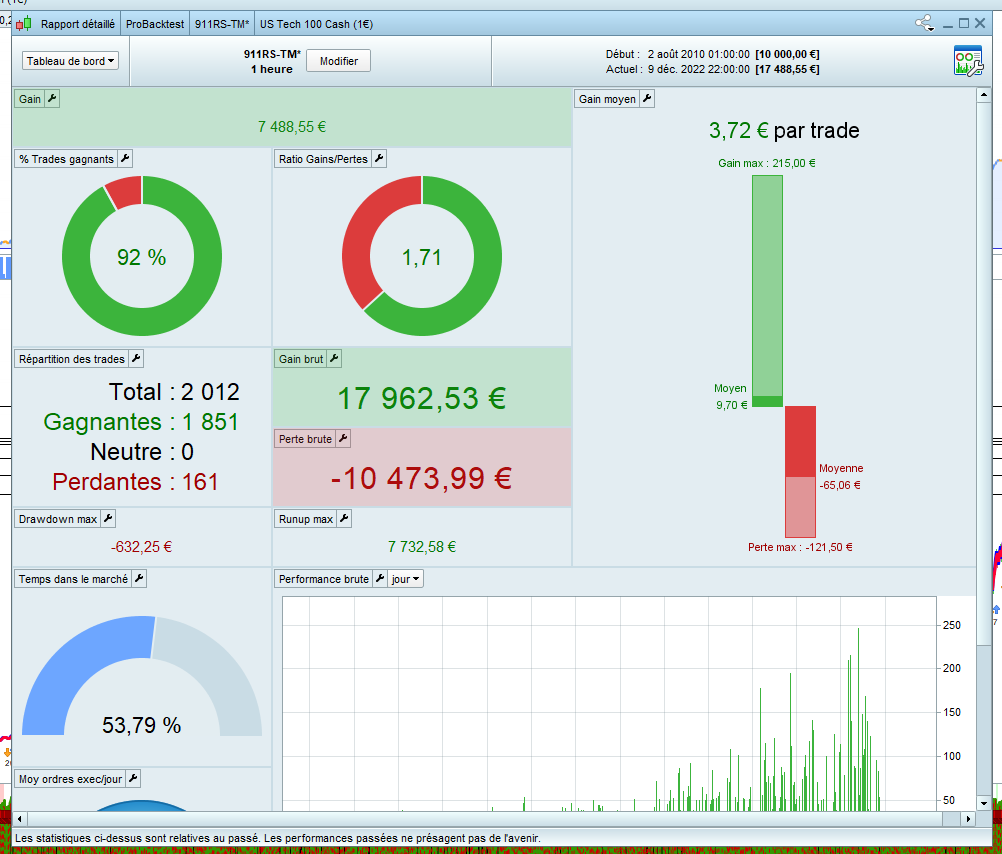
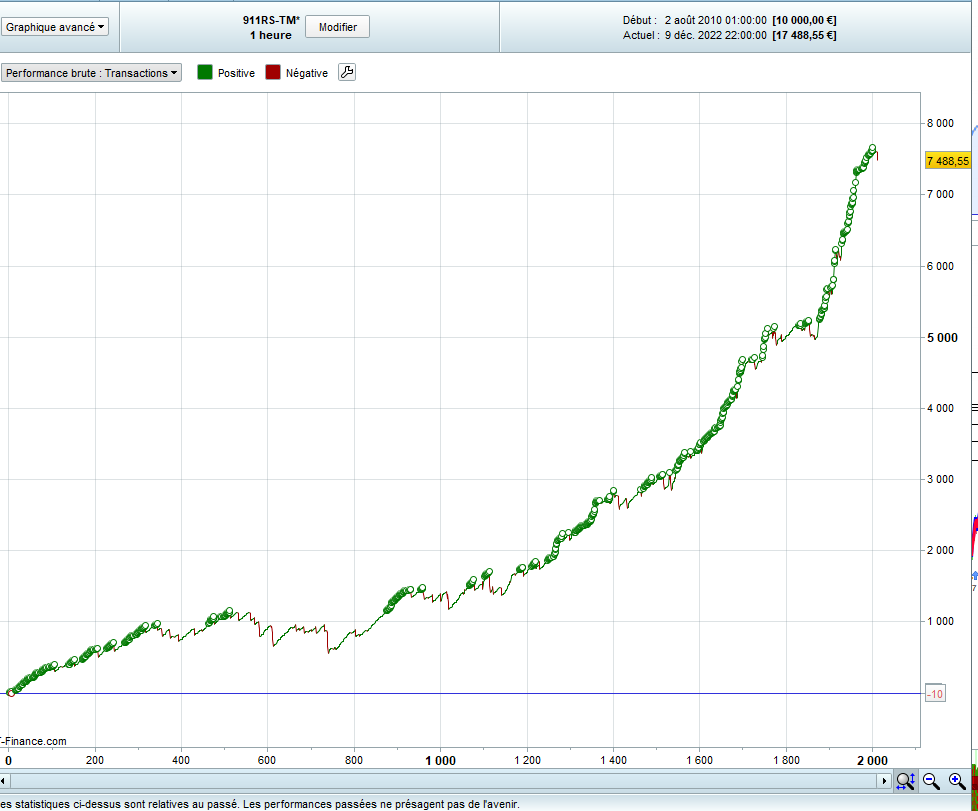
I have attached the screenshot with backtest and my live acc
I started from the DAX30T trade manager and took the indicator and included a filter.
Here is the backtest in 200K
spread=5
Thanks,
I have updated the code yesterday. Dou have the latest version? If so, you can run the backtest with different tf now. Can you please confirm that?
The latest version of the script is available. I have attached the screenshot with backtest and my live acc
I think I already have the latest version – I downloaded this just prior to my post.
And if there is a newer, I don’t know (yet) how to upgrade.
The snippet you showed with the ONCE declarations in there, is the one which would NOT work, right ? (I say this can’t work). But this is not in the script I downloaded. So *not* having that in there would be the way do t it, but something just does not want to cooperate with the backtesting.
It would work in Demo or Live, but then with the filled values at handing to ProOrder.
Hi PeterST,
Would you be so kind and send the screenshot of the code you have.