Hi,
I am stuck with this. Can someone help in this matter?
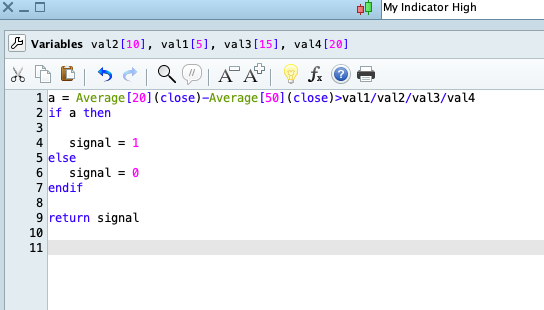
I have created an indicator with some variables which will be used as call indicator in my strategy.
I do not know how to created formula/script which will use these variables via backtest in my strategy to choose the best one.
Regards
Maciej
 JS
JSParticipant
Veteran
Hi
@Dizi
What do you want the indicator to do?
What your indicator does now is check whether “Average[20](Close) – Average[50](Close) >
5/10/15/20 (5 divided by 10 divided by 15 divided by 20= 0.001666)
Is that the intention?
Hi,
The intention in strategy is ;
If Average[20](close)-Average[50](close)> 5 or 10 or 15 then
Buy at market
Endif
I wish not to show this into a strategy so I was told to create an indicator and use call an indicator in a strategy.
However, I do not know how to create this indicator and then give an option of backtesting strategy to find out if 5, 10 or 15 is better.
JSParticipant
Veteran
You don’t have to use a “Call”.
When you use this code in your strategy, you can optimize the strategy…
xValue = 0
While xValue <> 20
xValue = xValue + 5
If Average[20](Close) - Average[50](Close) >= xValue then
Buy 1 contract at Market
EndIf
WEnd
Yes I know but I do not wish to show this into a strategy as I will be visible.
That is the reason I would like to create an indicator and use option call in a strategy.
JSParticipant
Veteran
Step 1: Create your indicator
(Name indicator = Dizi)
xAvg20 = Average[x1](close)
xAvg50 = Average[x2](close)
xDiff = xAvg20 – xAvg50
Return xDiff
(Parameters: x1=20 and x2=50)
Step2: Create your strategy
(Parameter: xValue= 0 to 20 step 5)
DefParam CumulateOrders=false
MyDizi = Call “Dizi”[20.50]
If MyDizi > xValue then
Buy 1 contract at market
ElsIf MyDizi < xValue then
SellShort 1 contract at market
EndIf
JSParticipant
Veteran
Last “EndIf” on a new line…
JSParticipant
Veteran
When you “play” with the different values, you get nice results…
I cannot believe you are Genius 🙂
Thanks a lot.
My I have one more question.
Is there an option of adding these parameters into the script so when someone will use this script the parameters will be automatically added into backtest ?
JSParticipant
Veteran
That is possible, replace the parameters with the values you want to use in your code…
For example:
xAvg20=Average[x1](Close) xAvg20=Average[20](Close)
or
If MyDizi > xValue then If MyDizi > 10 then
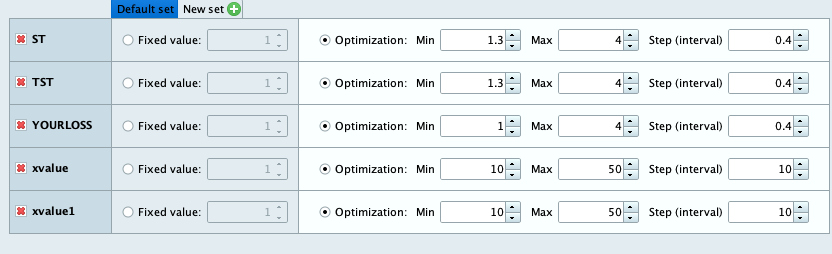
Please find the attached picture.
I would like the values from backtest to be added somehow into the script so when someone will use this script these values will be automatically added into backtest mode.
JSParticipant
Veteran
When you specify these values (parameters) in your strategy (as in your screenshot) then everyone who uses the strategy will work with these values…
(Do you mean that?)
Yes.
I would like these to be predefined exactly as in the picture and added automatically so someone will only have to click backtest and choose the optimised one.
JSParticipant
Veteran
That’s right, that’s exactly what happens when you include these parameters in your strategy under the “optimization parameters”…
Thank you kindly.
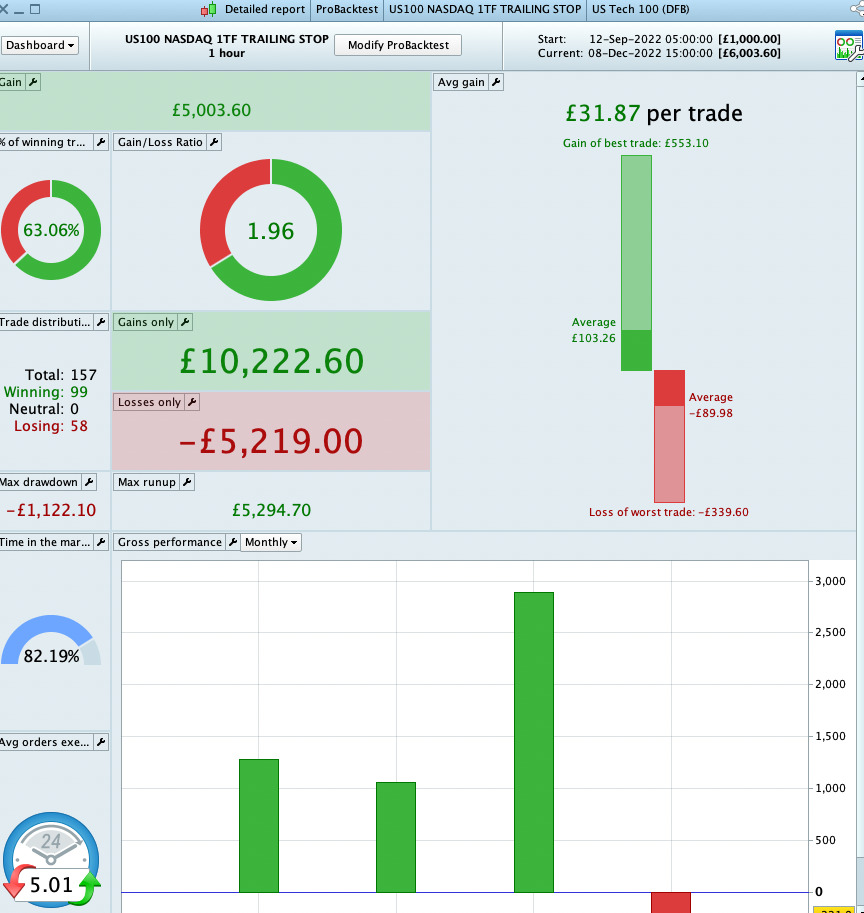
I have been working on this strategy for last few months. I have added the missing part with you help.
I have been live for last few weeks and it brings +100% every month.
Please check the attached picture.