basic moving averages channel Indicator

Viewing 5 posts - 1 through 5 (of 5 total)

  • Author
    Posts
  • #141054 quote
    CHEN CHENCHEN CHEN
    Participant
    New

    Hi Everyone:

    I am new here, I am looking to build a indicator for my prorealtime platform, I am going to learn but for now, if anyone can help me to build a simple indicator will be really appreciated.

    basically MA1=MOV(C,30,E)   MA2=MOV(C,72,E)    My indicator1 = (MA1+MA2)/2    My indicatore2 =(MA1+MA2)/2 *1.2   My indicator3 =(MA1+MA2)/2*0.9

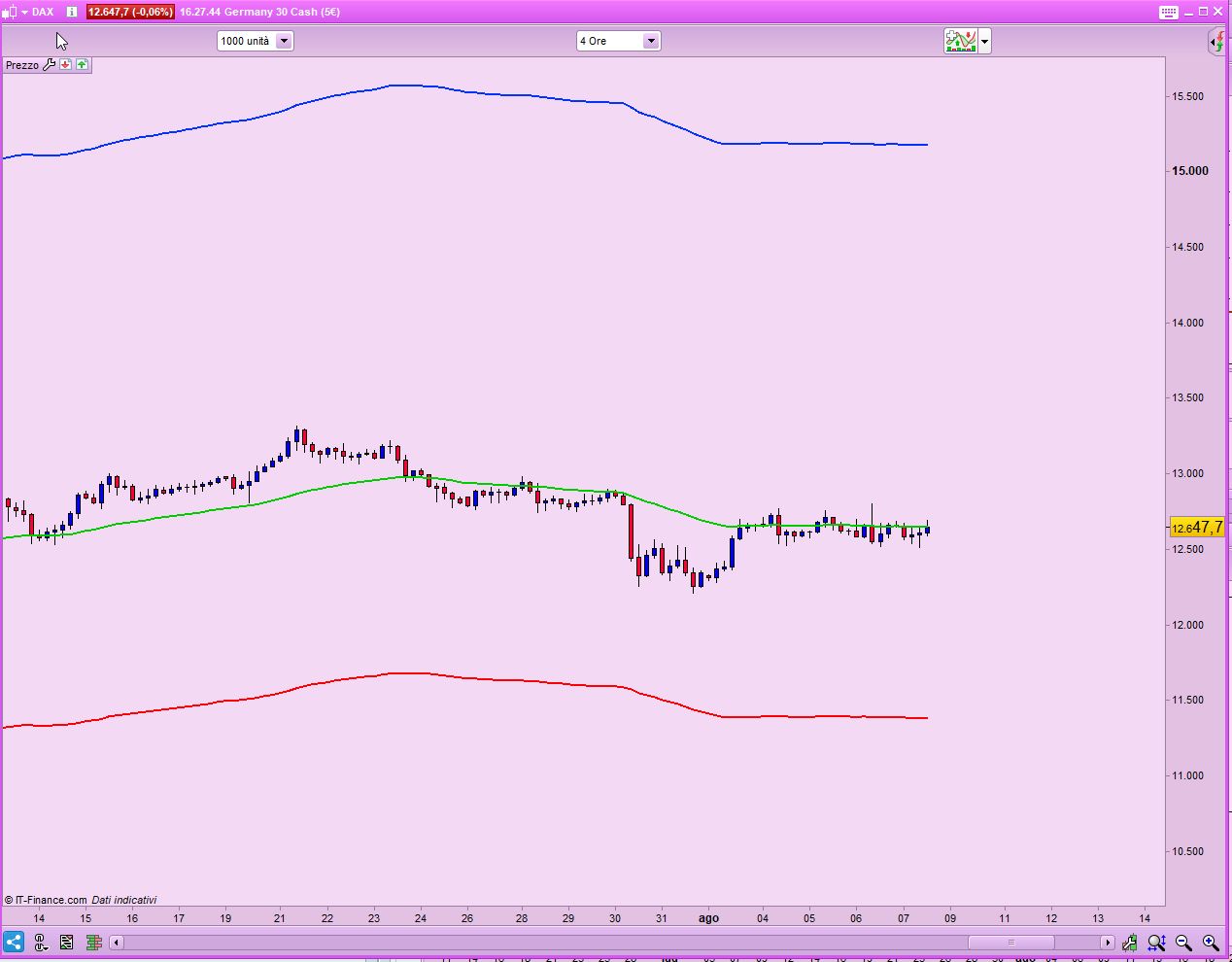
    It will be three lines indication on chart, basial strategy is (30 ema + 72 ema)/2, 20% on top, 10% down below.

    can someone help me to build this indicator? please let me know

    Cheers

    Andy

    #141078 quote
    NicolasNicolas
    Keymaster
    Legend

    Hi,

    You have broke 2 posting rules, you haven’t read it obviously..

    • Give your topic a meaningful title. Describe your question or your subject in your title. Do not use meaningless titles such as ‘Coding Help Needed’.

    “indicator” is not a valid topic title, don’t you think?

    • Do not include personal information such as email addresses or telephone numbers in your posts.

    email address is not allowed…

    #141082 quote
    robertogozzirobertogozzi
    Moderator
    Legend

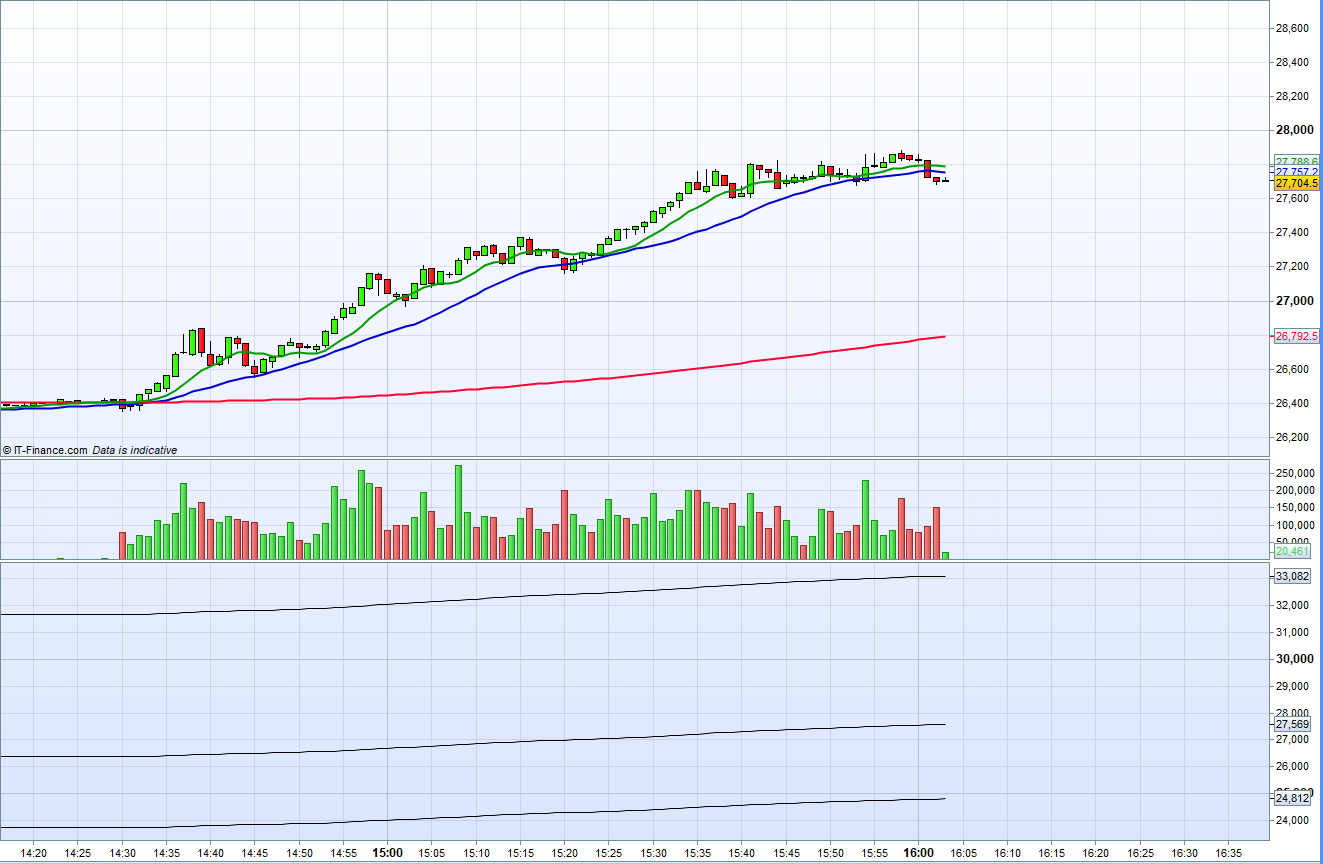
    There you go (the bands are quite far from the middle, you’ll have to narrow the scale):

    MA1 = average[30,1](close)
    MA2 = average[72,1](close)
    L   = (MA1 + Ma2) / 2
    Lup = L * 1.2
    Ldn = L * 0.9
    RETURN L AS "Middle",Lup AS "Upper",Ldn AS "Lower"
    x-2.jpg x-2.jpg
    #141092 quote
    CHEN CHENCHEN CHEN
    Participant
    New

    Thanks, really appreciate, but got problem here, when I add in , it is not on the chart, it is at bottom, Please see attached

    how can I fix it ?

    moving.png moving.png
    #141108 quote
    robertogozzirobertogozzi
    Moderator
    Legend

    To add it ON the chart, not below, you need to click the spanner (wrench) on the upper left corner of your chart, then add an indicator from the list that shows as you click ADD.

Viewing 5 posts - 1 through 5 (of 5 total)
  • You must be logged in to reply to this topic.

ProRealAI ProRealAI New

Stuck on this ProBuilder code?

Describe what this topic is trying to build, in plain English, and ProRealAI writes the ProRealTime™ indicator, screener or system for you.

Available in 7 languages
Try ProRealAI

basic moving averages channel Indicator


ProBuilder: Indicators & Custom Tools

New Reply
Author
author-avatar
CHEN CHEN @chen-chen Participant
Summary

This topic contains 4 replies,
has 3 voices, and was last updated by robertogozzirobertogozzi
6 years, 1 month ago.

Topic Details
Forum: ProBuilder: Indicators & Custom Tools
Language: English
Started: 08/07/2020
Status: Active
Attachments: 2 files
ProRealCode ProRealCode
Loading...