Inconsistent Candlestick Widths

Viewing 6 posts - 1 through 6 (of 6 total)
  • Author
    Posts
  • #232944 quote
    Bard
    Participant
    Master

    Hi,

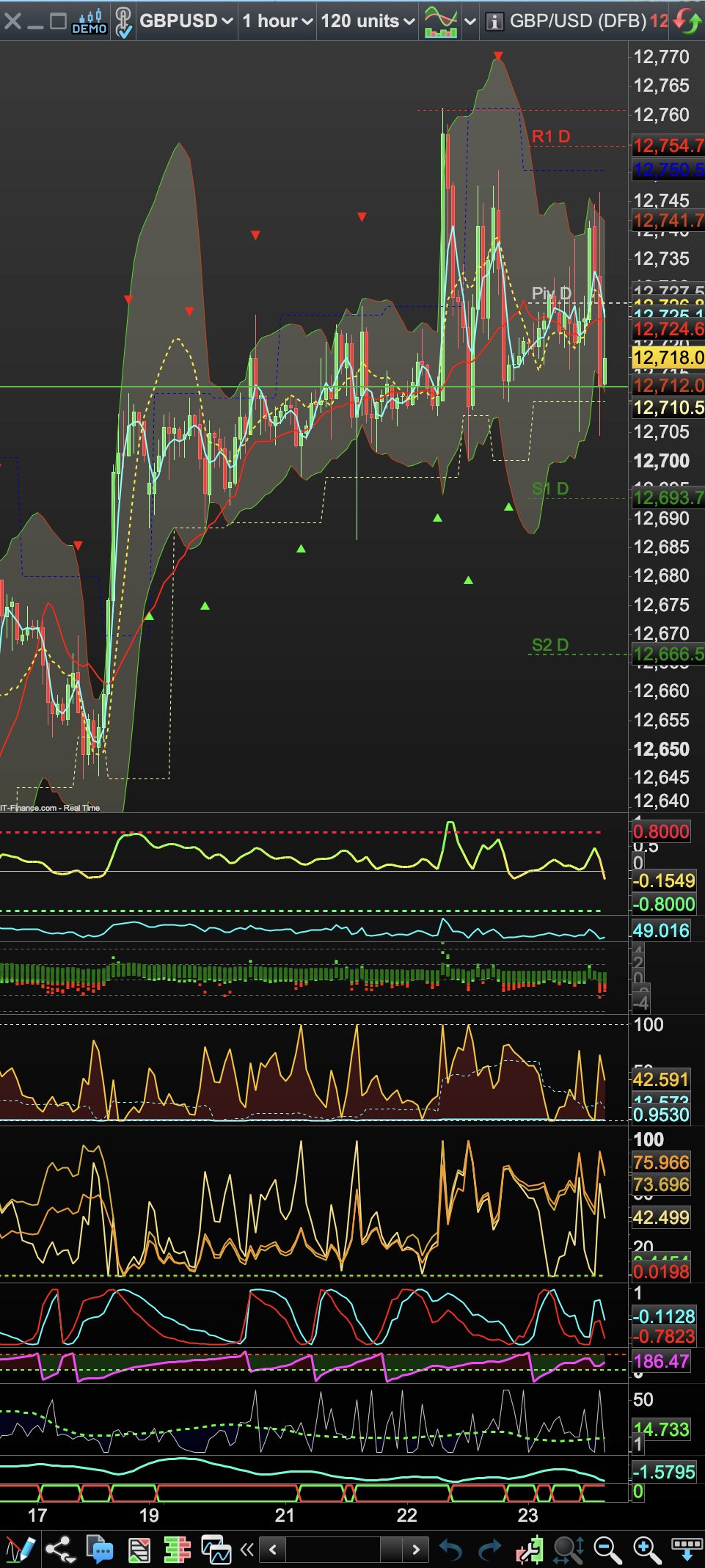
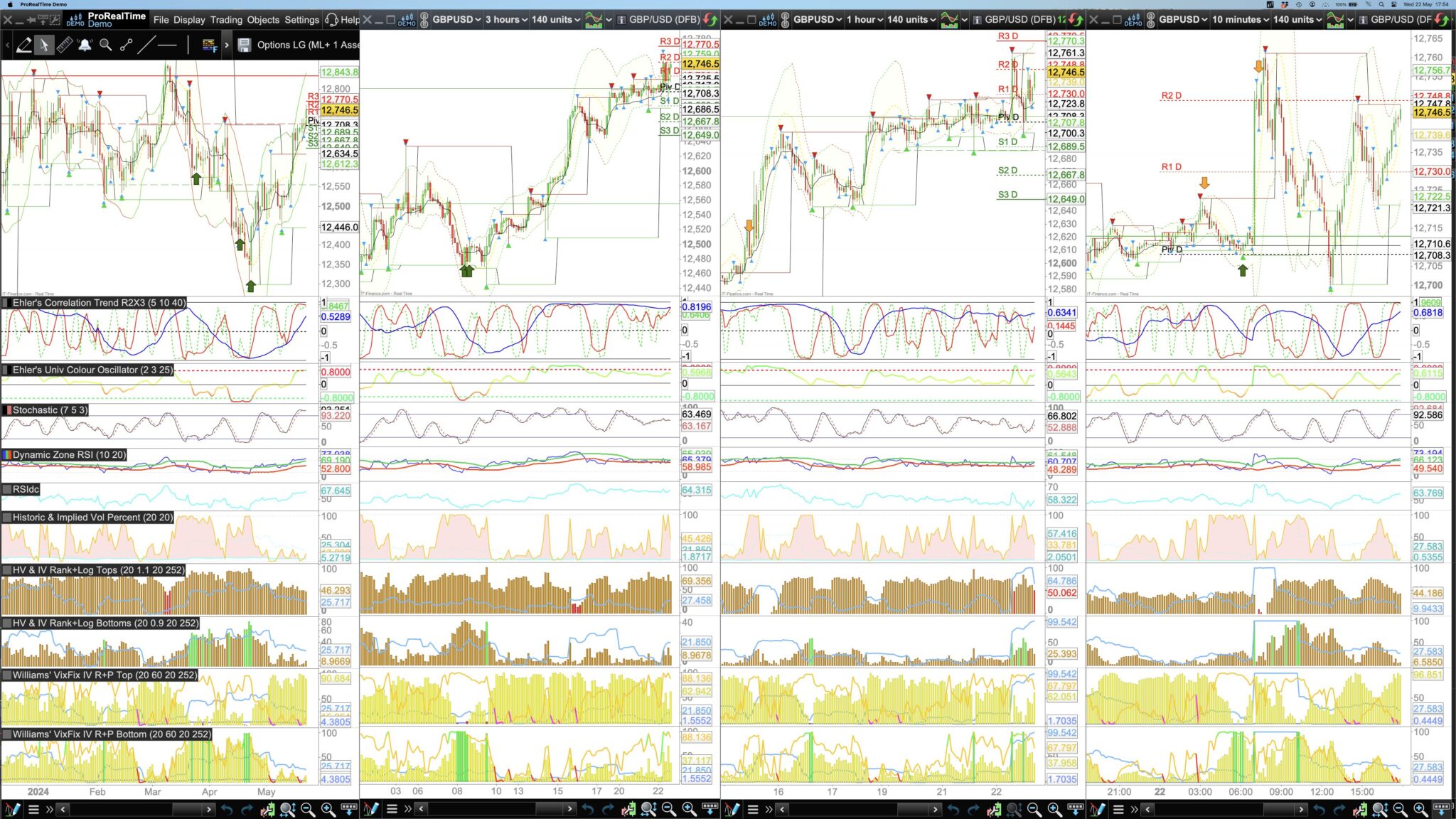
    Can anyone explain why when I opened my 4 charts today there is only one of 4 charts that has the right thickness of candlestick and how I last saved it (the 3 hr chart is correct) whereas the daily, hourly, and 10 min candles look wafer thin? They are all set to the lowest thickness yet look totally different today. They should and did all look like the 3 hr chart?

    Thanks.

    #232948 quote
    PeterSt
    Participant
    Master

    I noticed that PRT has been “hobbying” on the resolution in their latest update. But it should be a matter of setting the zoom factor to your liking. As always you can do this per chart (mouse scroll wheel) and this is remembered (saved).

    If we must keeping to re-adjust at each startup then something is wrong. And indeed I have been doing that more than usual. It feels like something amiss with the (Windows-) resolution settings.

    Bard thanked this post
    #232960 quote
    Bard
    Participant
    Master

    I’ve tried playing around with settings, even duplicating the 3 hr cahrt but as soon as it is set to 1 hr the candles go wafer thin and look odd. It certainly wasn’t an issue last week but, like so much s/ware today, it’s constantly being reworked but the results are not always better than it was before the updates. It doesn’t really make any sense to me because another 1hr chart I have has the correct thickness of candles (with the same width of chart).

    #232969 quote
    PeterSt
    Participant
    Master

    You do realize that this also relates to the number of units ? (120 in your last picture)
    And, I can see that you did not use the zoom function. You *must*, you know, or else you will never get it right. Again, the zooming will solve your issue plus the zoom level you set (scroll wheel) will be saved and reloaded.

    #232993 quote
    PeterSt
    Participant
    Master

    https://www.prorealcode.com/topic/set-horizontal-spacing/

    Hmm …
    So you are not alone (plus as said I saw myself changes in this realm).

    #232994 quote
    Bard
    Participant
    Master

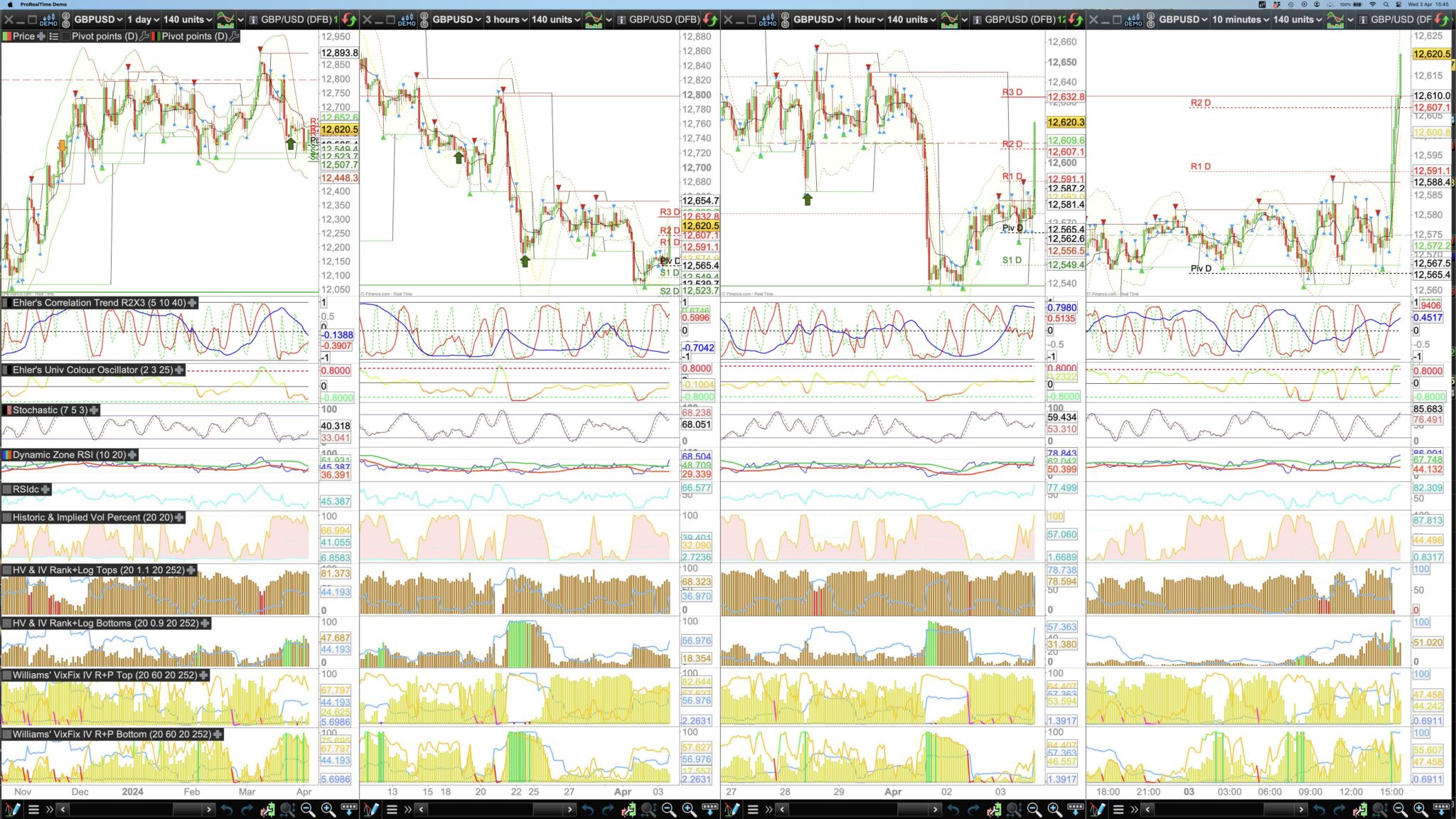
    It’s not the units: This screen from April below:
    (also note the magnifying glass/+/- is set correctly for 140 units).

    I just wish the platform would open up the same way I that saved it. For example I have 4 black charts but the far left daily chart is always covered with another chart!

Viewing 6 posts - 1 through 6 (of 6 total)

  • You must be logged in to reply to this topic.

Inconsistent Candlestick Widths


Platform Support: Charts, Data & Broker Setup

New Reply
Author
author-avatar
Bard @brad Participant
Summary

This topic contains 5 replies,
has 2 voices, and was last updated by Bard

1 year, 8 months ago.

Topic Details
Forum: Platform Support: Charts, Data & Broker Setup
Language: English
Started: 05/22/2024
Status: Active
Attachments: 3 files
Logo Logo
Loading...