Imbalance finder indicator

Viewing 3 posts - 1 through 3 (of 3 total)
  • Author
    Posts
  • #203352 quote
    fcebeygomez
    Participant
    New
    Bonjour,
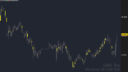
    Est-ce-que quelqu’un saurait comment faire pour prolonger l’affichage de cet indicateur vers la droite, en d’autres termes : étirer le rectangle d’imbalance vers la droite de l’écran pour bien voir la zone (voir photo ci-jointe où on voit les rectangles jaunes d’imbalance, que j’aimerais étirer vers la droite)
    Merci beaucoup !
    Voici le code :
    TopImbalance = low[2] <= open[1] and high[0] >= close[1]
    TopImbalancesize = low[2] high[0]
    if TopImbalance and TopImbalancesize > 0 then
    drawcandle(low[2], low[2], high[0], high[0]) coloured(255,255,0)
    endif
    BottomInbalance = high[2] >= open[1] and low[0] <= close[1]
    BottomInbalancesize = low[0] high[2]
    if BottomInbalance and BottomInbalancesize > 0 then
    drawcandle(low[0], low[0], high[2], high[2]) coloured(255,255,0)
    endif
    return
    imbalance-finder-prorealtime-128x72-1.png imbalance-finder-prorealtime-128x72-1.png
    #203392 quote
    JC_Bywan
    Moderator
    Master

    Bonjour,

    l’attachement n’est pas très visible, mais tu peux trouver un exemple de code avec prolongation très similaire des rectangles là:

    Supply & Demand – Order Blocks

    #203400 quote
    fcebeygomez
    Participant
    New

    Super ! merci beaucoup !

Viewing 3 posts - 1 through 3 (of 3 total)

  • You must be logged in to reply to this topic.

Imbalance finder indicator


ProBuilder : Indicateurs & Outils Personnalisés

New Reply
Author
Summary

This topic contains 2 replies,
has 2 voices, and was last updated by fcebeygomez
3 years, 4 months ago.

Topic Details
Forum: ProBuilder : Indicateurs & Outils Personnalisés
Language: French
Started: 11/01/2022
Status: Active
Attachments: 1 files
Logo Logo
Loading...