Hurst Cycle Channel code conversion from Tradingview

Viewing 5 posts - 1 through 5 (of 5 total)

  • Author
    Posts
  • #97656 quote
    AlgoAlex
    Participant
    Master

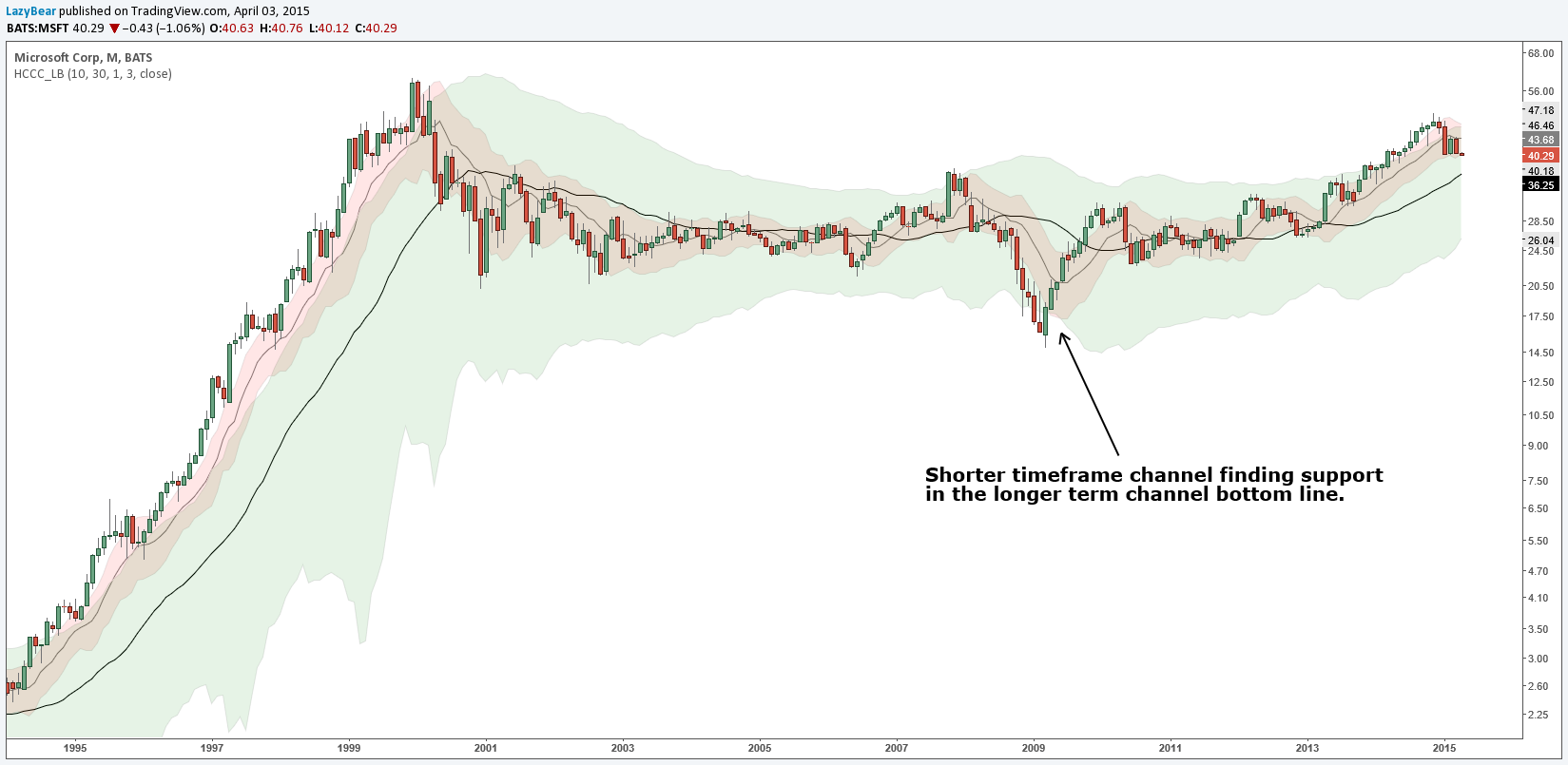
    Hi, I’m struggling trying to code myself this indicator.

    Here is the code in Pine script:

    //
    // @author LazyBear 
    // List of all my indicators: http://bit.ly/1LQaPK8
    // 
    study("Hurst Cycle Channel Clone [LazyBear]", shorttitle="HCCC_LB", overlay=true)
    scl_t =  input(10, title="Short Cycle Length?")
    mcl_t =  input(30, title="Medium Cycle Length?")
    scm =  input(1.0, title="Short Cycle Multiplier?")
    mcm =  input(3.0, title="Medium Cycle Multiplier?")
    src=input(close, title="Source")
    scl = scl_t/2, mcl = mcl_t/2
    ma_scl=rma(src,scl)
    ma_mcl=rma(src,mcl)
    scm_off = scm*atr(scl)
    mcm_off = mcm*atr(mcl)
    scl_2=scl/2, mcl_2=mcl/2
    sct =  nz(ma_scl[scl_2], src)+ scm_off
    scb =  nz(ma_scl[scl_2], src)- scm_off
    mct =  nz(ma_mcl[mcl_2], src)+ mcm_off
    mcb =  nz(ma_mcl[mcl_2], src)- mcm_off
    scc=#E8E8E8, mcc=#E8E8E8 
    sccm=gray, mccm=black
    sccf=red, mccf=green
    sctl=plot(sct, color=scc, title="ShortCycleTop")
    scbl=plot(scb, color=scc, title="ShortCycleBottom")
    plot(avg(sct,scb), title="ShortCycleMedian", color=sccm, style=line)
    mctl=plot(mct, color=mcc, title="MediumCycleTop", style=line, linewidth=0)
    mcbl=plot(mcb, color=mcc, title="MediumCycleBottom", style=line, linewidth=0)
    plot(avg(mct,mcb), title="MediumCycleMedian", color=mccm, style=line)
    fill(sctl, scbl, sccf)
    fill(mctl, mcbl, mccf)

    Hope somebody can help.

    oZWJEHCQ.png oZWJEHCQ.png
    #97662 quote
    robertogozzi
    Moderator
    Master

    The SEARCH BOX that opens whenever your mouse hovers your avatar is intended to scan this forum for available indicators, strategies, screener, suggestions, examples…..

    Is this what you are talking about https://www.prorealcode.com/topic/hurst-indicator-mt4-conversione/#post-20803?

    Or maybe this one https://www.prorealcode.com/topic/j-m-hurst/#post-27248?

    Or even this https://www.prorealcode.com/topic/hurst-cycle-indicator/#post-48447?

    If none of those links does the job, then you shold click on “Ask for a free code conversion” from the HELP menu on the upper blue bar.

    #97663 quote
    AlgoAlex
    Participant
    Master

    Hi Roberto, I searched before opening the topic and none of the above is what I asked.

    Isn’t this post already a code conversion?

    #97664 quote
    robertogozzi
    Moderator
    Master

    Ok, maybe there’s no way to tell from common posts and posts coming from the above link. Sorry.

    #98145 quote
    Nicolas
    Keymaster
    Master

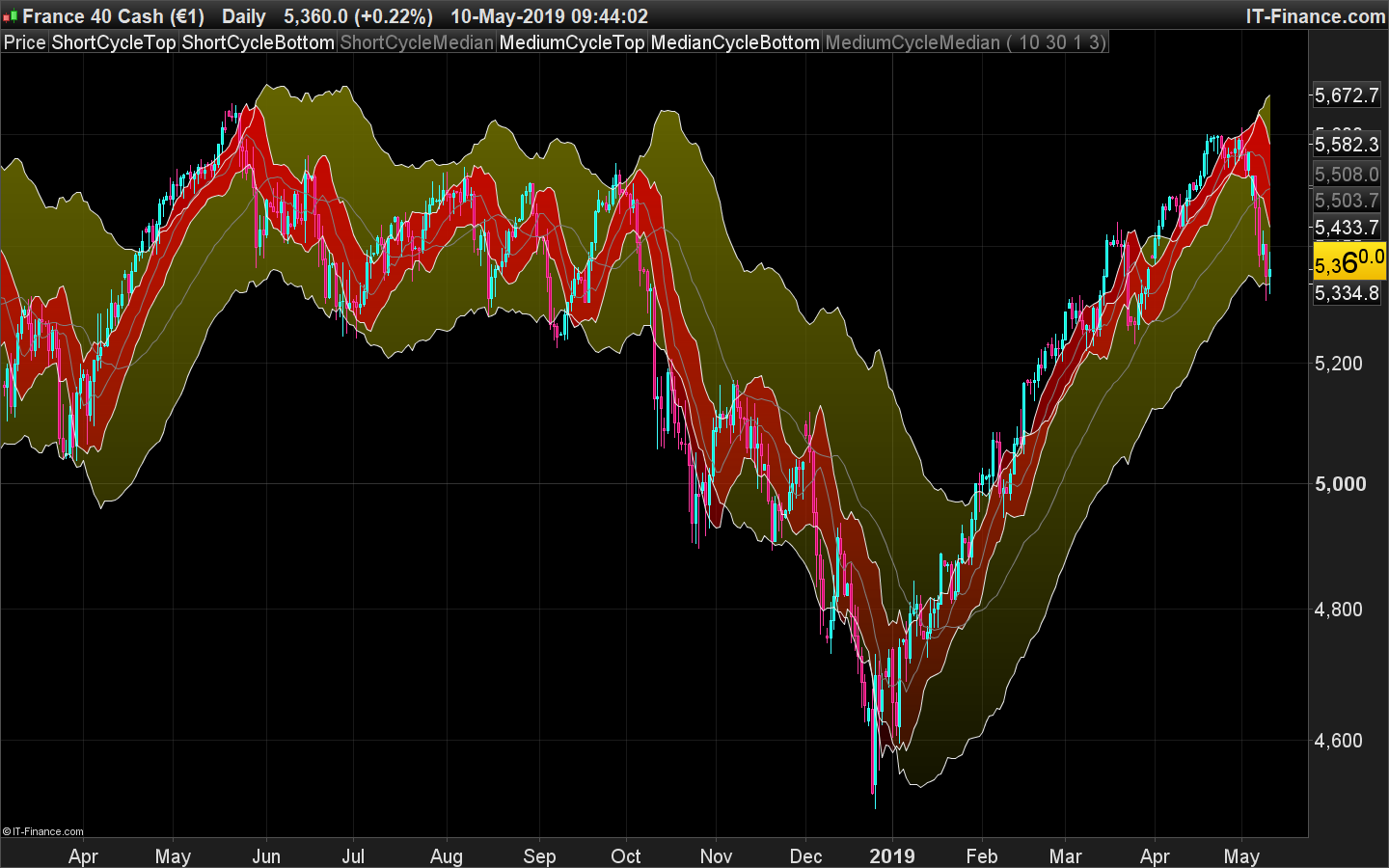
    Been converted and now available to download here: Hurst Cycle Channel Clone

    hurst-channel-cycle.png hurst-channel-cycle.png
Viewing 5 posts - 1 through 5 (of 5 total)
  • You must be logged in to reply to this topic.

Hurst Cycle Channel code conversion from Tradingview


ProBuilder: Indicators & Custom Tools

New Reply
Author
author-avatar
AlgoAlex @alexf Participant
Summary

This topic contains 4 replies,
has 3 voices, and was last updated by Nicolas

6 years, 9 months ago.

Topic Details
Forum: ProBuilder: Indicators & Custom Tools
Language: English
Started: 05/04/2019
Status: Active
Attachments: 2 files
Logo Logo
Loading...