How to setup to send email/mobile message when the trend direction change

Viewing 4 posts - 1 through 4 (of 4 total)
  • Author
    Posts
  • #99438 quote
    goodluckyz
    Participant
    New
    Hi Guys,
    The prorealtime software has been installed in our computer and I have a question about how to set up the notification for indicator of super trend, the condition is that when the trend direction change confirmed by the second candy (apply by close), send a notification to my email and mobile. Is it possible to do that?
    Thanks,
    Peter
    #99439 quote
    GraHal
    Participant
    Master

    You dont say if you are using v10 or v 11

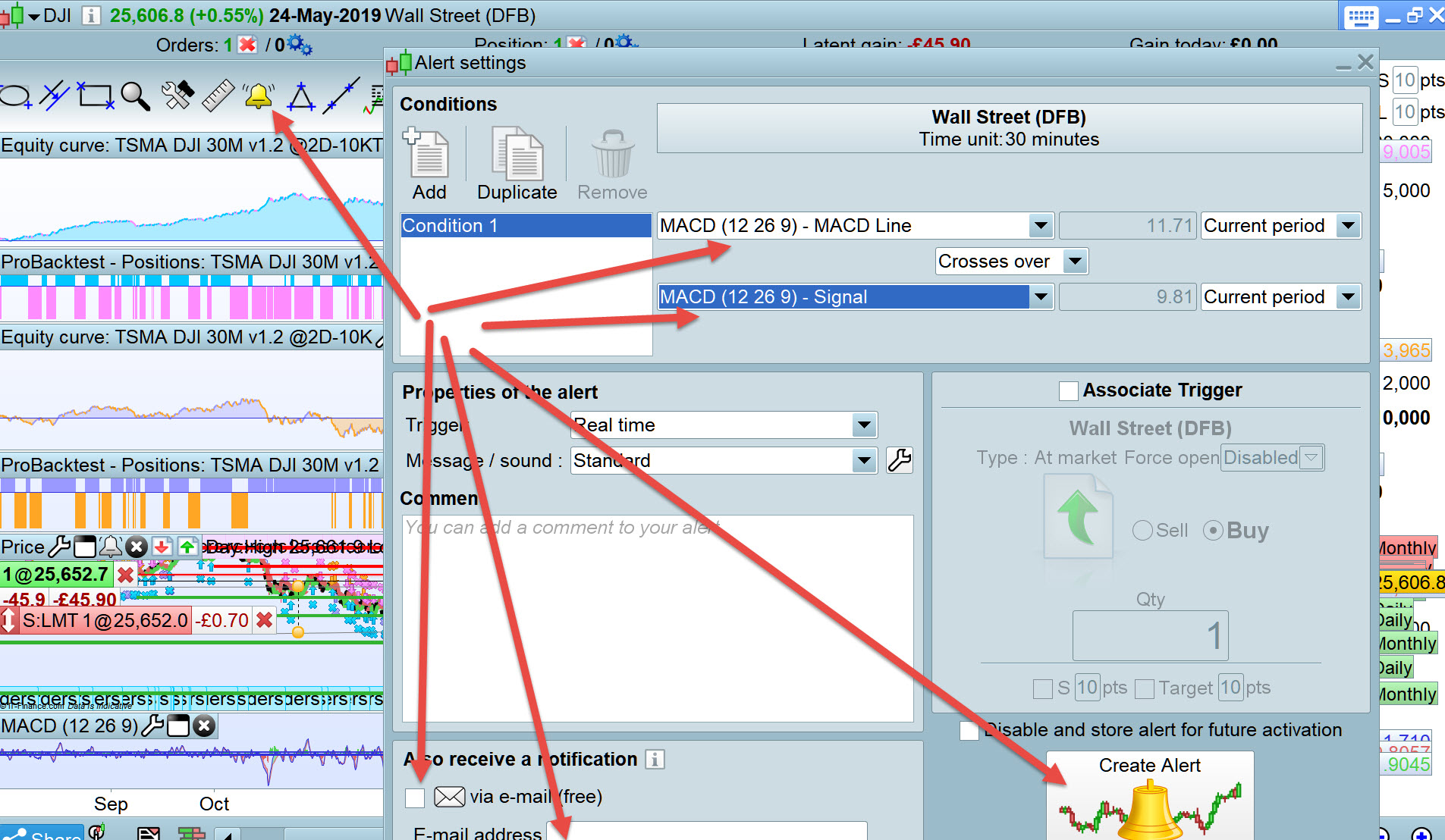
    Anyway unless anybodt has an alternative  then attached shows how … the red arrows show the bits you need to click, enter etc.

    Any questions just ask

    Nicolas thanked this post
    good.jpg good.jpg
    #100236 quote
    goodluckyz
    Participant
    New

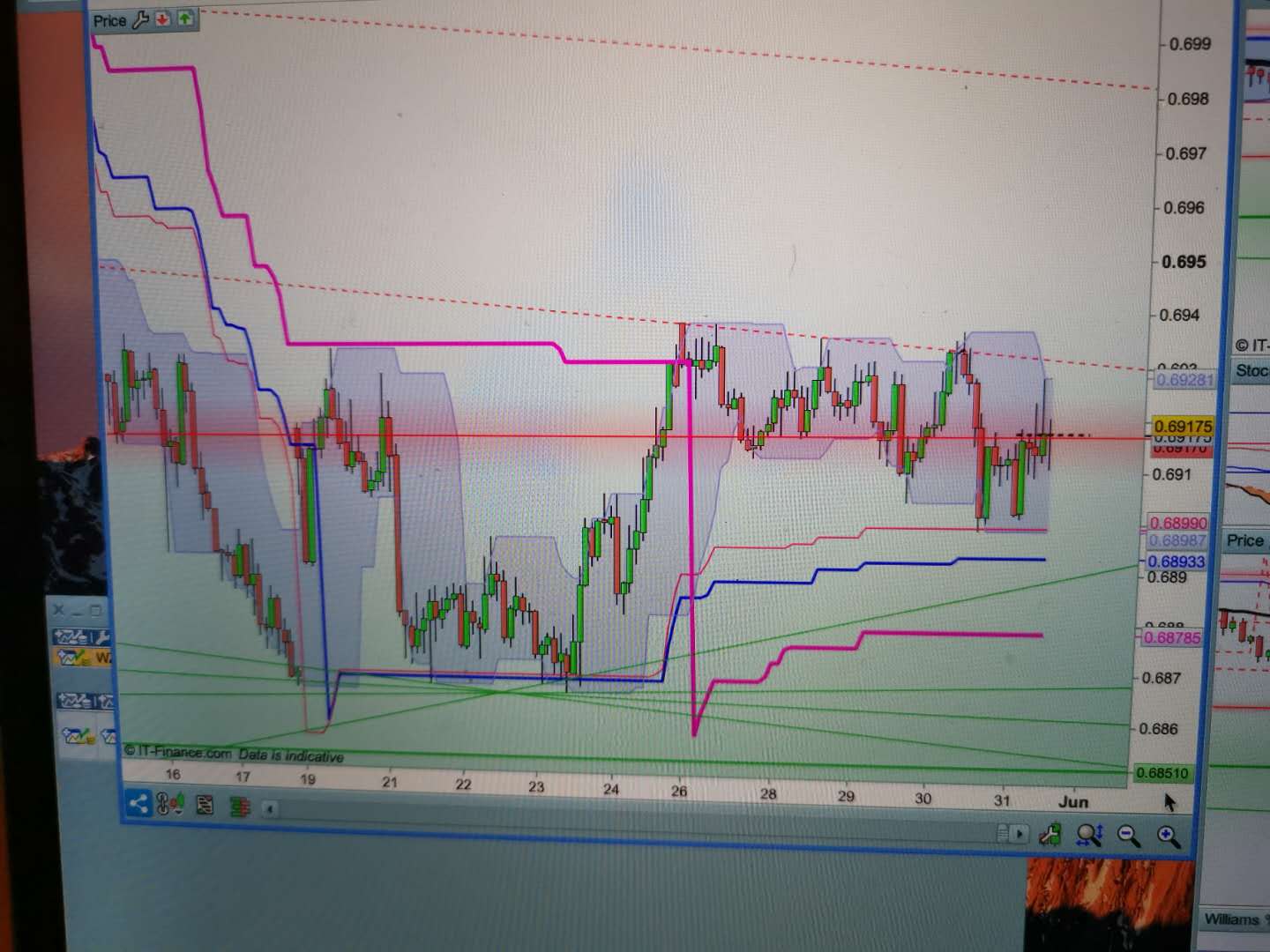
    Version is 10.3, and as the attached candle picture shows, if the second candle reflects the trend change, can I recevie SMS or email alert ?


    Thanks,

    Peter

    09A52EFB-7EE7-4BBE-8283-C29BD475B035.jpeg 09A52EFB-7EE7-4BBE-8283-C29BD475B035.jpeg
    #100247 quote
    GraHal
    Participant
    Master

    Yes if you …

    • Set up the conditions on your Platform that you show above.
    • You then keep your Platform open 24/7.
    • You close  and restart your Platform at less than 18 hour intervals.
    • You set up the email alert as I show above in the image with the red arrows.
Viewing 4 posts - 1 through 4 (of 4 total)
  • You must be logged in to reply to this topic.

How to setup to send email/mobile message when the trend direction change


Platform Support: Charts, Data & Broker Setup

New Reply
Author
author-avatar
goodluckyz @goodluckyz Participant
Summary

This topic contains 3 replies,
has 2 voices, and was last updated by GraHal

6 years, 8 months ago.

Topic Details
Forum: Platform Support: Charts, Data & Broker Setup
Language: English
Started: 05/25/2019
Status: Active
Attachments: 2 files
Logo Logo
Loading...