


How to pass an underlying variable like “Relative strength comparison” does?

Viewing 5 posts - 1 through 5 (of 5 total)
  • Author
    Posts
  • #178746 quote
    DavidL
    Participant
    New

    Hi,

    The relative strength indicator is able to pass a ticker as a variable in order to compare 2 equity, but the code is not available. Does anyone know what function or syntax is used?

    it would allow to create our own comparison and/or screener with our own criteria other than RS.

    Thanks for your help.

    Regards.

    #178750 quote
    robertogozzi
    Moderator
    Master

    Currently there’s no support for multiple instruments in the same indicator and strategy.

    #178752 quote
    DavidL
    Participant
    New

    Thx for your answer Roberto.

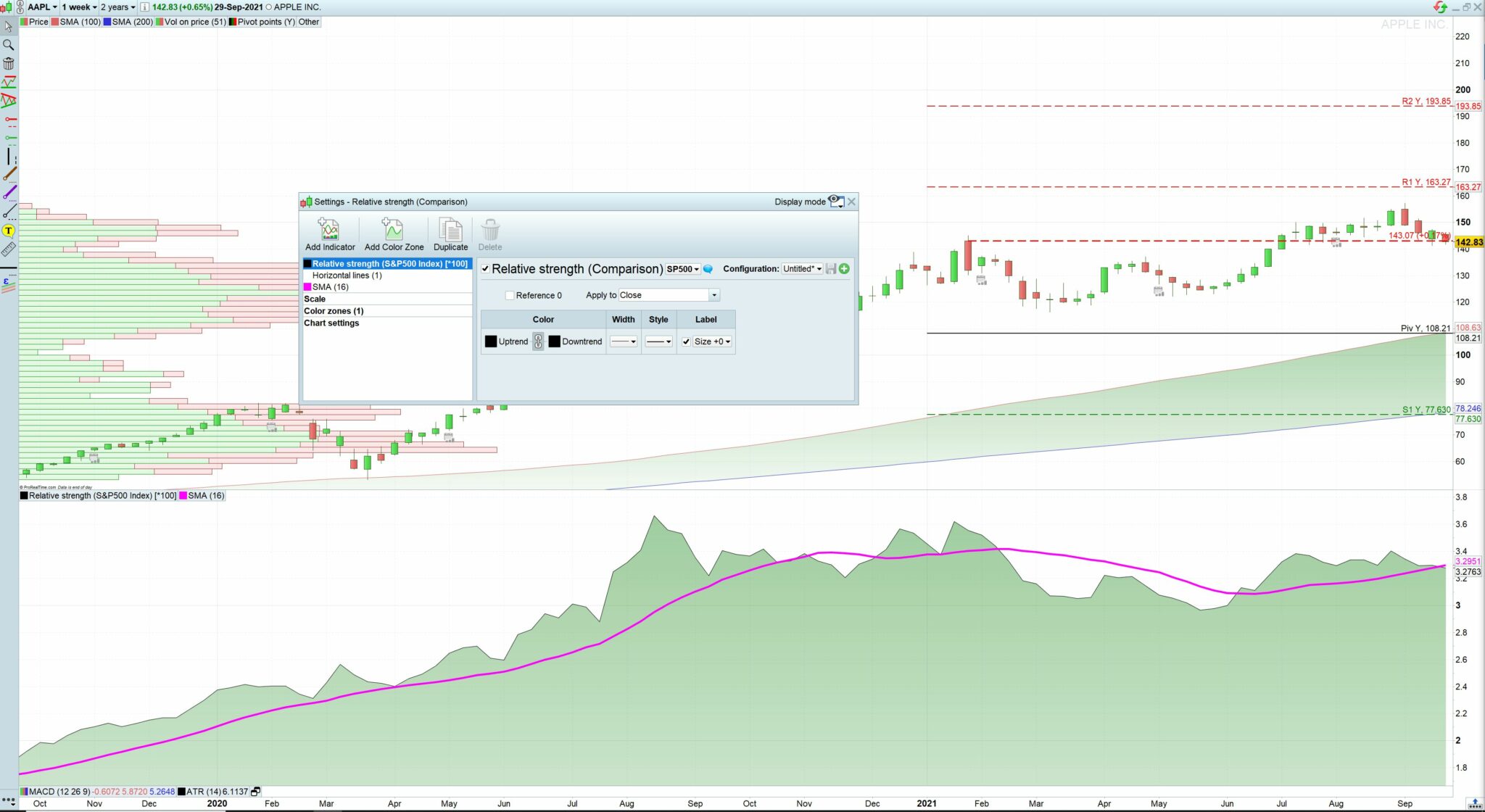
    Do you mean that there is no support for the users? if i am not mistaking, it is possible since relative strength comparison (RSC) does it, right?

    see attached picture: the graph compares AAPL and SP500. SP500 can be change to any instrument by the user. Somehow, RSC is passing SP500 as a reference variable in order to divide both Relative Strength, or am I missing something?

    In the screener, the function “EquityFrame” is also able to compare instruments with one reference. I realize that it is not exactly the same but pretty close.

    Is there a way to access the RSC code?

    Regards

    RSCrtp.jpg RSCrtp.jpg
    #178755 quote
    robertogozzi
    Moderator
    Master

    Yes, it’s not available to users, unlike screeners.

    #178800 quote
    DavidL
    Participant
    New

    ok, thx for your help.

Viewing 5 posts - 1 through 5 (of 5 total)
  • You must be logged in to reply to this topic.

How to pass an underlying variable like “Relative strength comparison” does?


Platform Support: Charts, Data & Broker Setup

New Reply
Author
author-avatar
DavidL @davidl Participant
Summary

This topic contains 4 replies,
has 2 voices, and was last updated by DavidL

4 years, 4 months ago.

Topic Details
Forum: Platform Support: Charts, Data & Broker Setup
Language: English
Started: 09/29/2021
Status: Active
Attachments: 1 files
Logo Logo
Loading...
