 Mary
MaryParticipant
Average
How do you lock a chart so that it appears always in front of other charts including the Chart Title Bar? I can’t seem to find setting in v.12
thank you
Hello Mary, the pinning feature does not exist for charts on PRT. You only have it for the mainframe, the order book window, the cursor details one and the notification center.
I have too few experience with V12 but in V11.2 it always has been so that the Z order (what’s on top and what under that and what under that) is saved with all the position data.
Mary, are you saying that this does not work any more in V12 ?
If not, just try what I just told. 🙂
Mwah, looking at my own V12, I can see that this just still works.
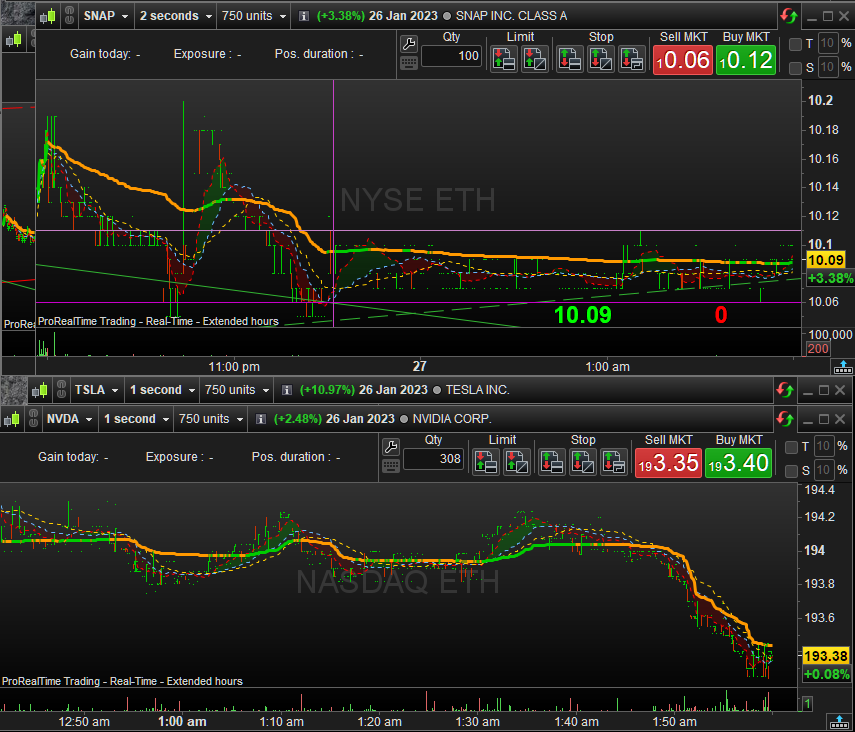
See below for an example (from V11.1). You see 4 charts in “layered” fashion (2 by 2). Snap is over an other, and Tesla is under Nvidia. It’s organised such that all is always reachable.
Snap and the other vs Tesla and Nvidia are not the same “stacked”. This stacking is maintained at Saving – and Restored later.
MaryParticipant
Average
In V.12 what happens is that I put my chart in the front of other charts in the workspace, save it, close the workspace, but when I come back and open the workspace again, the chart that I saved to the front, disappears at the back of other charts. Saving the workspace multiple times with the chart in the front does not help, the workspace keeps opening up with the chart in the back. Very frustrating. I have to re arrange everything every time I open a new workspace to be as I like, v.12 refuses to save and keep my workspace as I positioned it.
I have created a number of workspaces and in them the charts that I want saved up front are not complying. Every time I open a workspace I have to click to rearrange so that it looks like I want it to look.
Also Chart Title Bar is very large in v.12., even the smaller version is like 6 inches long? In older version you could squash it to an 1 inch or so, but not in v.12. Also a really inconvenient.
MaryParticipant
Average
If the pinning feature does not exist for charts fine. But then when I arrange charts in the workspace to be upfront, save the workspace, close workspace. When I come back to open it again, the charts that were upfront are no longer upfront, they are in the back of other charts in v.12. So how do I fix that problem?
So would you agree that what I more explicitly described, worked in V11.1 but not in V12 ?
Your issue got set to Resolved. I think you should set it to Not Resolved for now.
I will try to see whether I can squeeze out a difference. Problem (sort of) : I can’t “destroy” my main account with V12 issues and can’t revert as well (at least that is what I understood). And the account I use for V12 has a few charts only – I can’t destroy (or clog) that either, because of 60-70 charts all together on my screens to begin with.
Can you show a few examples of what worked for you and now does not any more ?
MaryParticipant
Average
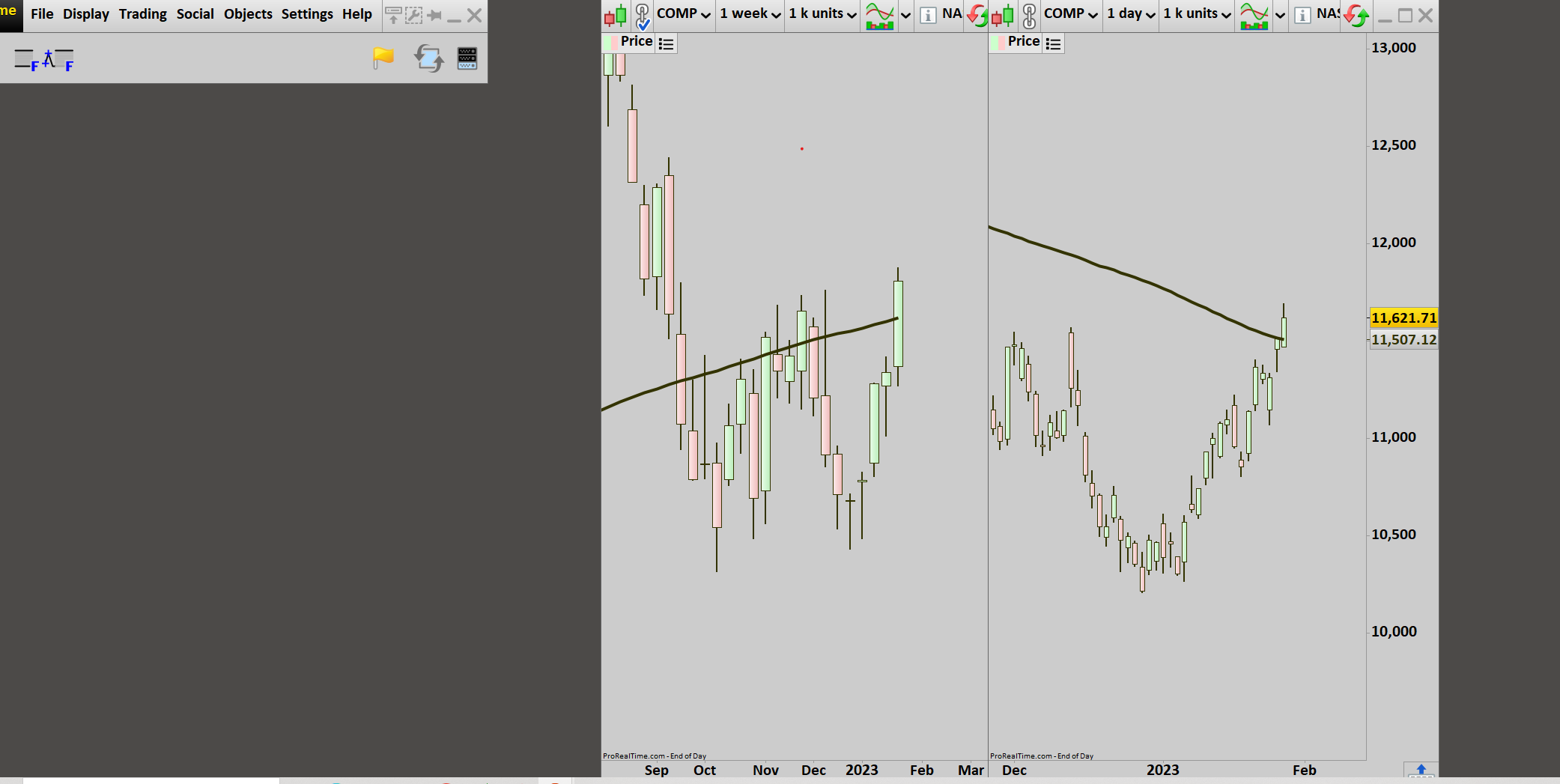
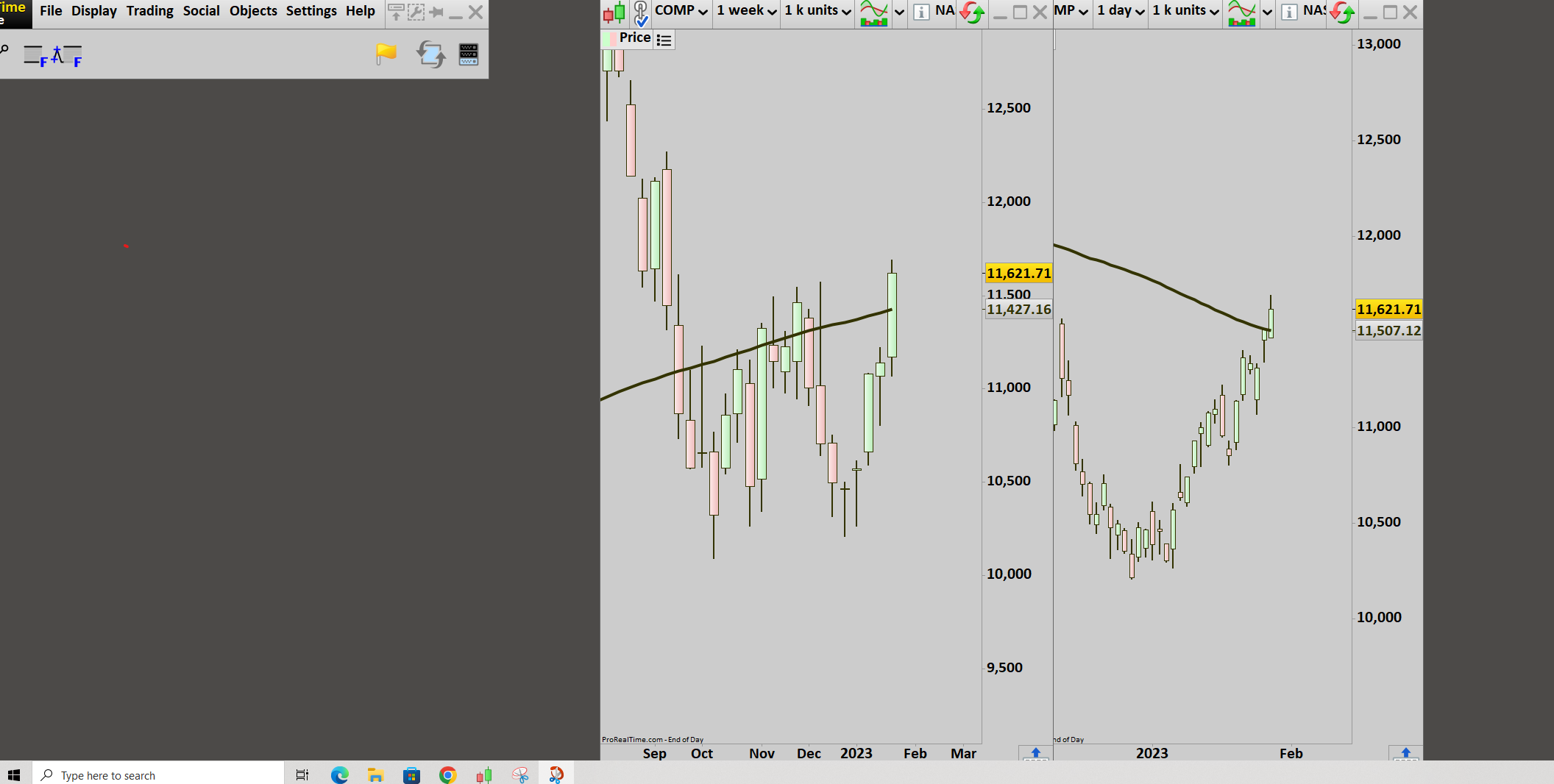
so the first screen shot is how i save a workspace. you can see that 1 day chart overlaps the 1 week chart(price grid of weekly chart is underneath the daily chart. ) I save it, I exit the workspace, when I open it again, the weekly chart is floating on top of the daily chart with its prices showing.
see screenshot 1.(this is how it is saved)
screenshot 2. This is how it opens
Yeah, easy enough. Meanwhile I tried with my V12 those kind of things – and indeed it does not work.
Showstopper !
I created a Technical Report for this.
Saving the workspace multiple times with the chart in the front does not help,
Does this include ‘save as’ and save as another named template, early days I saw variations of this on other rev’s … can’t try on v12 here. Drove me nuts at the time but saving to another named template resolved it bitd. If not, hope it can be resolved quickly.
MaryParticipant
Average
Tried “SAVE AS ” and not working this way ether.
I am out of ideas how to fix it, I hope tech support is looking at this thread.
Thank you.
PeterSt has ticketed it with support so hopefully it gets picked up soon. I recommend you also ticket it as recommended by Rafael (mod) in the other thread, I’d assume you’re not alone on this so the team would want it sorted quickly.
Sorry I couldn’t help on this.
 JS
JSParticipant
Veteran
Hi @Mary,
I don’t use V12 (yet) but can vaguely remember something about similar problem in V11…
A kind of solution was then (workaround):
- Load your LayOut
- Save your LayOut
- Reload the same LayOut
- Save it again…
Was then something with temporary files…
Maybe worth a try…