


How to download the data from probacktest

Viewing 3 posts - 1 through 3 (of 3 total)

  • Author
    Posts
  • #80947 quote
    ramarama
    Participant
    Senior

    I have run the strategy , I want download all entry and exit trades in excel and analysis

    I tried, there is an option to print, print does save to PDF or excel ( in file option)

    #80948 quote
    GraHalGraHal
    Participant
    Master

    You have to have excel open and size the two screens so you can select a cell in the PRT Report and then drag across to Excel.

    Don’t worry you don’t have to do 1 cell at a time! šŸ™‚

    Max rows that transfer is 100 unless it has changed since I last did it!?

    #80950 quote
    ramarama
    Participant
    Senior

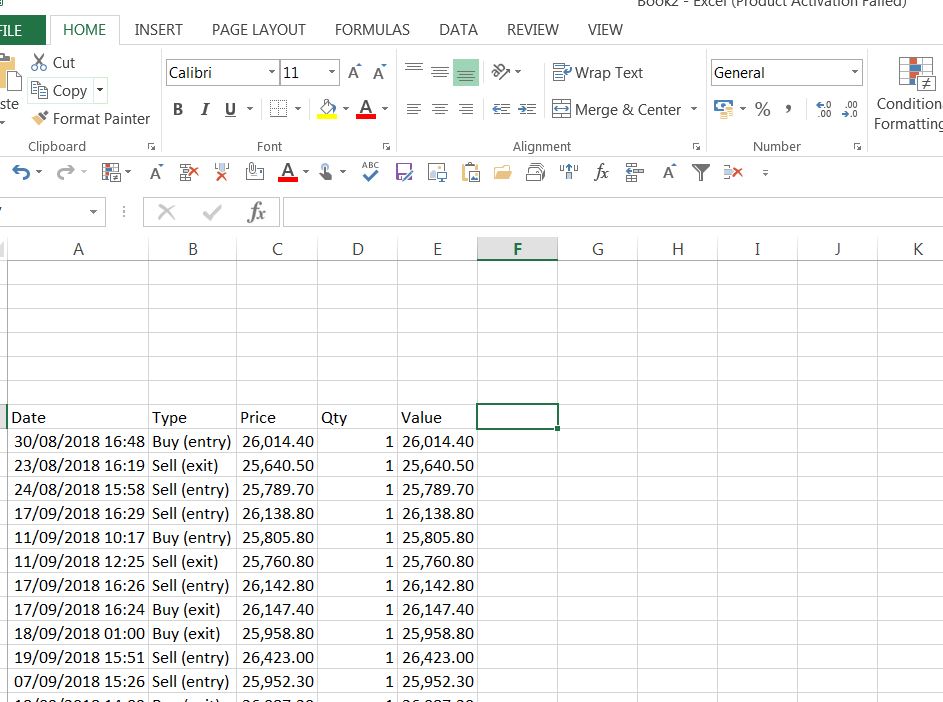
    It worked , great thanks for quick response

    GraHal thanked this post
    worked.jpg worked.jpg
Viewing 3 posts - 1 through 3 (of 3 total)
  • You must be logged in to reply to this topic.

ProRealAI ProRealAI New

Stuck on this ProBuilder code?

Describe what this topic is trying to build, in plain English, and ProRealAI writes the ProRealTimeā„¢ indicator, screener or system for you.

Available in 7 languages
Try ProRealAI

How to download the data from probacktest


ProOrder: Automated Strategies & Backtesting

New Reply
Author
author-avatar
rama @rama Participant
Summary

This topic contains 2 replies,
has 2 voices, and was last updated by ramarama

8 years ago.

Topic Details
Forum: ProOrder: Automated Strategies & Backtesting
Language: English
Started: 09/20/2018
Status: Active
Attachments: 1 files
ProRealCode ProRealCode
Loading...

