I tried this indicator to trail stop. Problem i am facing is that, when there is a trend change, say from bullish to bearish. For example, In a short entry – I get stopped out when price moves back and touches the support line of Bullish Trend. While the purpose of stop is to sell when the BEARISH upper line is crossed (when short in market), positions get stopped out at start of the trend. I think this is unintended consequence. I tried similar another indicator, same thing happens. How would be possible to BUY only when RED line above is crossed in Short Entry and Bottom Green line when Long?
https://www.prorealcode.com/prorealtime-indicators/another-atr-trailing-stop/
There are two colours for Bear and Bull trends. Now i need the code to test if the price crossed the RED Resistance Line or Green Support line.
ts= Call "ATR STOP2"
IF SHORTONMARKET AND abs(CLOSE-TS)>SL AND close > TS THEN
BUY AT MARKET
ENDIF
I need the above code to start work only when the upper red line is crossed – at the moment above triggers even when the bottom line is crossed in SHORT position
Any help would be great
Thanks
Change the last line of the indicator to return the trend variable:
return ts coloured(r,g,0) style(line,3), trend as "current trend"
In the strategy test if the trend variable is different from the previous and in which direction it is:
defparam cumulateorders=false

ignored, trend= Call "ATR STOP2"

if trend<>trend[1] then
 if trend>0 then //bullish
  buy at market
 endif
 if trend<0 then //bearish
  sellshort at market
 endif
endif
Hi Nicolas
Thank you. I wanted to use the indicator as a Trailing STOP. Above code seems to be placing orders every time it turns bullish
When Long I wanted to trigger SELL order when price crosses below the Green Line
When Short, BUY Order when Price moves above the RED Line.
Do i need to modify the code above?
ok so you still need to modify the indicator’s code and use that example in your strategy:
ts, trend= Call "ATR STOP2"

if longonmarket and trend>0 then
 sell at ts stop
endif

if shortonmarnet and trend<0 then
 exitshort at ts stop
endif
Now, the code put pending STOP Orders on the indicator line, but only if it is green when you are long on market and if it is red when you are short on market.
Thanks I will try the code.
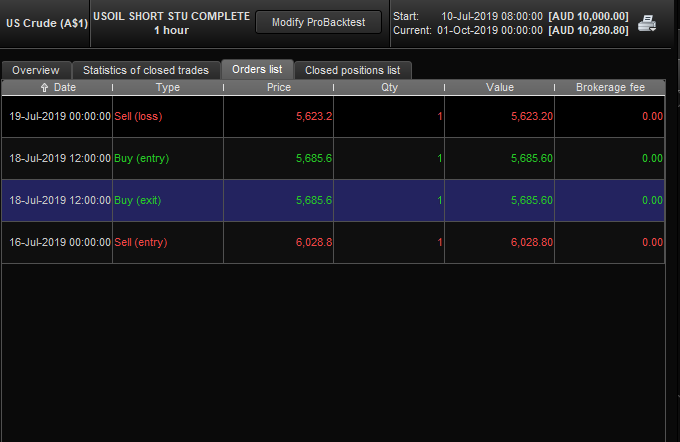
With these Trailing stop, why would Pro Order open a new order as soon as previous order is closed?
As you can see in the screen shot – it opens the order and closes immediately at same price. I am new to Pro real time, but this looks odd.
The code i am using is SHORT ONLY – no long trades.
I have the code for trailing stop, with Buy at Market when prices crosses the trail resistance.
Could you please help sort this out
Thanks
Paresh
Hi,
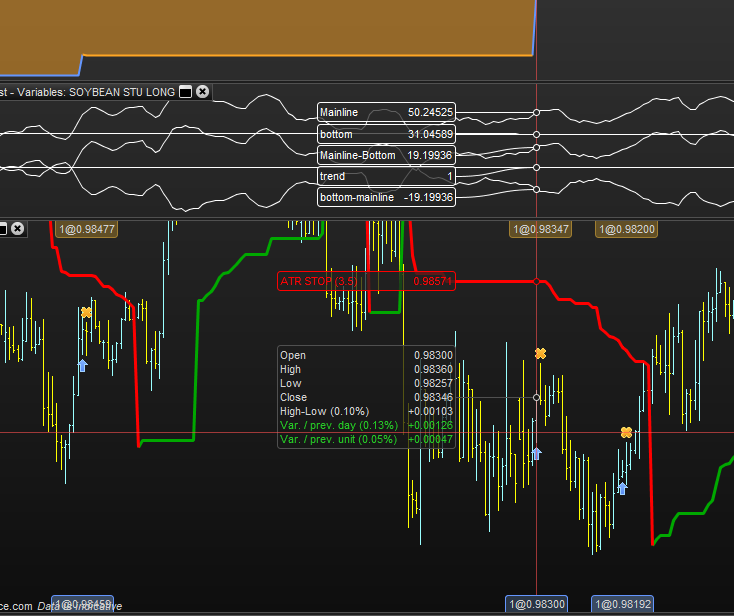
I am trying this code but i am not sure why it is just stopping out where it should not be
I am using ATR stop for 4 hour which should give it wider stop.
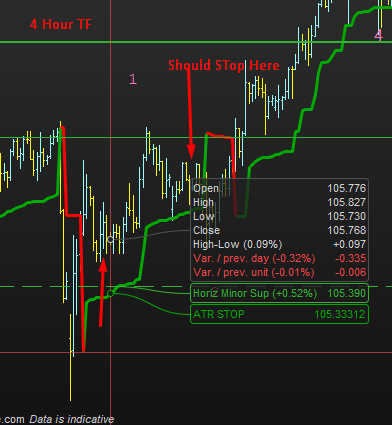
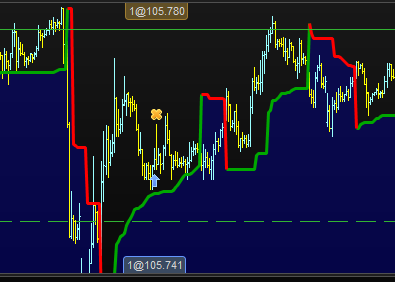
I have attached 1 hour TF where the code was run, even there its not the right place for stop.
But I am using 4 hr TF (Screenshot attached, it should not be stopped there)
I have been trying to fix this very issue
Note that: If i comment the Trail Stop Codes, it does not get stopped out.
I am long and I cannot see why it would stop out immediately after trade. It does work fine in some sections.
Timeframe (4 Hour)
ts, trend= Call "ATR STOP2"

if longonmarket and trend>0 then
sell at ts stop
endif

if shortonmarket and trend<0 then
exitshort at ts stop
endif
Could you explain me in details and with pictures if possible what is the strategy you are looking at please? A step by step listing of possible entries and exit, thanks in advance.
Hi Nicolas
I am using Stochastic Cross Over. So if stochastic crosses over in Daily TF and then we get cross in Hourly TF, there is an entry. Usually, with this strategy, the signal is received before the trend turns bullish – in this case, the price is below the ATR line.
I opened this thread because of this particular issue. I was told that using Colour would solve this issue.
The code above works in most cases, but in this type of scenario it is not working. Usually, the place it stops out is the start of a huge trend.
I have tested this by commenting the ATR Trailing Code, and it works and it does not get stopped out as soon as i comment the lines. So, I am sure that its due to the ATR stop used in the code that is resulting in it being stopped out at wrong place. It should stop only if the bottom support is breached. In this case as image clearly shows, the bottom is not breached.
I hope we can sort this problem. Let me know if you need further information.