How to build a generic indicator?

Viewing 6 posts - 1 through 6 (of 6 total)
  • Author
    Posts
  • #49640 quote
    pieroim
    Participant
    Average

    How can I make an indicator that can be applied to the price rather than to other indicators? For example, if I realize a Moving Average indicator and want it to be applied to other indicators or to the price, as is the case in the Prorealtime series indicators, at what should I refer in to the instructions?

    Thank’s

    Piero

    #49644 quote
    robertogozzi
    Moderator
    Master

    1 – you started asking how to make an indicator to be applied to the price rather than to other indicators, all indicators are applied to the price, Moving Averages, Macd…..

    2 – you said “For example, if I realize a Moving Average indicator and want it to be applied to other indicators”, is the contrary of what you asked before; do you want an indicator applied to price (like all, normally, do) or to other indicators? In this latter case you may write

    RETURN Average[5](Macd[12,26,9](close))

    as an example of a very stupid indicator just to explain basic building syntax; it’s a Moving Average, applied to another indicator (MACD in this case). You can make almost all you want.

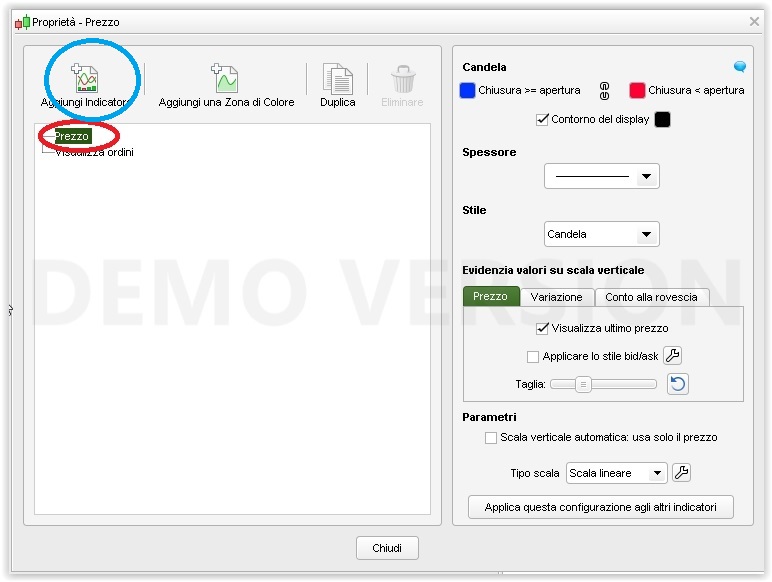
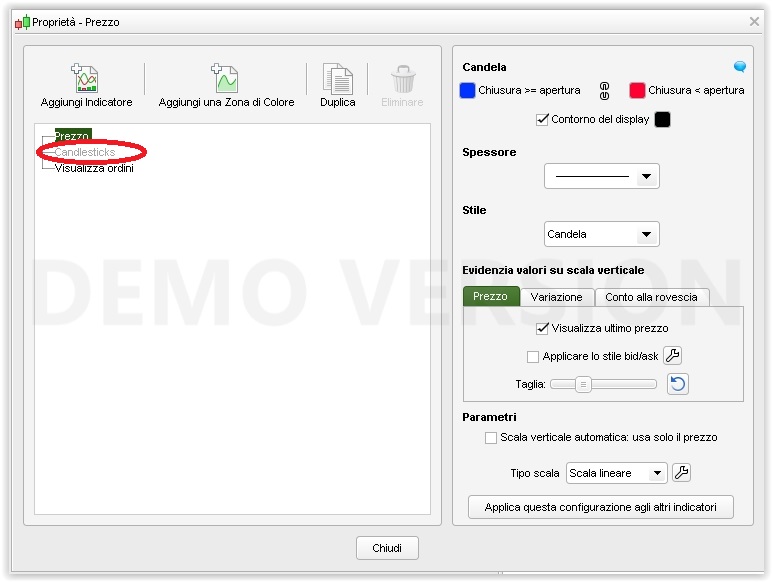
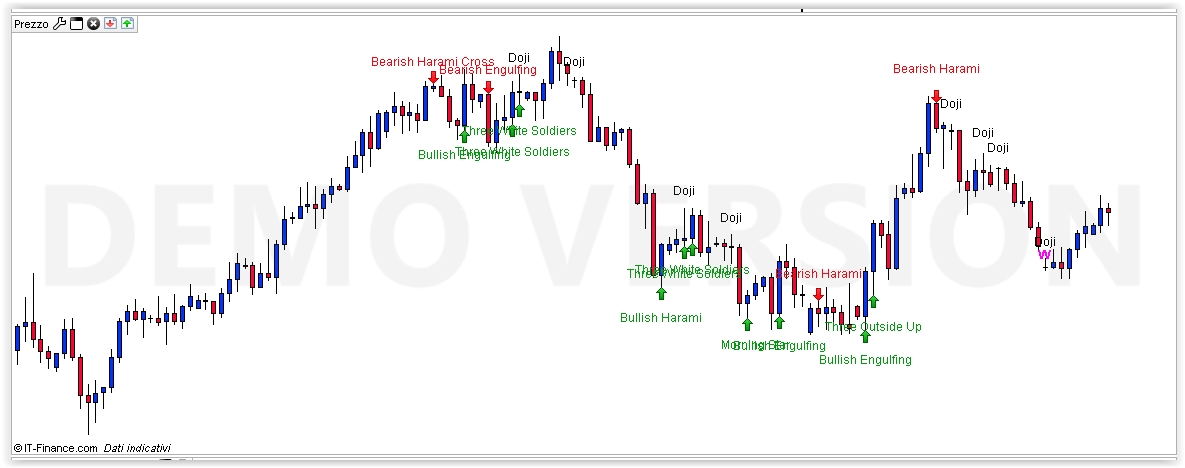
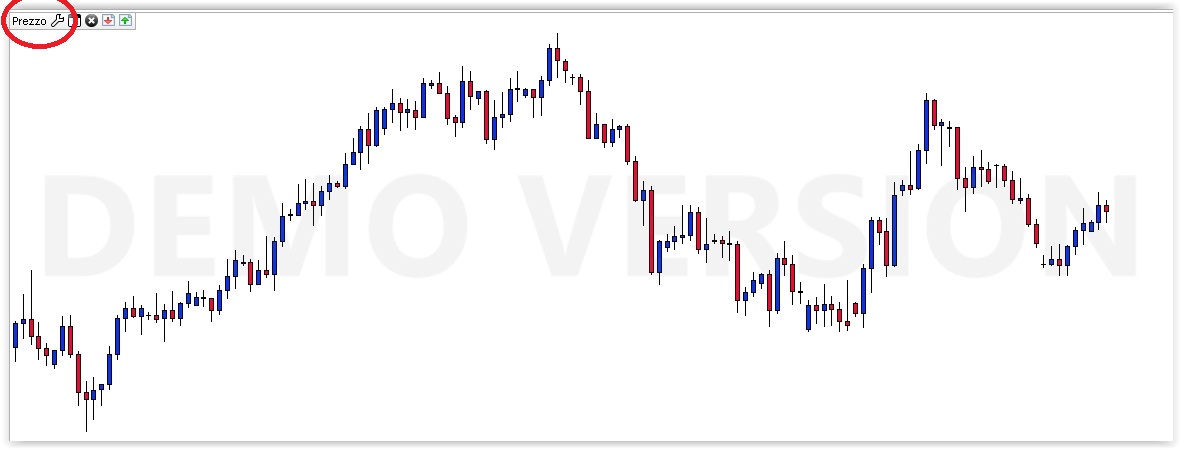
    Unless what you wanted to ask is how to apply an indicator to the price chart, instead of the indicators area below it. In this case you can see the four attached pics:

    1 – click on the price Wrench icon (next to price tab) in the upper left corner of your chart

    2 – when the property box opens, select Price and then click on Add an Indicator, then choose one that can be applied to price

    3 – you will see the price of the chosen indicator in the property box

    4 – there you go (this example is an indicator in this forum to print candlestick labels on the price chart)

    If all the above is NOT what you asked for… ask again, with more details please.

    Roberto

    #49649 quote
    pieroim
    Participant
    Average

    I’m realizing an indicator that can be applied on others indicator and on the price if I want this too.

    I’m not using the indicators coded in PRT, like Average for example.

    If I use Average[5](Macd[12,26,9](close)) for example, the indicator use exclusively MACD data output to calculate the Average.

    So is not possible to use the same indicator programmed from me on others indicators than the MACD without changing the code.

    I hope to have been clear..

    Thank’s

    #49661 quote
    robertogozzi
    Moderator
    Master

    I understand, it can be done, but it’s not as straightforward as if PRT language had arrays and pointers, example:

    DEFPARAM CalculateOnLastBars = 1000
    IF Selection = 1 THEN
        x = Average[Periods, AvgType](Macd[m1,m2,m3](close))  //Macd
    ELSIF Selection = 2 THEN
        x = Average[Periods, AvgType](Rsi[RsiNum](close))     //Rsi
    ELSE
        x = 0
    ENDIF
    RTURN x

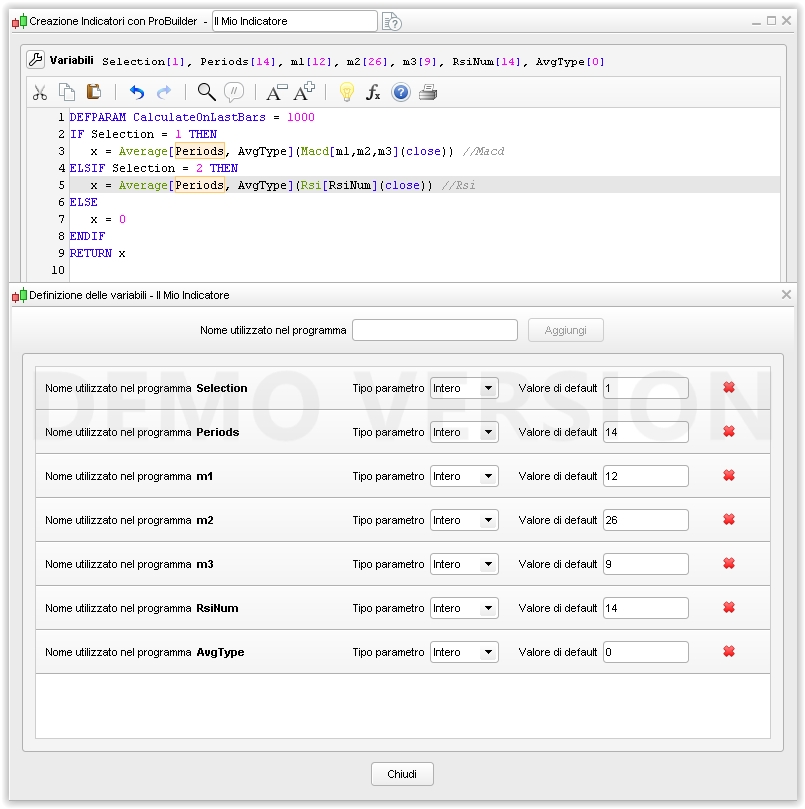
    you must set variables Selection, Periods,  m1, m2, m3, RsiNum and AvgType as modifiable by the user, so that you can assign them different values when CALLing the indicator.

    For the range of values to be assigned to AvgType, see https://www.prorealcode.com/documentation/average/.

    Of course you may add as many indicators as you want, but be aware that CALLing external indicators is a slow process, the slower the more complex it is!

    You want to call it this way:

    indicator1 = CALL "My Indicator"[1, 20, 12, 26, 9, 14, 0]

    parameters must be written in the same order as you wrote your variables in the variable box (see pic).

    pieroim, Nicolas and Bel thanked this post
    #49669 quote
    Nicolas
    Keymaster
    Master

    @robertogozzi

    You are my hero. Thanks a lot for all your detailed answers! 😀

    #49671 quote
    pieroim
    Participant
    Average

    ok, I understand. Thank’s

Viewing 6 posts - 1 through 6 (of 6 total)
  • You must be logged in to reply to this topic.

How to build a generic indicator?


ProBuilder: Indicators & Custom Tools

New Reply
Author
author-avatar
pieroim @pieroim Participant
Summary

This topic contains 5 replies,
has 3 voices, and was last updated by pieroim

8 years, 3 months ago.

Topic Details
Forum: ProBuilder: Indicators & Custom Tools
Language: English
Started: 10/17/2017
Status: Active
Attachments: 5 files
Logo Logo
Loading...