Hi,
I’m new to PRT and I’ve been looking for a detailed documentation on how the script one writes in the TradingSystem IDE is actually run.
In the regular PRT manual it says the code is executed only when the current candle closes.
However, if I put a buy order, the system is going to execute as soon as my buy conditions are met, whether at candle start, end, or anytime during candle up and down move. Is the documentation incomplete then ?
For instance, let’s consider the following code :
IF NOT LONGONMARKET AND BuyLevel > Close THEN
    TriggerPrice = High[1] + 3 * PointSize
    BUY 1 CONTRACT AT TriggerPrice STOP
    SET TARGET PPROFIT 11
    SET STOP PLOSS 5
ENDIF
As soon as the instrument price reaches TriggerPrice (at any time), the corresponding purchase order is executed. Same goes for sell, that may occur on the same candle btw.
“code is run at candle’s closure” does that mean the code is rendered all at once at that time but it’s evaluated all the way, tick by tick, during the candle elapsed time ?
Here is another piece of code that aims to modify TARGET PROFIT while the stock price is moving up.
ONCE tp = 2
IF LONGONMARKET AND High > 11 + tp THEN
    SET TARGET PPROFIT tp + 11
    tp = tp + 2
ENDIF
It turns out that despite the recurring function (every time the price goes up, the TARGET PRICE is to move up too), TARGET PROFIT is increased only once on the next candle.
So I’m confused.
Can someone point me to a complete and accurate documentation describing exactly what is going on when the TradingSystem custom program is executed ? When is it run ? Which part goes into memory ? For how long ? I assume there are candle class events behind the scene, what are thoses ? When do they fire ? What are the arguments ? Mayby there’s an OnChange delegate that handles every bid/ask change ? etc… etc…
This software is obviously event driven, thus a map of those events is key not to waste time discovering the hard way i.e. trial & error process.
Thanks
Fred
The manual is right, the code is executed only once per candle, when it CLOSES.
If you place an order AT MARKET it will be sent to the broker immediately. If you place a pending order, be it LIMIT or STOP, it will be sent to the broker and THE BROKER will check whether ir will be triggered or not. ProRealTime will not have any control of any trade while a candle is being formed. When the candle closes any triggered order will be taken into account to set some system data (such as OnMarket, PositionPerf, etc…). Orders that haven’t been triggered are automatically cancelled, then your strategy is executed again and it all starts again and again…
If my program places an order at MARKET, it cannot be sent immediately (when I launch the code) to the broker. The earliest it will be sent and processed is when the current candle closes because this is the only time when the code is executed as far as I understand.
Is it possible to have a program that buys and sells at 2 different prices on the same candle then ?
Another way to put it : suppose I have a pending limit sell order at $100 in my program. If the current candle reaches a high at $110 but closes at $90, is my order fulfilled ?
Thanks
Yes, pending orders do NOT wait for a candle to close, but still you cannot open them in the very first candle.
A common way to get around this is to take advantage of MTF (Multi, or Multiple, Time Frame) support, which enables you to check conditions on a high timeframe (say 1 hour or so), while being able to also use a lower TF, such as the 1-minute timeframe(or evan 1-second) . In this case the main timframe is 1-minute (it is the timeframe that must be used on the chart), so the code will be executed when the 1-minute candle closes, but you can access the hourly candle while it’s forming.
Searching this forum for MTF will returm blogs, instructions and lots of code snippets with valuable examples.
Thanks, but I’m a little concerned by the TIMEFRAME instruction PRT has because it doesn’t show consistant results whether I use it programmatically or from the UI i.e. the timeframe dropdown list that is displayed on the chart.
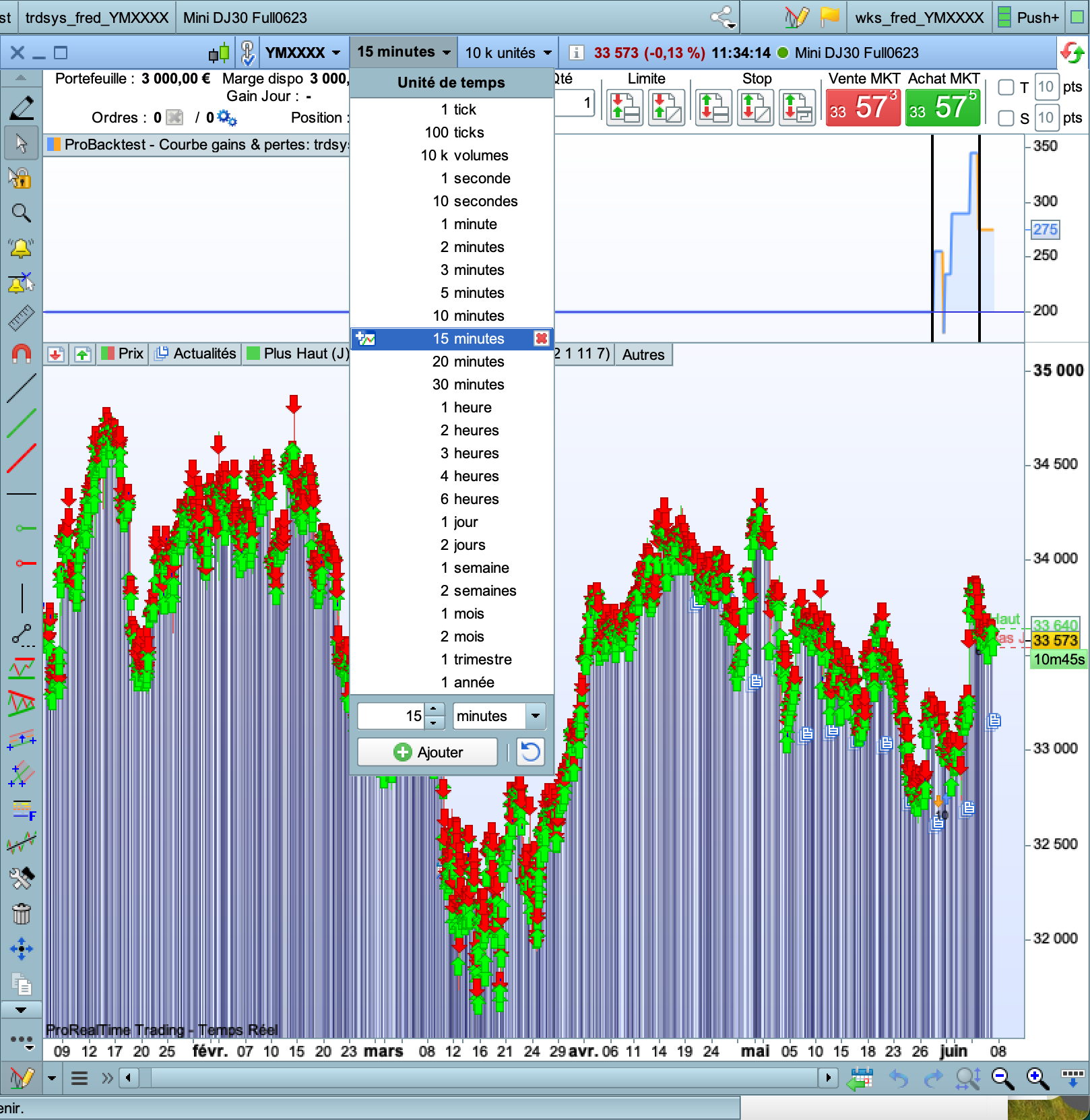
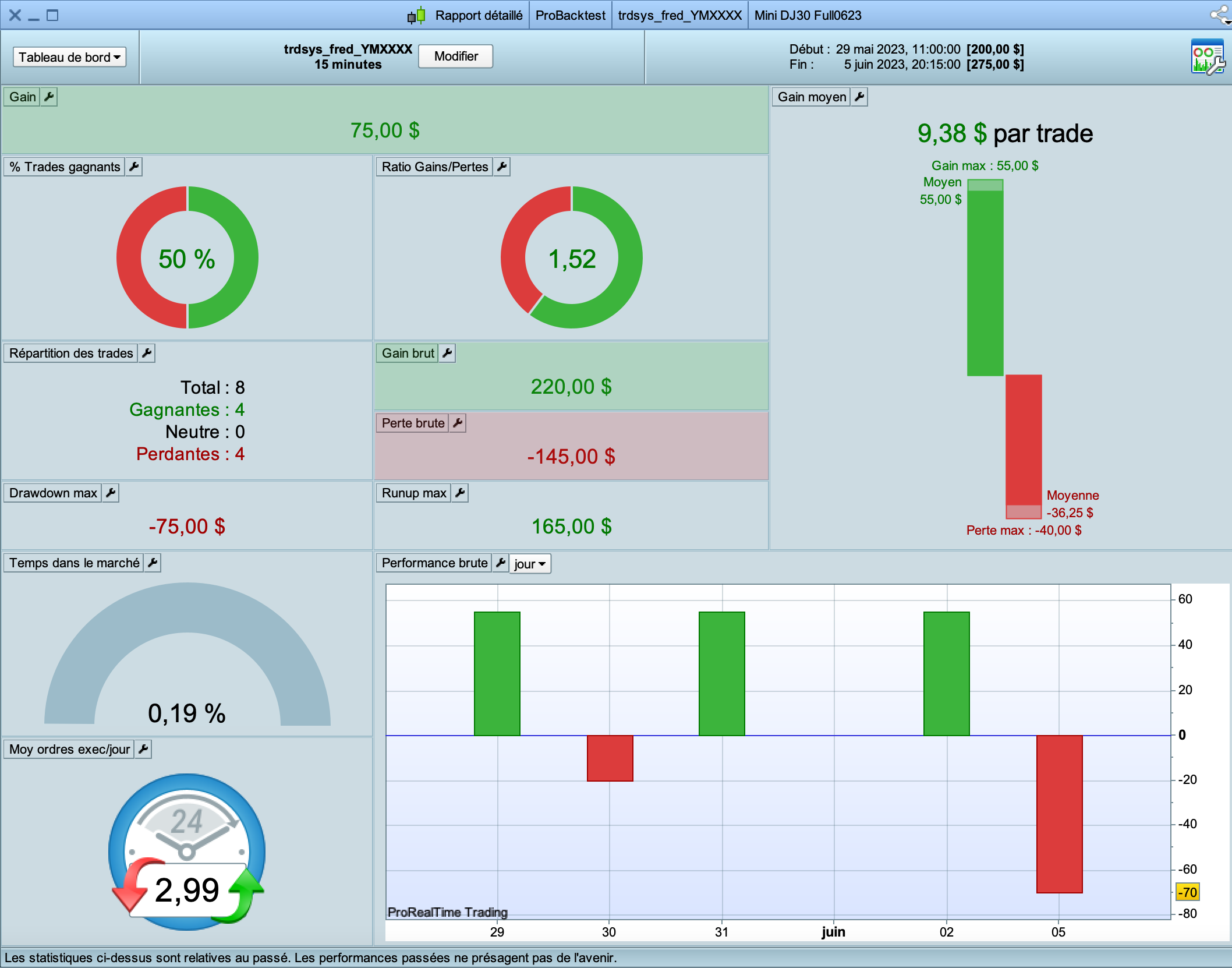
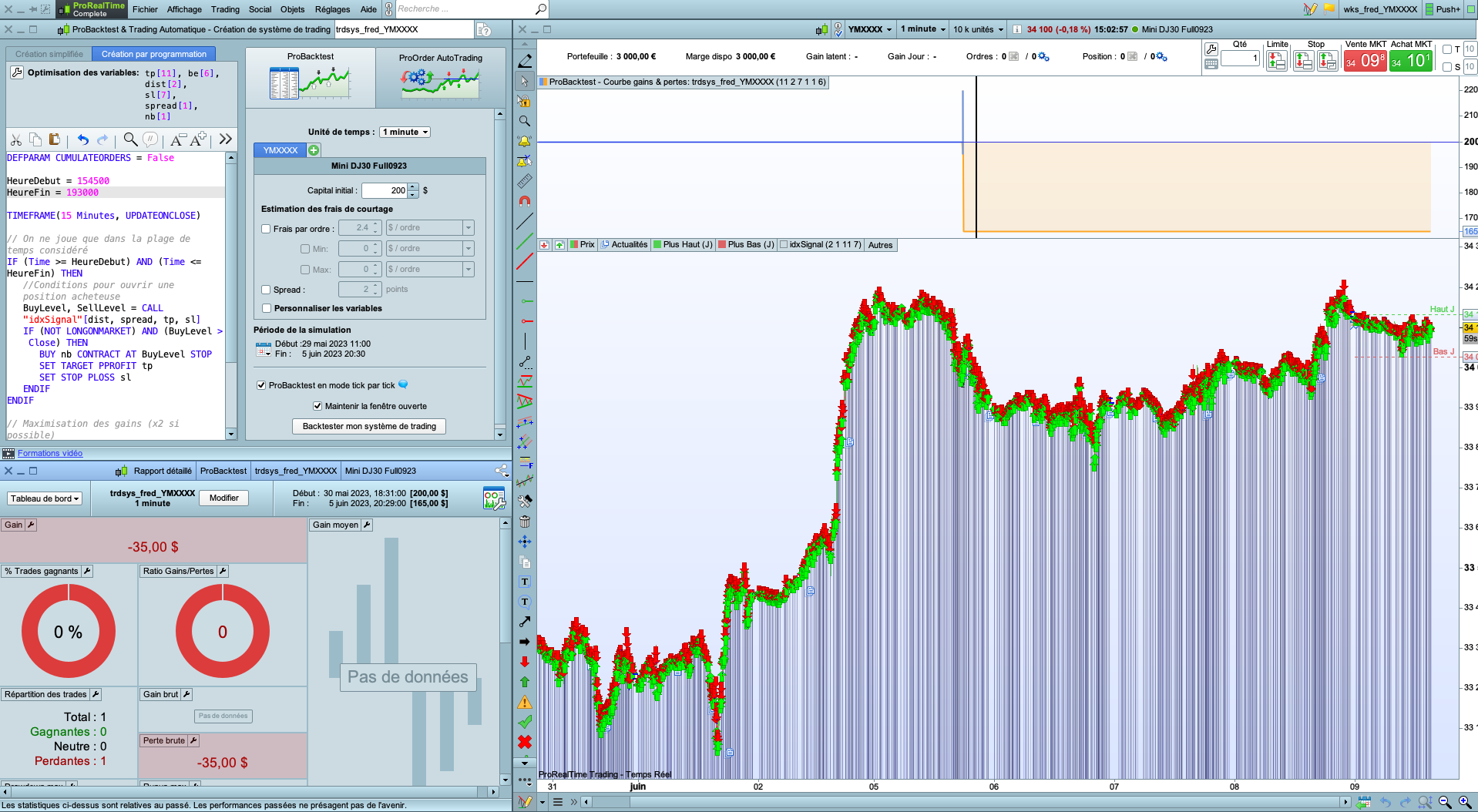
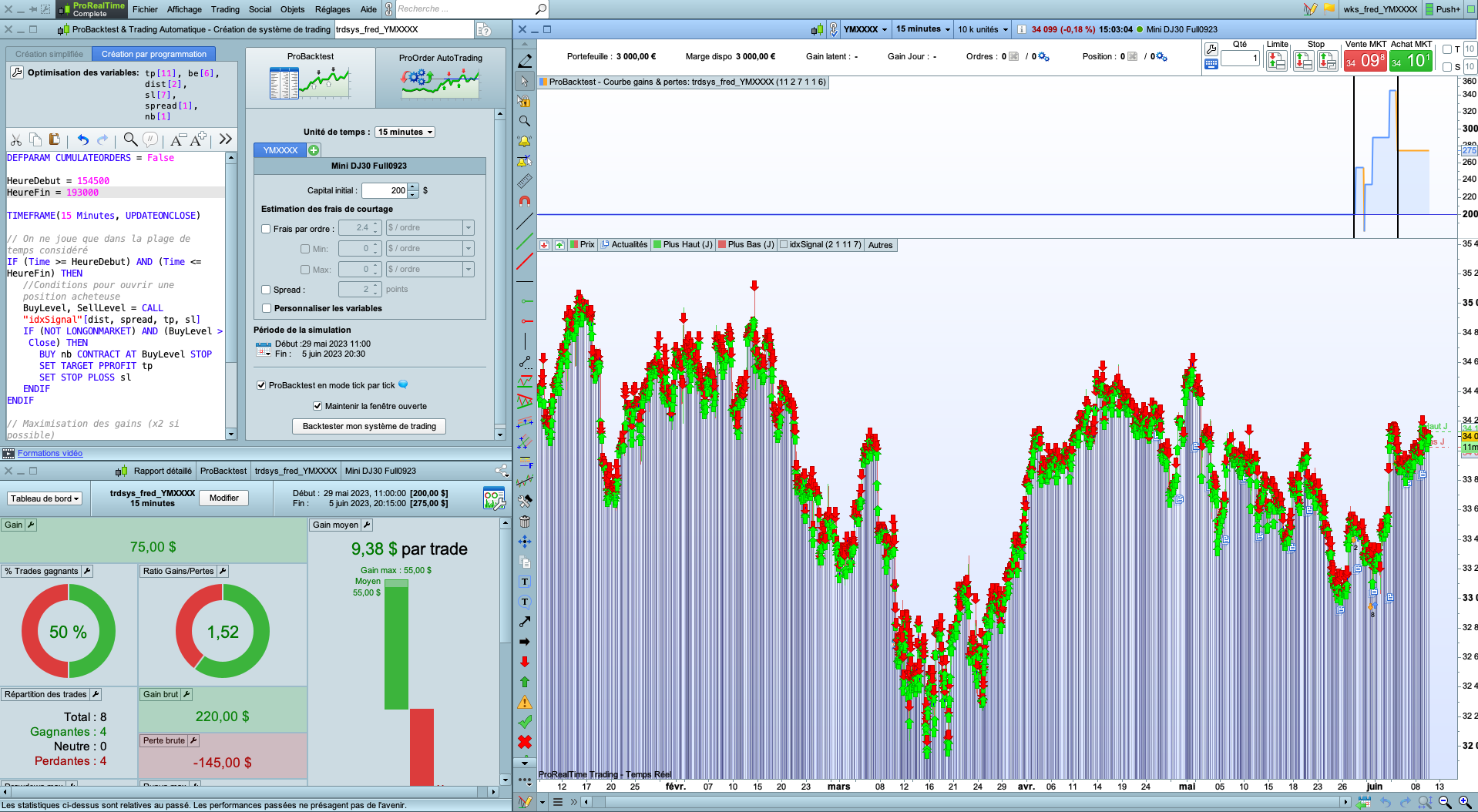
Here is a code that makes $75 between 5/29 and 6/5 with a chart timeframe of 15 minutes (cf attachment 01 and 02)
DEFPARAM CUMULATEORDERS = False
HeureDebut = 154500
HeureFin = 193000
BuyLevel, SellLevel = CALL "idxSignal"[dist, spread, tp, sl]
IF (Time >= HeureDebut AND Time <= HeureFin) THEN
    // Conditions pour ouvrir une position acheteuse
    IF NOT LONGONMARKET AND BuyLevel > Close THEN
        BUY nb CONTRACT AT BuyLevel STOP
        SET TARGET PPROFIT tp
        SET STOP PLOSS sl
    ENDIF
ENDIF
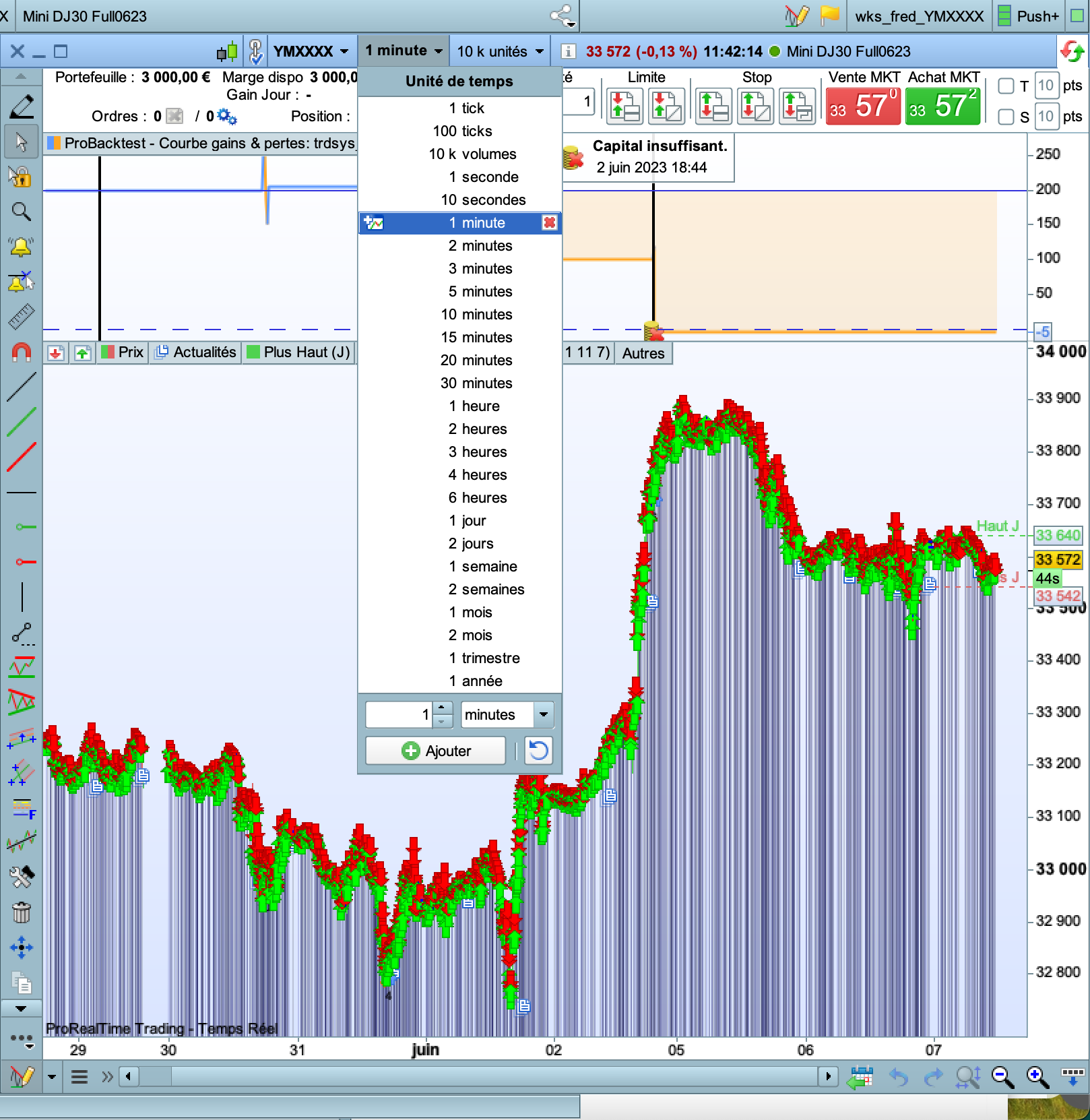
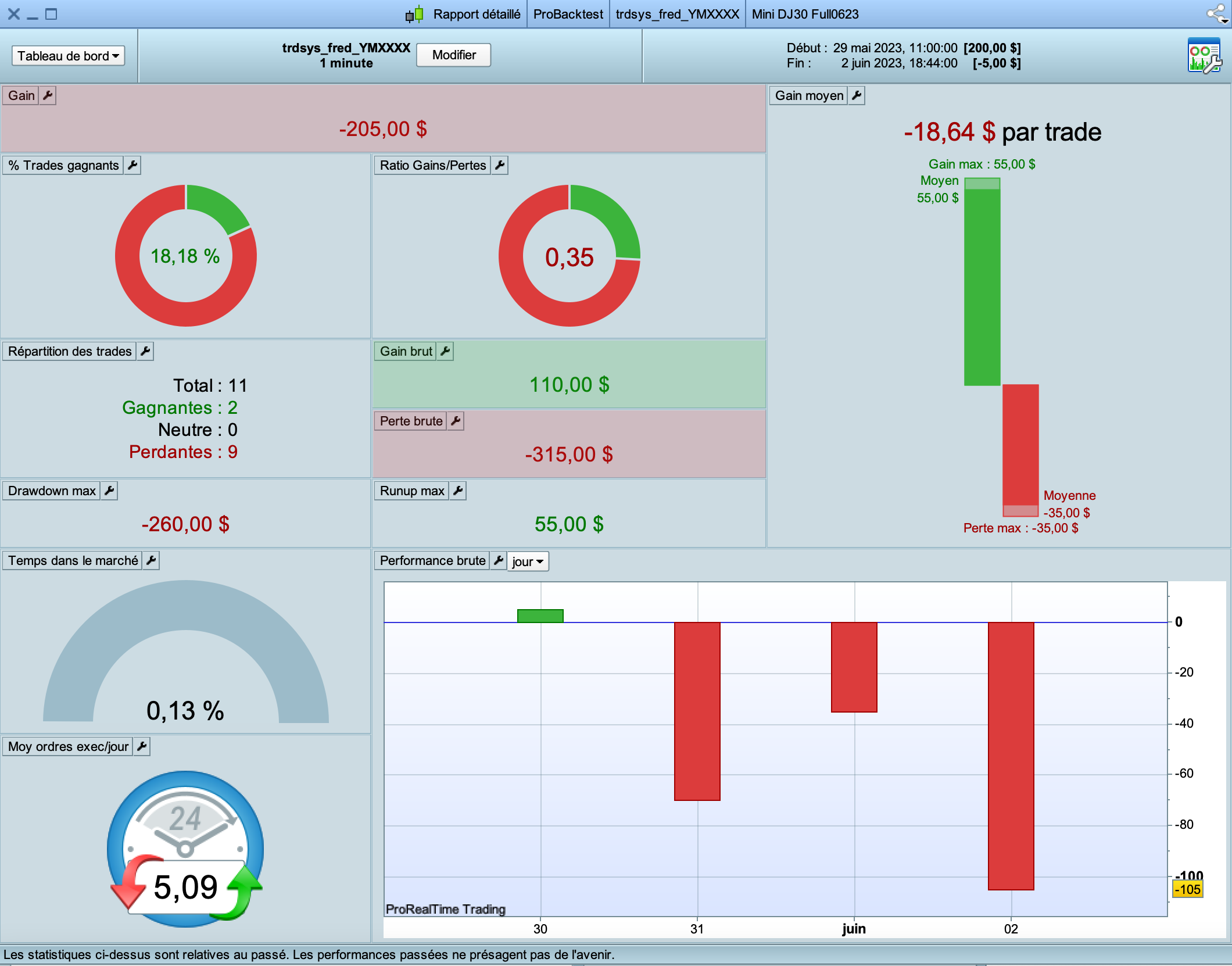
I changed it to add the TIMEFRAME(15 minutes) instruction and I ran on a 1 min timeframe on the chart. This program lost – $205 !! (cf attachments 03 and 04)
DEFPARAM CUMULATEORDERS = False
TIMEFRAME(15 Minutes)
HeureDebut = 154500
HeureFin = 193000
BuyLevel, SellLevel = CALL "idxSignal"[dist, spread, tp, sl]
IF (Time >= HeureDebut AND Time <= HeureFin) THEN
    // Conditions pour ouvrir une position acheteuse
    IF NOT LONGONMARKET AND BuyLevel > Close THEN
        BUY nb CONTRACT AT BuyLevel STOP
        SET TARGET PPROFIT tp
        SET STOP PLOSS sl
    ENDIF
ENDIF
Can we really trust the TIMEFRAME instruction that it’s written in the code if the one that is set on the chart overwrite it ?
Can we really trust the TIMEFRAME instruction that it’s written in the code if the one that is set on the chart overwrite it ?
You needed to add Timeframe as below to get same result – as on 1 min Chart TF – when running the code on Chart Timeframe of 15 mins
TIMEFRAME(15 Minutes, updateonclose)
Doesn’t seem to work for me ; in the 2 screenshots, all I did was to change the chart timeframe although in the code itself it’s forced set to the instruction you gave
You could think it’s because the chart date/time range changes too but If I do TF:15min + 1k units I still get something different than TF:1min + 15k units, despite in both cases, the code is the same (TF 15 mins) and the date ranges are the same (5/26 – 6/9). And still, the chart date/time range shouldn’t be taken into account since there are to well set datetimes as input for the probacktest.
If you have an example actually proving that programming TF is the same as chart TF, please don’t hesitate to share.
Thanks
Try it without UpdateOnClose. With that, you give it each 1 minute the opportunity to trade with the 1m on the Chart. Without each 15 minutes.
it still doesn’t get the same result as when I set 15 minutes on the chart. I think there’s a bug
Can’t your idxSignal play a role in this ? it may have its own TF command ?
Also, what happens if you put the code of that signal in the main program ?
 JS
JSParticipant
Senior
When you have a system that is based on a time frame of 15 minutes and then run that system on a much faster time frame (1 minute), then that system can generate more orders…
With time frame 15 minutes a total of 8 orders have been executed and with time frame 1 minute a total of 11 orders have been executed and of course these “extra” orders can be positive or negative… but never the same.
Well, I made the code very simple
DEFPARAM CUMULATEORDERS = False
HeureDebut = 154500
HeureFin = 193000

TIMEFRAME(15 Minutes)

IF (Time >= HeureDebut) AND (Time <= HeureFin) THEN
    IF (NOT LONGONMARKET) THEN
        BUY 1 CONTRACT AT Low STOP
        SET TARGET PPROFIT tp
        SET STOP PLOSS sl
    ENDIF
ENDIF
ProBacktest : start : 5/31 at 4:45 end : 6/5 at 20:15 instrument : future YMXXXX
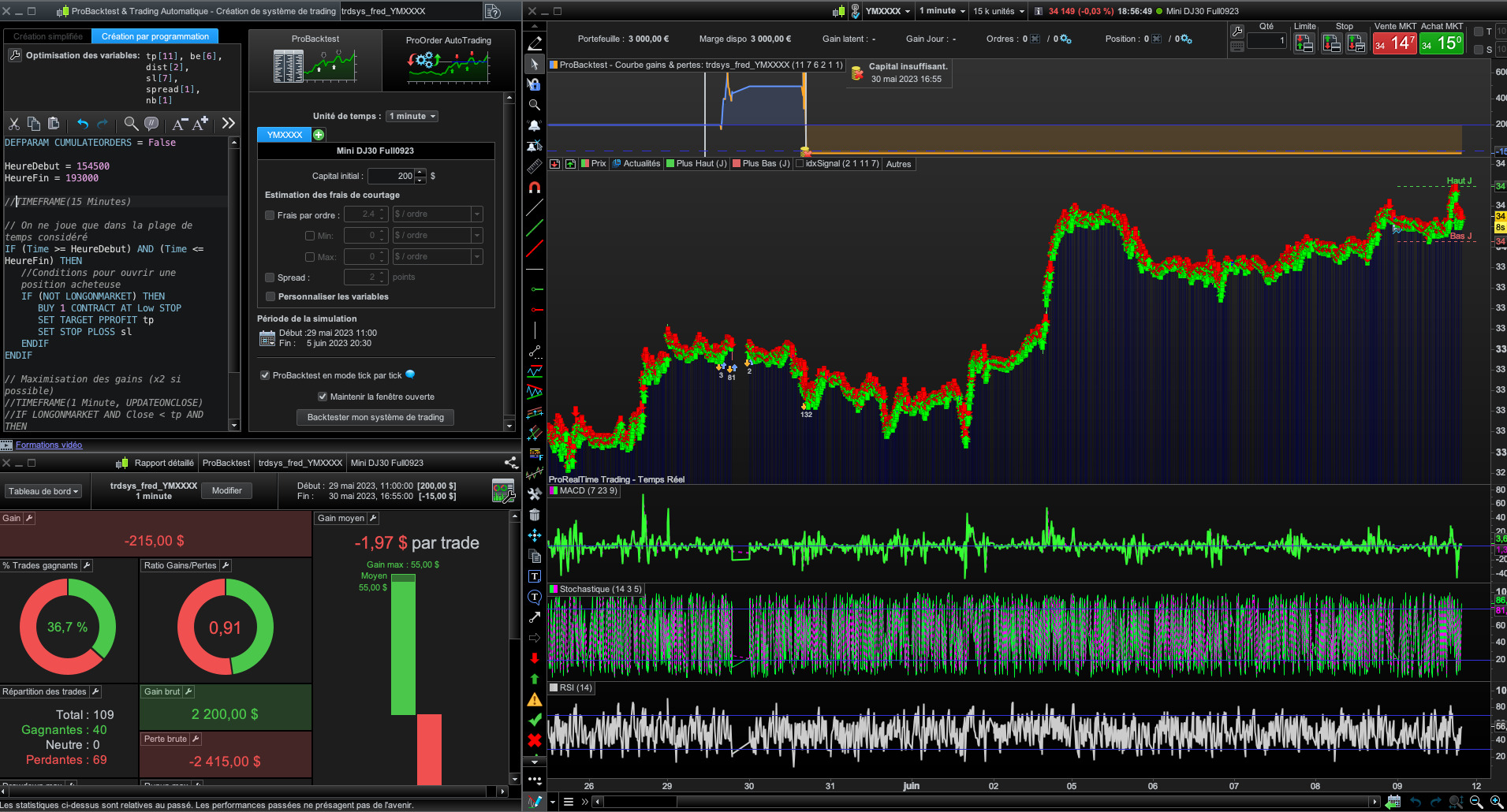
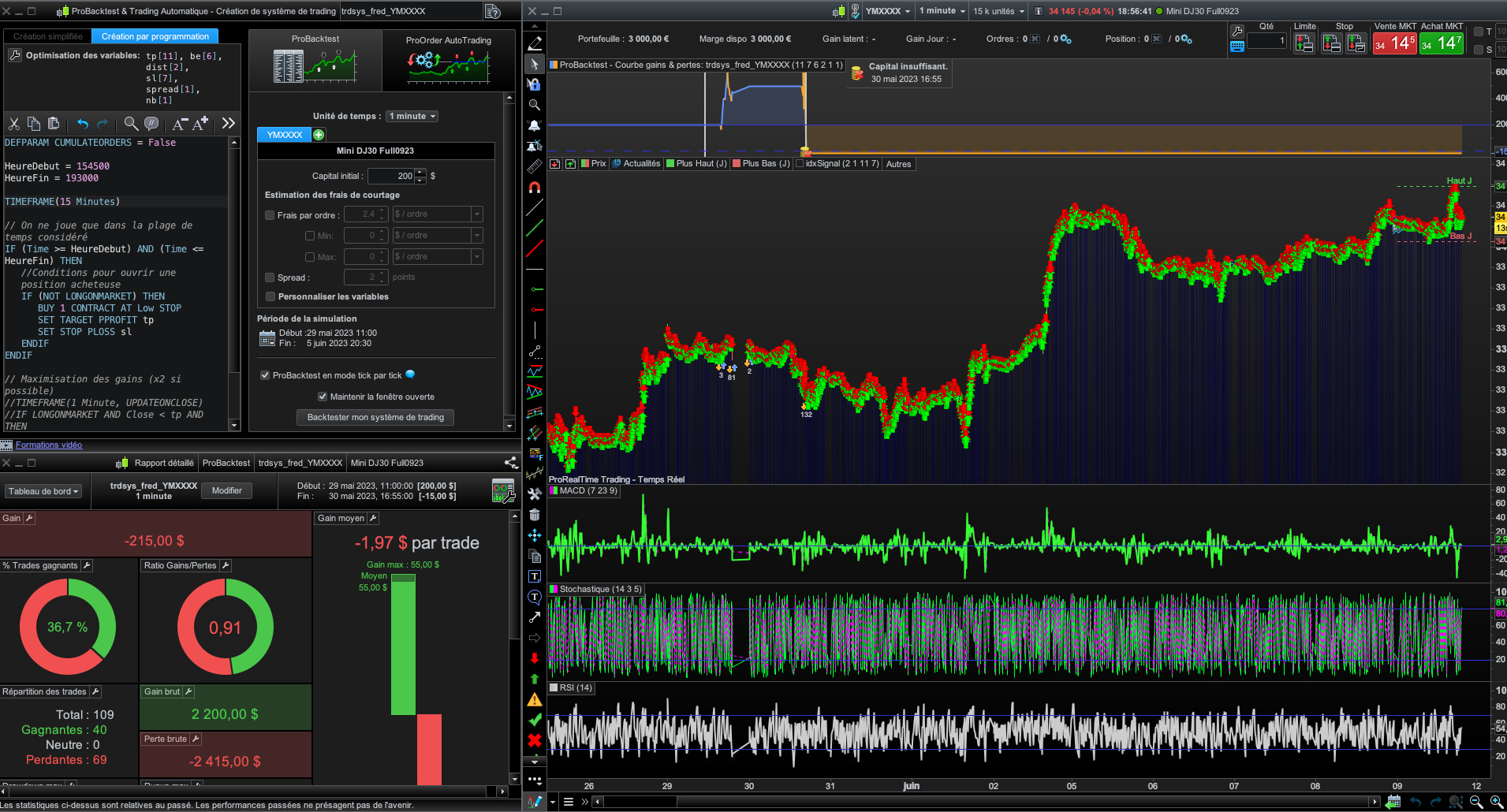
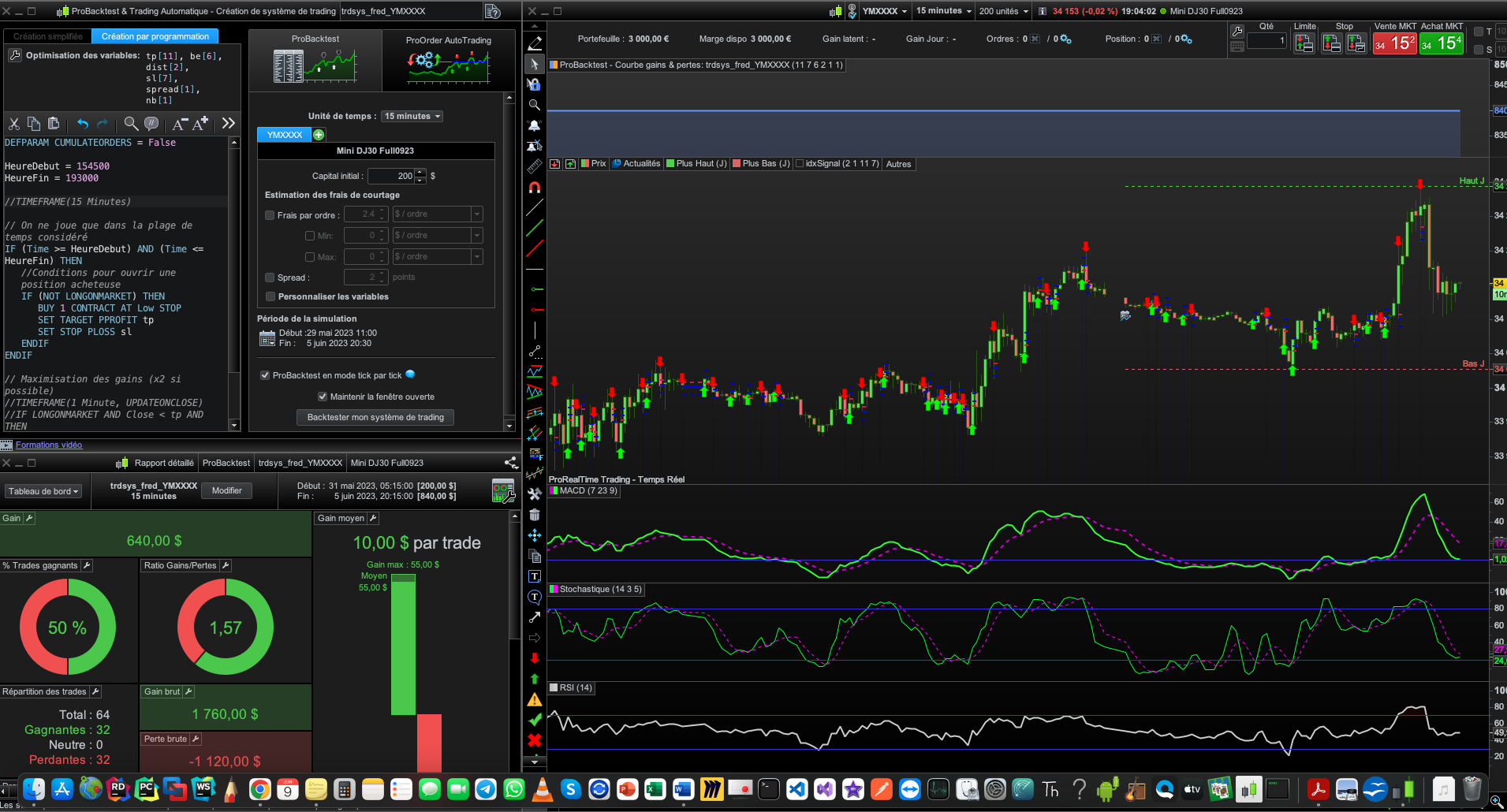
When I run the test with program on a chart with TF 1 minute and 15 units, Screenshot #1, result is -215,00$. When I comment the TF and leave everything else the same Screenshot #2, I get the same result. As if this line of code is simply never executed.
Another problem : when I change the number of units in the graph, the tester result changes Screenshot #3. Why ? Why does the probacktest have anything to do with the chart ? What’s the point of setting a start date and an end date if they are not taken into account ? And btw I also have a fixed date window in the code, so that chart date range should never impact my testing whatsoever.
I strongly think the timeframe you set in the trading system program has no effect on the way the algorithm is run. I also think the backtester time window has no effect on the test. The only think that matters, as far as time is concerned, is the chart.
Deleted, my logic was awry! 🙂
JSParticipant
Senior
If you do not use “UpdateOnClose” (TimeFrame 15 minutes, UpdateOnClose), you will indeed not make a difference here…
Try it with “UpdateOnClose” and you will see that at least your number of trades will drop considerably with all the consequences that entails…
I don’t recognize your second problem, when I have set a certain time (data) in ProBackTest it remains the same even when I adjust my units…?