How can I activate stop lose

Viewing 7 posts - 1 through 7 (of 7 total)
  • Author
    Posts
  • #181747 quote
    IASD
    Participant
    Junior

    hello everyone How can I activate the entry of a stop-loss order or add limit in per-market and after-hours time?

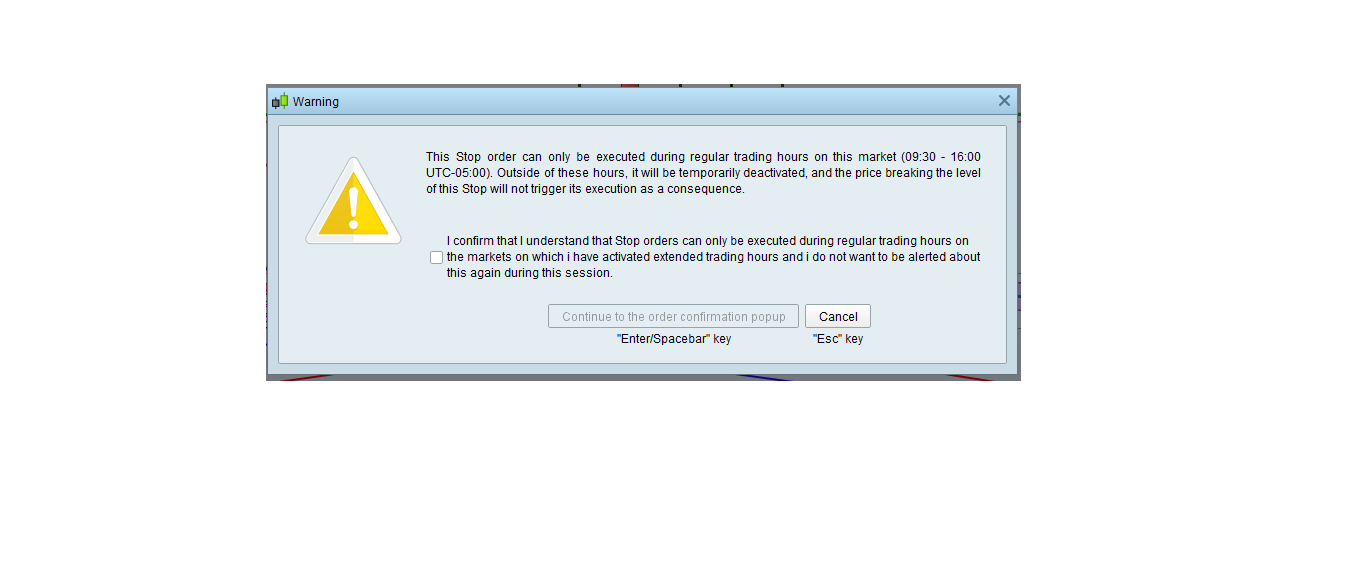
    The attached warning message appears

    What’s the solution ? Regares


    #181751 quote
    PeterSt
    Participant
    Master

    Hi IASD,

    If you just click away the message, you will see that the Limit order stays. It will also normally work out. In the tag/label of the order you will see the text “ETH”. This is all fine.

    N.b.: At least here (PRT-IB) it works like that.

    The message is misleading.

    Regards,
    Peter

    IASD thanked this post
    #181778 quote
    IASD
    Participant
    Junior

    Hi IASD,

    If you just click away the message, you will see that the Limit order stays. It will also normally work out. In the tag/label of the order you will see the text “ETH”. This is all fine.

    N.b.: At least here (PRT-IB) it works like that.

    The message is misleading.

    Regards,

    Peter

    Hello peter,

    Good morning to you and everyone.

    Thank you very much for the reply, but the problem with entering the stop loss order is still.

    Are there special settings for that in the platform?

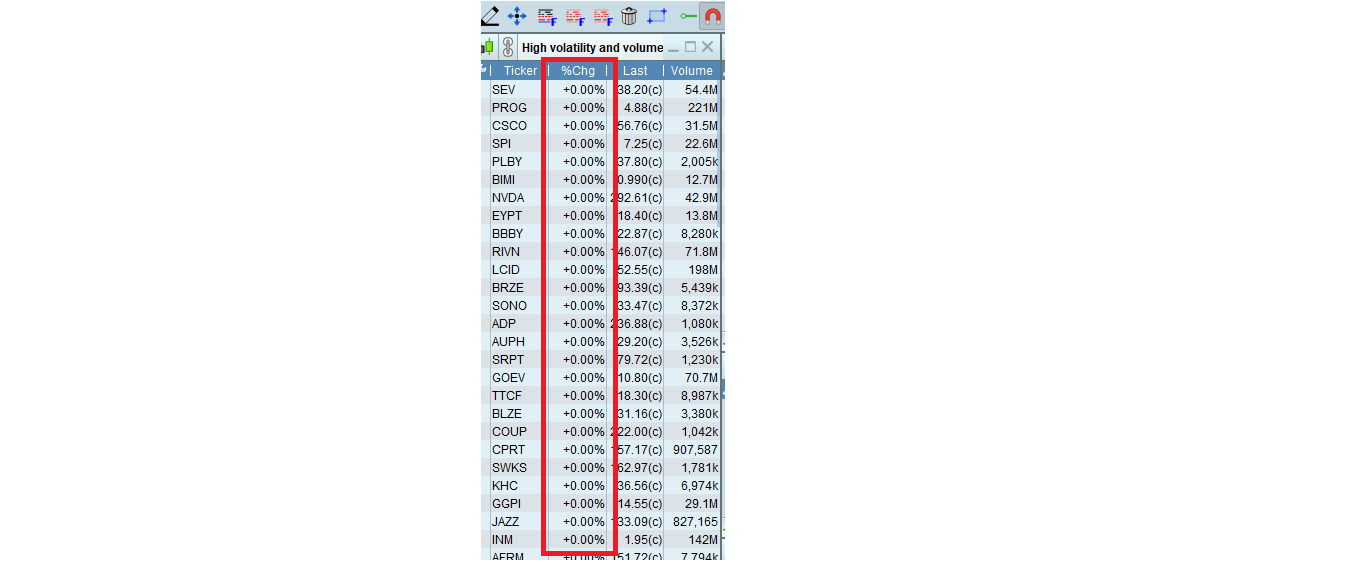
    On the other hand, there is another problem that I noticed three days ago, which is that the price change
    percentage column
    after closing is zero and remain until the beginning of the opening.


    I attached a picture of it
    I think there is something wrong
    and I don’t know what


    Regards.


    #181786 quote
    RafaelN
    Moderator
    Senior

    Hello, Stop orders can’t be used in ETH, you can only set Limits or Stop-limits to be triggered during these pre/post market hours. They work fine during RTH but they will not trigger outside of official market hours. This information should appear in the pop-up window that shows up when you want to activate the ETH.

    For your second question you should probably send PRT a technical report through the help menu.

    IASD thanked this post
    #181815 quote
    PeterSt
    Participant
    Master

    Stop orders can’t be used in ETH, you can only set Limits or Stop-limits to be triggered during these pre/post market hours.

    This is correct of course. I misinterpreted the question from @IASD because the text in the message is clear about that (see first post).
    However, the message is confusing because it seems an error message occurring during RTH (see attachment). I know I know, there is a WARNING sign, but the text can easily be different. Like : Be warmed that when you run into ETH, that this order will not execute.

    Something else is that all systems are green for doing this during ETH, but that only PRT rejects it (e.g. TWS will allow for it) and surely will have the order normally visible in PRT just the same). So ?


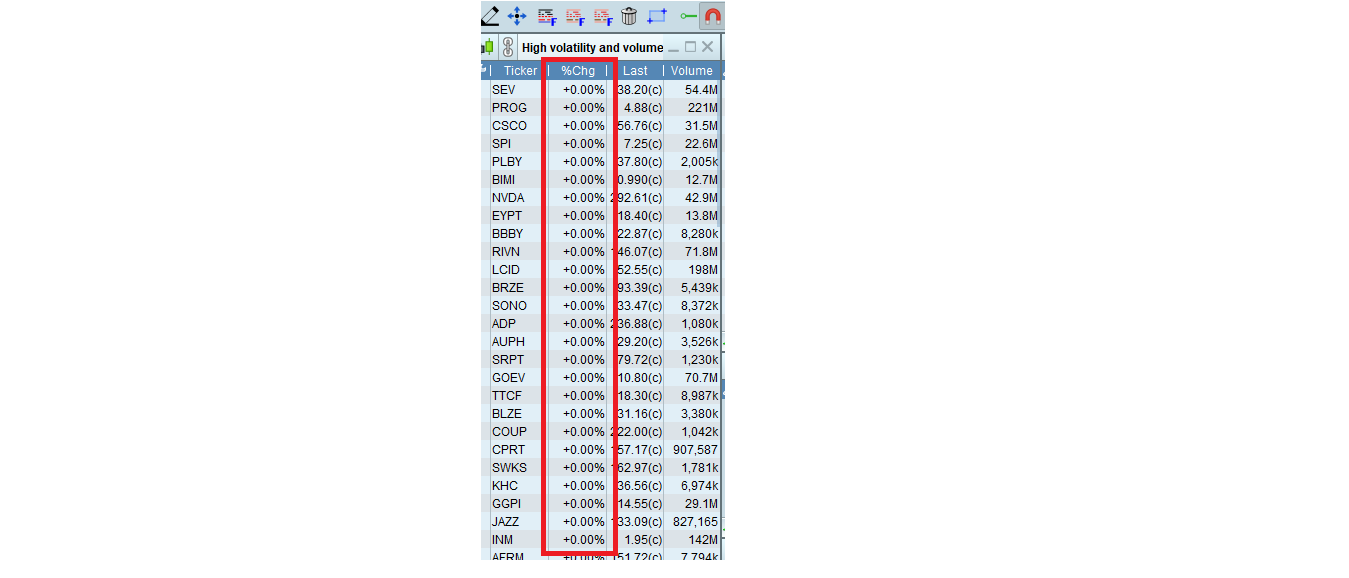
    the price change percentage column after closing is zero and remain until the beginning of the opening.

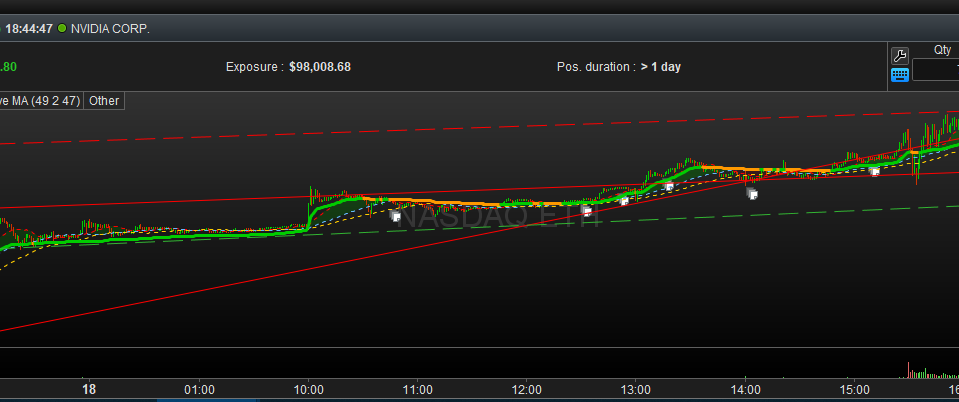
    Can you tell me whether you have normally “moving” graphs in the instrument charts during ETH ? If not, this is a setting indeed (and I will try to explain).

    In the second attachment you see it happening for NVDA (Nasdaq) – This is Brussel’s time.

    IASD thanked this post
    #182285 quote
    IASD
    Participant
    Junior

    Hello, Stop orders can’t be used in ETH, you can only set Limits or Stop-limits to be triggered during these pre/post market hours. They work fine during RTH but they will not trigger outside of official market hours. This information should appear in the pop-up window that shows up when you want to activate the ETH.

    For your second question you should probably send PRT a technical report through the help menu.

    hello RafaelN ,
    Thank you very much for  help
    And sorry for the late reply

    Regarding the second problem, I sent the problem to support and they said that they will respond to me.

    Regards.

    #182288 quote
    IASD
    Participant
    Junior

    Stop orders can’t be used in ETH, you can only set Limits or Stop-limits to be triggered during these pre/post market hours.

    This is correct of course. I misinterpreted the question from @IASD because the text in the message is clear about that (see first post).

    However, the message is confusing because it seems an error message occurring during RTH (see attachment). I know I know, there is a WARNING sign, but the text can easily be different. Like : Be warmed that when you run into ETH, that this order will not execute.

    Something else is that all systems are green for doing this during ETH, but that only PRT rejects it (e.g. TWS will allow for it) and surely will have the order normally visible in PRT just the same). So ?

    the price change percentage column after closing is zero and remain until the beginning of the opening.

    Can you tell me whether you have normally “moving” graphs in the instrument charts during ETH ? If not, this is a setting indeed (and I will try to explain).

    In the second attachment you see it happening for NVDA (Nasdaq) – This is Brussel’s time.

    hello peter,
    Thank you very much for  help
    And sorry for the late reply

    Regarding the second problem,

    I think the movement is normal.

    and I sent the problem to support and they said that they will respond to me.

    Regards.


Viewing 7 posts - 1 through 7 (of 7 total)

  • You must be logged in to reply to this topic.

How can I activate stop lose


ProRealTime platform support

New Reply
Author
author-avatar
IASD @iasd Participant
Summary

This topic contains 6 replies,
has 3 voices, and was last updated by IASD

4 years, 2 months ago.

Topic Details
Forum: ProRealTime platform support
Language: English
Started: 11/17/2021
Status: Active
Attachments: 5 files
Logo Logo
Loading...