How are FORMAT column options used with the SCREENER function ?

Viewing 7 posts - 1 through 7 (of 7 total)
  • Author
    Posts
  • #181729 quote
    bobtbobt
    Participant
    Average

    Hi,

    I’m doing some work with a screener where I’d ideally like to output text instead of simply returning a number ( from documentation I believe only numbers can be displayed in columns returned by screeners).

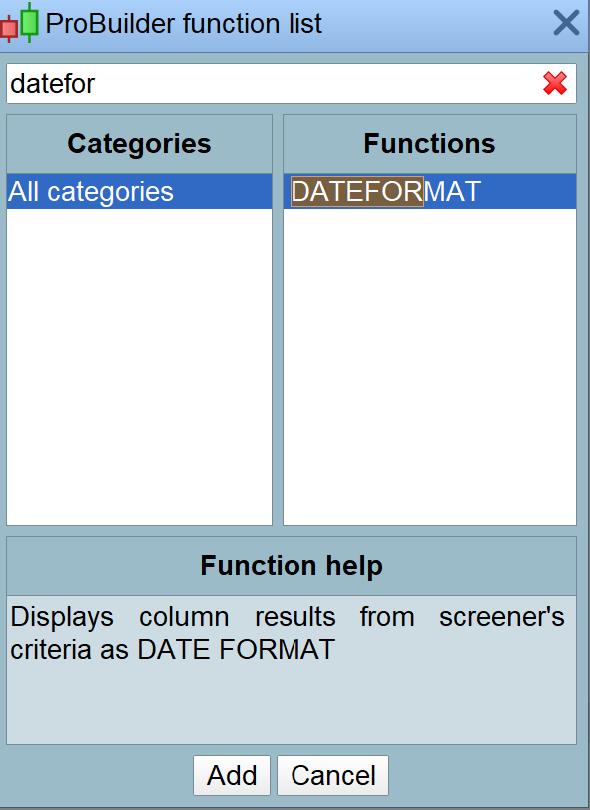
    However, looking at the function list, when looking up “SCREENER”, I also see DATEFORMAT, NUMBERFORMAT, PERCENTFORMAT and STRINGFORMAT options that can be used for displaying column results.


    I can’t find these options documented  – are they new ? How are they used ? and do they hint at move to being able to display text in columns returned by SCREENER ?

    Grateful for any info you can provide ……

    #182150 quote
    robertogozzirobertogozzi
    Moderator
    Legend

    I never heard about those keywords, they must be something in the pipeline that might be added in a future version.

    #182188 quote
    bobtbobt
    Participant
    Average

    Roberto,


    Many thanks for the reply.

    OK, I’ll just have to keep an eye on new releases then – returning text would be amazingly useful for screeners ……


    Regards,

    Bob

    #182922 quote
    erikeerike
    Participant
    Junior

    I also have the same need as Bob and saw the keyword (future). See attached file.
    Before this is implemented, is there a way to solve this by code?

    -Erik

    dateformat.png dateformat.png
    #182950 quote
    robertogozzirobertogozzi
    Moderator
    Legend

    No, a specific instruction is needed.

    #182956 quote
    NicolasNicolas
    Keymaster
    Legend

    Hey guys, here is how it works with this new way of displaying numbers in the sorting criteria column:

    SCREENER(DATE as “DATE” DATEFORMAT) => 10 mai 2021
    SCREENER(DATE as “DATE” STRINGFORMAT) => 20210510
    SCREENER(DATE as “DATE” NUMBERFORMAT) => 20,2M
    SCREENER(DATE as “DATE” PERCENTFORMAT) => 2021051000%

    bobt thanked this post
    #182998 quote
    bobtbobt
    Participant
    Average

    Many thanks Nicolas, that helps clarify things – I’ll give that a try.

Viewing 7 posts - 1 through 7 (of 7 total)

  • You must be logged in to reply to this topic.

ProRealAI ProRealAI New

Stuck on this ProBuilder code?

Describe what this topic is trying to build, in plain English, and ProRealAI writes the ProRealTime™ indicator, screener or system for you.

Available in 7 languages
Try ProRealAI

How are FORMAT column options used with the SCREENER function ?


ProScreener: Market Scanners & Detection

New Reply
Author
author-avatar
bobt @bobt Participant
Summary

This topic contains 6 replies,
has 4 voices, and was last updated by bobtbobt

4 years, 9 months ago.

Topic Details
Forum: ProScreener: Market Scanners & Detection
Language: English
Started: 11/17/2021
Status: Active
Attachments: 1 files
ProRealCode ProRealCode
Loading...