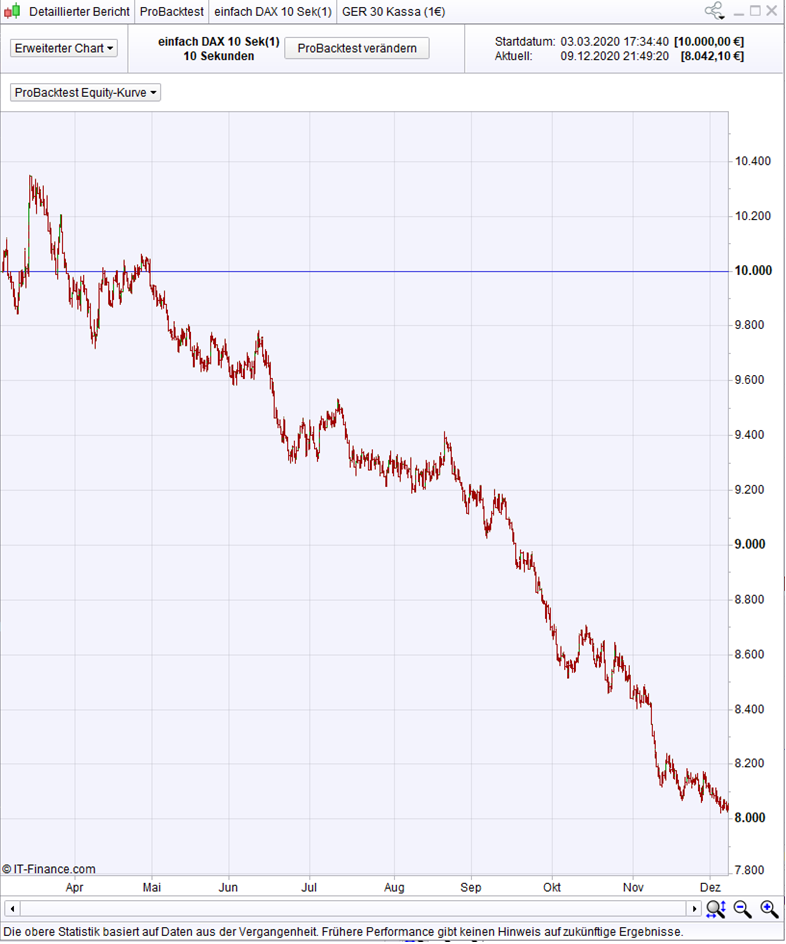
There is a new way to show the entire equity curve (1 million bars) in one single image :
In the detailed report, there is a submenu called “extended (?) chart” (“Erweiterter Chart” in German). In this menu, there is a further submenu, where it is possible to select “ProBacktest Equity Curve”. Then, the whole curve, i.e. all 1 million bars are shown in one window. This allows to compare several different backtests with all their 1 million bars. Great ! Of course, it would be a little greater if this were possible in the normal chart, but this may do for a while.
The attached image shows 1 million bars in a 10-second chart (custom trading times : 8-22 h).
P.S.: not all my backtests look that bad. Only a quick and simple example.
Thank you XORANDNOT … I found it!
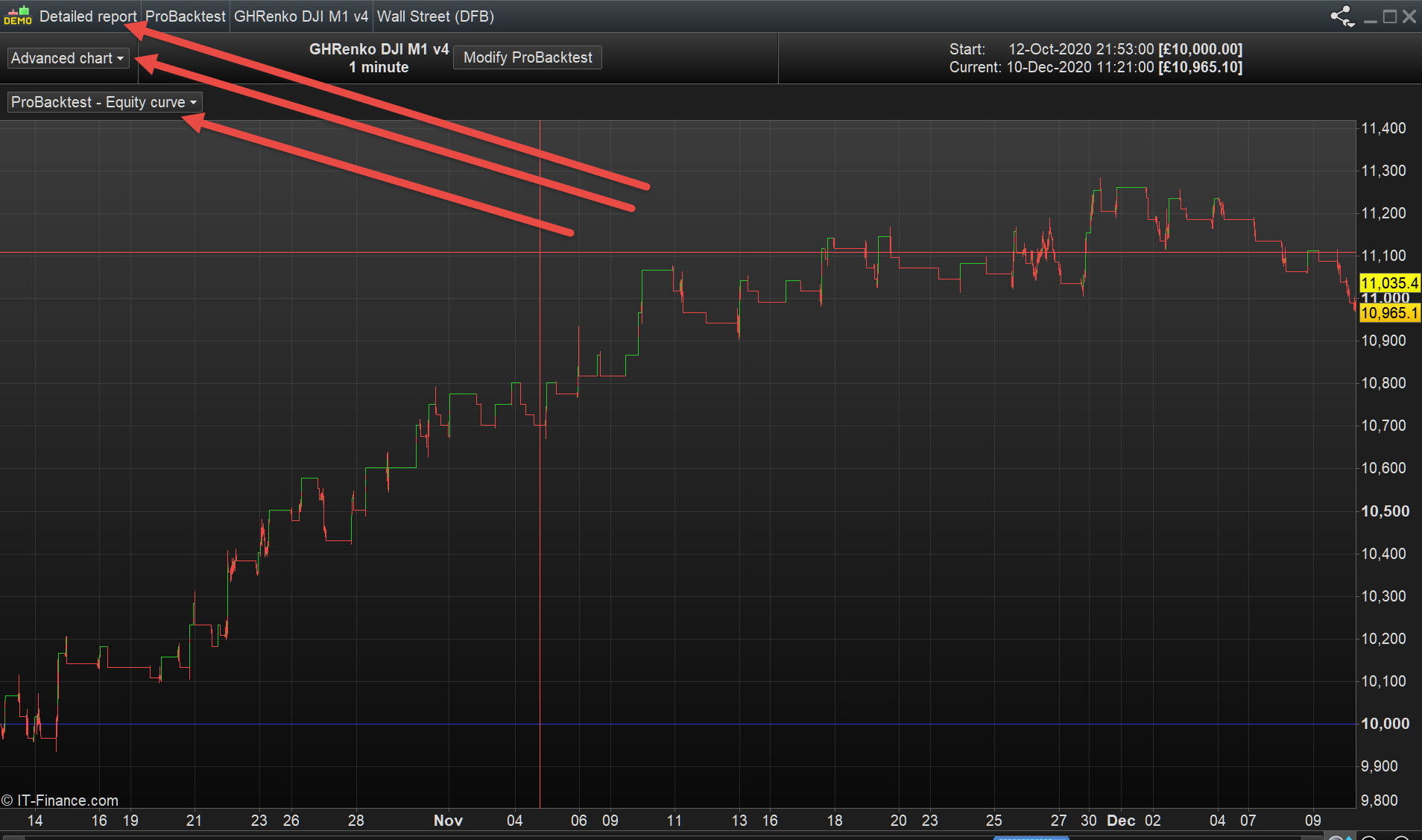
See attached at red arrowheads for settings (to help others find it).
Thanks XORANDNOT that is THE tip of the week!
Thank you. Vote it up, so that anyone can see it on top of the thread. I can’t…
Thanks for the tip X!
Is there any settings so that you can see the entire result without having to scroll in a backtest 5 min time frame with 1 million bars?
No. Just the detailed report, extended chart.
I noticed that sometimes the “extended chart” shows the wrong timescale. For example, when I do a backtest only from September 2020 to December in a 10 second chart showing 1 million bars from March to December, the extended chart has March-June as its timescale, although the results are in reality from September to December. Just one of the many little bugs I found meanwhile…
Detailed report, “Advanced chart” in English.
No. Just the detailed report, extended chart.
I noticed that sometimes the “extended chart” shows the wrong timescale. For example, when I do a backtest only from September 2020 to December in a 10 second chart showing 1 million bars from March to December, the extended chart has March-June as its timescale, although the results are in reality from September to December. Just one of the many little bugs I found meanwhile…
I have noticed the same bug, the timescale is wrong 90% of time