highlight a “X” trading” day or fixed time regression

Viewing 11 posts - 1 through 11 (of 11 total)
  • Author
    Posts
  • #224748 quote
    renzocarioca
    Participant
    Junior

    Hi,

    I like to use the regression line tool and I would like to know if it is possible to preset and quantity of trading days ?

    the other alternative, could be with a date function (?) to highlight in the chart (vertical line? colour?)

    or… a count function?

    thank you kind regards

    Renzo

    #224752 quote
    JS
    Participant
    Senior

    Hi,

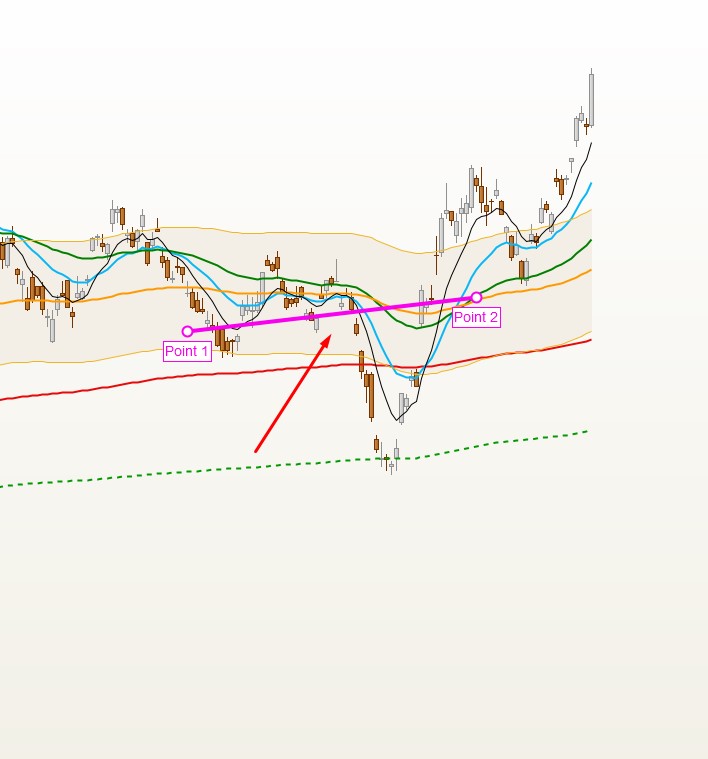
    You can configure the drawn linear regression line with a start and end date…

    Start 18 okt 2023 – End 15 nov 2023 (25 trading days)
    renzocarioca thanked this post
    #224811 quote
    renzocarioca
    Participant
    Junior
    thanks , I saw that you can input the date but we should be able to input the qauntity of trading days like for other indicators  (MA EMA etc..)
    #224821 quote
    JS
    Participant
    Senior

    You can use the “Linear Regression” indicator (on price), where you can specify the number of days…

    renzocarioca thanked this post
    #224859 quote
    renzocarioca
    Participant
    Junior
    did not think about this option, thanks.  However, I still prefer to see the regression line,    The should in fact add the quantity of days in the formatting menu of the regression line!! do not know why they did not do it ??
    #224865 quote
    JS
    Participant
    Senior

    You can also create an indicator based on the linear regression…

    This indicator draws a line between two points of the linear regression, where the distance between the points can be set [N]…

    DefParam DrawOnLastBarOnly=True
    N=20 //20 days
    xLR =LinearRegression[N](close)
    xFP=xLR[N]
    xSP=xLR
    DRAWSEGMENT(BarIndex[N], xLR[N], BarIndex, xLR)
    Return
    
    #225012 quote
    renzocarioca
    Participant
    Junior
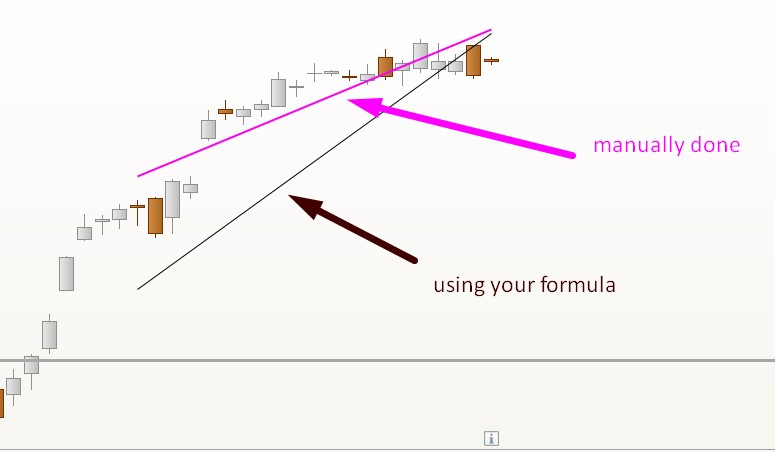
    Thanks I used your formula to test and drew one regression line for the same 20 trading days manually (pink line) The result is different ??
    #225018 quote
    JS
    Participant
    Senior

    Can you pass on the characteristics (market, time frame, units…) of your graph…

    #225020 quote
    renzocarioca
    Participant
    Junior
    daily,   SPY  or ESXXX  I used for the test if I rememember
    #225024 quote
    JS
    Participant
    Senior

    The difference is because the “standard” indicator calculates over the entire history, and the drawing aid only calculates the last specified days.

    I don’t see any further solution…sorry

    #225036 quote
    renzocarioca
    Participant
    Junior
    thanks anyway, they really should add in the menu, when you draw a linear regression the option of quantity of candles instead of days/dates
Viewing 11 posts - 1 through 11 (of 11 total)

  • You must be logged in to reply to this topic.

highlight a “X” trading” day or fixed time regression


ProBuilder: Indicators & Custom Tools

New Reply
Author
Summary

This topic contains 10 replies,
has 2 voices, and was last updated by renzocarioca
2 years, 2 months ago.

Topic Details
Forum: ProBuilder: Indicators & Custom Tools
Language: English
Started: 12/03/2023
Status: Active
Attachments: 5 files
Logo Logo
Loading...