Hi All, looking for a stepbystep / code for my First Strategy please..
Buy Signal: When a stock’s price increases by 0.01% over the last 1 minute and its volume is greater than the average over the last 1 minute, buy the stock.
Sell Signal: When a stock’s price decreases by 0.01% over the last 1 minute and its volume is greater than the average over the last 1 minute, sell the stock.
Safety Net: If the strategy goes 1.00% below its inception, freeze trading for 15 minutes.
thanks all.
What TF will you be using?
Hi,
I’m looking to setup this same strategy over a few of the highest S&P stocks like AAPL.
Can you clarify if this answers your question around TF please?
Grazie mille
Some times the answers are too obvious, which is similar to how questions may not be understood.
The TimeFrame is about the bar length, and within the context of PRT coding, I would say you indicated that your TimeFrame is 1 minute. Hence :
If you don’t want to know anything at an interval of faster than 1 minute, the TF you want to use is 1 minute.
Nice explanation, thank you.
Confirmed TF 1 minute 😉
There you go:
Lcond = (close > (close[1] * 1.0001)) AND (Volume > Volume[1])
Scond = (close < (close[1] * 0.9999)) AND (Volume > Volume[1])
IF Lcond AND Not LongOnMarket THEN
BUY 1 Contract at Market
ELSIF Scond AND Not ShortOnMarket THEN
SELLSHORT 1 Contract at Market
ENDIF
as there’s no 1-minute average in a 1-minute TF, I compared the current volume against the previous one.
Thank you Roberto,
As this is my first trade on PRT. Could you point me in the right direction on how to execute the code please?
Thanks again, really appreciated.
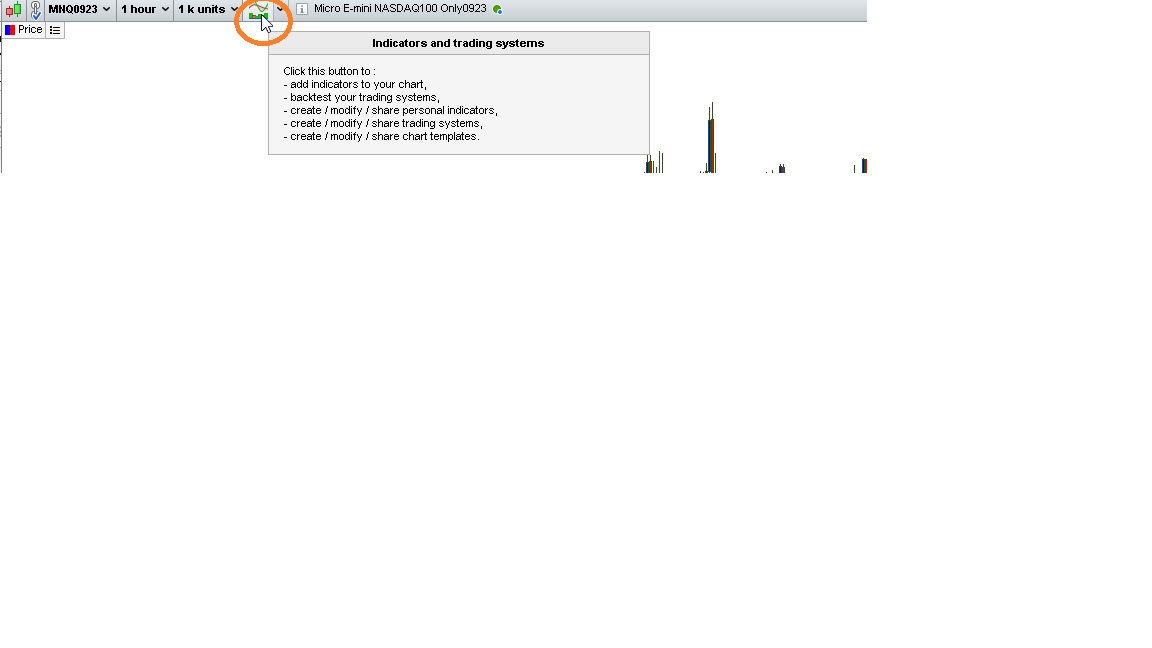
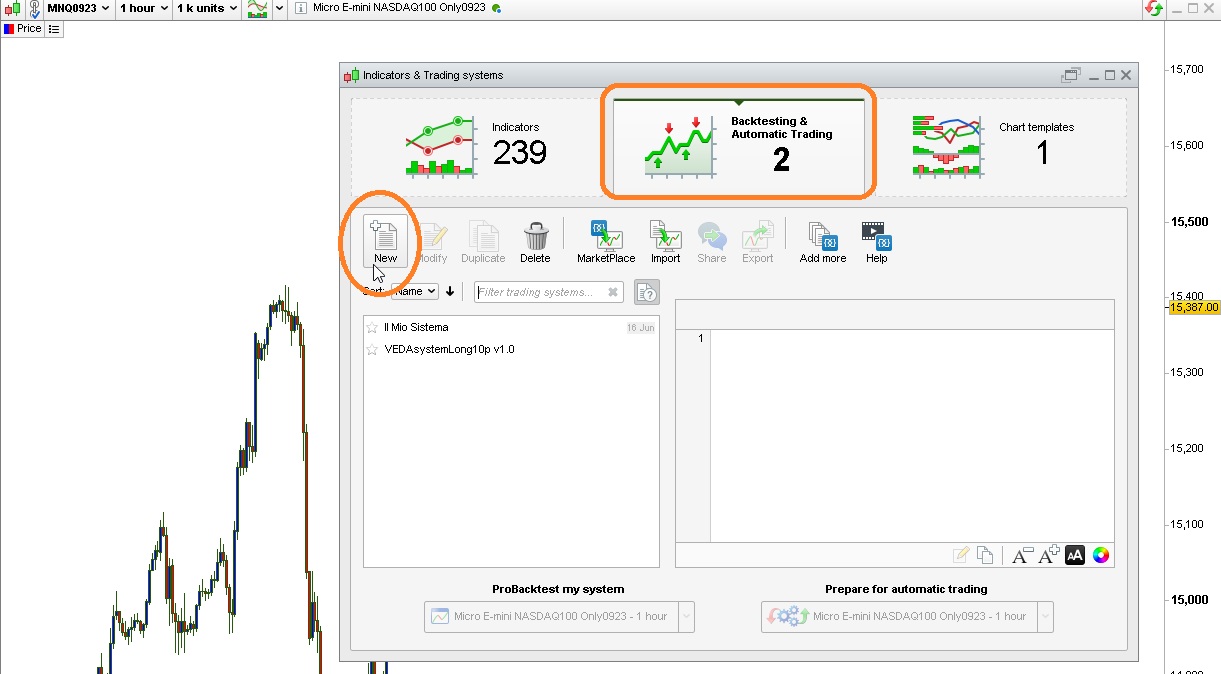
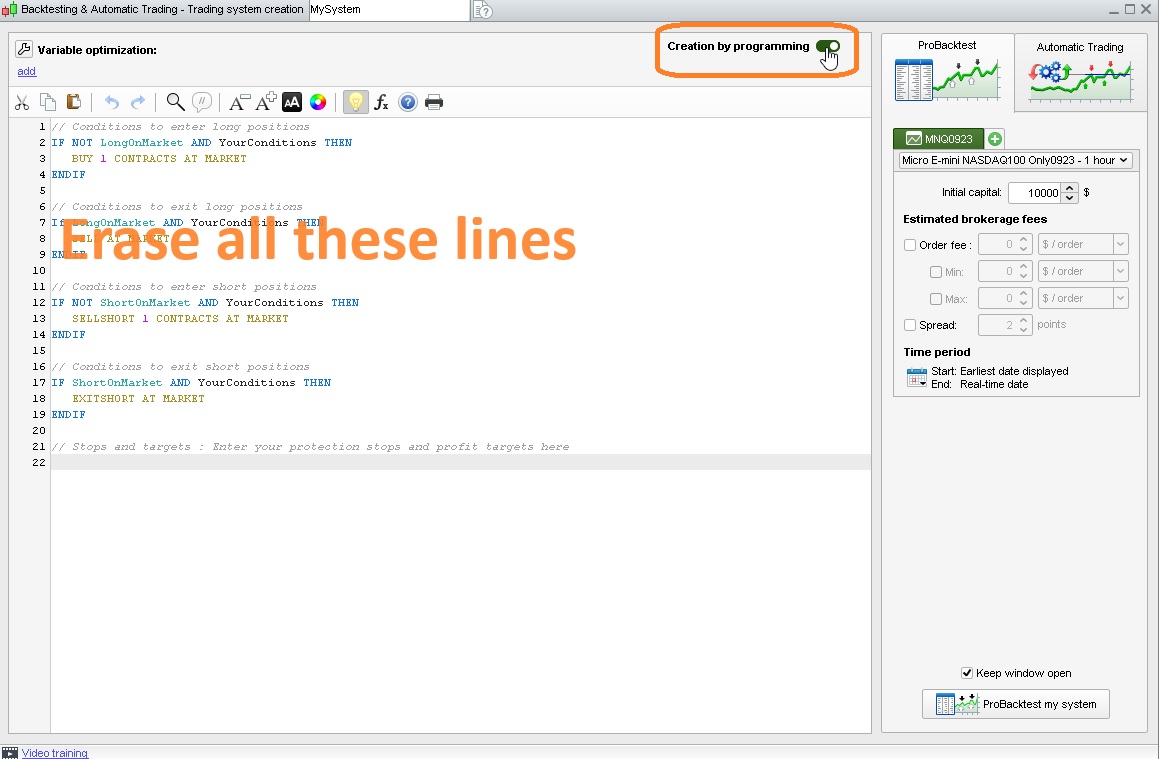
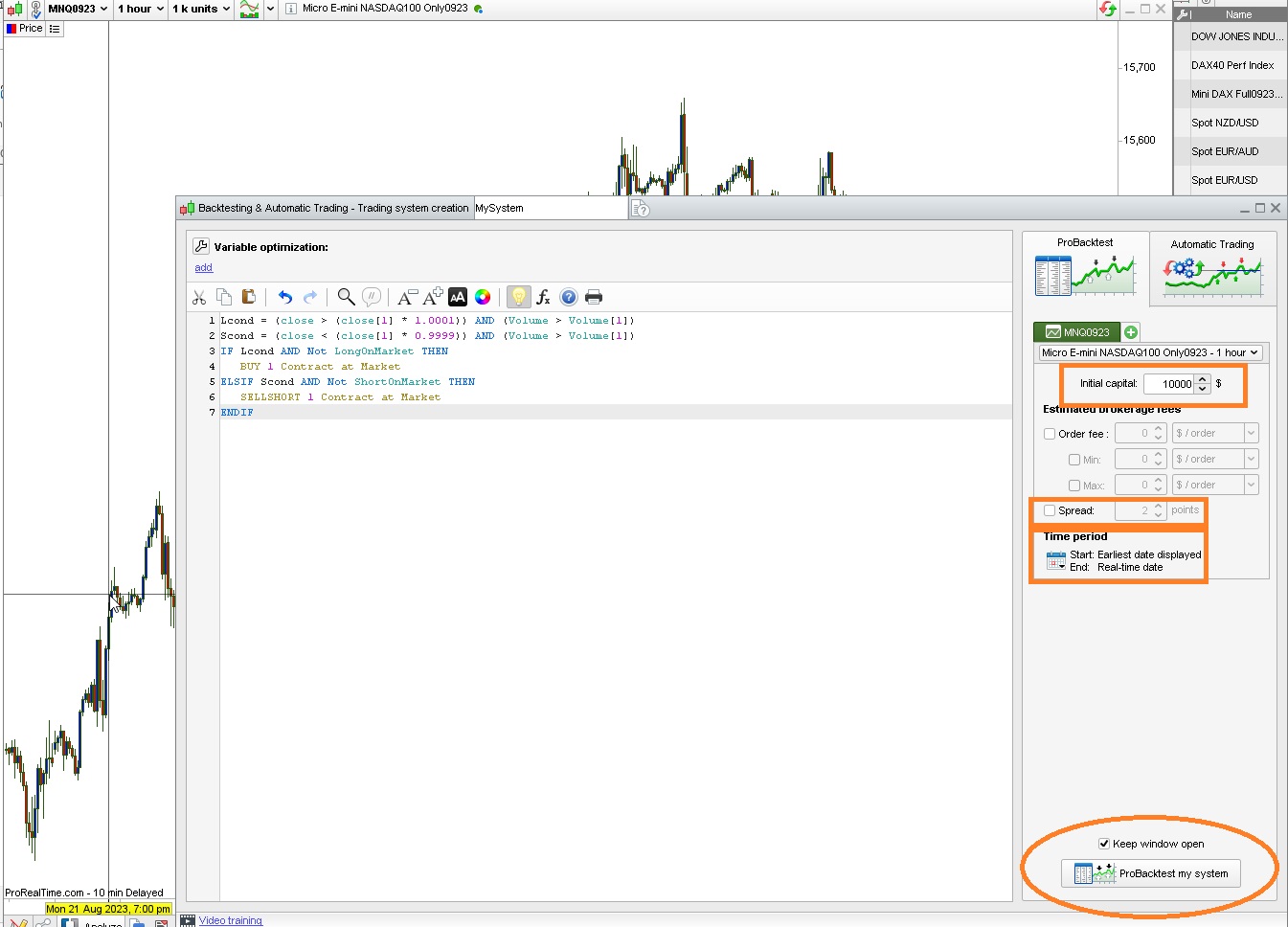
Follow the steps on the attached pics:
- Pic1: click the highlighted tab
- Pic2: click the tab labelled NEW, while in Backtesting & Automatic Trading
- Pic3: enable Creation by Programming, then ERASE all the lines tyou can see in the programming editor
- Pic4: paste the code I posted, fill the data you need, then start the probacktest.
the code will be temporarily saved, but to make sure it is definitely saved (on the ProRealTime servers), you will need to shut down the platform using the exit keys (any unexpected interruption will make your current modified code to be lost). To save it on your PC, you’ll have to export it.
In this forum, on the PRT website and Youtube’s ProRealTime channels you will find many videos to start operating the platform.