Hi folks,
I have an indicator that was given to me that I would like to edit, but I have no idea how.
Its a basic indicator that just plots the daily pivot points on your chart when you type them in the appropriate boxes. Its all good except 2 things…
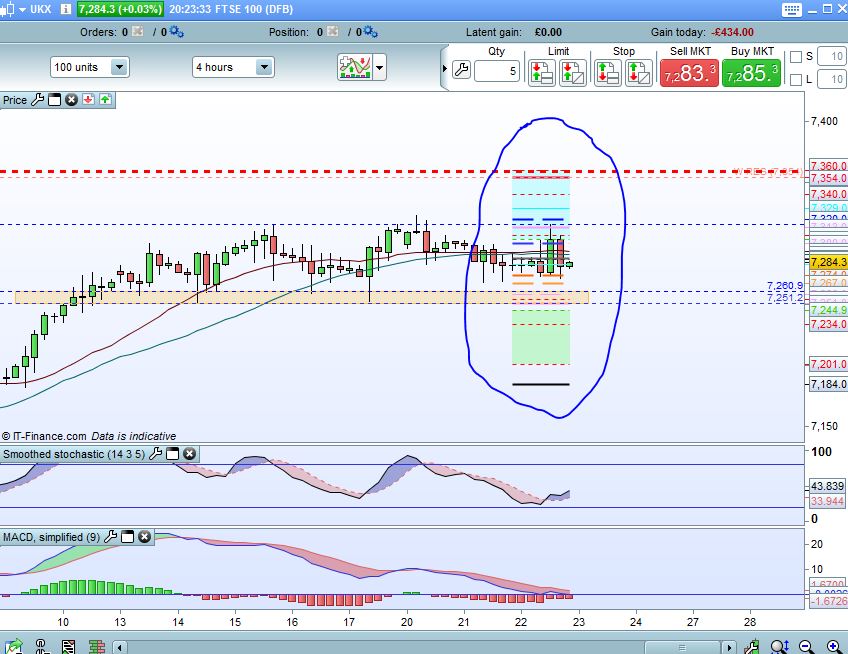
- It only plots the lines for the current day! Which makes it useless for backtesting! (see attachment 1). I need it to plot the lines across the entire chart.
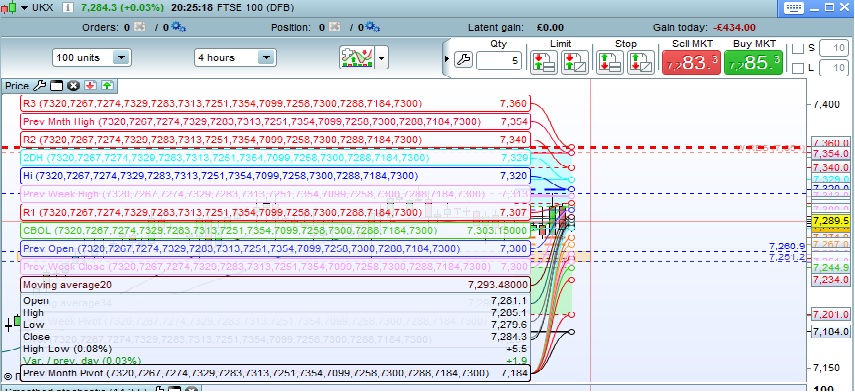
- when it displays the values, when you rollover a candle, it shows a huge list of values in brackets, making it hard to read. (see attachment 2). How do I remove these values in brackets?
I have attached the indicator to this post too.
thanks folks
lee
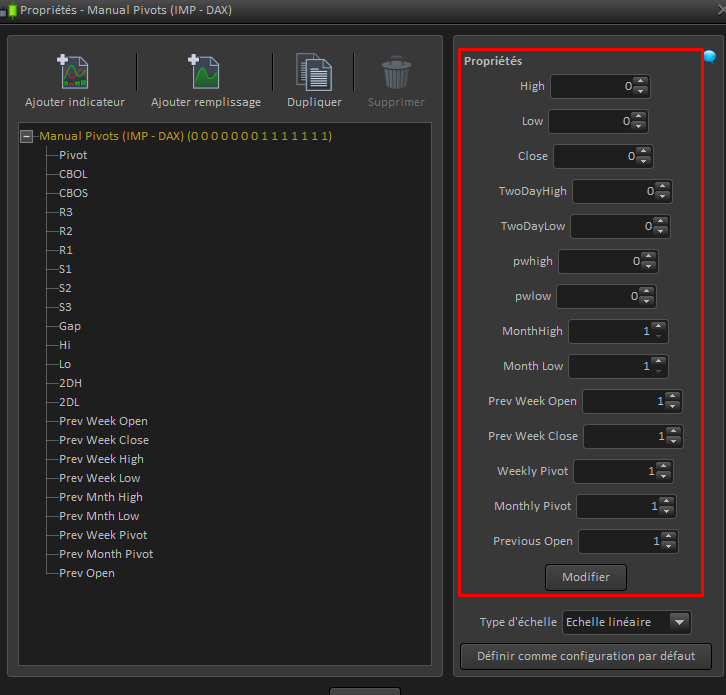
Your indicator need a lot of manual parameters to be set each new day, is it how you use it?
So to get past values of it, it would need to retrieve automatically what were the parameters to add to it to make its own calculation!
There are a lot of parameters, please describe them in order to find a way to find automatically their values.
If you are looking for pivots points indicators, you’ll find a lot of them in the library and forums..
Hi Dunc1n,
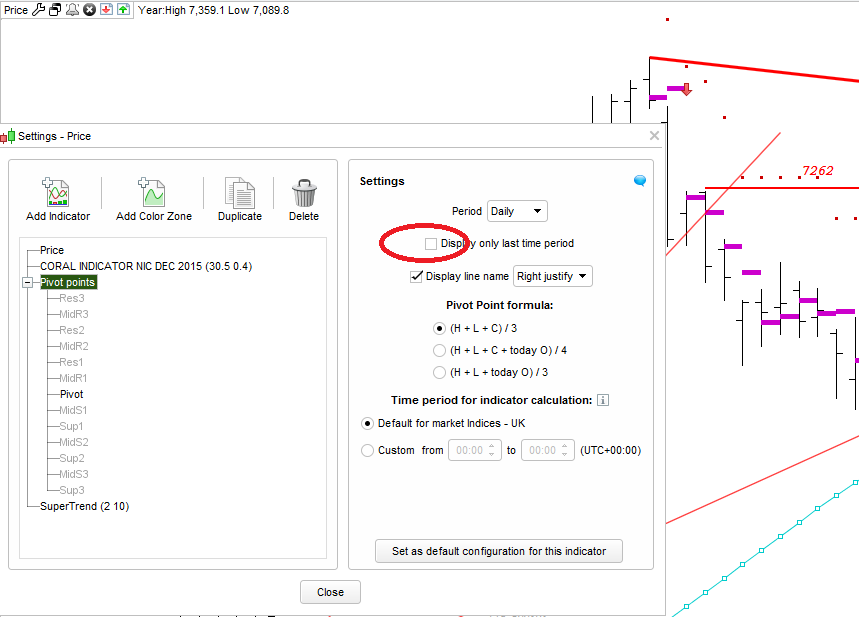
You can display pivots on PRT.
Spanner (Top Left Hand corner) – find pivot points.
The default is to display current day – but this can be changed to display historic PP.
This option is in settings for the indicator – see picture below..
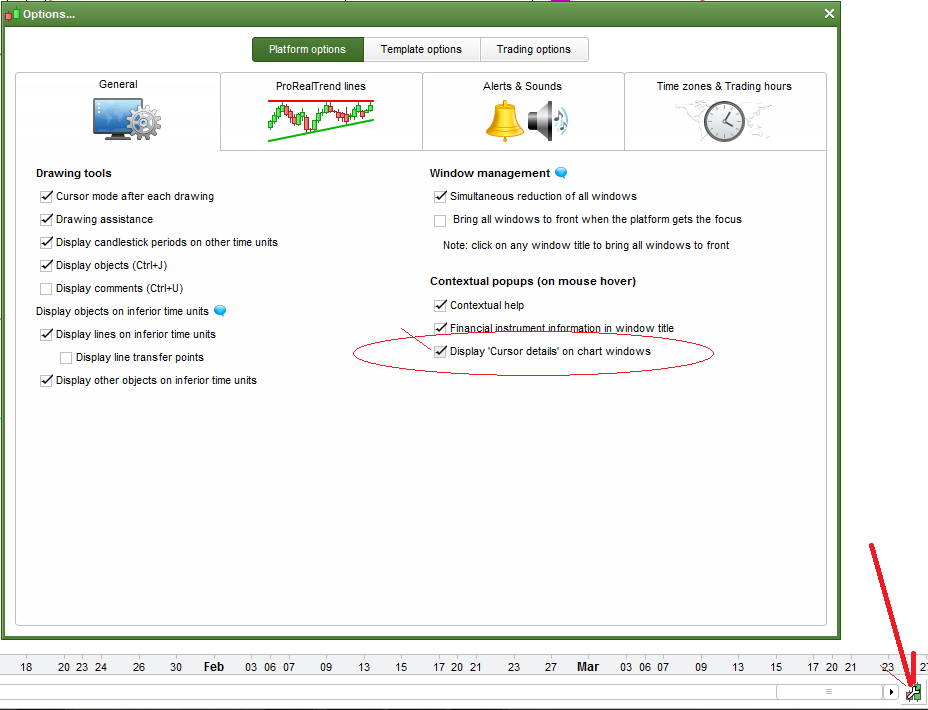
With reference to your second issue – see platfrom options “Display “Cursor Details” on chart. – see picture
Hope this helps.
Didn’t seem to attached – Pivot Point settings