Hi there!
I´m a newbie and this is my first indicator query 🙂
I found this in the web, but it doesen´t work in this state, its giving syntax error and I don´t have the skill yet to correct it.
Could someone have mercy with me? I think it is a quite simple error..
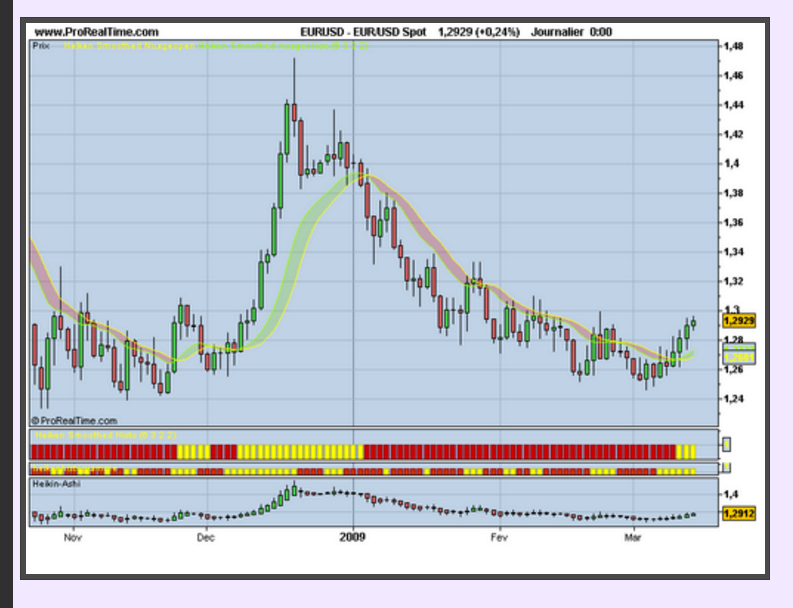
This is the link, it´s in french.
http://sohocool.over-blog.com/article-29022036.html
Here is the code: Syntax error line 28, 30
/// Heiken ashi smoothed histogram

// Average variable p = 1 period (default = 6) and t = mm Type (default smoothing wilder)

// Average variable 2 p1 = period (default = 2) and t1 = mm type (weighted default)

{// t and the deviation of the mean:
t = 0 = simple average
t = 1 = exponential average
t = 2 weighted average =
t = 3 = average wilder
t = 4 = average triangular
t = 5 = average end-point
t = 6 = average time series}

// set histogrammme


if BarIndex> p Then
mo = average [p, t] (open)
mc = average [p, t] (close)
ml = average [p, t] (low)
mh = average [p, t] (high)
endif


haopen ounce = mo

haclose = (mc mo + + + mh ml) / 4
if BarIndex> p + 1 then
haopen = (haopen [1] + haclose [1]) / 2
endif

haopen1 average = [p1, t1] (haopen)
haclose1 average = [p1, t1] (haclose)

if haclose1> haopen1 Then
a = 1
else
a = -1
endif


return 1 colored by aa as "Smoothed Heiken Histo"

///////// end


cloud code to open in the graph:


/// Heiken ashi smoothed histogram

// Average variable p = 1 period (default = 6) and t = mm Type (default smoothing wilder)

// Average variable 2 p1 = period (default = 2) and t1 = mm type (weighted default)
{t and the deviation of the mean:
t = 0 = simple average
t = 1 = exponential average
t = 2 = weighted average
t = 3 = average wilder
t = 4 = average triandulaire
t = 5 = average end-point
t = 6 = average time series}

if BarIndex> p Then
mo = average [p, t] (open)
mc = average [p, t] (close)
ml = average [p, t] (low)
mh = average [p, t] (high)
endif


haopen ounce = mo

haclose = (mc mo + + + mh ml) / 4
if BarIndex> p + 1 then
haopen = (haopen [1] + haclose [1]) / 2
endif

haopen1 average = [p1, t1] (haopen)
haclose1 average = [p1, t1] (haclose)


haopen1 return as "Smoothed Heiken Nuageopen" haclose1 as "Smoothed Heiken nuageclose"


///////end
You made wrong copy/paste of the 2 codes and into a single one too ..
Please find attached the modified and fixed version to import directly into prorealtime.
Thanks a lot Nicholas, very kind of you!
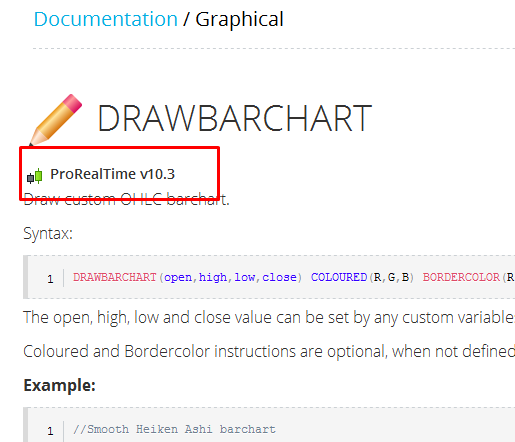
I also found this indicator on your eminent website, but it seemes only to work in 10.3 and I have 10.2..?
Is it possible to have a beta PRT10.3 working in the IG-world or do we have to wait for the official one? Have you heard anything about when?
I would love to get my hands on it and get rid of the inside-bar problem when backtesting.
DRAWBARCHART
//Smooth Heiken Ashi barchart

period = 20

if barindex>period then

  avgO = average[period](open)
  avgH = average[period](high)
  avgL = average[period](low)
  avgC = average[period](close)

  HAClose = (avgO+avgH+avgL+avgC) /4
  HAOpen = (HAOpen[1]+HAClose[1]) / 2
  HAHigh = MAX(avgH,MAX(HAOpen,HAClose))
  HALow = MIN(avgL,MIN(HAOpen,HAClose))

   IF avgO <= avgC THEN
     // Green candlestick
     DRAWBARCHART(HAOpen,HAHigh,HALow,HAClose) COLOURED(0,255,0)
   ELSE
     // Red candlestick
     DRAWBARCHART(HAOpen,HAHigh,HALow,HAClose) COLOURED(255,0,0)
   ENDIF
endif

RETURN
You’ll have to wait until next year for 10.3 if you are an IG customer, you’ll get the ETA information directly @ IG
Aha, you mean draw barchart is not possible in prt 10.2?
Exactly, this is a part of PRT 10.3 new graphical instructions. I should make the tag “prorealtime 10.3” more readable in the documentation’s pages I believe 🙂
Hi Nicolás, do you have a screener that detects color changes on the Heiken Ashi Smooth indicator?
Thanks for your work.
Hello voir screener ci-joint
Merci beaucoup, Jacques.
Je constate dans les résultats que vous sélectionnez de nombreuses valeurs sans changement de couleur dans le HAS. Est-ce normal ? Quels paramètres sont sélectionnés ?
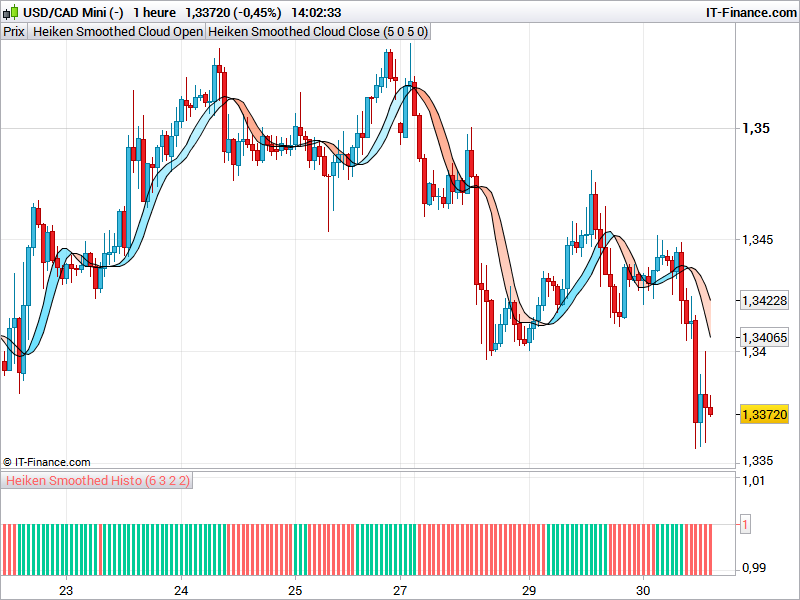
Le Heiken Ashi Smooth que j’utilise est celui-ci :
Hello voici ci-joint proscreener associé à votre indicateur pour détecter rouge vers bleu
Merci beaucoup Jacques, je l’ai essayé et ça fonctionne parfaitement.
Une dernière chose, si ce n’est pas trop demander, le screener pourrait-il être réglé pour sélectionner également les valeurs qui ont changé de couleur, mais sur la bougie précédente ?
Hello voici ci-joint proscreener associé à votre indicateur pour détecter rouge vers bleu today et yesterday