Hello,
I’ve been incorporating Nicholas’ hard coded stop loss into my systems and like the setup. I’ve noticed after much testing that when the price upon entry immediately moves into a favorable direction, then the trailing stop loss works like magic. But if the price were to instead immediately go into an unfavorable direction, then the stop loss doesn’t kick in and in my tests I rake up huge losses. Would it be possible to add a starting stop loss upon entry, and then trail from there? Using EURUSD as an example:
If I enter Long at 1.0600 then the first stop loss would immediately be placed at 1.0580 (20 pips below entry). It’s held here until either the price drops to the stop loss thus the system exits the position, or if the price were to move in a favorable direction to say 1.0620 (20 pips above entry), the stop loss would become trailing and step up to 1.0610.
As you can see the idea is near identical to Nicholas’ stop loss, with only the added function of the initial stop loss before it becomes trailing. I really like the idea of the hard coded stop loss as I find the built in SET STOP pTRAILING to be a little fickle at times, but I can’t figure out how to resolve the above example into code.
Can anyone please help me?
Hi – If you add the stop loss at the very end of the code it will work as you want it to ie
……
IF newSL>0 THEN
SELL AT newSL STOP
EXITSHORT AT newSL STOP
ENDIF

SET STOP PLOSS 20
So if your position goes straight into a loss, given the trailing code has not yet been triggered, the hard stop loss will kick in. I’ve tested this in live and it works fine. In your example, once your position moves into 20pts profit the trailing code (if your trailing start is set to 20 as well) will then take over and replace with a new stop.
@manel Thank you for a swift reply. I’ve been avoiding any built-in stop losses due to their current issues. I will try your suggestion and see what happens in a demo run, will report tomorrow!
I tested out the built in stop loss in conjunction with Nicholas’ Trailing Stop Loss and it appears to work. I’m going to continue testing and use it to improve my code. Thanks!
Hi I’ve just tried to add this into the PRT code, so normal trailing stop is hard coded in through the PRT builder system, and I’ve just literally added this into the end of the code, but it won’t let me save it saying it’s invalid – So whatever we do you can’t have a fixed stop initially which then becomes a trialing like you say..Any reason why..?
I’ve just tried to add this into the PRT code
If we could see your code then likely somebody can help you?
Otherwise we are kinda guessing at what / how you have done?
EDIT / PS
You probably only need to show the last change you made (use the blue Insert PRT Code button … top right on the toolbar).
Hi Grahal,
I’ve got this far, can you advise on the next step..?
I’ve coded the below as far as I can get but seem to be just missing one minor detail! I’m Still working on a way to combine a trailing stop with a trailing step that becomes a fixed stop – i.e Trade is a buy open with a 10pt stop, if it moves 2 up, your stop is now 8, if it moves another 2, it’s now 6 but when it gets to 10, so break even on a 1-1, it becomes fixed. Currently I only get a trailing to stop at breakeven, so still risking the full 10.
I notice that with this although I’m getting the result of the trailing stop at breakeven which is great, the trailing stop still seems to be live with a step as the deal closes sometimes later at 25 or 35 or 45 etc…great problem to have but not what I want as I lose on bigger moves.
Adding a trailing stop after the first one becomes fixed would be the next part, so if it moves another 30 pts you bank another 10 for example. I’m thinking this is a simple code tweak..? Code below, perhaps you can help me..?
1
2
3
4
5
6
7
8
9
10
11
12
13
14
15
16
17
18
19
20
21
22
23
24
25
26
27
28
29
30
31
32
33
34
35
36
37
38
39
40
41
42
43
44
45
46
47
48
49
50
51
52
53
|
// Definition of code parameters
DEFPARAM CumulateOrders = False // Cumulating positions deactivated
// Prevents the system from creating new orders to enter the market or increase position size before the specified time
noEntryBeforeTime = 143000
timeEnterBefore = time >= noEntryBeforeTime
// Conditions to enter long positions
indicator1 = SuperTrend[4,90]
c1 = (close CROSSES OVER indicator1)
IF c1 AND timeEnterBefore THEN
BUY 10 PERPOINT AT MARKET
ENDIF
// Conditions to exit long positions
indicator2 = SuperTrend[4,90]
c2 = (close CROSSES UNDER indicator2)
IF c2 THEN
SELL AT MARKET
ENDIF
// Conditions to enter short positions
indicator3 = SuperTrend[4,90]
c3 = (close CROSSES UNDER indicator3)
IF c3 AND timeEnterBefore THEN
SELLSHORT 10 PERPOINT AT MARKET
ENDIF
// Conditions to exit short positions
indicator4 = SuperTrend[4,90]
c4 = (close CROSSES OVER indicator4)
IF c4 THEN
EXITSHORT AT MARKET
ENDIF
//reset the breakevenLevel when no trade are on market
IF NOT ONMARKET THEN
breakevenLevel=0
ENDIF
// Stops and targets
SET STOP pTRAILING 20
//place the new stop orders on market at breakevenLevel
IF breakevenLevel>0 THEN
SELL AT breakevenLevel STOP
ENDIF
|
If you Graph breakevenlevel you will see that it never changes from 0 / zero … does that help you to find the Issue with your code?
Breaklevenlevel is not defined in the code.
Breaklevenlevel is not a reserved word / term in the PRT coding language … maybe you thought it was??
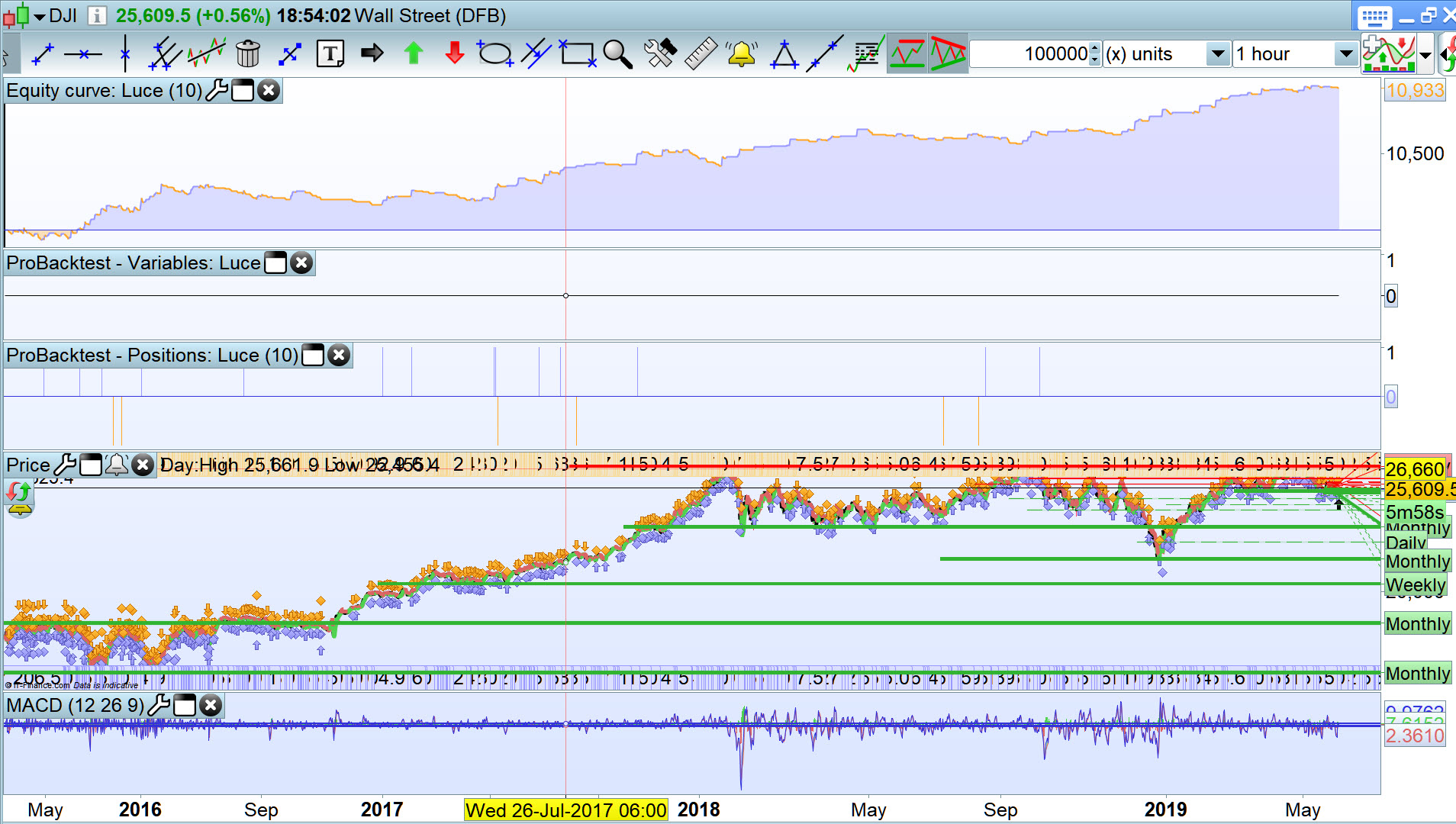
For the record … Luce’s code produces a nice equity curve as shown with spread = 4, StartTime = 090000 and TS = 10.
Grahal, on paper yes first I had the same backtest as you, and I thought, waoou nice for a so simple code, then I realized that he is using the ptrailing function… Here the same code with a true breakeven function, and a true trailing function. Backtests are less inspiring…
DEFPARAM CumulateOrders = False // Cumulating positions deactivated
positionsize=1

// Prevents the system from creating new orders to enter the market or increase position size before the specified time

noEntryBeforeTime = 090000

timeEnterBefore = time >= noEntryBeforeTime


// Conditions to enter long positions

indicator1 = SuperTrend[4,90]

c1 = (close CROSSES OVER indicator1)


IF c1 AND timeEnterBefore THEN

BUY positionsize contract AT MARKET


ENDIF


// Conditions to exit long positions

indicator2 = SuperTrend[4,90]

c2 = (close CROSSES UNDER indicator2)


IF c2 THEN

SELL AT MARKET

ENDIF


// Conditions to enter short positions

indicator3 = SuperTrend[4,90]

c3 = (close CROSSES UNDER indicator3)


IF c3 AND timeEnterBefore THEN

SELLSHORT positionsize contract AT MARKET


ENDIF


// Conditions to exit short positions

indicator4 = SuperTrend[4,90]

c4 = (close CROSSES OVER indicator4)


IF c4 THEN

EXITSHORT AT MARKET

ENDIF

enableBreakeven=1
BESG = 0.1// % BE kick start
BESL = 0.02 // % BE level
underlaying=100 //100 for index
if enableBreakeven then
if not onmarket then
newsl=0
endif
if ((longonmarket and shortonmarket[1]) or (longonmarket[1] and shortonmarket)) then
newsl=0
endif
if longonmarket then
if close-tradeprice(1)>=(((tradeprice(1)/100)*BESG)/(underlaying/100))*pointsize then
newsl=tradeprice(1)+(((tradeprice(1)/100)*BESL)/(underlaying/100))*pointsize
endif
endif
if shortonmarket then
if tradeprice(1)-close>=(((tradeprice(1)/100)*BESG)/(underlaying/100))*pointsize then
newsl=tradeprice(1)-(((tradeprice(1)/100)*BESL)/(underlaying/100))*pointsize
endif
endif
if longonmarket and newsl>0 then
sell at newsl stop
endif
if shortonmarket and newsl>0 then
exitshort at newsl stop
endif

endif

//trailing stop

trailingon=1
MFEPerc=0.05
If trailingon then

trailingstop = (close * MFEPerc/100)/pointsize
//14

//resetting variables when no trades are on market
if not onmarket then
MAXPRICE = 0
MINPRICE = close
priceexit = 0
endif

//case SHORT order
if shortonmarket then
MINPRICE = MIN(MINPRICE,close) //saving the MFE of the current trade
if tradeprice(1)-MINPRICE>=trailingstop*pointsize then //if the MFE is higher than the trailingstop then
priceexit = MINPRICE+trailingstop*pointsize //set the exit price at the MFE + trailing stop price level
endif
endif

//case LONG order
if longonmarket then
MAXPRICE = MAX(MAXPRICE,close) //saving the MFE of the current trade
if MAXPRICE-tradeprice(1)>=trailingstop*pointsize then //if the MFE is higher than the trailingstop then
priceexit = MAXPRICE-trailingstop*pointsize //set the exit price at the MFE - trailing stop price level
endif
endif

//exit on trailing stop price levels
if onmarket and priceexit>0 then
EXITSHORT AT priceexit STOP
SELL AT priceexit STOP
endif
endif

//reset the breakevenLevel when no trade are on market

//IF NOT ONMARKET THEN
//
//breakevenLevel=0
//
//ENDIF


// Stops and targets

//SET STOP pTRAILING 10


//place the new stop orders on market at breakevenLevel

//IF breakevenLevel>0 THEN
//
//SELL AT breakevenLevel STOP
//
//ENDIF
then I realized that he is using the ptrailing function
So does the PRT built in ptrailing function not work in Realtime as it does in Backtest (with tick mode etc).
never really tested myself but I think remembering that indeed backtests were wrong with ptrailing. Maybe Nicolas can confirm that. In which case this ptrailing function should be deleted from the catalogue of available function by the way.
What is dubious is that 80% of the deal wereclose within the same bar, and 20% rest only after one bar…
What is dubious is that 80% of the deal wereclose within the same bar, and 20% rest only after one bar…
I was backtesting on a 1 hour bar and with ptrailing = 10 I expected above on the DJI as either the entry took off into gains or failed quickly at a loss of 10 ish points.
Even if the ptrailing followed price upward then in no time at all there would be a retrace of > 10 points and so entry and exit within 1 bar / 1 hour either at a small loss or a bigger (but still small) gain.
Hi Chaps – I wonder wether you can confirm something.
All I want to do is to alter my code above so when you enter a position I have a security stop of 10 (which I’ve set in) and a trailing step stop which moves up in 2 steps, so let’s say trailing stop is 10 – What I want it to do is when you enter immediately if it moves 2 in your favour, your stop is now 8, if it moves another 2, it’s now 6 etc until you hit breakeven and then the step is 0 and the stop Becomes fixed. surely this can’t be a difficult thing to do – Does anyone please have any ideas here..!
I have worked out that when you put the step to 0 then when your trailing stop hits your target (so 10) then it will stop trailing, so that works fine, what I can’t do if find a way for the stop to also work in steps until that point when it becomes fixed..!