dears,
there is always a warning message attached to my open futures positions (triggered by automated trading), telling that “…your stop-loss and limit orders are not connected by condition “one cancels the other (OCO)”. in case these orders will be executed it can lead to opening a position into opposite direction” (see also picture attached, though it’s in german).
that sounds really dangerous, even the real risk I assume is very low that a position in opposite direction will be opened: I assume for that to happen my stop loss and limit (target) orders have to be located extremely close to each other.
anyway, anybody trading futures and facing same issue? anybody here who possibly figured out how to connect those orders with OCO condition in automated trading? I mean – I am aware there is a way to connect when trading manually, but no clue about how to do it by coding the trading system.
thanks a lot for any hint!
justisan
Hello justisan,
This is PRT-IB, right ?
I think I ran in this situation when something went wrong with the AutoTrading, e.g. a TP remained but the Position itself was exited by me manually and next a new AutoTrading System was started by me (via ProOrder). Otherwise I would not know how to incur for this situation. But you know it, I assume ? so … how ??
I would deem the situation relatively “extremely” dangerous indeed and for the reasons you tell/imply and see in the message. This, with the notice that the distance does not need to be huge at all because it depends on how it emerged (which can be subject to your unintended coding errors as well). But otherwise the trailing could have done something (can only be your own in PRT-IB).
Or … there is this left-over (say Pending Stop), the price dropped significantly in two days of time (or last night 🙂 ) and there’s a new order which could even be UNDER that price (for a Long).
The crucial question remains : how do you incur for the situation in the first place ?
Some day I read about (or did it myself) that a Pending Stop (or Limit) could emerge right at the same bar as the Entry. Is it that somehow ?
Anyway OCO is not possible with AutoTrading … as far as I know …
Peter
Anyway OCO is not possible with AutoTrading … as far as I know …
thanks Peter for the “bad news” 😀 it’s my suspicion as well, that OCO is not possible in autotrading with futures/ib, but I though maybe this community knows something better/more. I was contacting PRT support and they were showing me how to connect the orders with OCO – but that was for manual order entries, about how to do it in autotrading they did not answer yet. ok, they answered – by sending a link to programming manual 😀 where there is NO hint at all how to do it…
how that situation occurs in my trading of futures: my algo triggers a position and places immediately 2 exit orders: one for limiting losses and one as a profit target. and then immediately that warning appears. well, I do not really use profit targets in my trading, meaning: yep I use – but they are very, very big, like 5% for dax. therefore the distance between my exit orders (stop loss and profit target) are usually extremely big. okay, I am kind of trailing my my stop loss order when in profit and so it can happen, that both exit orders come closer, but still the distance is kind of huge – like 1.5% of the index value. so in order to trigger both exits “at the same time” dax has to move like 1.5% up AND down (or vice versa…) within miliseconds. well, the risk is small. but it’s REAL! so I hate it 😀 and if there is really no possibility to connect exit orders with OCO in autotrading, then it’s really ridiculous…
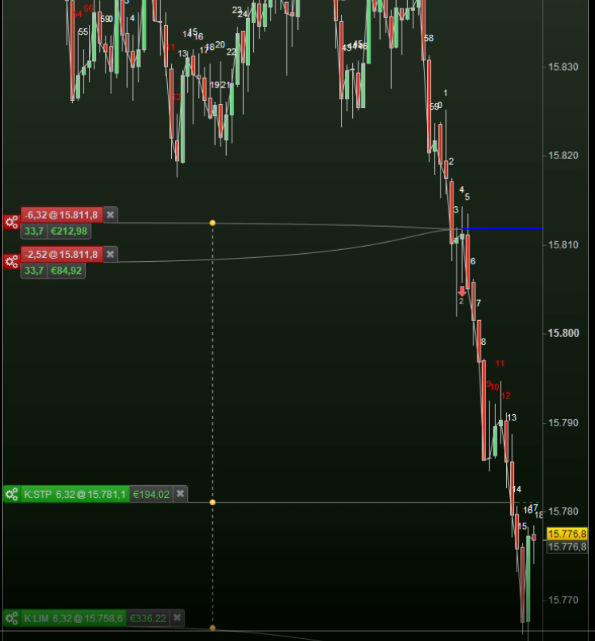
Because of your explanation, I now recall that I have been talking to support that actually in PRT-IG this is arranged for, without really knowing it, hence without really doing something about it. See below and look at the yellow small balls. In this case I can only show a position (at the bottom) and a Pending Buy Stop (at the top) and this actually shows as the Manual orders in PRT-IB. But with PRT-IB the connections don’t appear / don’t exist and with that they don’t work either. But you have that message to warn you.
When in PRT-IG a Stop and a Limit order would occur at the same time, three of those yellow balls will be visible (and can find an example in earlier made screenshots, if you want).
Something else is that you should be able to solve it in code;
There is no real difference between e.g. a Limit order which still has to cause “position” (your lacking OCO situation) and one which takes profit. But, the difference would be that the latter will throw out the position, while the former needs to be cancelled by yourself. Ehh … needs to be not repeated by you, because that is how it works.
So now suddenly all looks normal to me. 🙁
Still I know of the situation with IB (only with them) that such an orphaned order can remain (see my previous post). But you talk about it as a normal situation … hmm … Maybee you need this :
If On Market then
  // Put Stop and or Limit orders - they will occur in the next bar.
endif
This is what I do. And now they don’t appear “immediately”. So maybe now PRT doesn’t notice and don’t bring me the message ? (with the same danger in the end)
Remember, this is PRT-IG. No such things as connecting lines/orders with PRT-IB. With Manual Trading, Yes.
In automatic trading PRT places the two Working Orders, if one executes the second remains on the market until the next calculation (and then it depends on whether the code still requires it to be placed).
If the second Working Order executes on the same candlestick as the first, the position will be reversed, no position hedging with an IB account.
I am not really sure about what is really true. the fact is that stop and limit orders triggered by commands “set stop ploss” and “set target pprofit” are placed instantly after position is opened – and immediately the warning appears in PRT workstation that those orders are not connected via OCO condition. BUT – when either stop loss order or take profit order is triggered, the other one is cancelled instantly, not a bar later or some substantial time later, really kind of instantly. so they act as if they are connected – so are they or are they not? and in they are – then maybe that warning in PRT workstation is not true? how to figure it out?…
I can’t compare with your exact situation, but if I exit an order with a Market Order while a Pending Stop is also there (not talking about StopLoss !) then this Pending Stop only disappears at the next bar. Thus, nobody removes that Pending Stop order – me neither. But because it is not given again (remember, my position is now closed so my code won’t resubmit that Pending Stop order), it just stays for the bar (-time) to unwind. However …
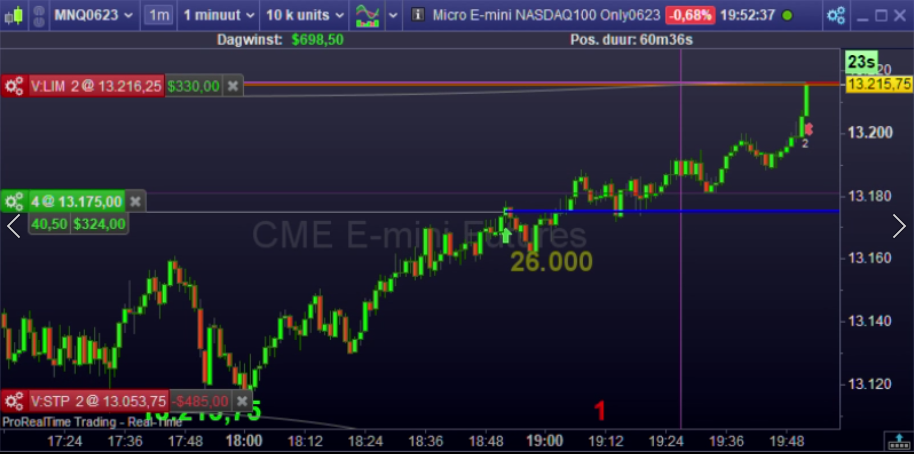
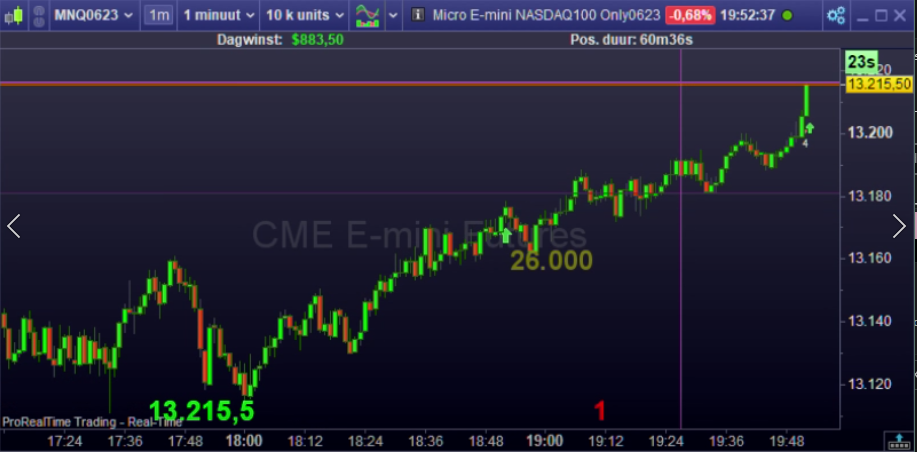
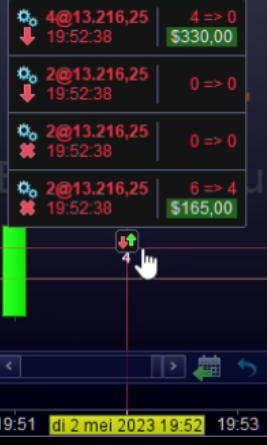
I have a growing collection of some times interesting videos (now 500 or so) that can bring some interesting data in aftermath. So I was looking for the proof of what I said above (could not readily find it) but ran into one you see a screenshot of below. You can see the Exit cross already there, and will take it from me that all the three labels (position + orders) disappear at the quite exact same time. And well, I am not sure I expected this, regarding my text above. Thus that the position disappears** with the Limit order being filled, OK, but the Pending Stop also with it ? hmm. Or was that a StopLoss ? … I don’t know any more.
**): This is V12 on May 2, 2023, and there are so many thing wrong with it (still are). For example, look at the position amount in the Pending Order labels. That tells 2, while it is 4. Unbearable things come from it, like statistics (Detailed Reports) failing everywhere.
Please keep in mind what I told elsewhere : I now work around all these issues mostly by avoiding them. And since none of these tickets was ever announced as resolved, I suppose all these anomalies are still in there. But … in PRT-IB. PRT-IG is another matter (failing instantly for me because of disappearing order labels).
Try to envision that at PRT hardly anyone is trading like we do, let alone that there people AutoTrade. They don’t. So they can only live by their own decency without being able to really test. And copying what I / we present them … how ?!?
hi Peter,
I am testing things at super-basic level, so one cannot missunderstand anything, see this code which I tested live just as an example a moment ago (1min time frame, micro dax futures):
if time = 161400 then
buy 1 lot at market
endif

set stop ploss 50
set target pprofit 50

if onmarket then
sell at market
endif
the outcome was: entry long at market at 16:14:00, placing take profit and stop loss at 50points from entry price instantly when position was opened, warning message about no connection of limit and stop orders appearing at the same mit, exit at market 16:15:00, cancellation of limit and stop orders instantly, see picture attached.
well “instantly” is not exactly same time as execution of “sell at market” order: stop loss was cancelled few miliseconds later than “sell at market” and take profit order was cancelled few milisecond later that the stop loss order. anayway bother were cancelled “almost” at the same time when position was closed with the “at market” order.
***
you have collection of 500 videos? now I know how you spend half of the time behind monitor 😀 recording your trading so you have a prove in case stuf begins to stink…
yep, I do not expect PRT or IG guys really trading, in fact I expect that it is forbidden to them to trade with real money, if they do anything – then they do “paper trading”, and therefore I do not really expect any seriously relevant feedback.
anyway, wish you Peter and all the other serious traders nice Christmas holidays, and happy NewYear 2024 soon, aside from other things – successful trading!
justisan
adding: code after opening the position was placing take profit AND stop loss, both “instantly”
 JS
JSParticipant
Senior
When you place “Long” and “Short” pending orders, there is a possibility that they will both be executed, depending on the distance and time frame. When you work with higher time frames (minutes / seconds) the chance is very small…
Stop Loss and Take Profit can never both be executed because when 1 is hit, the other is cancelled… (comparable to an OCO order)
(Stop Loss and Take Profit are placed at the same time as the respective order)
Hi justisan – new incoming, not responding to your last post, but to the thread :
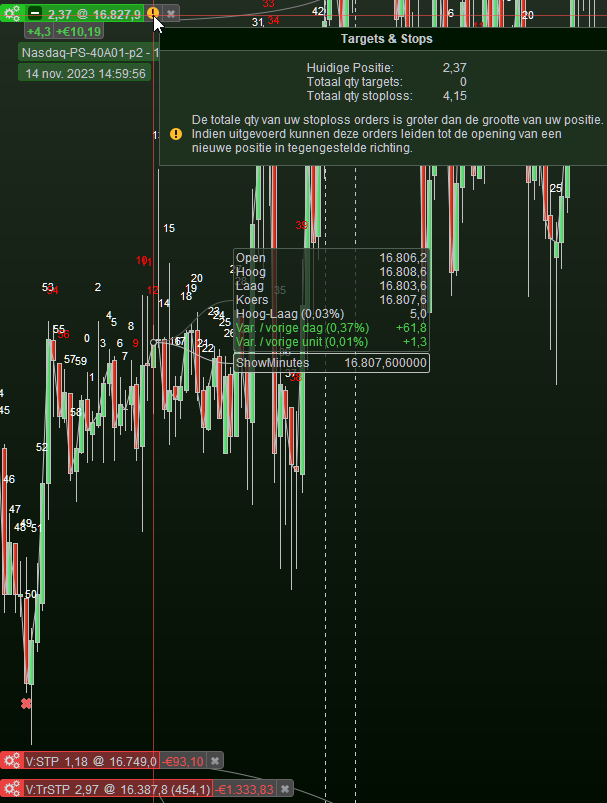
By pure coincidence I just discovered this (see attached). It is the message you are taking about, although from a twisted angle;
The warning is the same (“you may end up with an inverted position), but the cause is just a bug (of V12 of couuuurse). So add the two position amounts you see at the bottom and compare that with the total qty StopLoss as presented in the message). Nicely the same. 🙁
Watch out, this is PRT-IG.
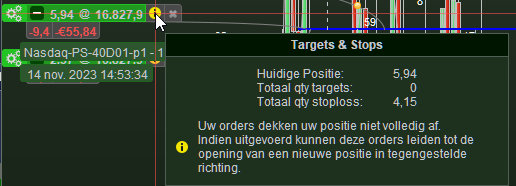
Knowing this, it is easy to find another twist – see in the 2nd attachment. This shows a position with more than the current stop orders, the message telling me that my “orders” (meaning Stop protection) “don’t cover for the position I have”. And it is indeed where these yellow ball stuff has been created for : increasing / decreasing positions telling you by means of yellow mark that things are not in balance.
But they are, and this is just a bug.
Fact is that you can see that these type of messages now lure under the hood, waiting for you to be confused. So who or what tells that the message is even justified in your case, justisan ?
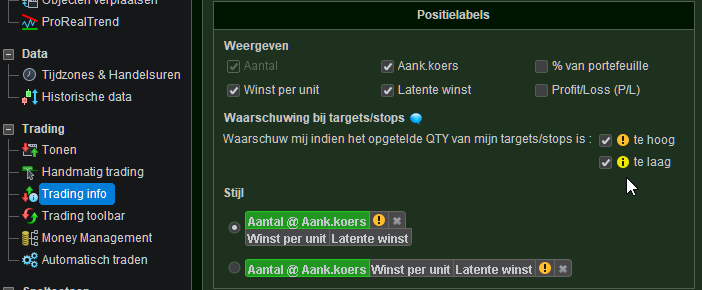
You may try this in V12 (if you’re not in there already), and look what these (tooltip) messages tell you in your situation. Notice that these yellow balls can be switched off and that maybe they are not visible currently in your account.
thanks JS. what you tell is corresponding to my experience and tests. so it is a bit of a confusion this PRT message about orders not being connected via OCO.
and now I know how many people are trading futures in this forum. 3 🙂 out of that 66% in Netherlands 😀
hi Peter, thanks for your inputs!
I am “talking” here all the time the futures only, not IG/cfds. with futures/IB I am with V12 since several months, with cfds/IG I kind of don’t care about OCO (since it’s automatically always there), and with cfds/IG i am still with V11, because V12 is not really working, failing left and right with basic things 🙁 totally annoying.
I can’t compare with your exact situation, but if I exit an order with a Market Order while a Pending Stop is also there (not talking about StopLoss !) then this Pending Stop only disappears at the next bar.
This must be regarded BS because a. I can’t find an example in my videos and b. because I am sure this happens (happened) it must be anomalies which I reported to PRT and anomalies are only coincidental on videos. And c. is what JS hinted at (good one !) : such a thing could happen with different TFs in the coding, and although I have that too for certain systems, at this moment I don’t know where they are hence when they traded. But if it exists at all, it should be about Market Orders which Exit on a per second base, and Trail on a per minute base. This combination makes to sense to me at this moment, and I don’t think I ever had that running.
Entry per second and Trail per minute, Yes but that would not incur for the situation mentioned in the quoted text from me.