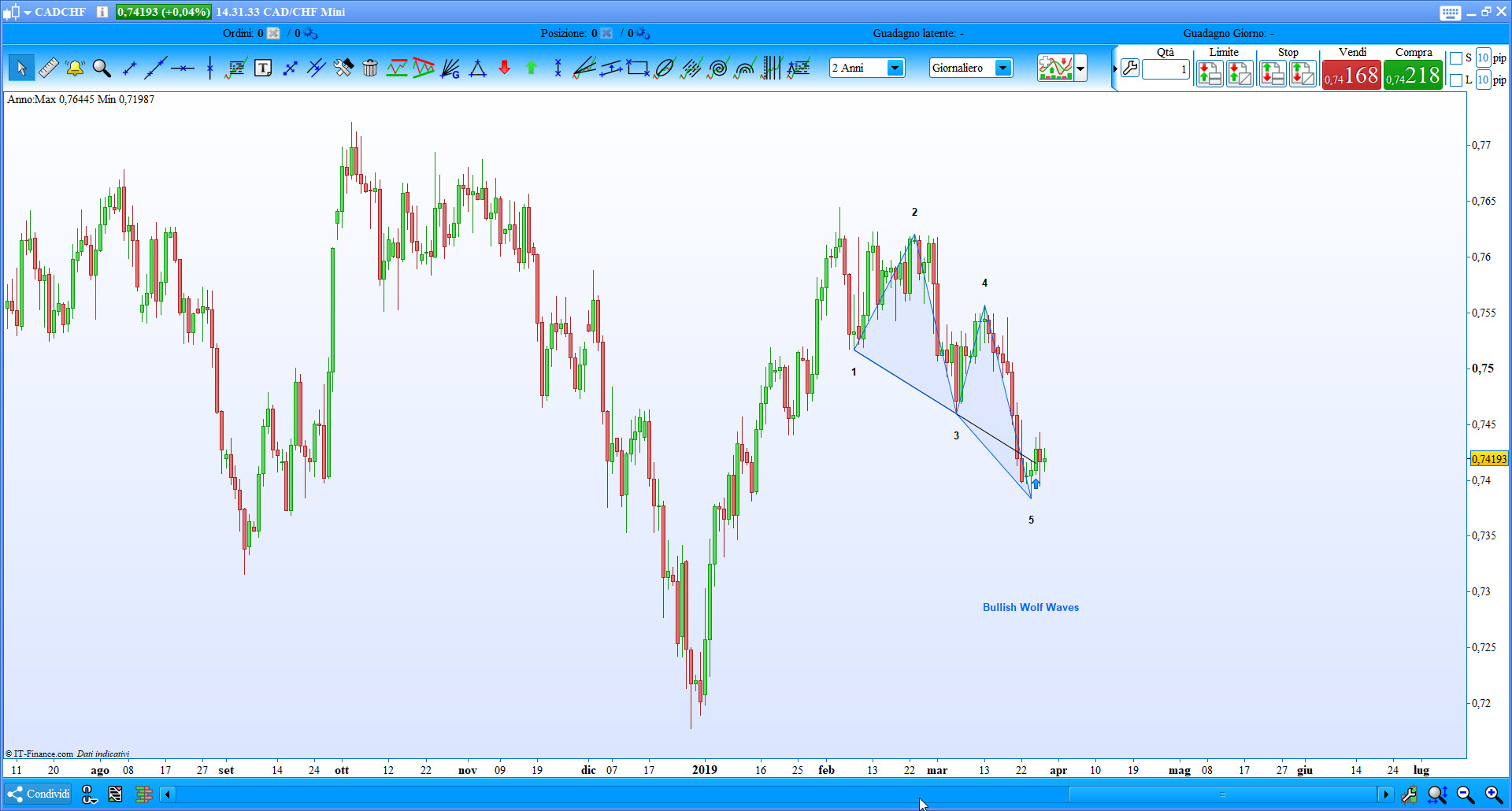
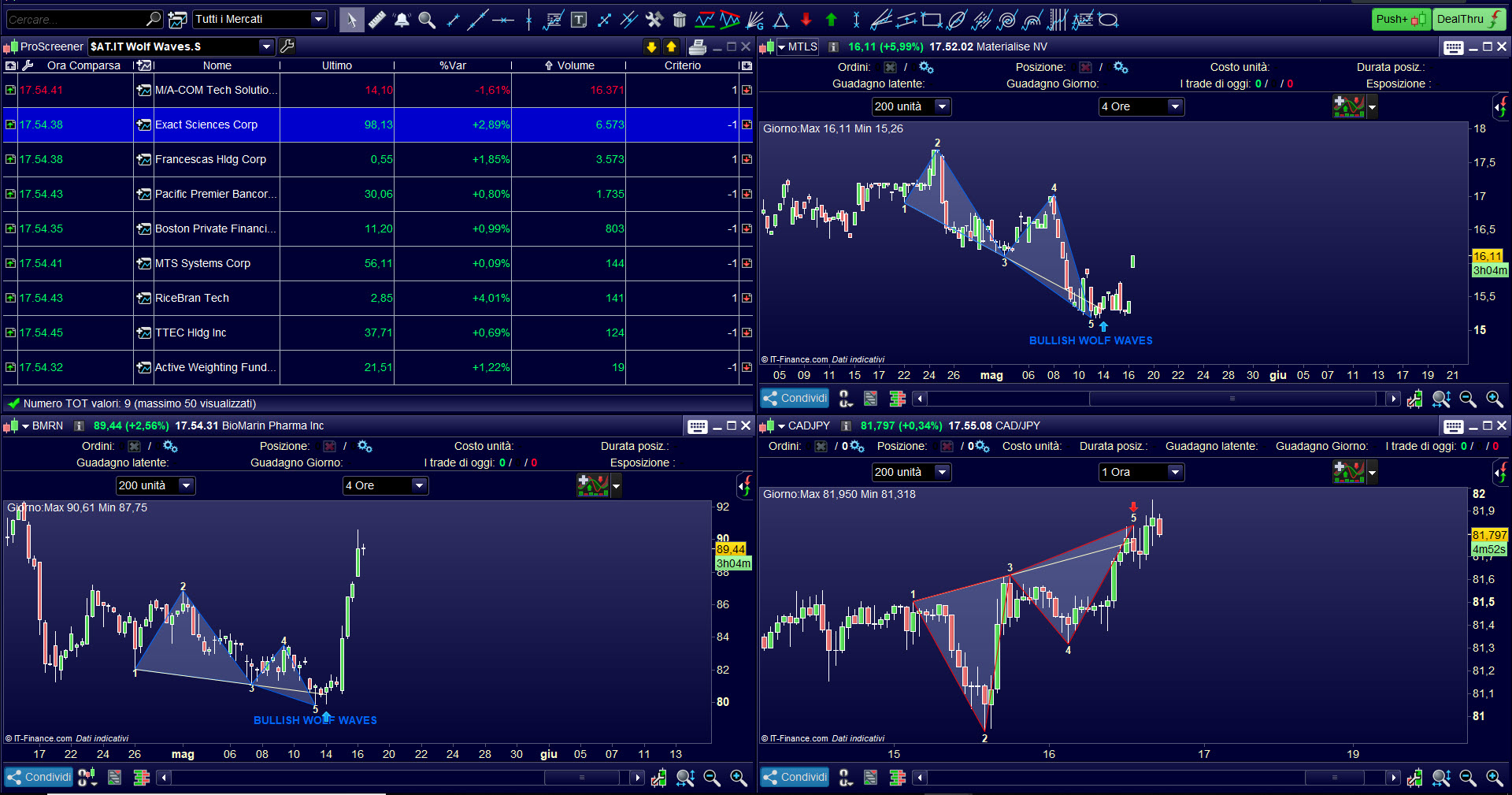
Hi,
I am also interested in such an indicator.
@nicolas, do you think you can have a look on this thread please?
Thank you.
MrCrous
PS : Below, a code from TS8xx, maybe just help us to find equivalent functions ?
INPUTS:
	TICKCHG(10), {Change (number of ticks) required to set up a new swing
		high/low.}
	PCTCHG(.2), {Percent change in price to set up a new swing high/low}
	OCCUR(1),
	PLOTBARS(40),
	ETALINE(true),
	ZIGZAG(TRUE);

ARRAY:
	PBAR[50](0),
	P[50](0);

VARS:
	X(0),
	PP(1),
	JA_SLOPE1(0),
	JLA_CTR(0),
	JLA_LINE(0),
	JAIRHBAR(0), { LAST SWING HIGH BAR}
	JAIRLBAR(0), {LAST SWING LOW BAR}
	LOWSEEK(FALSE), {LOOKING FOR A LOW OR A HIGH?}
	W(0), {COUNTER}
	JLA_IRH(0), {LAST SWING HIGH VALUE}
	JLA_IRL(99999), {LAST SWING LOW VALUE}
	JA_SLOPE2(0),
	JA_SLOPE3(0),
	JLA_PT1(0),
	WOLFE(0);
{==================MAIN


PROGRAM=========================}


IF CURRENTBAR = 1 THEN P[50] = C;
IF LOWSEEK = FALSE AND P[50] <= H THEN
	BEGIN
	P[50] = H;
	PBAR[50] = 0;
	END;

IF LOWSEEK = TRUE AND P[50] >= L THEN
	BEGIN
	P[50] = L;
	PBAR[50] = 0;
	END;

IF (LOWSEEK = FALSE AND PBAR[50] <> 0) THEN
	BEGIN
	IF (TICKCHG = 0
		AND L < P[50] * ( 1 - PCTCHG / 100) )
		OR (TICKCHG <> 0
		AND L < ( P[50] - tickchg * minmove points)) THEN
		BEGIN
			IF ZIGZAG = TRUE THEN
				PLOT4[PBAR[50]](P[50],"SWINGS");
		LOWSEEK = TRUE;
		FOR W = 1 TO 49
			BEGIN
			PBAR[W] = PBAR[W+1];
			P[W] = P[W+1];
			END;
			P[50] = L;
		PBAR[50] = 0;
		END;
	END;

IF (LOWSEEK = TRUE AND PBAR[50] <> 0) THEN
	BEGIN
	IF (TICKCHG = 0
		AND H> P[50] * ( 1 + PCTCHG / 100))
		OR (TICKCHG <> 0
		AND H > (P[50] + tickchg * minmove points )) THEN
		BEGIN
		IF ZIGZAG = TRUE THEN
			PLOT4[PBAR[50]](P[50],"SWINGS");
		LOWSEEK = FALSE;
		FOR W = 1 TO 49
			BEGIN
			PBAR[W] = PBAR[W+1];
			P[W] = P[W+1];
			END;
		P[50] = H;
		PBAR[50] = 0;
		END;
	END;

IF TIME = LASTCALCTIME
		AND DATE = LASTCALCDATE
		AND P[48 - PP] <> 0 THEN
		BEGIN
		PP = -1;
		WOLFE = 0;
		WHILE WOLFE < OCCUR AND PP < 46
			BEGIN
			PP = PP + 1;
			VALUE1 = P[47-PP];
			VALUE2 = P[48-PP];
			VALUE3 = P[49-PP];
			VALUE4 = P[50-PP];

			CONDITION1 =
				VALUE2 > VALUE1
				AND VALUE4 > VALUE3
				AND VALUE4 < VALUE2
				AND VALUE3 < VALUE1
				AND VALUE4 > VALUE1;

			CONDITION2 =
				VALUE2 < VALUE1
				AND VALUE4 < VALUE3
				AND VALUE4 > VALUE2
				AND VALUE3 > VALUE1
				AND VALUE4 < VALUE1;

			IF CONDITION1 OR CONDITION2 THEN
				WOLFE = WOLFE + 1;

			END;

		JA_SLOPE1 = (P[49-PP] - P[47-PP]) / (PBAR[47-PP] - PBAR[49-PP]);
		JA_SLOPE2 = (P[50-PP] - P[47-PP]) / (PBAR[47-PP] - PBAR[50-PP]);

		{LINE 1-3}
		if PBAR[47-PP] >=0 and PBAR[49-PP] >= 0 and PBAR[49-PP]-PLOTBARS >=0 then
			begin
			VALUE90 = TL_New(DATE[PBAR[47-PP]],TIME[PBAR[47-PP]],P[47-PP ],
				DATE[PBAR[49-PP]], TIME[PBAR[49-PP]],P[49-PP]);
			Value14=TL_SetColor(VALUE90, red);
		{VALUE93 = TL_SetExtRight(VALUE90,TRUE);}
			VALUE94 =
				TL_SETEND(VALUE90,DATE[PBAR[49-PP]-PLOTBARS],TIME[PBAR[49-PP]-PLOTBARS],
				TL_GetVALUE(VALUE90,DATE[PBAR[49-PP]-PLOTBARS],TIME[PBAR[49-PP]-PLOTBARS])); //
			end ;

		{LINE 1-4}
		if PBAR[47-PP] >= 0 and PBAR[50-PP] >= 0 and PBAR[49-PP]-PLOTBARS >= 0 then
			begin
			VALUE91 = TL_NEW(DATE[PBAR[47-PP]],TIME[PBAR[47-PP]],P[47-PP ],
				DATE[PBAR[50-PP]], TIME[PBAR[50-PP]],P[50-PP]);
				Value14=TL_SetColor(VALUE91, green);

			TL_SETEND(VALUE91,DATE[PBAR[49-PP]-PLOTBARS],TIME[PBAR[49-PP]-PLOTBARS],
			TL_GETVALUE(VALUE91,DATE[PBAR[49-PP]-PLOTBARS],TIME[PBAR[49-PP]-PLOTBARS]));
			end ;

		if PBAR[48-PP] >=0 and PBAR[50-PP]-PLOTBARS >= 0 then
	  		begin
			{ETA LINE}
			IF ETALINE THEN
				BEGIN
				VALUE92 = TL_NEW(DATE[PBAR[48-PP]],TIME[PBAR[48-PP]],P[48-PP ],
					DATE[PBAR[50-PP]], TIME[PBAR[50-PP]],P[50-PP]);
				Value14=TL_SetColor(VALUE92, blue);
				TL_SETEND(VALUE92,DATE[PBAR[50-PP]-PLOTBARS],TIME[PBAR[50-PP]-PLOTBARS],
				TL_GETVALUE(VALUE92,DATE[PBAR[50-PP]-PLOTBARS],TIME[PBAR[50-PP] -PLOTBARS]));
				END;
			end;

		END;


IF DATE = LASTCALCDATE
	AND TIME = LASTCALCTIME
	AND ZIGZAG = TRUE THEN
	BEGIN
	JA_SLOPE3 = (P[50] - P[49]) / (PBAR[49] - PBAR[50]);
	FOR JLA_CTR = PBAR[49] DOWNTO PBAR[50]	BEGIN
		PLOT4[JLA_CTR](P[49] + (PBAR[49] - JLA_CTR) *
		JA_SLOPE3,"Swings");
		END;
	END;

FOR W = 1 TO 50
	BEGIN
	PBAR[W] = PBAR[W]+1;
	END;