Font and Size of the coding windows

Viewing 8 posts - 1 through 8 (of 8 total)

  • Author
    Posts
  • #226829 quote
    LucasBest
    Participant
    Average

    How to change the font or at least the size of the coding window ?

    Capture-decran-2024-01-24-105312-1.png Capture-decran-2024-01-24-105312-1.png
    #226834 quote
    CotiR
    Moderator
    New

    Hello Lucas,

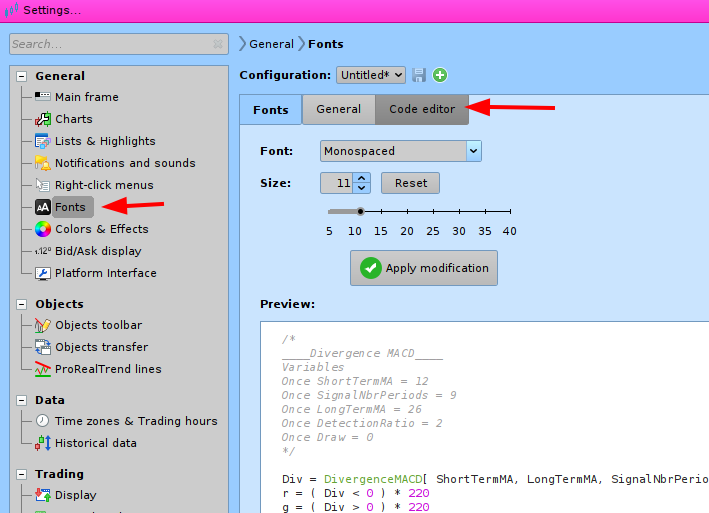
    In the settings, you can choose the font for code editor. see screen shot .

    Have a good day

    fontcode.png fontcode.png
    #226838 quote
    LucasBest
    Participant
    Average

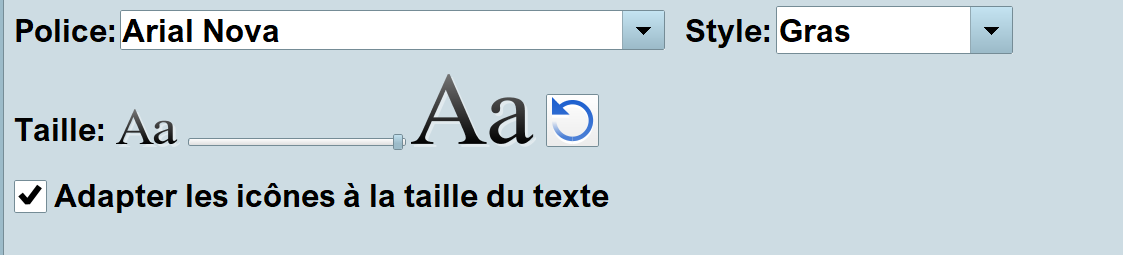
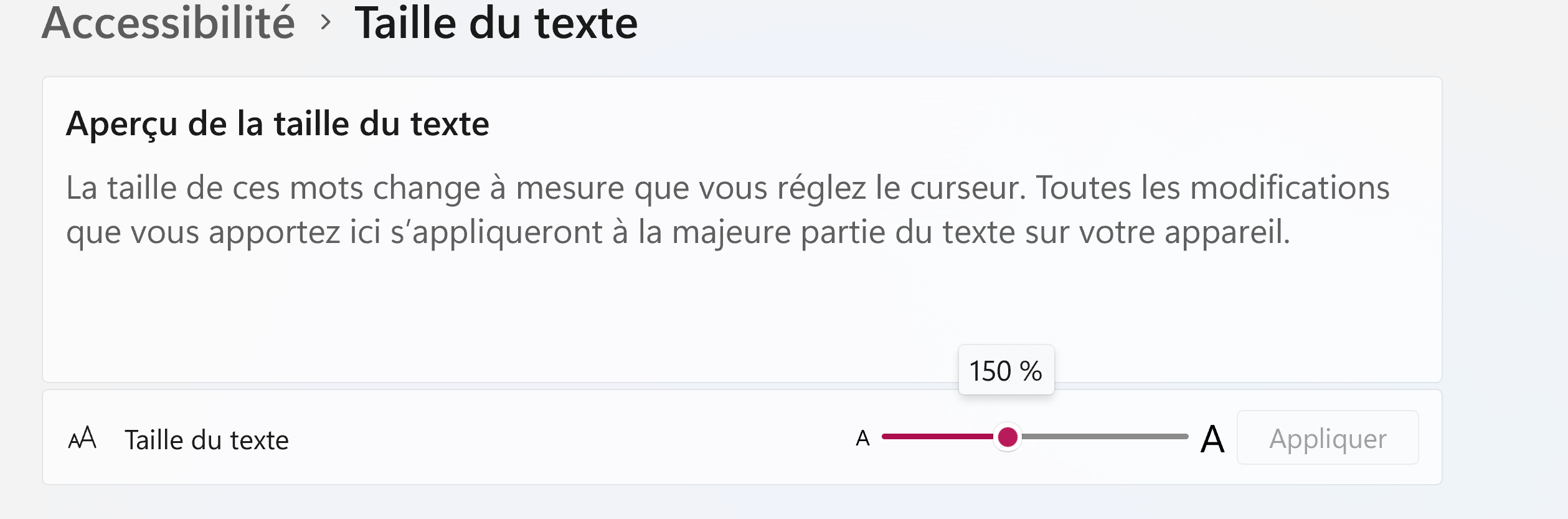
    I am already at the maximum size there in the menu… But it does not seem to change a lot in the coding (programing) window while it is already too big in the chart window…

    Capture-decran-2024-01-24-121727.png Capture-decran-2024-01-24-121727.png
    #226840 quote
    fifi743
    Participant
    Master

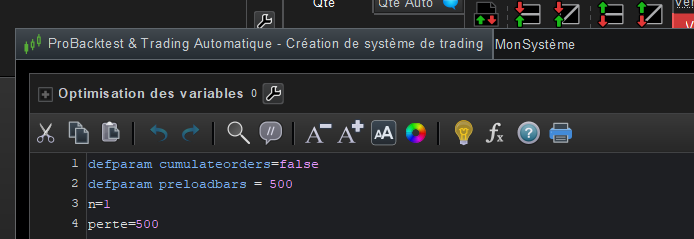
    if you want to enlarge the screen because the writing is too small, press A+ at the top of the screen.

    Capture-decran-2024-01-24-123404.png Capture-decran-2024-01-24-123404.png
    #226844 quote
    LucasBest
    Participant
    Average

    I did pressed several time A+ until it stoped having any effect (i guess i am at the maximum). Maybe i’m too old of too blind for this 4k new laptop ? 😉

    #226868 quote
    PeterSt
    Participant
    Master

    Lucas, in my view a 4K laptop is only useful for (sharp) pictures. Not for reading text without adjustments.

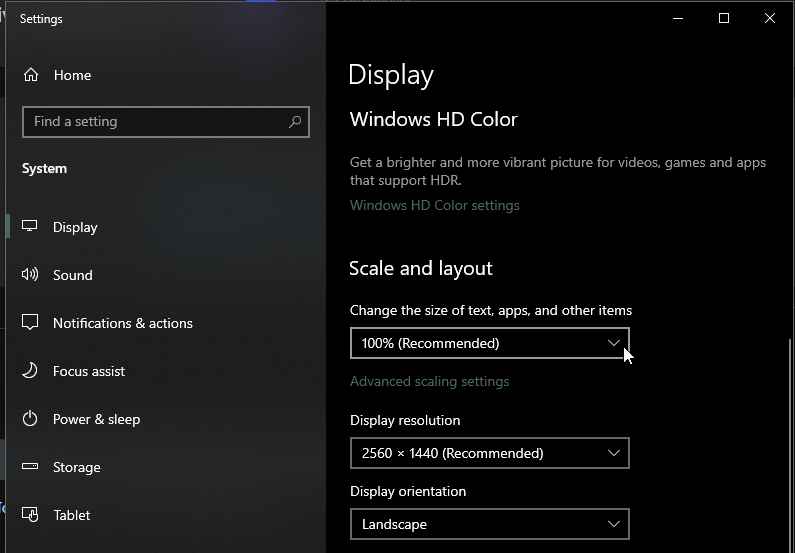
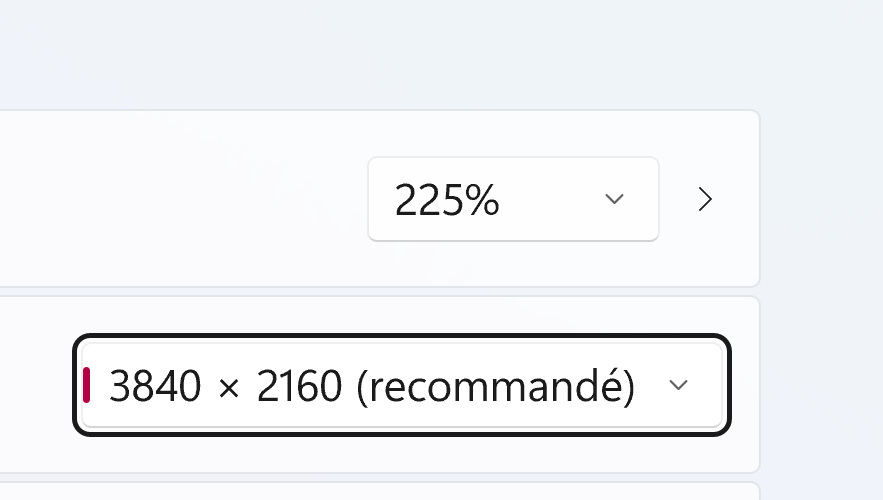
    Adjustments : Change the DPI (Dots Per Inch) setting.
    Set that to 200% if possible, or even higher. Of course you must make the fontsize(s) in PRT now smaller again.
    It can be set per monitor, but PRT can set the fontsize overall only.

    Note : I found that a hidden very well working feature of V12 is that it can deal with the DPI settings correctly. V11 does not so well on this (it can do strange things when not set to 100%).

    I hope this helps you !

    image_2024-01-24_174717502.png image_2024-01-24_174717502.png
    #226870 quote
    LucasBest
    Participant
    Average

    Hey Peter,

    thanks for your help. Windows was already set to 225% (i tried up to 350% but objects, and icons get quickly bigger than texts do). And also, as i have now 3 laptops, it is hard to switch from one to an other while i’m not in the same place, because everything have to be set again because of the differences in every setting, windows, prt, etc…

    The only thing i have not tried yet, is the v12 of PRT. I always try to wait some weeks or month for avoiding the bugs…

    Maybe i will switch quicker to the v12 then…

    Capture-decran-2024-01-24-180240.png Capture-decran-2024-01-24-180240.png Capture-decran-2024-01-24-180211.png Capture-decran-2024-01-24-180211.png
    #226874 quote
    PeterSt
    Participant
    Master

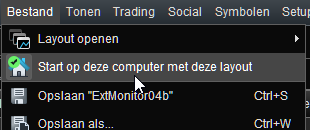
    OK Lucas. Maybe this is of some help as well (if you don’t know it) : In the Main Menu under File there’s a “Home” option. You could click that on each of your laptop, and each laptop will then have a dedicated set of (all) PRT settings. Each with a different font size, for example. But also different charts and everything. But same profit or loss. 🙂

    image_2024-01-24_182907602.png image_2024-01-24_182907602.png
Viewing 8 posts - 1 through 8 (of 8 total)

  • You must be logged in to reply to this topic.

Font and Size of the coding windows


Platform Support: Charts, Data & Broker Setup

New Reply
Author
author-avatar
LucasBest @lucasbest Participant
Summary

This topic contains 7 replies,
has 4 voices, and was last updated by PeterSt

2 years ago.

Topic Details
Forum: Platform Support: Charts, Data & Broker Setup
Language: English
Started: 01/24/2024
Status: Active
Attachments: 8 files
Logo Logo
Loading...