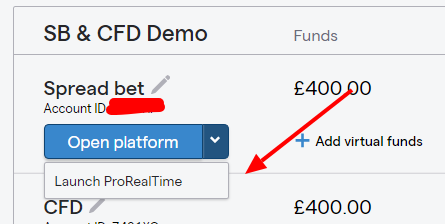
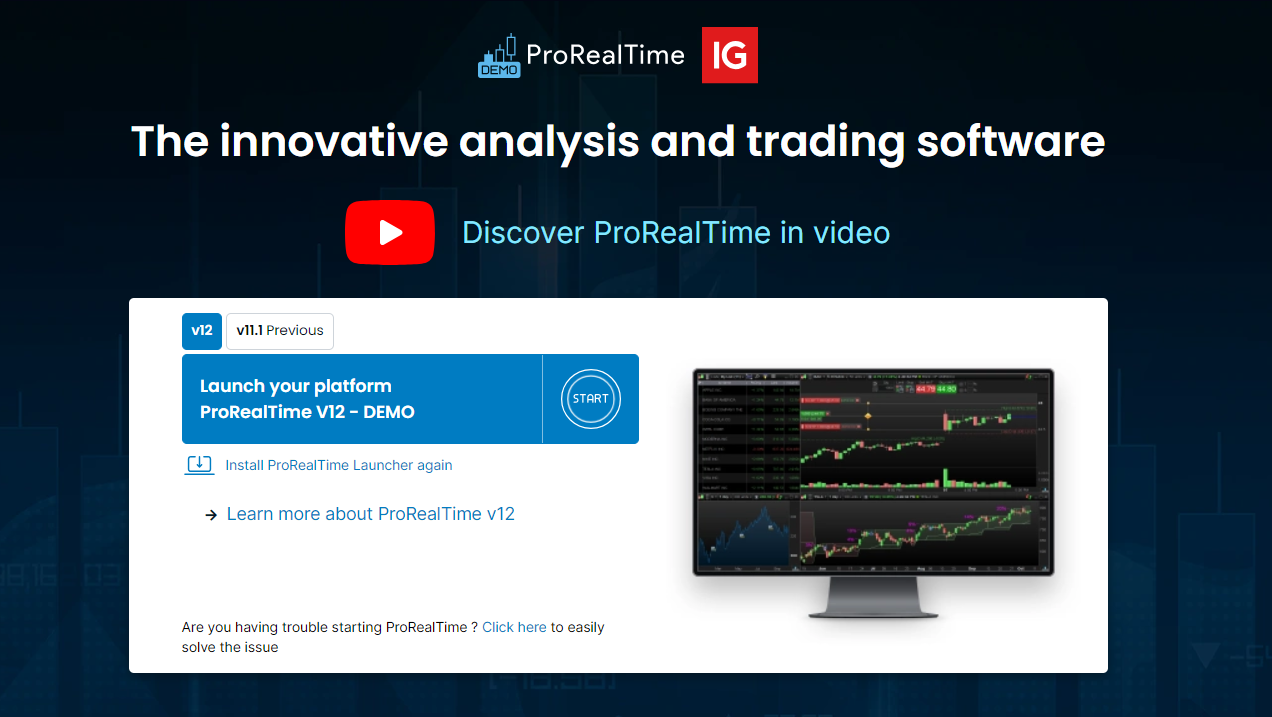
Just thought I’d let you all know the fix I found for the chart settings is to launch the application from my actual brokers account. I have an account with IG and through IG I can launch RTP complete essentially free. Via my broker I am able to save my layouts and settings. When I launched RTP before it was via the desktop version I downloaded. That is not a reason why it shouldn’t still operate correctly but that is the fix that is so far working for me. Just thought I’d let you all know. I’m new around here so if anyone mentioned this already, I’m sorry.
with IG and through IG I can launch RTP complete
So you are launching PRT using the webpage shown attached?
I launched RTP before it was via the desktop version I downloaded
Can you show a screenshot of how you do above please?
Hi, Grahal, First you need to activate it if you haven’t inside your IG.
1. Log into your IG, Click on “Settings” at the top.
2. Find “Trade settings” on the left list and you’ll see PRT underneath. Click it.
3. Activate the account you want.
4. Go back to the main dashboard.
Look at the attachments to see where to click and what you’ll be presented with after clicking the button.
What I did was save the web link from where you launch it so I don’t need to log into my IG every time. Not sure why the desktop didn’t save the chart settings but I tried this way and it worked for me. I have also reported the issue with the desktop version.
Thanks for the tip @Andre36!
Not working for me unfortunately. The way described, going through IGs platform, is the only way I have ever started PRT.
Not sure why the desktop didn’t save the chart settings but I tried this way and it worked for me.
Saving settings sounds – from what folk on here report – to be random failure or random success.
Anyway both of your screenshots (2 posts above) will get you logged onto the same version, i.e. a version with IG. There is no ‘desktop version’ and / or ‘other version’.
There is of course the PRT mobile version …
https://www.prorealtime.com/en/ProRealTime-Mobile
I’m happy to be corrected re my statements above.
There is also the Web version. I did not try what Andre linked to – probably that is something else again. Also, don’t ask me whether that can use IG – IBKR Yes.
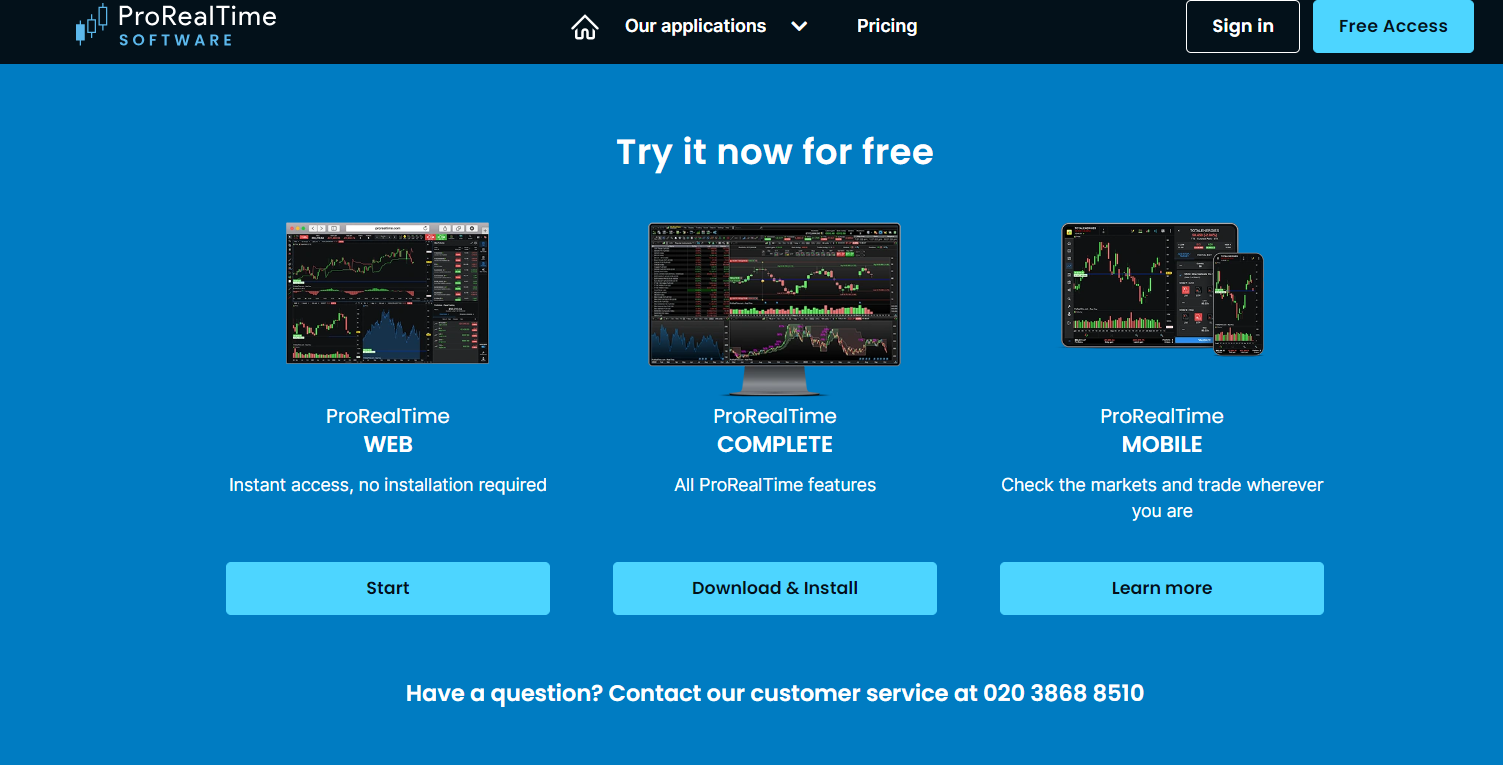
Oh, Ok. In that case, I have nothing else. Sorry it’s not working out for those people. When I said the “desktop” version I meant the complete you access from their website. This is what I did first before discovering you can launch it from inside IG. See Screenshot.
I think more of us should report the issue to technical support, because I spoke to a rep yesterday via email and they said it doesn’t hurt to send the issue to them again. It could speed up the resolve.
You can also access it via their website at the bottom here it seems, so that’s what I did at first. I assumed it was the desktop version because you can download the web or mobile version so I assumed “complete” is what the desktop version was called. My mistake. https://www.prorealtime.com/en/ProRealTime-Complete
Have you tried clearing your computers cache with an actual cache cleaning program?
Maybe I am ‘behind the drag curve’ … there seems to be new versions / installations up to the ‘ying yang’ now!?
Maybe ‘old hands’ like me are not au fait with … thanks for getting us all ‘primed up’!
Apols for the abrevs … feeling in a mad mood … must be the sun and spring on the way and the sap rising and all that jazz!! 😉