Error volume indicator

Viewing 3 posts - 1 through 3 (of 3 total)
  • Author
    Posts
  • #94550 quote
    maximus78
    Participant
    Senior

    Hello and good sunday to everybody.

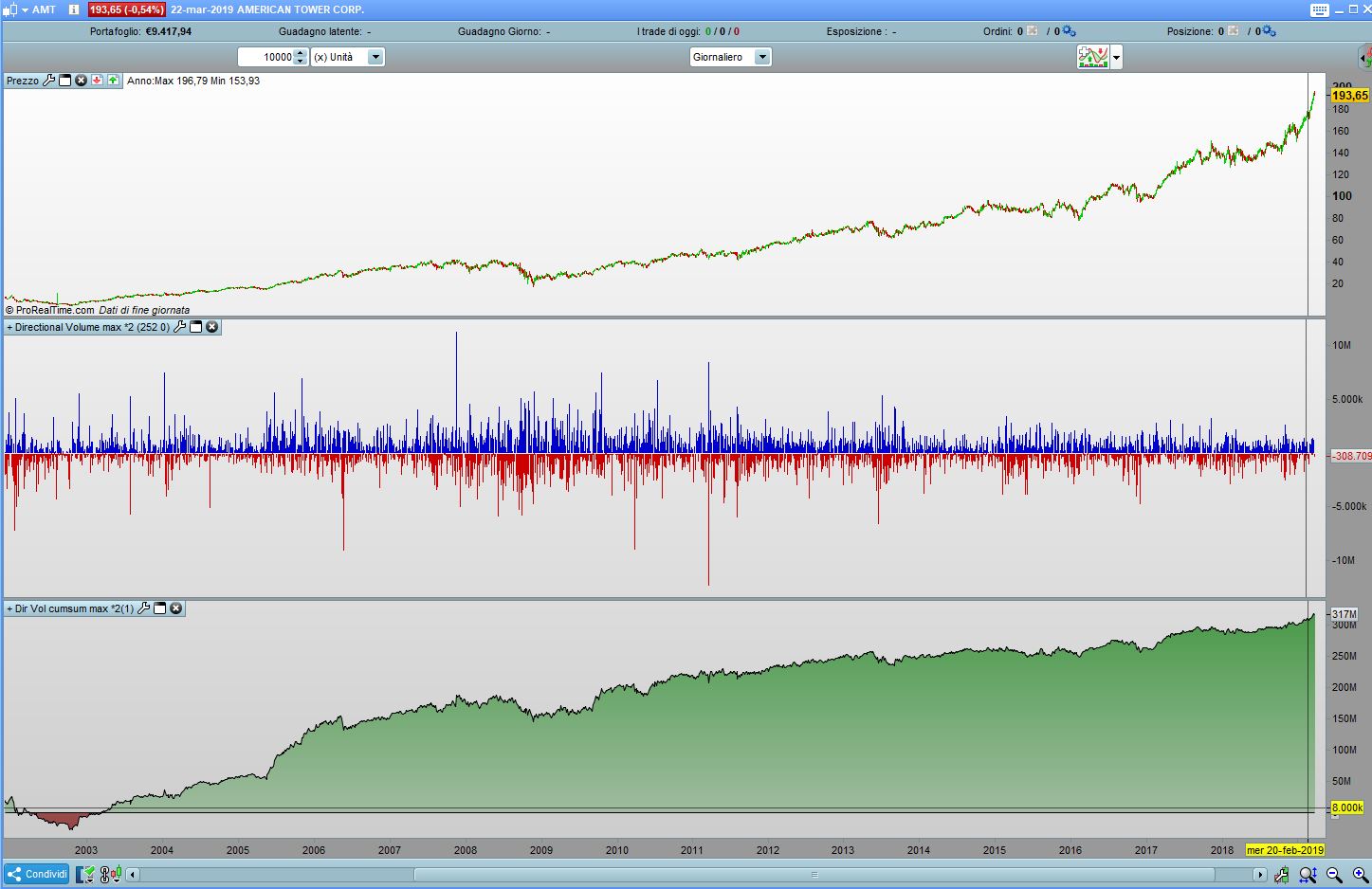
    I made an indicator which try to define the directional volume.

    When i plot the directional volume alone, it gives me positive and negative volume.

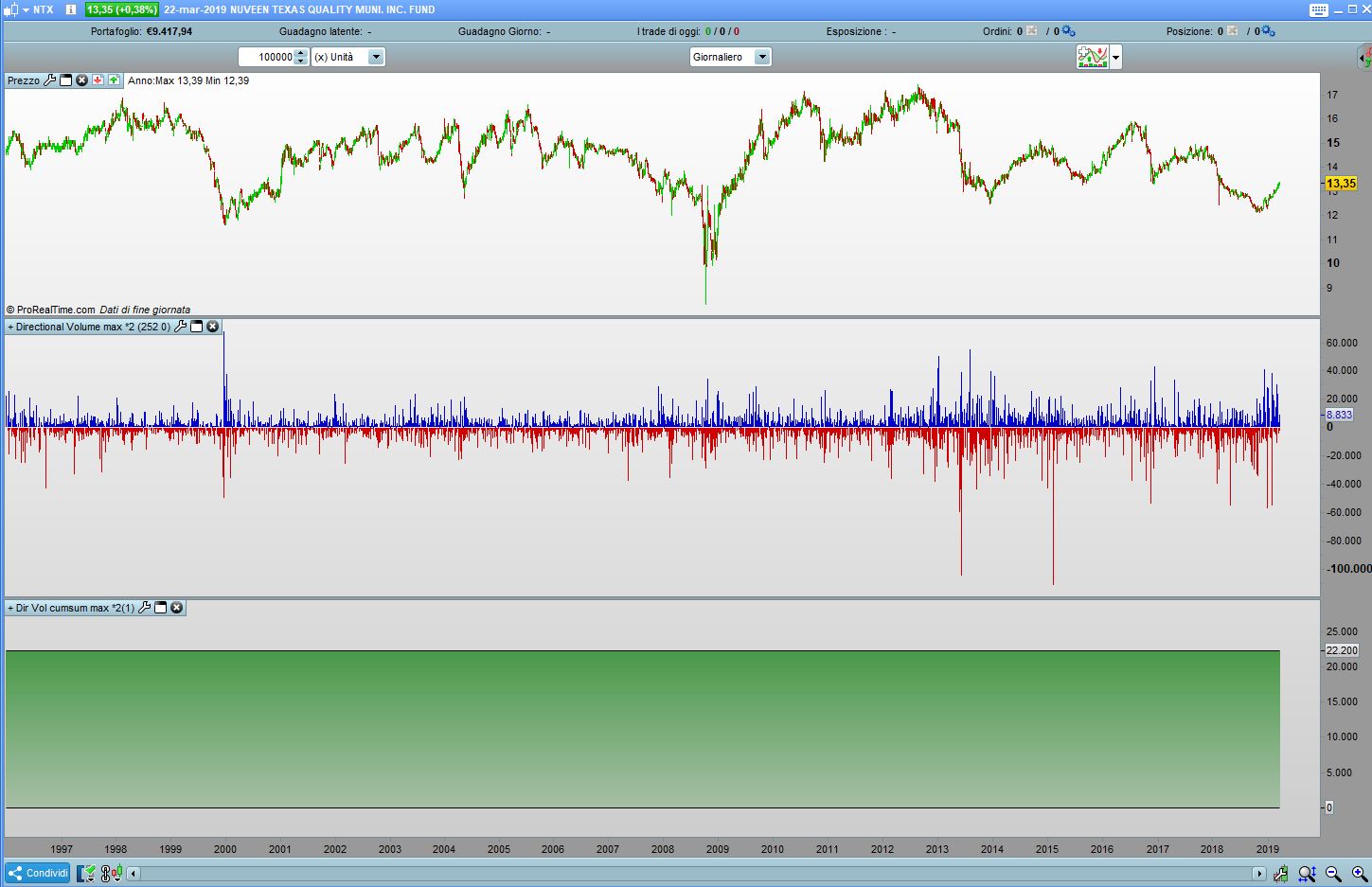
    The problem is when i make the cumsum instruction that sums up the directional volume (like the obv), where sometimes doesn’t work.

    I add the plots of 2 stocks where it works and where it doesn’t work (it remains flat at 1 valour) and the code of my directional volume.

    Can you help me to fix it?

    Thanks a lot

    Max

    c1=open-close[1]
    c2=close-open
    c3=(range-(abs(c2)))*2
    c4=abs(c1)+abs(c2)+c3
    c5=100/c4*c1
    c6=100/c4*c2
    c7=(volume*c5)/100
    c8=(volume*c6)/100
    dirvolume=c7+c8
    c9=cumsum (dirvolume)
    
    return c9 as "acc/disrt", 0 as "0"
    1.jpg 1.jpg 2.jpg 2.jpg
    #94565 quote
    Vonasi
    Moderator
    Master

    I sometimes get weird results when using volume in indicators. You can try something like this. Not tested as I don’t have my platform open at the moment.

    if volume > 0 then
    c1=open-close[1]
    c2=close-open
    c3=(range-(abs(c2)))*2
    c4=abs(c1)+abs(c2)+c3
    c5=100/c4*c1
    c6=100/c4*c2
    c7=(volume*c5)/100
    c8=(volume*c6)/100
    dirvolume=c7+c8
    c9=cumsum (dirvolume)
    endif
     
    return c9 as "acc/disrt", 0 as "0"
    #94566 quote
    maximus78
    Participant
    Senior

    Hi Vonasi, thanks,

    I’ve tried but it gives me the same result.

    Max

Viewing 3 posts - 1 through 3 (of 3 total)
  • You must be logged in to reply to this topic.

Error volume indicator


ProBuilder: Indicators & Custom Tools

New Reply
Author
author-avatar
maximus78 @maximus78 Participant
Summary

This topic contains 2 replies,
has 2 voices, and was last updated by maximus78
6 years, 10 months ago.

Topic Details
Forum: ProBuilder: Indicators & Custom Tools
Language: English
Started: 03/24/2019
Status: Active
Attachments: 2 files
Logo Logo
Loading...