


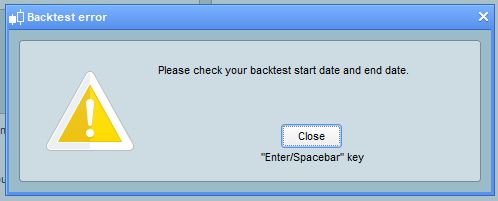
Error message: Check the start date and end date

Viewing 3 posts - 1 through 3 (of 3 total)

  • Author
    Posts
  • #119336 quote
    IRP
    Participant
    New

    Greetings to All,

    I am having trouble with performing automatically generated trades in that the error message asking given by the PRT platform is telling me to:”Check the start date and end date” … I have tried to shorten the interval to 1/3 of the interval that was done by the platform when it performs the first probacktest to see if this error would go away but this did now work … still get the same message as per pic below.

    Can anyone shed any light as to why this is happening?

    Many thanks,

    IRP

    Date-Error-Message-022020.jpg Date-Error-Message-022020.jpg
    #119338 quote
    robertogozzi
    Moderator
    Master

    Try these, until you work it out:

    • check what’s your TF, to spot if it could be invalid for the desired dates
    • close your backtest and restart it, sometimes it works
    • close your platform and restart it
    #119383 quote
    Nicolas
    Keymaster
    Master

    Expand the units displayed to be sure it shows the start date you have set in the backtest settings.

Viewing 3 posts - 1 through 3 (of 3 total)
  • You must be logged in to reply to this topic.

Error message: Check the start date and end date


Platform Support: Charts, Data & Broker Setup

New Reply
Author
author-avatar
IRP @irp Participant
Summary

This topic contains 2 replies,
has 3 voices, and was last updated by Nicolas

6 years ago.

Topic Details
Forum: Platform Support: Charts, Data & Broker Setup
Language: English
Started: 02/11/2020
Status: Active
Attachments: 1 files
Logo Logo
Loading...
